Grimy Survival Horror FPS Encounter
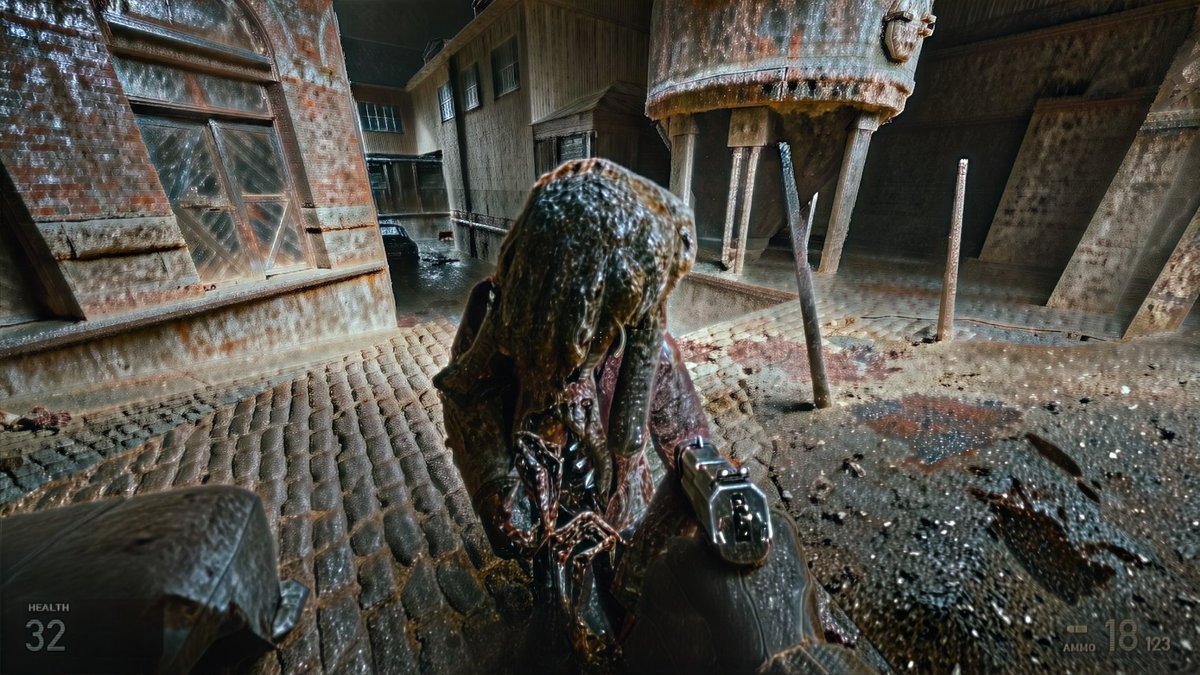
Full prompt
Create a gritty first-person survival-horror video game screenshot in a ruined industrial courtyard, as if captured from a cinematic FPS. The viewer holds a black semi-automatic pistol in the lower right foreground, aimed at one grotesque humanoid enemy standing extremely close in the center. The creature is hunched, wet, and decayed, with a lumpy parasite-like head covered in slick brown-black organic matter, dangling tendrils, exposed sinewy chest tissue, and a dark torn coat. The environment is a grimy abandoned brick-and-concrete factory alley with wet cobblestone paving, puddles, rust stains, blood smears, scattered debris, and heavy rain or water streaking across the image. Include exactly 1 large rusted cylindrical metal tank or silo elevated on thin legs in the upper right, exactly 1 large arched industrial window on the left brick wall, exactly 1 dark car partly visible in the background alley, and exactly 3 prominent vertical metal posts around the tank area. Use a wide 16:9 frame, low camera height, aggressive wide-angle lens distortion, high contrast, motion blur, dirty glass artifacts, heavy diffusion, chromatic smearing, and overprocessed photorealistic game-render texture. Add a minimal translucent HUD: in the bottom left show the label “HEALTH” above the number “32”; in the bottom right show a small ammo indicator with “AMMO” and the numbers “18” and “123”. Overall mood: oppressive, damp, rusted, diseased, chaotic, like {argument name="game style" default="a modern first-person survival horror shooter"}; make the scene feel like an intense close-quarters encounter with {argument name="enemy type" default="a grotesque parasite zombie"} in {argument name="location" default="an abandoned industrial courtyard"}. Use {argument name="lighting" default="cold dim overcast light with harsh wet reflections"} and {argument name="image treatment" default="extreme diffusion, grime, rain streaks, and GPT-image-like artifacting"}.
Use this prompt in the VdoBloom image editor.
Opens the image editor with this prompt — add your own photo to generate.