Taiki Shuttle Anime Conversion
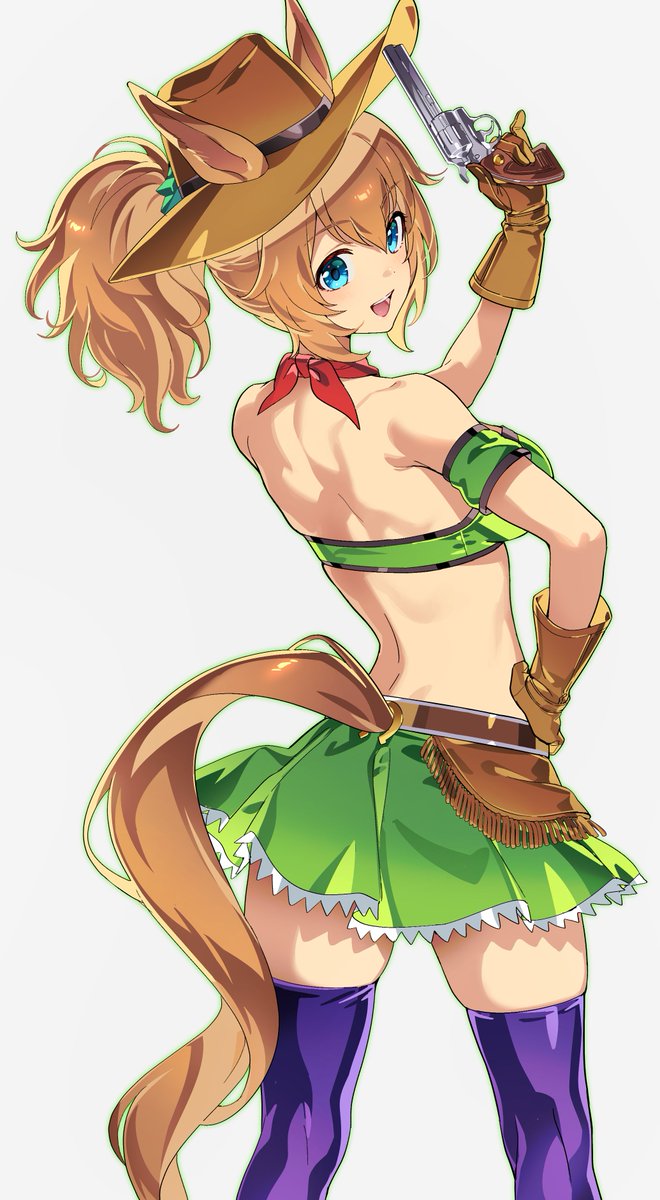
Full prompt
Using the provided reference image as the character and outfit base, transform the cosplay photo into a polished full-body anime illustration in the official Uma Musume-style fan art look. Keep the same cowgirl horse-girl identity, hat with horse ears, blonde ponytail, blue eyes, red neck scarf, green-and-black backless outfit, brown gloves and belt pouch, green skirt with white trim, long tail, and purple thigh-high boots. Change the camera angle into a clean full-body rear three-quarter pose on a plain white background, with the character smiling back over her shoulder. Add one new prop: a silver revolver held upright in her raised right hand near the hat. Make the anatomy stylized and dynamic, with crisp cel shading, glossy highlights, clean line art, vibrant colors, and no photorealism. Character identity: {argument name="character name" default="Taiki Shuttle from Uma Musume"}. Art style: {argument name="art style" default="high-quality anime game character illustration"}. Background: {argument name="background" default="plain white studio background"}. Prop: {argument name="handheld prop" default="silver revolver"}. Pose: {argument name="pose" default="full-body rear three-quarter pose, smiling back with one arm raised"}.
Use this prompt in the VdoBloom image editor.
Opens the image editor with this prompt — add your own photo to generate.