Toy Figure Character Transformation
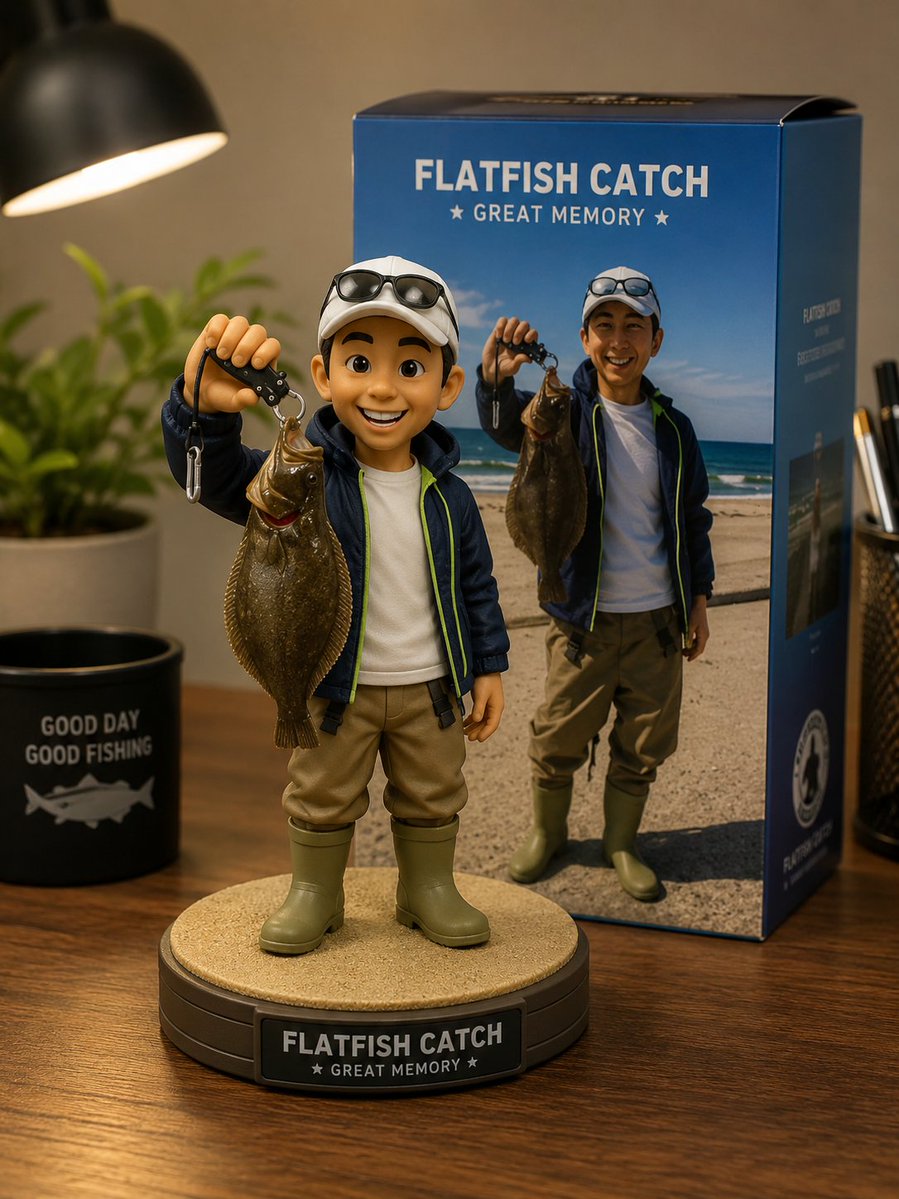
Full prompt
Transform the subject of the photo into a {argument name="item" default="toy-like figure"}. However, the person is depicted as a slightly exaggerated 3D character. Soft sculptural forms, matte textures, simplified geometry, cinematic clarity, and high visual polish. Keep the character recognizable while stylizing. Behind the figure, place a branded box printed with the attached image (the one before characterization). Place a circular pedestal in front of the box and have the figure sitting on it. Represent it in an {argument name="environment" default="indoor desk environment"}.
Original prompt
写真の被写体を、{argument name="アイテム" default="おもちゃのようなフィギュア"}に変換してください。 但し人物は少し誇張された3Dキャラクターとして描かれる。 柔らかい彫刻的なフォルム、マットなテクスチャ、簡略化されたジオメトリ、シネマティックな明瞭さ、高い視覚的磨き。 キャラクターをスタイライズしつつ認識可能に保つ。 フィギュアの後ろには、その添付の画像(キャラクター化する前のもの)が印刷されたブランド箱を配置してください。 箱の前には円形の台座を置き、その上にフィギュアを座らせてください。 {argument name="環境" default="室内のデスク環境"}で表現してください。
Use this prompt in the VdoBloom image editor.
Opens the image editor with this prompt — add your own photo to generate.