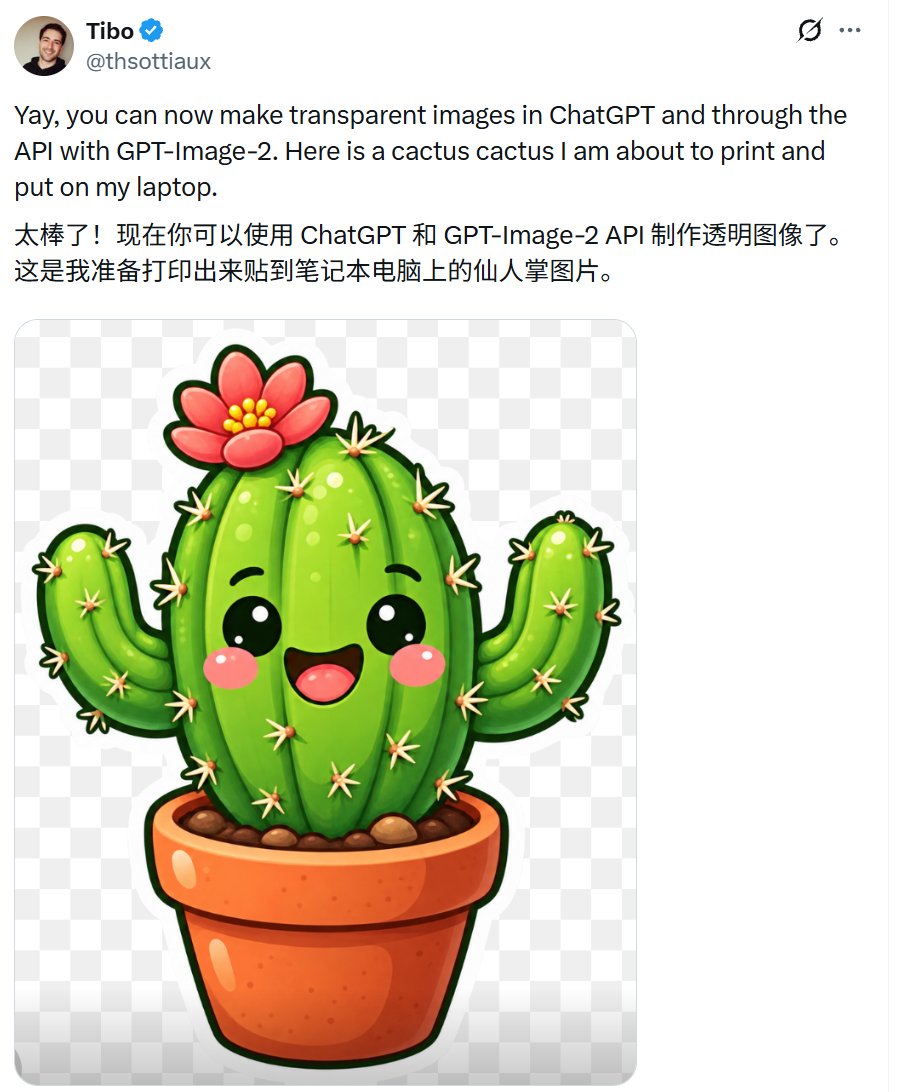
Tweet Screenshot with Kawaii Cactus Sticker
Full prompt
Goal: Create a realistic X/Twitter-style post screenshot showing an announcement about transparent image generation, with an embedded transparent-background sticker illustration.

Canvas: Square-ish social media screenshot, about 900 × 1090 px, white background, thin pale border on the far right, clean X/Twitter interface spacing.

Layout: At the top left place 1 circular profile avatar showing a smiling young man. To its right place the display name {argument name="display name" default="Tibo"} in bold black, followed by 1 blue verified check badge, with the handle {argument name="handle" default="@thsottiaux"} in gray underneath. At the top right place exactly 2 small interface icons: a black visibility/hidden-style icon and a gray three-dot overflow menu. Below the header, show exactly 2 text paragraphs: first an English paragraph, then a Chinese paragraph. Under the text, place 1 large rounded-corner embedded image card with a checkerboard transparency pattern background.

Text content: English paragraph: {argument name="English post text" default="Yay, you can now make transparent images in ChatGPT and through the API with GPT-Image-2. Here is a cactus cactus I am about to print and put on my laptop."} Chinese paragraph: {argument name="Chinese post text" default="太棒了!现在你可以使用 ChatGPT 和 GPT-Image-2 API 制作透明图像了。\n这是我准备打印出来贴到笔记本电脑上的仙人掌图片。"}

Embedded illustration: Inside the image card, create exactly 1 cute kawaii cactus sticker centered on a transparent checkerboard background. The cactus has 1 large oval green central body with vertical ribbing and glossy highlights, exactly 2 curved side arms, black smiling eyes, a wide open happy mouth, rosy pink cheeks, many small cream-colored spines with peach bases, and a thick dark green outline. On top of the cactus place exactly 1 pink-red flower with 5 large rounded petals, yellow bead-like stamens in the center, and a dark outline. The cactus sits in exactly 1 orange terracotta flower pot with a rolled rim, glossy highlights, dark outline, and brown soil with several visible pebbles. Add a soft white sticker-like border around the cactus and pot so it looks printable for a laptop decal.

Visual style: High-resolution clean screenshot aesthetic, black and gray UI typography similar to X/Twitter, generous margins, playful glossy 3D cartoon sticker style for the cactus, saturated greens and oranges, crisp outlines, soft shading.

Constraints: Use exactly 1 embedded image card, exactly 1 cactus, exactly 2 cactus arms, exactly 1 flower, exactly 1 pot, exactly 2 post paragraphs, and exactly 2 top-right UI icons. Do not add likes, comments, timestamps, watermarks, or extra interface elements.
Use this prompt in the VdoBloom image editor.
Opens the image editor with this prompt — add your own photo to generate.