Travel Field Notes Collector Poster
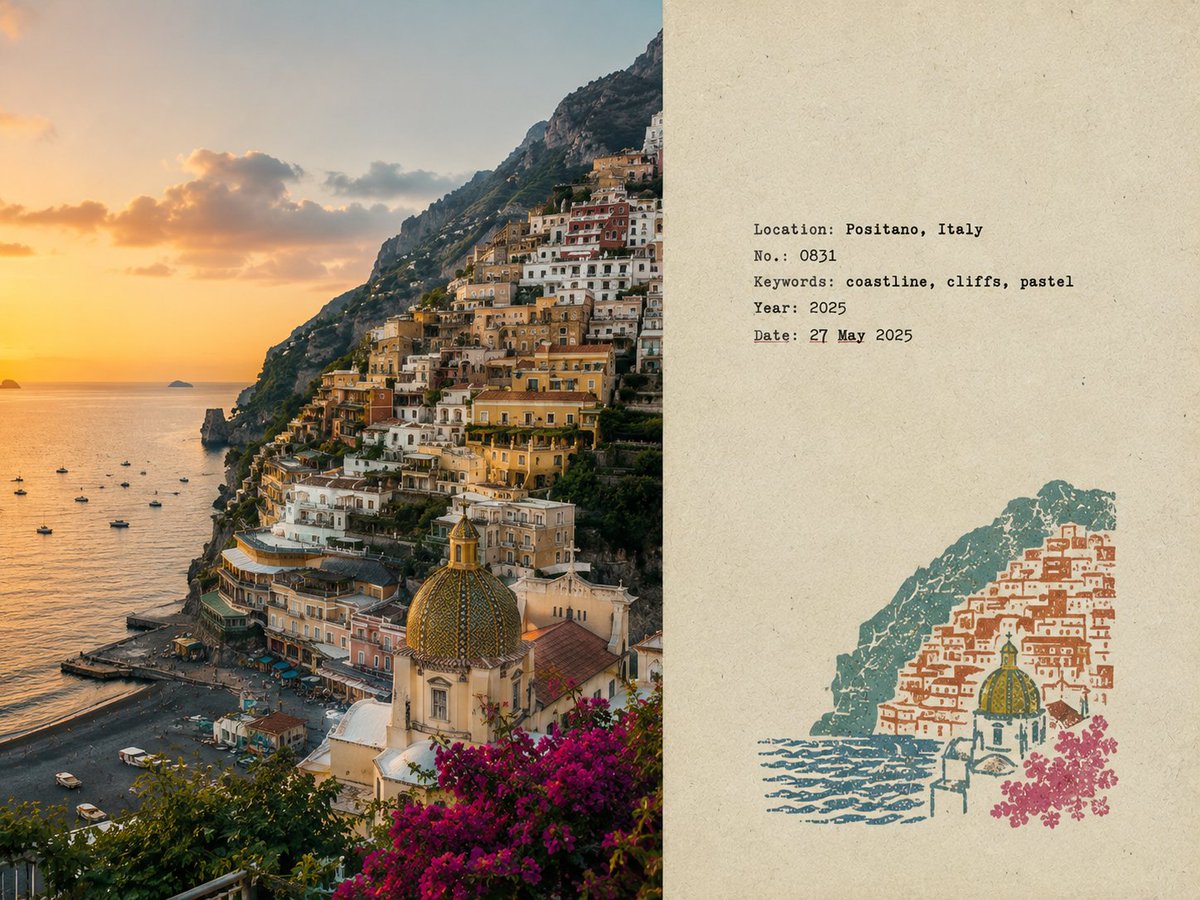
Full prompt
Create a separate {argument name="aspect ratio" default="4:3 landscape"} poster for each uploaded photo, one photo per output, no collage. {argument name="layout" default="Left 58%"}: Preserve the original photo faithfully,subject identity, architecture, terrain, people, plants, composition, lighting, shadows, textures, and natural colors. Only subtle editorial color grading and fine film grain. No distortion, redrawing, replacement, or shifting. Right 42%: Warm off-white aged paper with subtle fibers, grain, matte texture, light wear, and generous blank whitespace. No visible dividing line. Analyze the photo and create a small multi-color rubber stamp using only the most recognizable location elements—architecture, mountains, roads, shoreline, trees, skyline, etc. Remove crowds, vehicles, repetitive details, and clutter. Place the stamp in the lower-middle of the right side, using only 30–38% of its height. Use 2–4 muted spot inks inspired by the photo. Make each layer look genuinely hand-stamped with carved texture, uneven pressure, dry ink, paper show-through, fractured edges, granular ink, and subtle 1–2 mm misregistration. Avoid smooth vector graphics or full landscape illustrations. Add small typewriter-style field-note text: Location {argument name="name language" default="English"} name. No. Number. 3 short English keywords. Gregorian year. Date: [여기에 날짜를 입력해주세요]. Keep typography restrained, accurate, and slightly imperfect. Style: quiet, tactile, realistic, collectible travel field notes by an architect/travel writer. Avoid: obvious divider lines, circular seals, postage perforations, wax seals, sticker collages, tourist templates, logos, cartoon/3D styles, glossy gradients, oversaturation, excessive text, clutter, or altering the original photo.
Use this prompt in the VdoBloom image editor.
Opens the image editor with this prompt — add your own photo to generate.