3D Wireframe Illustration Transformation
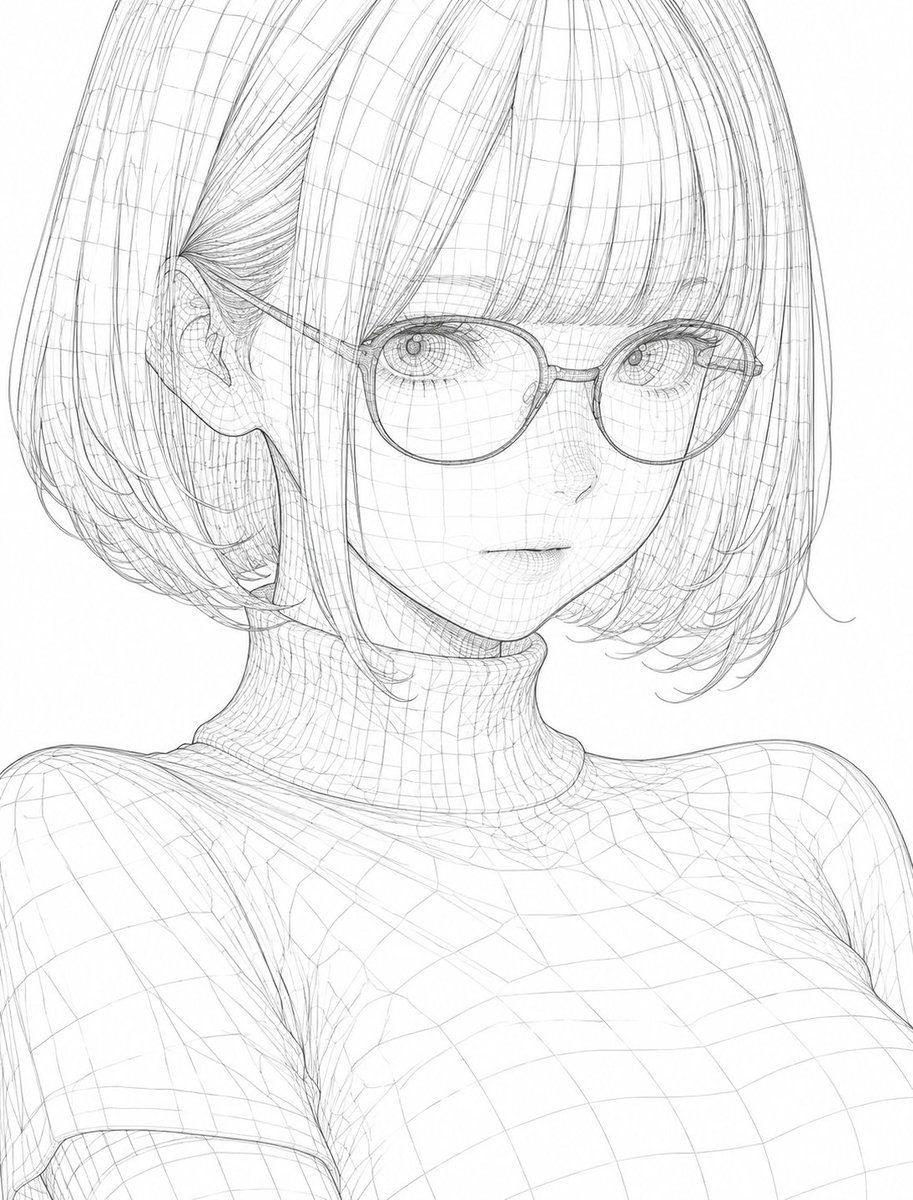
Full prompt
Please convert this illustration into a {argument name="style" default="Wireframe"} style. Express the outline and internal structure with thin, precise lines, and draw polygon edges and geometric lines overlaid throughout like a 3D model. Lines should be uniform and sharp, emphasizing three-dimensionality and depth through intersecting lines, making it look like a light, transparent structure. The overall atmosphere should be cool and technological, futuristic and minimalist, finished with the refined beauty of digital design or 3D modeling. Do not alter the composition, character's expression, pose, silhouette, or major features of the original illustration at all, and reconstruct it beautifully as a {argument name="style" default="wireframe"}.
Original prompt
このイラストを、{argument name="スタイル" default="ワイヤーフレーム(Wireframe)"}スタイルで変換してください。細く精密な線で輪郭と内部構造を表現し、3Dモデルのようにポリゴンエッジやジオメトリックな線を全体に重ねて描いてください。線は均一でシャープ、交差する線による立体感と奥行きを強調し、透明感のある軽やかな構造体のように見えるようにしてください。全体の雰囲気はクールでテクノロジカル、未来的でミニマル、デジタルデザインや3Dモデリングのような洗練された美しさに仕上げてください。元のイラストの構図・キャラクターの表情・ポーズ・シルエット・主要な特徴は一切崩さず、{argument name="スタイル" default="ワイヤーフレーム"}として美しく再構築してください。
Use this prompt in the VdoBloom image editor.
Opens the image editor with this prompt — add your own photo to generate.