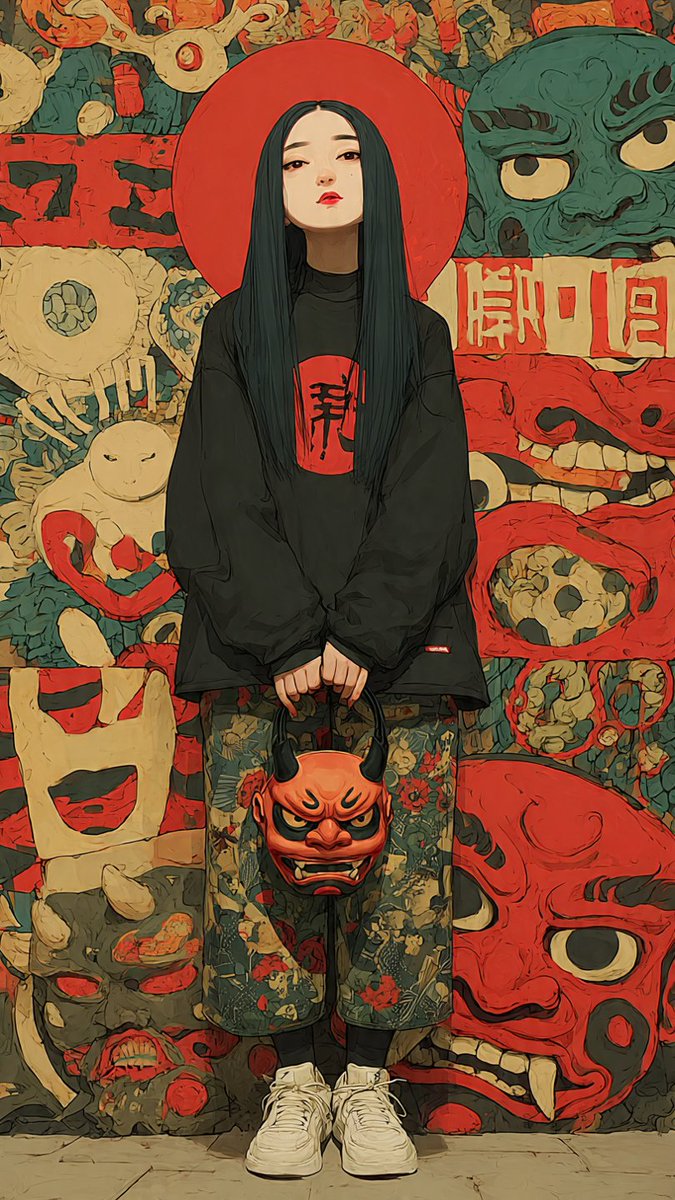
Yokai Streetwear Identity Portrait
Full prompt
Create a vertical full-body anime streetwear identity portrait of {argument name="character name" default="a mysterious young woman"} standing centered and facing forward, with a deliberately soft blurred rectangular face for anonymity. She has very long straight {argument name="hair color" default="black hair with deep teal highlights"} falling past her chest, and a large flat red circular halo/disc directly behind her head. Outfit: oversized black long-sleeve sweatshirt with a red square chest patch containing bold black Japanese calligraphy, loose cropped floral-pattern pants in muted green with red and beige flowers, black socks, and chunky white sneakers. Her hands hang together in front, holding one orange-red oni demon mask by its black horns; the handheld mask has angry eyes, black brows, tusks, and a grimacing mouth. Background: a dense Japanese yokai/oni mask mural in a hand-painted graphic style, using muted red, cream, teal-green, black, and tan. Include exactly eight large visible background mask/face motifs: 1 teal-green snarling mask at upper right, 2 cream cyclops mask at middle left, 3 pale rabbit-like figure with red ring at lower left, 4 cream square grinning face at left lower middle, 5 gray demon head at bottom left, 6 red skull-like panel face at middle right, 7 huge red oni face at bottom right, and 8 a crowded top strip of small red and cream grotesque masks. Add a horizontal cream sign with red Japanese-style characters behind the subject on the right, and rough black brush marks on red panels on the left. Visual style: moody editorial fashion illustration mixed with cel-shaded anime, thick ink outlines, painterly texture, slightly distressed poster surface, high detail, subdued vintage colors, symmetrical composition, low-angle full-body framing, no photorealism, no extra people, no watermark. Use {argument name="canvas ratio" default="9:16 vertical"} composition and a gritty Japanese folklore streetwear aesthetic.
Use this prompt in the VdoBloom image editor.
Opens the image editor with this prompt — add your own photo to generate.