AI Belly Dance Video Generator: Animate One Photo into a Dance Clip
The VdoBloom AI Belly Dance Video Generator animates a single photo into a belly dance video, complete with rhythmic hip movement and cinematic lighting. Instead of filming choreography — which takes years to learn and a camera operator to capture properly — you upload one picture, choose a style, and the AI generates the motion around the person already in the frame.
Three preset styles are built in, and they pull in noticeably different directions. Sensual is fluid and unhurried, with vibrant light and long, flowing hip work. Energetic pushes the tempo up into sharper, faster movement under bright lighting. Traditional is the one to reach for when the costume matters: graceful hip articulation, warm light, and a treatment closer to cultural performance than to a social trend. Pick one and you are ready to generate; ignore all three and write your own prompt instead.
Costume detail is where this effect earns its keep. Coin belts, veils, beading and heavy embroidery all move, and a still photo shows none of that. Because the generation preserves the outfit from your upload, a dance-school portrait or a festival photograph becomes a clip where the fabric and the metalwork actually catch the light. That makes it useful for dance schools advertising classes, for festival greetings, and for creators building cultural content calendars around performance rather than talking heads. It also sets the bar for your source image: if the belt is cropped out at the waist, none of that detail exists for the model to animate.
The economics are simple enough to state exactly. New accounts get 10 free credits. This tab uses the wide effect roster — 44 model variants across 15 families — and the cheapest five-second 720p render in it is ByteDance V1 Pro Fast at 7 credits, with P-Video at 8, ByteDance V1 Lite at 9, and the tab default Runway Gen-3 at 10. So the signup grant buys one clip and leaves at most 3 credits, which is not enough for a second. Free-tier playback carries a watermark over the video and the download stays locked; a paid plan removes the watermark and unlocks the MP4. Everything runs in the browser with nothing to install, and all generations are moderated under VdoBloom's content policies.
Examples
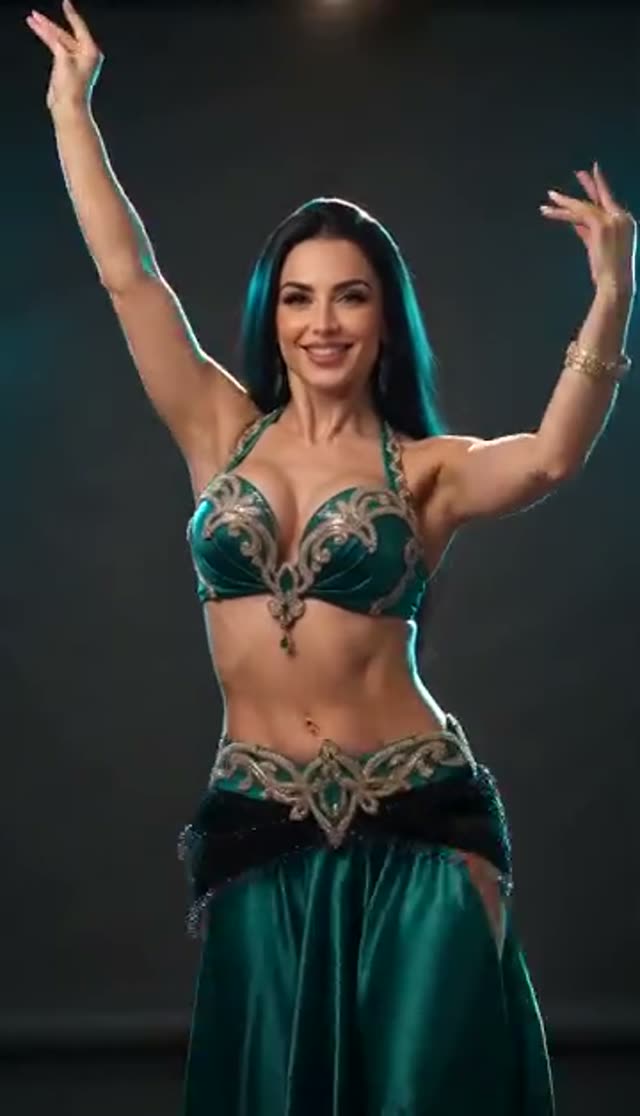
Sensual
Make this with my photo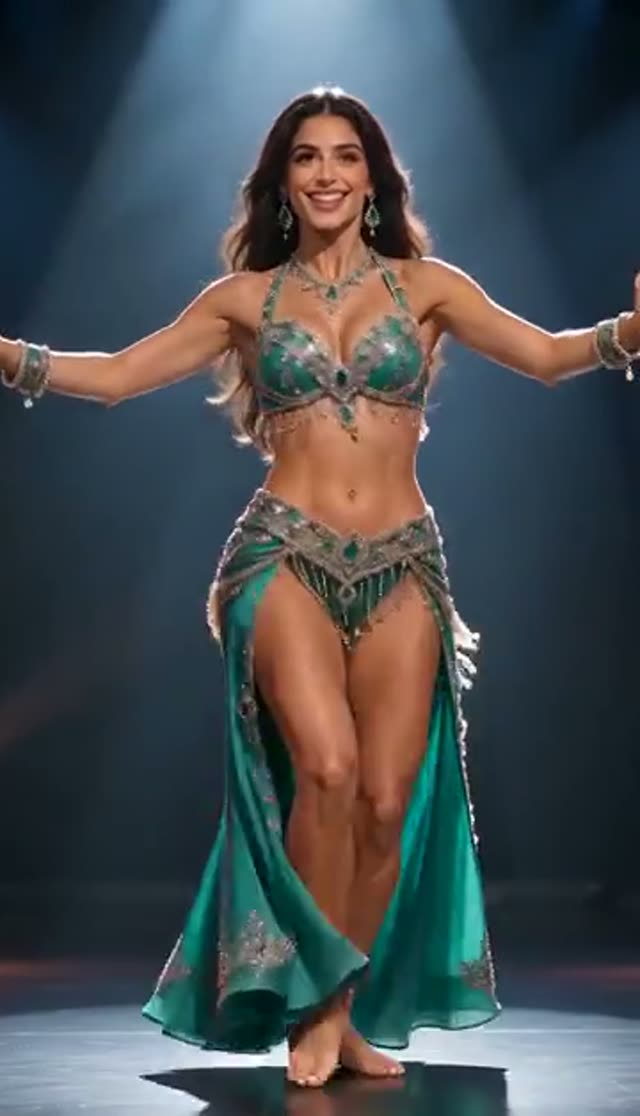
Energetic
Make this with my photo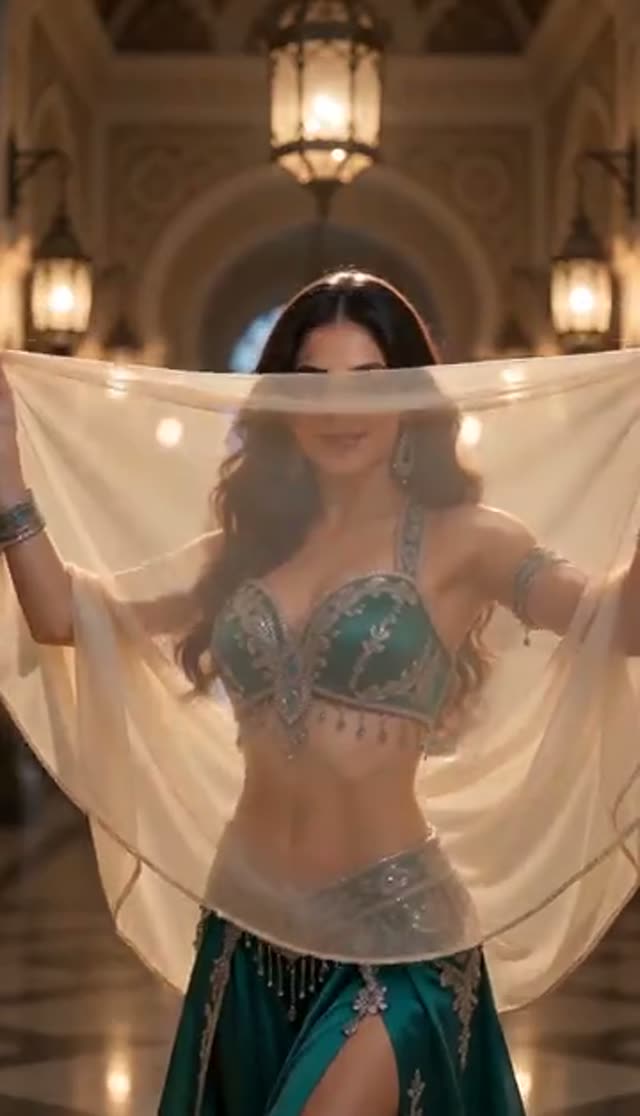
Traditional
Make this with my photo
How it works
- 1
Upload one photo
A clear, front-facing, well-lit image of the dancer. If the costume is the point, make sure the belt, veil or skirt is fully in frame rather than cropped at the hip.
- 2
Pick a style
Choose Sensual for flowing movement, Energetic for a faster tempo, or Traditional for graceful, culturally grounded hip work under warm light.
- 3
Describe your own scene, optionally
The prompt is editable, so you can specify the costume colour, the venue, the music tempo, or a stage with side lighting instead of the default treatment.
- 4
Choose a model and settings
Pick from the 44 variants in the effect picker — V1 Pro Fast at 7 credits is the cheapest — then set duration, quality and aspect ratio for the platform you are posting to.
- 5
Generate the clip
Start the render and let it finish in the background. A short clip on a fast model is usually ready in a few minutes.
- 6
Collect it and add music
The clip appears in your dashboard. On a paid plan you download the MP4 and pair it with a track in your editor or directly in the social app, since the generated clip is silent by default on most models.
Why use this tool
Three distinct dance registers
Sensual, Energetic and Traditional are not three names for the same motion — they change tempo, hip articulation and colour temperature together, so one photo yields three usable clips.
Costume and jewellery stay put
The outfit from your upload is preserved and animated, so coin belts, veils and beadwork move with the body instead of being redrawn as something generic.
No footage or choreography required
The AI creates the motion from a still image. You never need to record real dancing, and you do not need to be able to dance to publish dance content.
Editable prompt, not a locked template
Costume, tempo, lighting and atmosphere are all things you can specify in words, which is how you get a stage-lit performance instead of a default studio look.
The wide model roster
Unlike the keyframe effect tabs, belly dance draws on 44 variants across 15 families, which is why the cheap ByteDance engines from 7 credits are available here alongside the premium options.
Format it for the feed you use
Duration, quality and aspect ratio are all adjustable before generation, so 9:16 for Reels and Shorts or 1:1 for a feed post are both native outputs rather than crops.
Frequently asked questions
How do I make a belly dance video with AI?
Upload one photo to the VdoBloom belly dance tool, pick a template — Sensual, Energetic or Traditional — choose a video model, and generate. The AI animates the person in your photo with rhythmic hip movement and matching lighting. The finished clip is usually ready in a few minutes and appears in your dashboard, where a paid plan lets you download it as an MP4.
Is the belly dance generator free to use?
The first clip is covered. Every new account receives 10 credits, and the cheapest five-second 720p render on this tab is ByteDance V1 Pro Fast at 7 credits, which leaves 3 behind — enough to see, not enough to spend on a second clip. P-Video is 8, and the default Runway Gen-3 is 10, which uses the grant exactly. After that, generating more means buying credits or subscribing. We would rather quote the arithmetic than promise unlimited free video that nobody can actually deliver.
Is there a watermark on the finished video?
On the free tier there is. Free accounts get a watermark drawn over the player and no download — you can watch the result, but the file is not released. Any paid plan removes the watermark and unlocks the MP4. Since belly dance clips are almost always cut to music afterwards, the download is the part that actually matters, and that is the line the paid plan sits on.
Do I have to create an account?
Yes — a free one, with an email address or a Google login and no payment details. The 10 free credits attach to that account, and because rendering happens on our servers rather than in your browser, the account is also where the finished video is delivered and stored for you to open again later.
Do I need any dance footage to use this tool?
No. The generator works from a single still photo and creates all of the motion itself. You control the result through the template you pick and the prompt text describing style, tempo, costume, mood and lighting — never through reference video, which is not an input this tool takes.
What photo works best for belly dance motion?
Lead with the costume. The whole value of this effect is the coin belt, the veil and the beadwork coming to life, so the frame needs to include them: shoot or crop from mid-thigh up at minimum, with the hip line and belt clearly visible rather than cut off at the waist. Beyond that, front-facing and evenly lit beats dramatic and shadowed, because hip isolation is only convincing when the model can see where the waist ends and the hips begin. Busy patterned backgrounds behind a heavily patterned costume are the one combination to avoid — the two tend to bleed into each other during motion.
Can I customise the style beyond the three presets?
Yes. The prompt field is fully editable, so you can describe the costume, tempo, lighting and atmosphere you want, from a candlelit restaurant floor to a festival stage. You can also switch between video models and adjust duration and aspect ratio to fit TikTok, Reels or YouTube Shorts specifically. On model choice, ByteDance V1 Pro Fast is the value option at 7 credits for five seconds at 720p; P-Video at 8 and V1 Lite at 9 are close alternatives; Runway Gen-3 at 10 is the tab default. If costume texture is the priority, V1 Pro Fast at 1080p is 15 credits and premium families such as Kling V3 Turbo run to 36 for five seconds — worth it only once the framing is already right.
How long does generation take?
Typically a few minutes. Longer durations, higher resolutions and heavier model families take more time, and a busy queue adds to it. The page does not need to stay open — the clip is generated server-side and appears in your dashboard when it is done, so you can start it and walk away. That also means you can queue several variations back to back rather than waiting on each one before beginning the next.
Whose photos am I allowed to upload?
Only photos of adults who have agreed to be animated. That includes performers whose images you have licensed, students who have signed off for a dance school's marketing, and yourself. Photos of minors must never be used with this tool. Every generation is moderated under VdoBloom's content policies and anything that breaches them can be blocked or removed.
What should I do if the hips or hands come out distorted?
Belly dance is defined by isolation — the hips move while the shoulders and head stay comparatively still — and that is the hardest thing for a model to hold, so read the failure before you change anything. If the whole torso is swaying as one block, the source photo is probably too tightly cropped for the model to find a waistline; re-upload from mid-thigh up. If the coin belt smears or the veil turns to soup, that is a texture problem rather than a motion problem: raise the resolution or move to a model with more detail headroom. If a hand melts into the costume, regenerate once, since these models are non-deterministic and a second pass on the same inputs often resolves it. Contact support from the dashboard if credits were spent on a clip that never appeared.