AI Bikini Video Generator: Swimwear and Summer Clips From Your Own Photo
The VdoBloom AI bikini video generator turns one photo you own into a short swimwear clip for a beach, poolside or studio scene. It is built for the work swimwear actually needs: a catalogue look, a campaign frame or a piece of summer content, made from photography you already have, in February, without booking a location or a model. The AI bikini video it produces is a styled swimwear look — the person wears the swimwear in the scene, the way they would in a real shoot.
Three environment tiles do the work, and unlike most effect tabs these change the render rather than just the preview. Beach places the subject on sand with ocean behind them under natural sunlight. Pool adds water reflections, deck or tiles and bright daylight. Fashion is the editorial option — a clean studio backdrop under soft professional lights, closer to a lookbook frame than a holiday snap. Your choice is carried into both stages: the keyframe is instructed to rebuild the background as that setting and match its shadows, perspective and colour temperature, and the video model is told to work inside it.
That two-stage structure is why the lighting holds together. A WAN 2.7 image pass composes the frame first — a medium-to-full body shot in swimwear, natural fabric drape, believable light on skin, subject clearly separated from the environment — and only then does the video model animate it. Reconciling a person photographed indoors with sunlight on a beach is exactly the job that step exists to do, and it is the part most single-model tools skip.
Two things are worth stating plainly. First, the model picker holds 16 variants — Runway Gen-3, Gen-4 Turbo and Gen-4.5, Kling V2.5 Turbo, PixVerse v3.5 through v6, and Vidu 2.0 through Q3 Turbo — and pricing is shown exactly, because most sites in this category will not: a new account holds 10 credits, the default Runway Gen-3 at 720p for 5 seconds costs exactly 10, and the band runs to 48 on Gen-4.5. Second, and more important: this tab is for swimwear and summer fashion, and it runs on photos you are entitled to use. Upload your own photo, or a photo you have written permission to use. Every photo must be of an adult 18 or over. No minors, no photos of real people without their consent, no exceptions — the consent box is enforced before generation, not after.
Examples
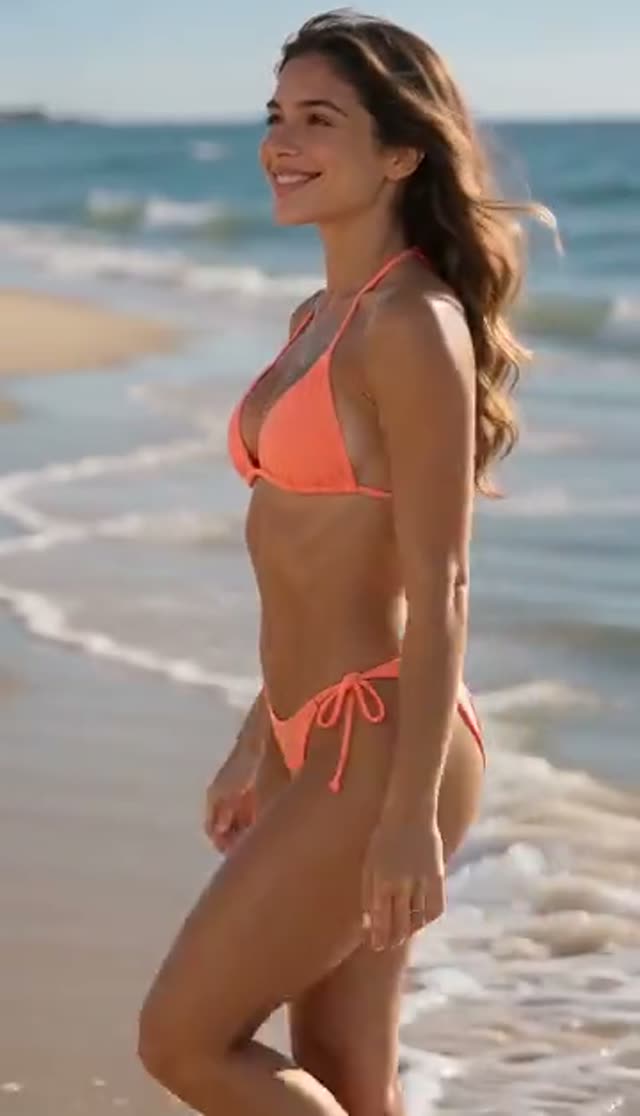
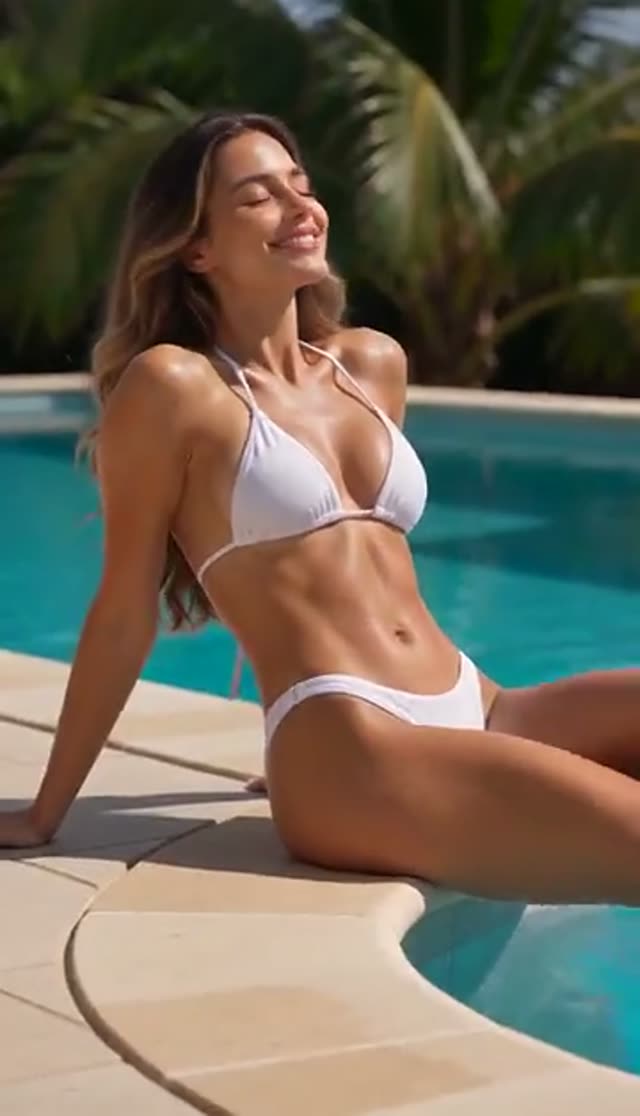
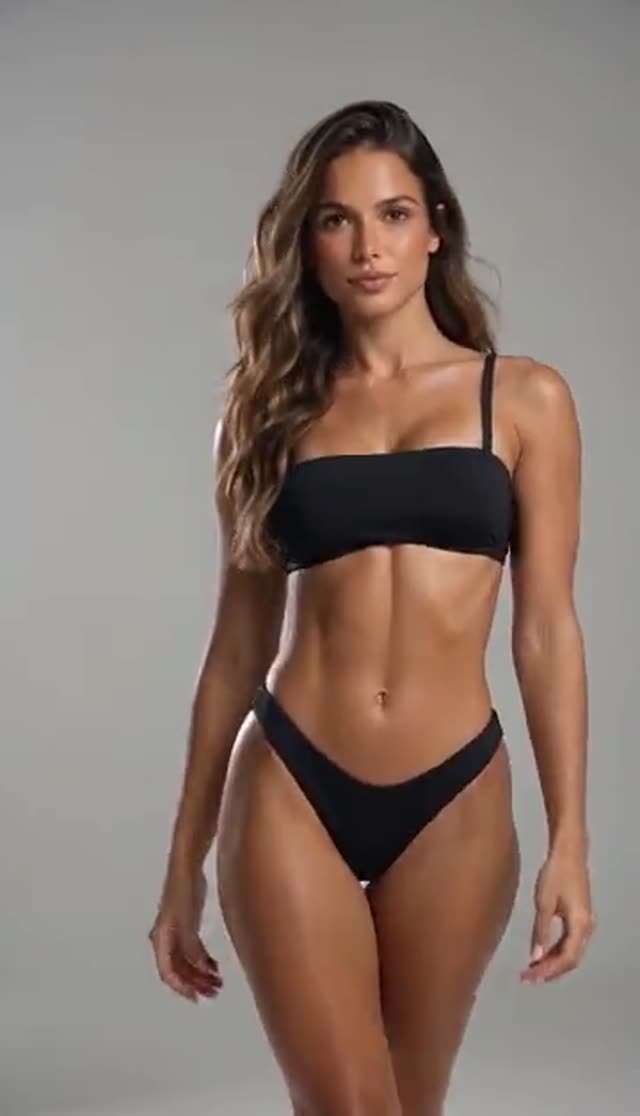
How it works
- 1
Confirm you are allowed to use the photo
Before generating you tick a box confirming the person shown is 18 or over and that you either are that person or have their written permission to use the image. Generation is blocked until you do. If you are a brand, that means model releases in hand first — releases that cover a generated swimwear depiction, since that is what this tab produces.
- 2
Upload one clear photo
A sharp, well-lit shot with the subject clearly visible and reasonably separated from the background. Identity is carried through from this file into the generated scene, so image quality translates directly into how faithful the finished clip looks. Front-on or three-quarter framing works better than a steep angle.
- 3
Choose the environment
Beach for sand, ocean and natural sun. Pool for water reflections and bright daylight on tiles or decking. Fashion for a clean studio backdrop and editorial lighting. This choice is not cosmetic — it flows into the keyframe instruction as a background build with matched shadows and colour temperature, and into the video model's brief as well.
- 4
Set the model and format
You start on Runway Gen-3 at 720p for 5 seconds, a 10-credit run. Pick 9:16 for Reels and TikTok, 1:1 for a feed grid, 16:9 for a product-page banner — choose the frame before generating rather than cropping after. Kling V2.5 Turbo follows your photo's frame instead, and Vidu 2.0 offers no portrait option.
- 5
Generate and review at full size
A 5-second clip normally returns within a few minutes; the keyframe is built first, then animated. Watch it full size before publishing — light on skin is where these renders show their seams, and a mismatch that hides on a phone preview is obvious on a product page. Credits are only taken once the provider accepts the job.
- 6
Run the other two environments
The same source frame through Beach, Pool and Fashion gives a brand three distinct campaign treatments from one photograph. Most models return silent files, so add your own track; Vidu Q3 and Q3 Turbo can generate audio in the same pass.
Why use this tool
Three environments that reach the render
Beach, Pool and Fashion are not three names for one output. The environment you select is carried into the keyframe instruction as an explicit background build with matched shadows, perspective and colour temperature, and into the video model's brief as the setting to work in. That is why the three treatments look like three shoots rather than three captions.
Built for swimwear brands and e-commerce
Product-page video and lookbook frames from photography you already own: one model photo becomes a beach, pool and studio treatment, so a new colourway or a new season has a clip before anyone books a shoot. No cast, no location, no studio day.
Creator summer content, any month
A summer post usually has to be shot in summer. Here the scene is built, so a creator can shoot once and publish swimwear and resort content on the schedule the feed needs — testing three treatments from one photo instead of waiting for a holiday.
Identity carried from your photograph
Face, hair, body proportions and pose come from the source image rather than being regenerated, and the keyframe instruction rules out face swaps and added people. That is what makes the output usable for a named model or a brand ambassador — the person in the video has to be recognisably the person you shot.
Sixteen models with published prices
A 5-second 720p render is 10 credits on Gen-3, 18 on PixVerse v3.5 or Vidu Q2 Turbo, 20 on Gen-4 Turbo or Vidu Q3 Turbo, 22 on PixVerse v4.5, 40 on Kling V2.5 Turbo and 48 on Gen-4.5. Vidu 2.0 accepts 4-second jobs only; Vidu Q1 renders 1080p only. Draft cheap, re-render the chosen take on something premium.
Consent and moderation in the flow
An adults-only, rights-and-consent confirmation is required on every upload, and each job is screened against VdoBloom's content policy before it reaches a model, so a request can be rejected. Only upload your own photo, or one you have written permission to use. No minors, and no photos of real people without their consent. Explicit material is not permitted.
Frequently asked questions
What is an AI bikini video generator?
It is a tool that turns a still photo into a short swimwear clip. On VdoBloom you upload a photo you own, pick a beach, pool or studio setting and a video model, and the tool composes a swimwear frame from your photograph and animates it. It is made for swimwear brands, resort and travel content, e-commerce product pages and creators planning a summer feed — the scene is generated, and the person stays recognisably the person in your photo.
Is the AI bikini video generator free?
The first clip is. Every new account receives 10 credits and the default render — Runway Gen-3, 720p, 5 seconds — costs exactly 10, with no card requested at signup. That render is watermarked: the free plan marks the player and the file it downloads, and a paid plan clears it. After the starting balance, 10 credits is still the cheapest 5-second bikini video generator option on this tab.
Whose photo can I upload?
Your own, or one you have written permission to use. Every photo must be of an adult 18 or over. Do not upload photos of minors, photos of real people who have not agreed to a generated swimwear video, private images, or anything you do not hold the rights to. The consent box is checked before generation and every job is screened against the content policy, so a request can be rejected.
Can swimwear brands use this for e-commerce and campaigns?
Yes, and it is the clearest use case here. A new colourway, a restock or a new season can have product-page video and lookbook frames built from model photography you already own, with beach, pool and studio treatments tested from a single frame before anyone books anything. The limiting factor is paperwork rather than technology — you need the rights to the photograph and a release from the model that covers a generated swimwear depiction, obtained before you upload.
Which environment should I pick for a lookbook?
Fashion. It is the editorial treatment — clean backdrop, soft professional light — so the swimwear itself stays legible instead of competing with the setting, which is what a product page or a lookbook needs. Beach and Pool both rebuild the background substantially, so they suit holiday, travel and lifestyle content where the setting is doing the selling. Running all three from one photo takes three renders and tells you quickly.
Which model should I use?
Runway Gen-3 at 10 credits is the default and copes with most photos. PixVerse v4.5 at 22 gives a more stylised swimwear frame on the same keyframe. Gen-4.5 at 48 resolves fabric and skin best, which is what a campaign frame is judged on. Note that the camera-movement control is not available on effect tabs, so model choice is where the difference comes from.
Will the clip look like the person in my photo?
Face, hair, body proportions and pose are carried through from your upload rather than being regenerated, and the keyframe instruction rules out face swaps and added people, so a named model or brand ambassador stays recognisable. Fabric drape and lighting on skin are generated, so check the clip at full size before publishing — a mismatch that hides on a phone preview is obvious on a product page.
Do I need an account, and how long does it take?
Yes — a free account, email or Google, under a minute, no payment details. The account holds the starting credits, stores your videos, and is where the rights-and-consent confirmation is recorded against each job, which matters when you are working from a photographer's or a brand's photograph. A 5-second clip typically takes a few minutes: the keyframe is built first, then animated, so it takes a little longer than a plain image-to-video job. You can close the page and come back; finished videos appear in your library.