AI Couple Dance Video Generator: Make Two Photos Dance Together
The VdoBloom AI couple dance video generator turns photos into a short clip of two people dancing together. Upload one photo that already shows the couple, or two separate photos, one of each person. Pick Waltz, Salsa or Slow Dance and the AI animates the pair in a dance hold, with turns and joined hands, keeping the faces and outfits from your pictures.
Is it free? The first clip can be. New accounts get 10 free credits and the tab opens on Runway Gen-3 at 5 seconds and 720p, which costs 10 credits. Free-tier results carry a VdoBloom watermark; any paid plan or credit pack removes it. The Lite pack is 300 credits for $19.50 one-time (never expires) or $15 a month, enough for 30 Gen-3 dance clips.
Couples use it for first-dance previews, anniversary posts, save-the-date teasers and long-distance "dance with me" clips; families use it to see grandparents dance one more time. Use photos of adults who have agreed to be in the video; prompts are screened before a job runs.
Examples
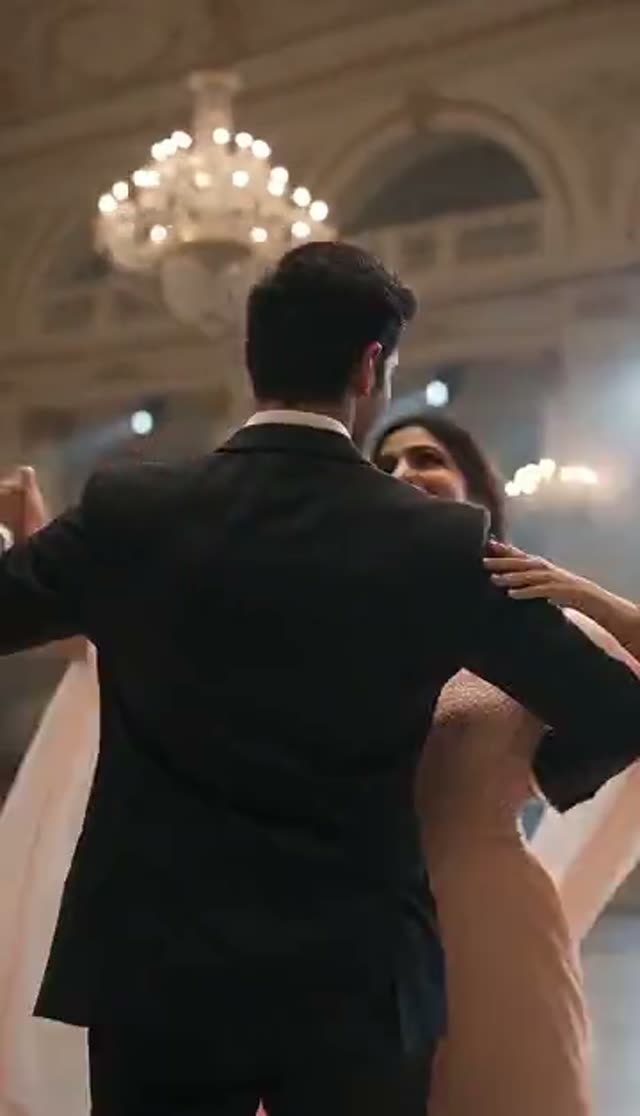
Waltz
Make this with my photo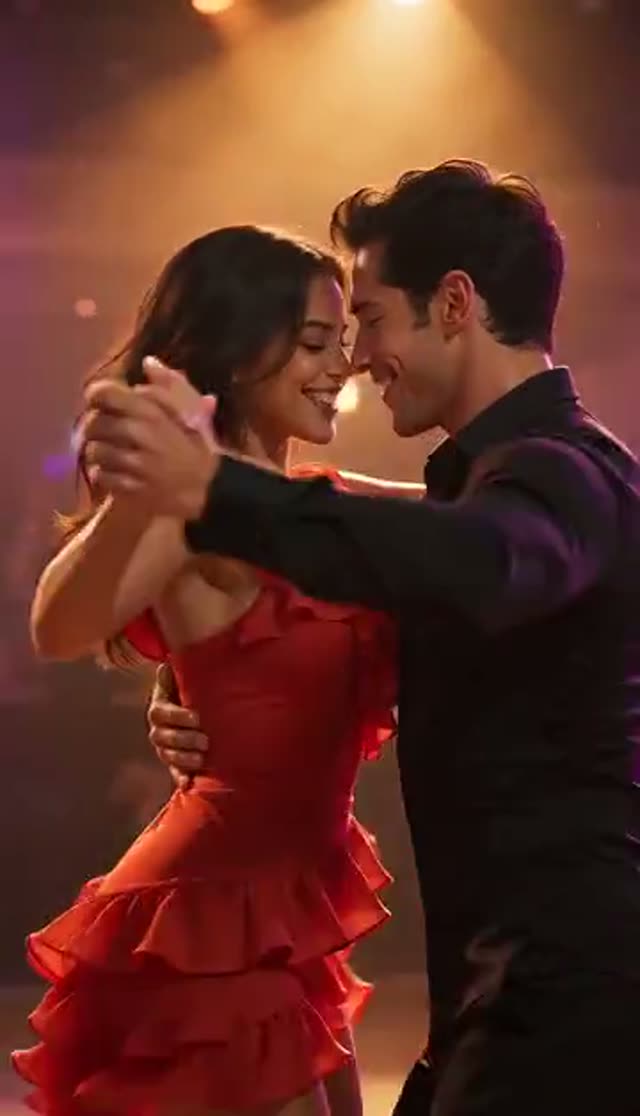
Salsa
Make this with my photo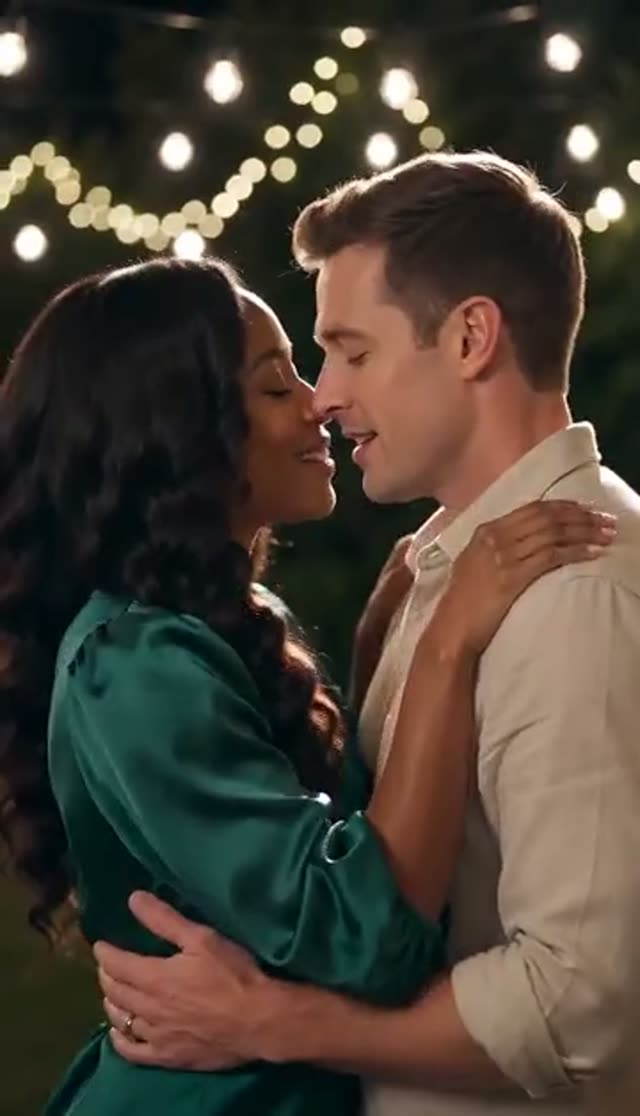
Slow Dance
Make this with my photo
How it works
- 1
Choose one photo or two
One photo of the couple together usually holds likeness best. Two photos lets you pair people who were never photographed together.
- 2
Upload half-body or full-body photos
A partner dance needs arms, shoulders and torsos to work from. Tight headshots force the model to invent everything below the collar.
- 3
Pick the dance
Waltz (elegant ballroom hold), Salsa (faster and energetic) or Slow Dance (close embrace, warm light). Each loads an editable prompt.
- 4
Describe the scene
Name the venue, outfits or camera move: a ballroom, a rooftop at dusk, a wedding reception, a kitchen at midnight.
- 5
Set model, length and ratio
Runway Gen-3 at 5 seconds and 720p is the 10-credit default. Use 9:16 for Reels and TikTok, 16:9 for a screen at a reception.
- 6
Generate and download
Rendering runs on VdoBloom's servers, so you can close the tab. The clip appears in My Creations in a few minutes.
Why use this tool
Two people from two photos
In two-photo mode both people are first placed into one full-body frame facing each other in a dance hold, then animated, so they look filmed together rather than pasted side by side.
Three dance styles
Waltz, Salsa and Slow Dance set the choreography, how close the hold is and the lighting mood.
Editable prompt
Each style is a starting sentence. Change the venue, era, outfits or camera language freely.
Models that accept both photos
Two-photo mode offers Runway, Kling, PixVerse, Vidu and LTX-2 Fast, plus Seedance 2, Gemini Omni and Veo 3 Fast, which read both photos directly as references.
Cheaper models in one-photo mode
With a single couple photo the full image-to-video roster opens, including ByteDance V1 Pro Fast at 7 credits for 5 seconds at 720p.
No surcharge for the second photo
Price depends on model, length and resolution only. Combining the two photos is included.
Which model should I use for a couple dance video?
Credits per clip. Two-photo mode shows the models that can use both photos; one-photo mode opens the whole image-to-video list.
- If you pick a one-photo-only model and then switch to two photos, the tab resets to Runway Gen-3 instead of silently dropping the second person.
| Model | Clip | Credits | Photo mode |
|---|---|---|---|
| ByteDance V1 Pro Fast | 5 s at 720p | 7 | One photo only |
| Runway Gen-3 (default) | 5 s / 10 s at 720p | 10 / 20 | One or two photos |
| Vidu 2.0 | 4 s at 720p | 15 | One or two photos |
| PixVerse v3.5 / Vidu Q2 Turbo | 5 s at 720p | 18 | One or two photos |
| LTX-2 Fast | 6 s at 1080p | 20 | One or two photos |
| Runway Gen-4 Turbo / PixVerse v4 / Vidu Q3 Turbo | 5 s at 720p | 20 | One or two photos |
| Seedance 2 Fast | 5 s at 480p / 720p | 24 / 50 | Reads both photos as references |
| PixVerse v5 | 5 s at 720p | 25 | One or two photos |
| Kling V2.5 Turbo | 5 s | 40 | One or two photos |
| Runway Gen-4.5 | 5 s | 48 | One or two photos |
| Seedance 2 | 5 s at 720p | 82 | Reads both photos as references |
What a couple dance video costs
Worked examples with the Lite pack (300 credits):
| Clip | Credits each | Clips from 300 credits |
|---|---|---|
| Runway Gen-3, 5 s, 720p | 10 | 30 |
| Runway Gen-3, 10 s, 720p | 20 | 15 |
| PixVerse v5, 5 s, 720p | 25 | 12 |
| Kling V2.5 Turbo, 5 s | 40 | 7 |
| Seedance 2, 5 s, 720p | 82 | 3 |
Is the AI couple dance generator free?
One clip is. The 10 free signup credits cover a 5-second 720p Runway Gen-3 couple dance video, the entry price in two-photo mode. Free-tier results carry a VdoBloom watermark; any paid plan or credit pack removes it and gives you the MP4. There are no daily free credits, and one-time pack credits never expire.
One photo vs two photos
One photo: the model animates a picture that already contains both people. Likeness is usually tightest, and every image-to-video model is available.
Two photos: for most models, VdoBloom first uses WAN 2.7 to place both people into one full-body frame, facing each other in a relaxed dance hold with floor space to move, and then animates that frame. Seedance 2, Gemini Omni and Veo 3 Fast instead take both photos directly as reference images. If the fusion step fails, the job stops before any credits are charged.
The three dance styles
Each loads a different prompt you can edit:
| Style | Movement | Mood | Good for |
|---|---|---|---|
| Waltz | Elegant ballroom hold, graceful turns | Soft lighting | Wedding and first-dance previews |
| Salsa | Faster steps, energetic movement | Vibrant lighting | Fun couple posts, birthdays |
| Slow Dance | Close embrace, gentle sway | Warm, romantic light | Anniversaries, long-distance clips |
Prompt ideas to try
Add one of these to a style, or rewrite it entirely:
- First dance at a wedding reception, string lights overhead, guests blurred in the background.
- Rooftop at dusk, city lights behind them, slow orbiting camera.
- Tango in a dim ballroom, dramatic spotlight, red and black tones.
- Barefoot on the beach at sunset, waves behind them, handheld camera.
- 1950s dance hall, vintage outfits, warm film grain.
Tips for better results
What helps most:
- Half-body or full-body photos, faces unobstructed and in focus.
- In two-photo mode, pick pictures with similar light and framing.
- Say who leads or spins in the prompt if it matters to you.
- Draft on Runway Gen-3, then re-run the same prompt on Kling or Seedance 2 for a final cut.
- Clips have no soundtrack step on this tab; add your song in CapCut or your phone editor after downloading.
Limits and content rules
Clips are short (mostly 4 to 10 seconds), so think of them as a dance moment rather than a full routine. The tab does not sync movement to a song or follow a reference dance video. Arms and hands in a close hold are the hardest part for any model, so regenerate when a hand looks wrong.
Use photos of adults who have agreed to be in the video. Uploads and results stay in your private library; prompts are screened and generations follow VdoBloom's content policies.
What people make with it
Popular uses for AI couple dance videos:
- First-dance previews and wedding reception slideshows.
- Anniversary and Valentine's Day posts.
- Save-the-date and engagement announcement teasers.
- Long-distance couples dancing together from two separate photos.
- Grandparents or parents dancing again from an old photo.
Frequently asked questions
How do I make an AI couple dance video?
Open the couple dance tab, upload one photo of the couple or two separate photos, choose Waltz, Salsa or Slow Dance, pick a model and generate. A 5-second Runway Gen-3 clip at 720p costs 10 credits.
Can I make two separate photos dance together?
Yes. In two-photo mode both people are placed into one full-body frame facing each other in a dance hold, then animated. Seedance 2, Gemini Omni and Veo 3 Fast read both photos directly instead.
Is there a free AI couple dance video generator?
New VdoBloom accounts get 10 free credits, enough for one 5-second 720p couple dance on Runway Gen-3. Free-tier results are watermarked; any paid plan or credit pack removes it.
What dance styles are available?
Three presets: Waltz, Salsa and Slow Dance. Because the prompt is editable, you can also describe a tango, a swing dance or a wedding first dance.
What photos work best?
Sharp half-body or full-body shots with faces clearly visible. In two-photo mode, pictures with similar lighting and framing blend more naturally.
Which model is best for a couple dance?
Start on Runway Gen-3 (10 credits). For smoother motion try Kling V2.5 Turbo (40). Seedance 2 (82 at 720p, 5 s) reads both photos directly as references.
Can I add music to the dance video?
This tab has no soundtrack step. Download the MP4 and add your song in a video editor such as CapCut or Premiere.
How long does it take?
Usually a few minutes, depending on model, length and queue. Rendering continues if you close the page and the clip appears in My Creations.
Can I make a wedding first dance video before the wedding?
Yes. Use engagement photos, the Waltz or Slow Dance style and a prompt naming your venue. Generate in 16:9 if it will play on a screen at the reception.
Do I need my partner's permission?
Yes. Only upload photos of adults who have agreed to appear. Uploads stay private in your library, and generations follow VdoBloom's content policies.