Comic to Video Generator: Animate Manga Panels in Their Own Art Style
The VdoBloom Comic to Video Generator animates comic panels, manga pages and character art without redrawing them. Your line weight, your palette, your screentone and your shading survive the process — characters move inside the artwork rather than being replaced by a photoreal stand-in. Panels gain parallax depth between foreground and background, and action shots get impact frames and speed lines drawn in the same hand as the source.
Style preservation is the hard part, and it is worth saying why. Left alone, most video models drift toward photorealism, because that is what the bulk of their training footage looks like — feed one a manga panel and you can easily get a live-action cosplay of your character by second three. The default prompts here push in the opposite direction: keep the exact line work, colours and shading technique of the source, and animate within that style rather than converting it. Your panel stays recognisably yours; it just moves.
Three motion templates cover the usual jobs. Panel Comes Alive adds restrained in-style motion with parallax layers and hand-drawn speed lines — the closest thing to a moving manga page. Anime Action pushes a dynamic perspective shift toward the main character with a radial impact frame and energy effects pulled from your own palette. Story Pan is a slow cinematic glide across the artwork with ambient movement — hair swaying, fabric drifting, light particles floating — and it is the gentlest of the three, which makes it the safe choice for detailed webtoon frames where too much motion would disturb the linework.
It is built for comic artists, webtoon creators, indie manga publishers and fan artists who want motion versions of pages for social, series trailers and pitch reels. Pages made with VdoBloom's AI manga generator feed straight in, so the path from idea to animated panel stays inside one platform. New accounts get 10 free credits and a 4-second 720p render on Seedance 1.5 Pro costs 6, so the first panel is free to animate. On the watermark question, be precise: renders downloaded on the free credits carry a VdoBloom mark sitting over your artwork, and any paid plan downloads the identical file with nothing on top of it.
Examples
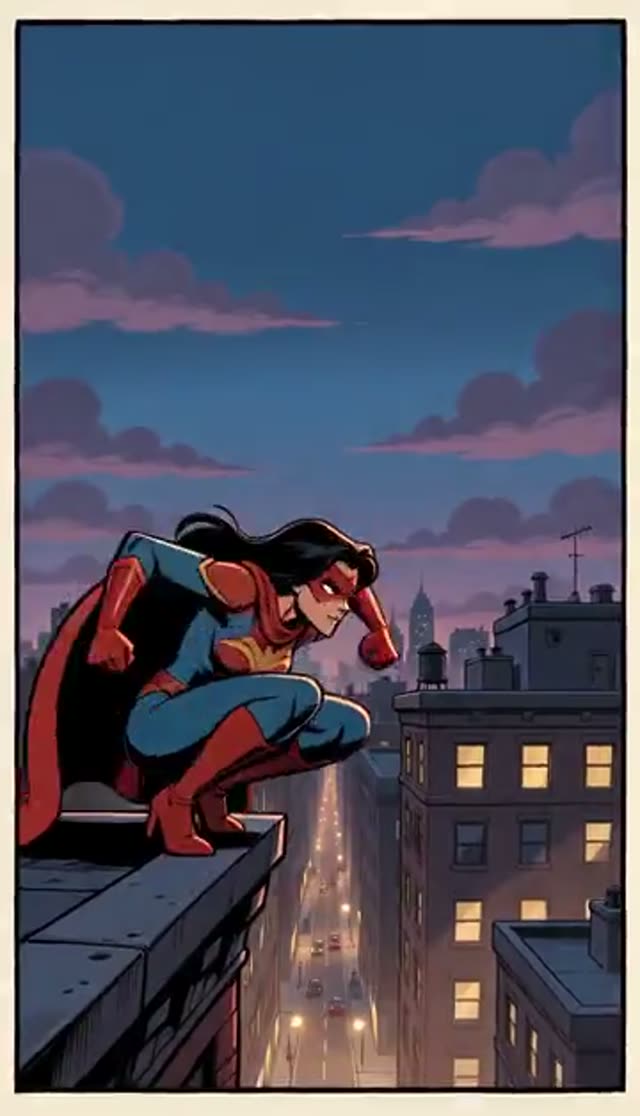
Panel Comes Alive
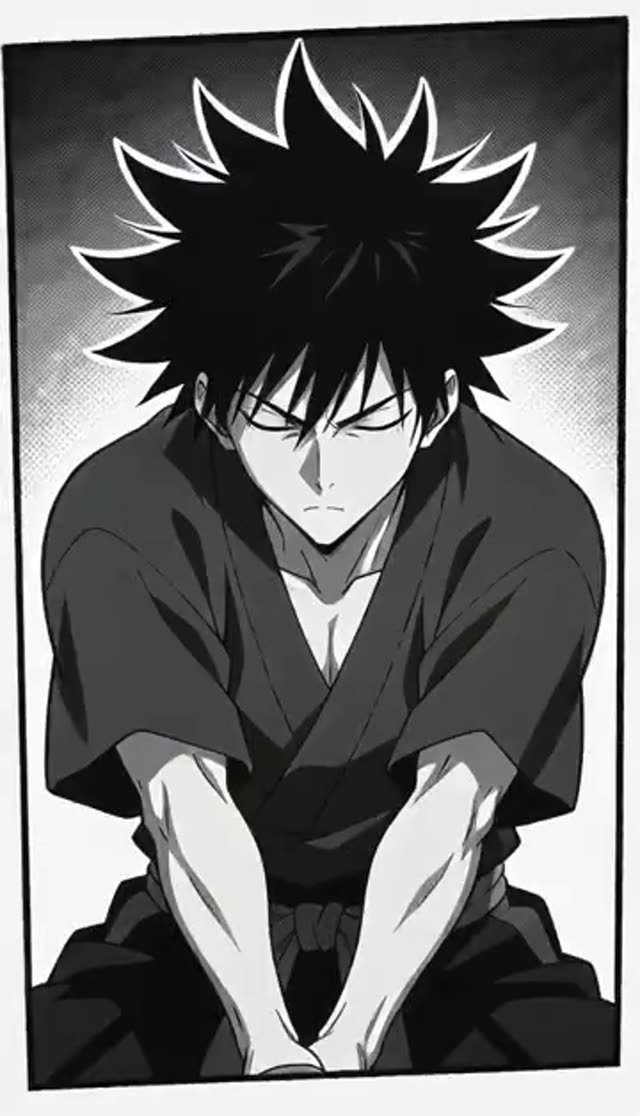
Anime Action
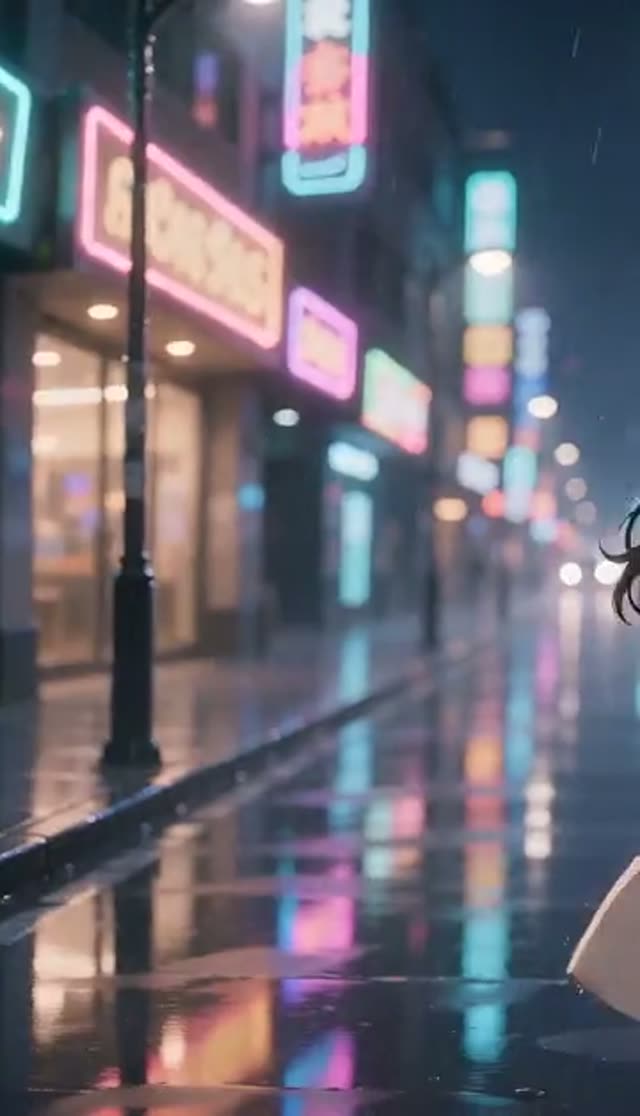
Story Pan
How it works
- 1
Crop to one panel
Dense multi-panel pages confuse the framing, because the model has to decide which of five drawings is the subject. Crop to the single panel or character you want moving — you get far more control, and you can animate the neighbouring panels separately and cut them together afterwards.
- 2
Upload the artwork
Hand-drawn, digital, inked, screentoned, coloured webtoon frames and AI-generated pages all work. Higher resolution helps, because the model has to be able to read your line weight before it can hold on to it.
- 3
Pick how it moves
Panel Comes Alive for subtle in-style motion with parallax, Anime Action for an impact burst with radial speed lines, Story Pan for a slow webtoon-style camera glide over mostly static art. All three are editable prompts, not fixed filters.
- 4
Say what should move
The prompt field is where you direct it: which character animates, which way the camera travels, whether the background is windy or still. 'Only her cloak and hair move, camera pushes in slowly' beats leaving the decision to the model, and restricting the motion is also the single best defence against style drift.
- 5
Set model, length and frame
Pick from the 44 image-to-video variants on this tab and start cheap while you dial in the motion. Aspect ratio is a setting on most of them — Runway, Seedance, PixVerse and Vidu among them — so 9:16 for a webtoon strip or a Reel and 16:9 for a trailer are both available. Some image-to-video families expose no ratio control and simply follow the shape of the panel you uploaded, which is often what you want anyway if the panel is meant to stay intact.
- 6
Assemble a motion comic
Generate a clip per key panel, then cut them together in any editor with your own pacing, captions and sound design. Download from a paid plan when you get to that stage, so the clips going into the edit have nothing sitting over the art.
Why use this tool
Your art style, preserved
Line work, palette and shading technique are held through the animation instead of being converted to realism — the single thing this tool exists to get right, and the instruction sits in every preset prompt.
Three motion modes
Subtle in-panel life, an anime action burst, or a slow webtoon camera glide, each a one-tap start that you can rewrite in the prompt field to name exactly what moves.
Parallax depth from a flat page
Foreground and background separate into layers, so a static drawing gains the sense of space a single illustration can only imply, without you having to cut the artwork into layers yourself.
Drawn effects, not stock overlays
Speed lines, impact frames and energy accents are generated in your palette and line weight rather than pasted on from an effects library that never matches the page.
Works with anything drawn, including AI art
Ink, digital colour, screentone, webtoon panels and pages generated with VdoBloom's manga tool all animate through the same pipeline, with no conversion step in between.
Watermark-free on any paid plan
Paid-plan downloads are plain MP4 with nothing burned over your artwork, so the clip can go on a portfolio, a series page or a publisher pitch as it comes out. Clips downloaded on the free signup credits carry a VdoBloom mark across the panel until you are on a plan.
Frequently asked questions
Will the AI change my art style?
No — that is the core promise of this tool. The default prompts explicitly instruct the model to keep your exact line work, colours and shading, and to animate within that style rather than converting the artwork toward photorealism. Your panel stays recognisably yours, just in motion. If you do see drift toward realism, it is almost always because the prompt was rewritten in a way that dropped the style-preservation instruction — restore the preset wording, add your own direction around it instead of replacing it, and run it again.
Is the comic to video generator free?
The first panel is. New accounts get 10 free credits with no card, and a 4-second 720p image-to-video render on Seedance 1.5 Pro costs 6 credits, so you can animate a real panel at real quality before spending anything. It is not unlimited, and the arithmetic matters for this tool more than most: a motion comic is one render per panel, so a six-panel scene at that size is 36 credits and an episode is a plan. Finding out how the model treats your particular art style, though, costs nothing.
Do the animated panels have a watermark?
On a paid plan, no — the clip downloads as plain MP4 with no logo, badge or end card. Clips downloaded on the free signup credits carry a VdoBloom watermark, which lands directly on top of your drawing rather than in some neutral corner of a photo. For an artist that is the difference between a usable asset and a preview: you cannot put a branded clip in a portfolio or a publisher pitch, and cropping it out means cropping into the panel you drew. Test on free credits, download from a plan.
Do I need an account, and is my artwork private?
An account is required — email only, no card — because that is what the free credits and your library attach to. Uploads and finished clips sit in your own Creations library, visible only to you, with nothing published automatically and a delete option on every item. Unpublished pages, pitch material and pre-release chapters stay unpublished, which is the part that matters when you are animating a panel from a chapter that has not dropped yet.
What kind of artwork works best?
Clean, high-resolution panels with a clear main subject. Single-character art, action panels and webtoon frames all animate well. Very dense multi-panel pages are better cropped to one panel per generation for controlled motion. Heavy screentone and fine cross-hatching can shimmer slightly once they start moving, because the model is re-drawing that texture every frame — if your style leans that way, favour Story Pan, where a slow camera over mostly static art keeps the texture stable, over Anime Action.
How long does one panel take to animate?
Usually a few minutes, with longer clips, higher resolutions and the heavier model families taking more. Generation runs on the server, so the practical workflow for a motion comic is to queue several panels back to back and collect them all from your Creations library in one pass. That also makes it easier to judge consistency, since you are watching a scene's worth of panels in sequence rather than approving each one in isolation and discovering later that the pacing does not hold.
Can I make a full motion comic?
Yes, panel by panel. Generate a clip for each key panel, then assemble them in any editor with your own pacing, captions and sound design. Keeping the motion template consistent within a scene and changing it at story beats — Story Pan through dialogue, Anime Action on the hit — makes the sequence read as a directed episode rather than a pile of separate clips. The same set of clips can be re-cut short for a chapter-drop teaser and long for an episode trailer without generating anything twice.
Which video model handles 2D art best, and what if the lines wobble?
Start cheap to check that the motion idea works at all: Seedance 1.5 Pro is 6 credits for a 4-second 720p clip, and ByteDance V1 Pro Fast is 7 for 5 seconds at the same resolution. If line quality wobbles, three things help, in order. Shorten the clip, because drift accumulates over time and a three-second panel holds far better than an eight-second one. Restrict what moves in the prompt, so the model is not re-drawing the whole frame every frame. Then re-run on a higher-fidelity family, which holds fine detail together better — Kling 2.6 image-to-video is 22 credits for 5 seconds at 720p. All 44 image-to-video variants on this tab sit behind one picker, so switching model is a dropdown rather than a new plan.
Does this work for AI-generated manga too?
Yes. Pages created with VdoBloom's manga generator can be fed straight into Comic to Video, giving an idea-to-animated-panel path inside one platform: write the story, generate the page, animate the panel. The animation respects whatever style the generator produced in exactly the way it would with a hand-drawn page, since the style-preservation instruction does not care where the linework came from — only that it can read it.
Can I post animated panels on TikTok, Reels and YouTube Shorts?
Yes, and the format suits them. Generate at 9:16 on a model that exposes an aspect-ratio setting and a single panel fills a vertical frame with nothing to crop; if you are on one of the image-to-video families that has no ratio control, crop the panel vertically before uploading. Chapter-drop announcements, series trailers and 'my panel, but moving' posts are the obvious uses — the same drawing plus a few seconds of motion gives you a second post from work you have already done. Download from a paid plan so the panel arrives on the feed without a mark across it.