Image to Video AI: Turn Any Photo Into a Video
VdoBloom's image to video AI animates a still photo into a video clip. Upload a picture and describe the motion you want, such as a slow push-in, hair moving in the wind or a product turning on a table. The model treats your image as the first frame and generates the movement while keeping the subject, colours and composition of the original.
Is it free? New accounts get 10 free credits with no card. That covers a full 5-second clip on several models: Seedance V1 Pro Fast at 720p costs 7 credits, P-Video and Seedance 1.5 Pro at 720p cost 8, and Grok Imagine at 480p costs 8. After that you pay per clip. The Lite plan is 300 credits for $15 a month, or $19.50 as a one-time pack that never expires. The cost of the exact model, length and resolution shows before you generate.
The tab connects to more than 45 image-to-video model versions from 14 families, including Kling 3.0 Omni, Seedance 2.5, Wan 2.7, Veo 3.1, Grok Imagine, Hailuo 2.3, PixVerse V6, MiniMax H3 and Runway. If one model drifts from your photo, you can run the same image and prompt on another without uploading again.
People use it to animate portraits and old family photos, turn product shots into ads, add motion to artwork and AI-generated images, and make vertical clips for Reels, Shorts and TikTok. Free-tier downloads carry a VdoBloom watermark. Paid plans and credit packs download clean, and you keep ownership of what you generate.
Examples
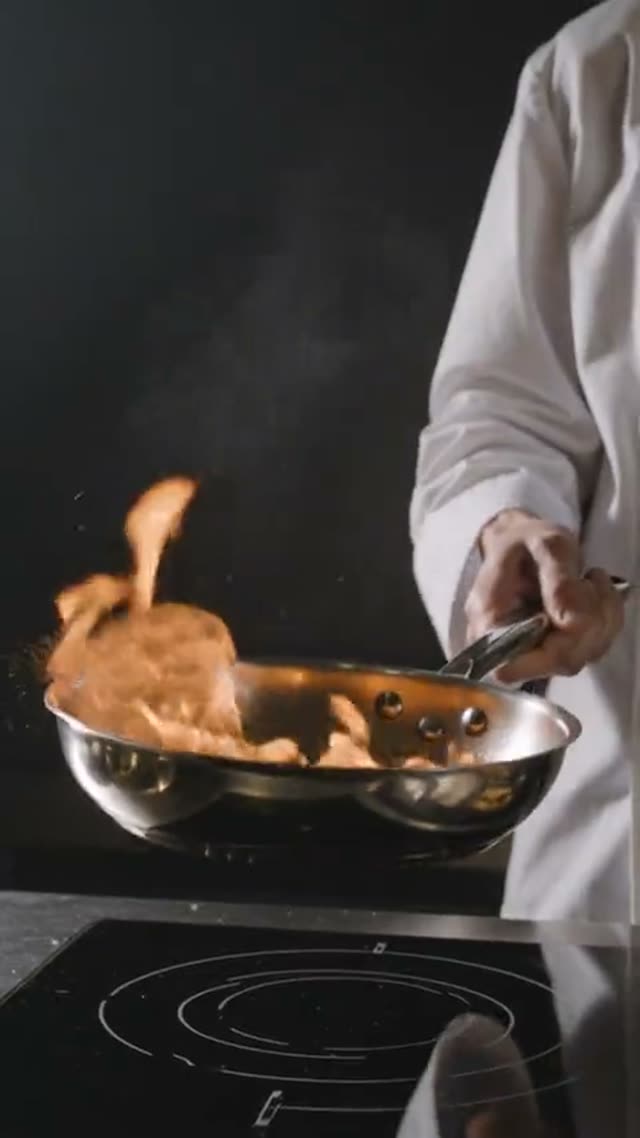
Kling V3.0 Omni Image-to-Video
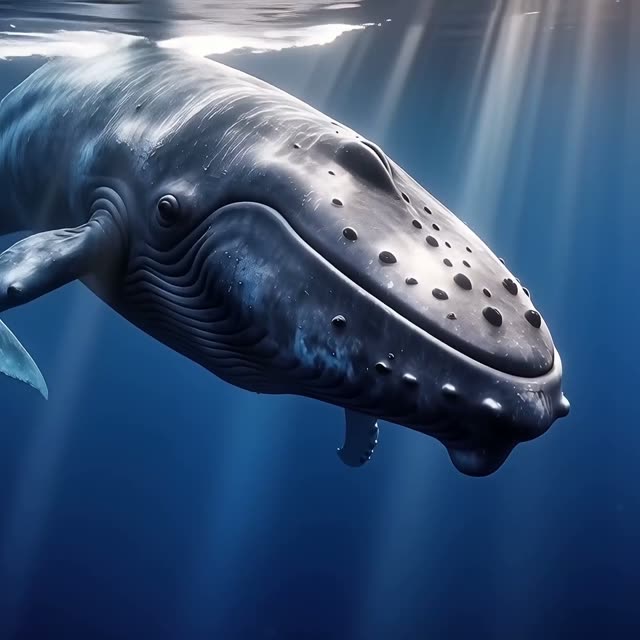
Wan AI 2.7 Image-to-Video
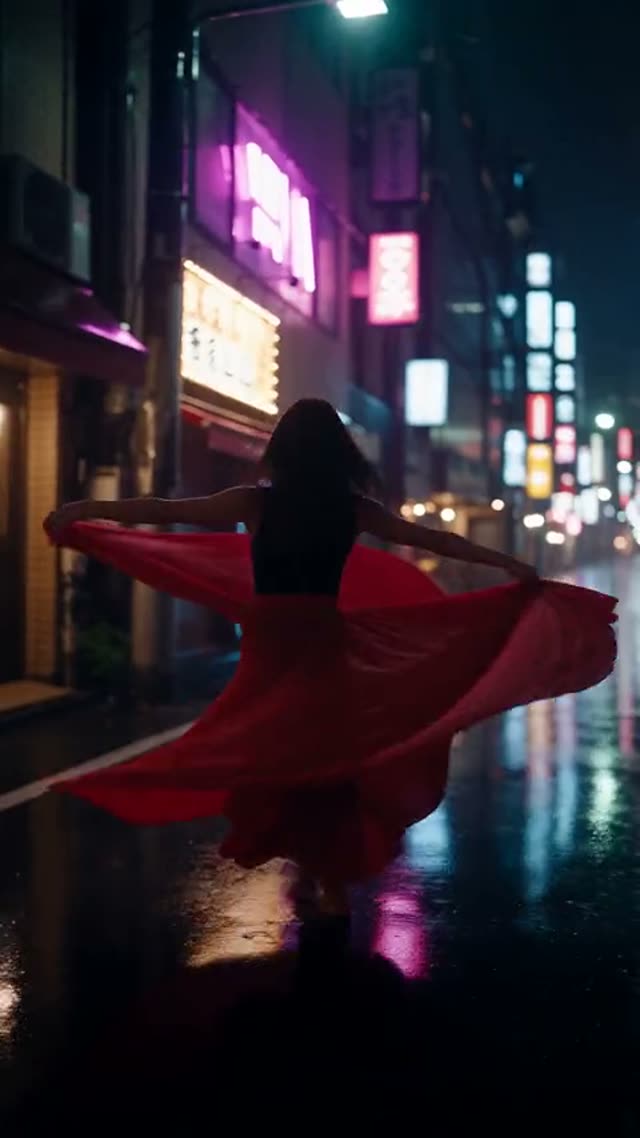
Seedance 2.5
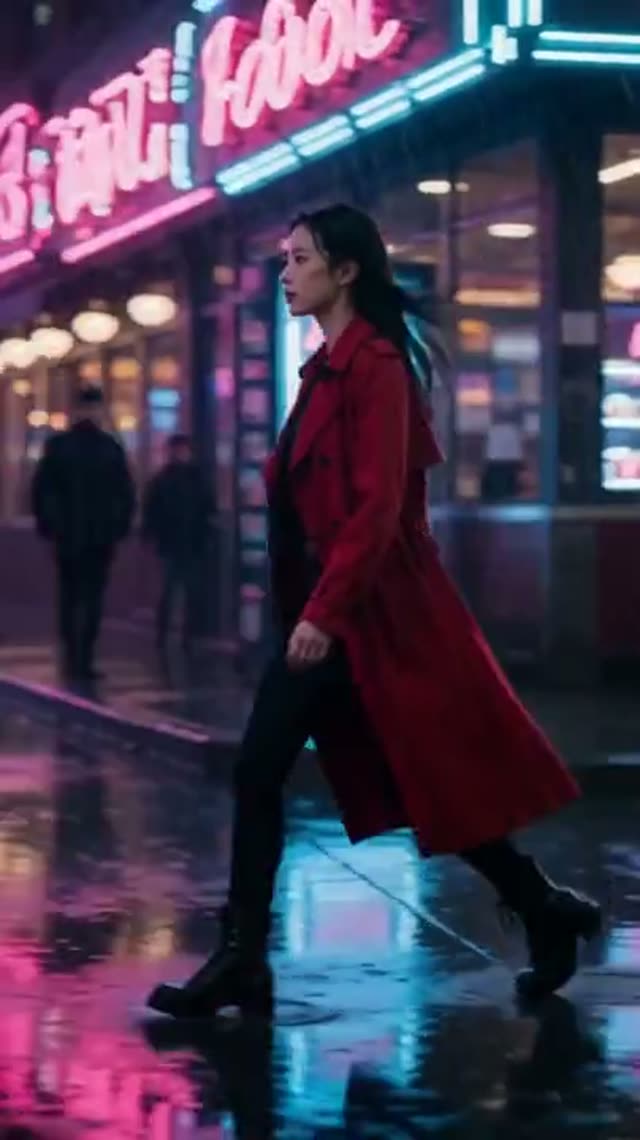
PixVerse V6
How it works
- 1
Upload your photo
Use a sharp, well-lit image with a clear main subject. Portraits, product photos, landscapes, illustrations and AI-generated images all work. The aspect ratio of the photo should match the video you want.
- 2
Describe the motion
Say what should move and how: "she turns toward the camera and smiles, hair lifting in a light breeze, slow push-in". The AI Prompt Builder and the camera chips (Push-in, Orbit 360°, Crane up, Handheld and more) help you word it.
- 3
Choose a model
Kling 3.0 Omni and Seedance 2.5 are strong at keeping faces true to the source. Wan 2.7 can take a last frame as well as a first. Grok Imagine and Seedance 2 Mini keep the cost low. The table below compares them.
- 4
Set length and resolution, then generate
Lengths and resolutions vary by model: Seedance 2.5 runs 4 to 30 seconds, Kling 3.0 Omni 3 to 15 seconds with a 4K tier. The credit cost updates as you change settings. If a generation fails, its credits are refunded.
- 5
Download or keep improving
Save the MP4, adjust the motion prompt and regenerate, or send the clip to the AI Video Upscaler for a sharper 1080p or 4K version.
Why use this tool
Over 45 image-to-video models
Kling, Seedance, Wan, Veo 3.1, Grok Imagine, Hailuo, PixVerse, MiniMax H3, Runway, Vidu, HappyHorse, SkyReels, Gemini Omni and P-Video in one picker.
Faces and products stay recognisable
Because your photo is the first frame, the person, outfit, packaging or room stays as it was shot. Only the motion is generated.
First and last frame control
Models such as Wan 2.7 Image-to-Video and P-Video 2 accept an end frame too, so you control where the motion lands.
Up to 30 seconds and 4K
Seedance 2.5 and Wan 3.0 animate a photo for up to 30 seconds. Kling 3.0 Omni renders up to 4K.
Native audio on some models
Kling 3.0 Omni, Wan 2.6 Flash, Wan 3.0, PixVerse V6 and P-Video 2 can generate sound with the clip.
Cost shown upfront, credits that do not expire
The credit cost displays before you generate. One-time pack credits never expire, and subscription credits reset each cycle.
Which image-to-video model should you use?
Each model handles a photo differently. Some hold identity tightly, some move more, and some are much cheaper. These are the models most people start with on this tab. Credits are for one 5-second clip at 720p unless the row says otherwise.
| Model | Best for | Length | Resolution | Credits (5 s, 720p) |
|---|---|---|---|---|
| Kling 3.0 Omni Image-to-Video | Faithful faces, native audio, 4K | 3–15 s | 720p, 1080p, 4K | 40 (54 at 1080p, 134 at 4K) |
| Kling V3 Turbo Image-to-Video | Fast Kling animation | 3–15 s | 720p, 1080p | 36 |
| Kling 2.6 Image-to-Video | Lower-cost Kling, optional sound | 5 or 10 s | Set by model | 22 (44 with sound) |
| Seedance 2.5 | Natural motion, long takes from one photo | 4–30 s | 480p, 720p, 1080p | 126 (56 at 480p) |
| Seedance 2 Mini | Low-cost Seedance 2 drafts | 4–15 s | 480p, 720p | 17 (8 at 480p) |
| Seedance V1 Pro Fast | Low-cost quick animation | 5 or 10 s | 720p, 1080p | 7 |
| Wan 2.7 Image-to-Video | First and last frame control | 5, 10 or 15 s | 720p, 1080p | 32 |
| Wan 2.6 Flash | Fast clips with native audio | 2–15 s | 720p, 1080p | 20 |
| Wan 3.0 | Up to 30 s with native audio | 2–30 s | 480p, 720p, 1080p | 32 (16 at 480p) |
| Grok Imagine Video 1.5 | Cheap, flexible lengths | 1–15 s | 480p, 720p, 1080p | 15 (8 at 480p) |
| Hailuo 2.3 Standard | Smooth portrait motion | 6 or 10 s | 768P, 1080P | 15 (6 s at 768P) |
| Hailuo 2.3 Pro | Higher-detail Hailuo | 6 or 10 s | 768P, 1080P | 25 (6 s at 768P) |
| Veo 3.1 Fast | Cinematic motion with audio | One clip | 16:9 or 9:16 | 40 per clip |
| PixVerse V6 | Stylised and multi-shot clips | 1–15 s | 360p–1080p | 45 |
| P-Video | Quick, low-cost test renders | 4–10 s | 720p, 1080p | 8 |
Read more: Kling 3.0 Omni Image-to-Video · Kling V3 Turbo Image-to-Video · Kling 2.6 Image-to-Video · Seedance 2.5 · Seedance 2 Mini · Seedance V1 Pro Fast · Wan 2.7 Image-to-Video · Wan 2.6 Flash · Wan 3.0 Video · Grok Imagine Video 1.5 · Hailuo 2.3 Standard · Hailuo 2.3 Pro · Veo 3.1 Fast · PixVerse V6 · P-Video
Is photo to video AI free on VdoBloom?
Yes, to start. Every new account gets 10 credits with no card. That is enough to animate one photo into a full 5-second clip on Seedance V1 Pro Fast at 720p (7 credits), P-Video or Seedance 1.5 Pro at 720p (8), Grok Imagine at 480p (8) or Runway Gen-3 (10). It renders at full quality. Free-tier downloads carry a VdoBloom watermark, and paid plans and packs remove it.
After that, the Lite plan gives 300 credits for $15 a month, or $19.50 as a one-time pack. Pack credits never expire. Subscription credits reset each billing cycle.
What 300 credits buys in image to video
How many photos you can animate depends on the model. Here is how many 5-second clips the Lite allowance covers, rounded down to whole clips.
| Model and setting | Credits per clip | Clips from 300 credits |
|---|---|---|
| Seedance V1 Pro Fast, 5 s at 720p | 7 | 42 |
| Grok Imagine Video 1.5, 5 s at 720p | 15 | 20 |
| Seedance 2 Mini, 5 s at 720p | 17 | 17 |
| Kling 2.6, 5 s | 22 | 13 |
| Wan 2.7 Image-to-Video, 5 s at 720p | 32 | 9 |
| Kling 3.0 Omni, 5 s at 720p | 40 | 7 |
| Seedance 2.5, 5 s at 720p | 126 | 2 |
Read more: Plans and credit packs · How credits work · Best AI model for image to video
Tips for better image-to-video results
The photo does most of the work, so start with a good one. Then keep the motion prompt about movement. The model can already see what the picture shows.
- Use a sharp, evenly lit source. Blur, heavy compression and tiny faces give the model less to hold on to.
- Describe motion, not the picture: "camera slowly pushes in as steam rises from the cup" beats re-describing the cup.
- Ask for one or two movements per clip. Several competing actions cause warping.
- Crop the photo to the aspect ratio you want (9:16 for Reels and Shorts) before uploading.
- If the face drifts, try Kling 3.0 Omni or Seedance 2.5, or shorten the clip.
- For a set ending, use a model with last-frame support, such as Wan 2.7 Image-to-Video.
Read more: Image-to-video best practices · Camera movement prompts for AI video · Can AI make a video from one photo?
What people animate with image to video
Any still can become a clip, but these uses come up most.
- Portraits and selfies: a smile, a head turn or a breeze for profile videos and social posts.
- Old and family photos: subtle, respectful motion for memorial and anniversary videos.
- Product shots: a slow orbit or reveal for ads, store listings and Reels.
- Artwork, illustrations and AI-generated images: bring a character or scene to life.
- Real estate and travel photos: gentle camera moves that make a still feel like footage.
Read more: Animate old photos · Revive Photo · 360 product video from one photo · Seedance 2.5 image to video
Image to video vs text to video
Image to video starts from your picture, so the subject looks exactly as photographed and only the motion is new. Text to video invents the whole frame from words. When a face, product or brand asset has to match, use image to video. You can generate the still first with the AI Image Generator and then animate it here.
Read more: Text to Video AI · Text to video vs image to video · AI Image Generator
Limits to know
The model invents what the photo does not show, so a turned head or a hand coming into frame can look different from the real person. Very busy scenes, extreme angles and small faces animate less reliably. Text and logos in the image may warp once they move. Clip length is set by the model, up to 30 seconds on Seedance 2.5 and Wan 3.0. Upload only photos you have the right to use, and get consent from any real person shown. Generations are screened and follow VdoBloom's content policies, so some requests are refused.
Frequently asked questions
Is there a free image to video AI?
Yes. VdoBloom gives new accounts 10 free credits with no card. That animates one photo into a full 5-second clip on Seedance V1 Pro Fast (7 credits at 720p), P-Video or Seedance 1.5 Pro (8 at 720p), Grok Imagine (8 at 480p) or Runway Gen-3 (10). Free-tier downloads carry a watermark.
How do I turn a photo into a video with AI?
Open the Image to Video tab, upload the photo, describe the motion you want, pick a model and generate. The model uses your photo as the first frame and animates it. The finished MP4 appears in My Creations, usually within a few minutes.
Which AI model is best for image to video?
For faces that stay true to the photo, Kling 3.0 Omni and Seedance 2.5. For first-and-last-frame control, Wan 2.7 Image-to-Video. For the lowest cost, Seedance V1 Pro Fast, Grok Imagine or Seedance 2 Mini. Running the same photo on two models is often the quickest way to decide.
How much does image to video cost?
It depends on the model, length and resolution, and the cost shows before you generate. For a 5-second 720p clip: Seedance V1 Pro Fast 7 credits, Grok Imagine 15, Seedance 2 Mini 17, Wan 2.7 32, Kling 3.0 Omni 40, Seedance 2.5 126. 300 credits cost $15 a month or $19.50 one-time.
How long can a photo-to-video clip be?
Up to 30 seconds on Seedance 2.5 and Wan 3.0. Kling 3.0 Omni, Grok Imagine, Wan 2.6 Flash, Wan 2.7 and PixVerse V6 go to 15 seconds, and Hailuo 2.3 to 10.
Will the person in my photo still look the same?
The photo is the first frame, so the clip starts as an exact match. Big movements such as a full head turn can drift. Kling 3.0 Omni and Seedance 2.5 tend to hold identity closely, and shorter clips drift less than long ones.
Can I animate old or black-and-white photos?
Yes. Scanned prints and black-and-white photos animate well when the scan is sharp. The Revive Photo tab is built for this: it repairs scratches, recovers colour and adds gentle, natural motion.
Can image-to-video AI add sound?
Some models generate audio with the clip, including Kling 3.0 Omni, Wan 2.6 Flash, Wan 3.0, PixVerse V6 and P-Video 2. Kling 2.6 offers sound as an option at double the credit cost.
Does the video have a watermark?
Free-tier downloads include a VdoBloom watermark. Clips made on any paid plan or credit pack download without one.
Can I use AI-generated images as the source?
Yes. Images from the AI Image Generator or any other tool work as long as you have the right to use them. Generating the still first is a common way to control the look before animating.