Eye Zoom Galaxy
Push into your eye and find a galaxy in the pupil
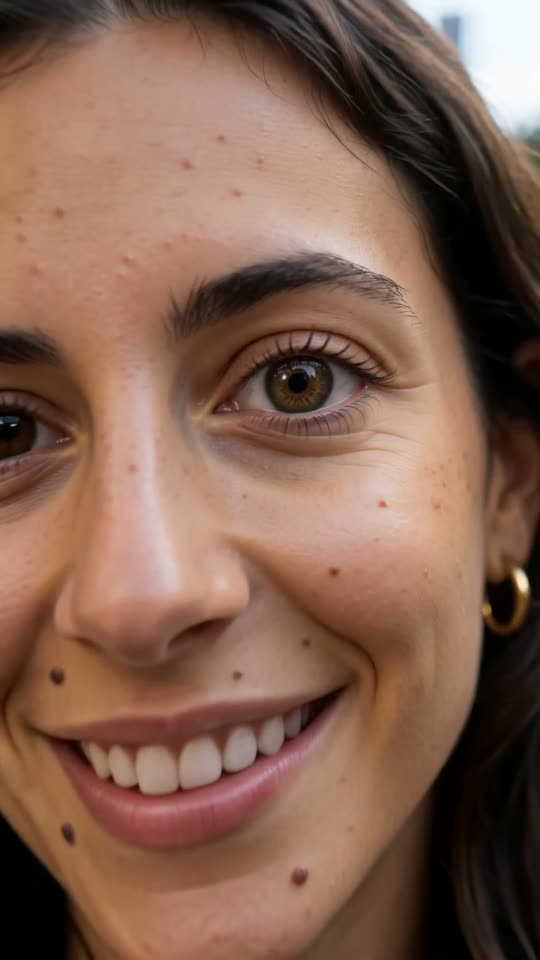
Galaxy Eye
Iris close-up, galaxy inside
A sharp photo with your face clearly visible.
Full-screen on phones: Instagram Reels, YouTube Shorts, WhatsApp Status.
Advanced options
Motion or style reference. MP4 or MOV, 480p to 720p, up to 15s total.
MP3 or WAV, up to 15 MB and 30s total.
Example
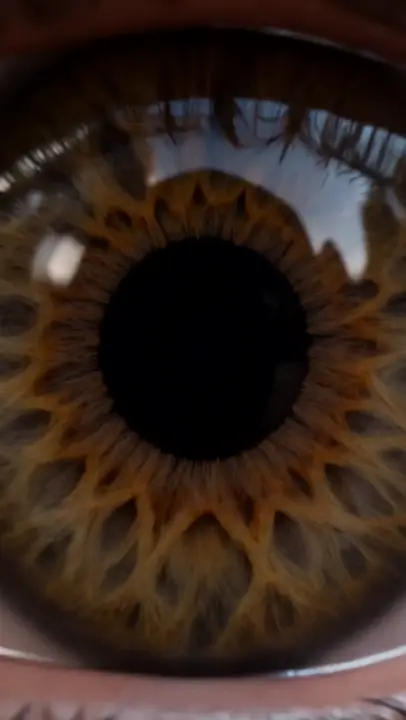
Eye Zoom Galaxy
Iris close-up, galaxy inside
- Output
- 5s · 720p
AI Eye Zoom Effect: Zoom Into Your Eye and Through the Pupil
Updated
Short answer: the AI eye zoom effect, also called "Lost in Your Iris" or "eyes in", turns one portrait into a video where the camera pushes into the eye until the iris fills the frame. On VdoBloom the push keeps going into the pupil, which opens into a glowing spiral galaxy, in one continuous shot with no cuts. The tab opens on Seedance 2 Fast at 5 seconds, 720p and vertical 9:16, which costs 50 credits. Switch to Seedance 2 Mini at 480p and the same clip costs 8 credits, which the 10 free signup credits cover.
Your photo is the first frame, so the clip starts on your real face. The person stays still and calm while only the camera moves, with macro detail on the iris texture. The clip is ready in a few minutes.
Use a sharp, well-lit close-up or head-and-shoulders photo where the eyes are clearly visible. Free-tier downloads carry a VdoBloom watermark; any paid plan or credit pack removes it. A failed render refunds its credits automatically.
Examples
Galaxy Eye
Make thisHow it works
- 1
Upload a sharp face photo
A front-facing close-up or head-and-shoulders portrait with the eyes in focus and even light. No sunglasses, and no hair over the eyes.
- 2
Keep Galaxy Eye or edit the prompt
The Galaxy Eye template is loaded for you. The prompt is editable: end the zoom on the iris itself, or replace the galaxy with a forest, an ocean or a city at night.
- 3
Pick a model
Seedance 2 Fast at 720p (50 credits) is the default. Seedance 2 Mini at 480p (8 credits) is the low-cost option; Seedance 2 and Seedance 2.5 are in the same picker.
- 4
Generate
The camera pushes in, the iris fills the frame and the pupil opens up. The clip lands in My Creations in a few minutes.
- 5
Download and post
Vertical 9:16 is ready for Reels, Shorts and TikTok. Free-tier downloads are watermarked.
Why use this tool
One continuous push-in
No cuts from face to iris to pupil, which is what makes the effect feel endless.
Your real face first
The photo is the first frame, so viewers recognise you before the zoom starts.
A world inside the pupil
The default ends in a spiral galaxy. Change one line of the prompt for any other world.
Macro iris detail
The prompt asks for photoreal iris texture as the eye fills the frame.
Four Seedance models
Seedance 2 Mini, Seedance 2 Fast, Seedance 2 and Seedance 2.5, from 8 credits a clip.
Vertical by default
Five seconds at 9:16, the format the trend is posted in.
Quick facts
The AI eye zoom effect on VdoBloom at a glance.
- What it makes: a 5-second push-in from your face into the iris and through the pupil into a galaxy.
- Other names: Lost in Your Iris, eyes in, eye zoom in, into the eye, eye dive, iris zoom.
- Input: one sharp photo with the face clearly visible.
- Template: Galaxy Eye (editable prompt).
- Default: Seedance 2 Fast, 5 seconds, 720p, 9:16: 50 credits.
- Low-cost option: Seedance 2 Mini, 5 seconds, 480p: 8 credits (720p: 17).
- Free credits: 10 at signup, plus daily check-in credits.
- Watermark: on free-tier clips; removed with any paid plan or credit pack.
What an eye zoom clip costs
Credits for one 5-second clip. The exact price is on the Create button before you generate.
- Seedance 2 Mini
- 480p:8
- 720p:17
- Seedance 2 Fast (default at 720p)
- 480p:24
- 720p:50
- Seedance 2
- 480p:38
- 720p:82
| Model | 480p | 720p |
|---|---|---|
| Seedance 2 Mini | 8 | 17 |
| Seedance 2 Fast (default at 720p) | 24 | 50 |
| Seedance 2 | 38 | 82 |
Read more: Seedance 2 Mini · Seedance 2 Fast · Seedance 2
Is the AI eye zoom effect free?
You can make one for free. New accounts get 10 free credits, and a 5-second clip on Seedance 2 Mini at 480p costs 8. The default Seedance 2 Fast at 720p costs 50. Free-tier clips carry a watermark; any paid plan or credit pack removes it. The Lite pack is 300 credits for $19.50 one-time (the credits never expire) or $15 a month: six default 720p eye zooms, or 37 on Seedance 2 Mini at 480p.
Ideas for what is inside the eye
The galaxy is the default. Rewrite the end of the prompt for a different reveal:
- Galaxy and stars (the default).
- Just the iris: stop the push when the iris fills the frame, for the plain "Lost in Your Iris" look.
- A reflection of a city at night, a forest or an ocean wave.
- The view from a memory: a beach, a concert or a hometown street.
- Fire and light for a dramatic intro; keep the person calm and unharmed.
Tips for a sharp eye zoom
What helps most:
- Use the sharpest photo you have. The zoom ends on the iris, so soft focus shows.
- Face the camera with both eyes open and even light; avoid glare on the eye.
- Remove sunglasses and keep hair away from the eyes.
- A close-up or head-and-shoulders photo gives the model the most eye detail to work with.
- Pick 720p for the final post; draft on Seedance 2 Mini at 480p first.
Frequently asked questions
What is the AI eye zoom effect?
A short video where the camera zooms from a portrait into the eye until the iris fills the frame. On VdoBloom the zoom continues through the pupil into a glowing galaxy, made from one photo.
Is the AI eye zoom effect free?
You can make one free: new accounts get 10 free credits, and a 5-second clip on Seedance 2 Mini at 480p costs 8. The default Seedance 2 Fast at 720p costs 50. Free-tier clips carry a watermark.
How do I make an eye zoom video from a photo?
Upload a sharp face photo to the Eye Zoom tab, keep the Galaxy Eye template or edit the prompt, pick a model and press Create. The clip is ready in My Creations in a few minutes.
What is the "Lost in Your Iris" trend?
It is the TikTok and Reels trend name for the eye zoom: one continuous push from the face into the iris. To get the plain version, edit the prompt so the zoom ends on the iris instead of the galaxy.
Can I change what is inside the pupil?
Yes. Replace the galaxy in the prompt with any scene, such as a forest, an ocean, a city at night or a starry sky.
Which photo works best for eye zoom?
A sharp, front-facing close-up or head-and-shoulders portrait with both eyes open, even light and no sunglasses or hair over the eyes.
How long is the eye zoom clip?
Five seconds by default, which fits one continuous push-in. Longer durations cost more.
Can I use someone else’s photo?
Use your own photo or one of someone who agreed to it. Generations are moderated and may be rejected.