Bullet Time Effect
Time freezes and the camera orbits around you
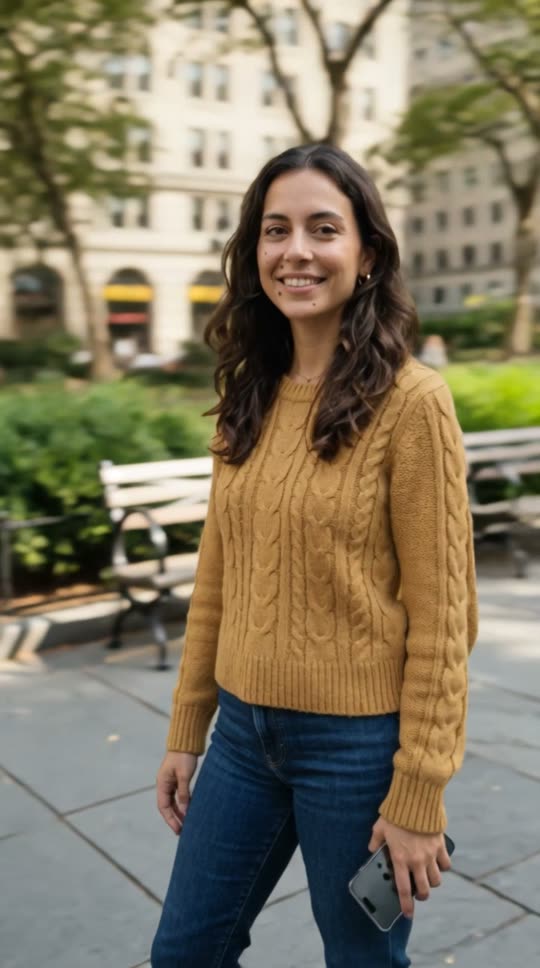
Bullet Time Orbit
Frozen time, 180° orbit
A clear full or half-body photo of yourself.

Full-screen on phones: Instagram Reels, YouTube Shorts, WhatsApp Status.
Example
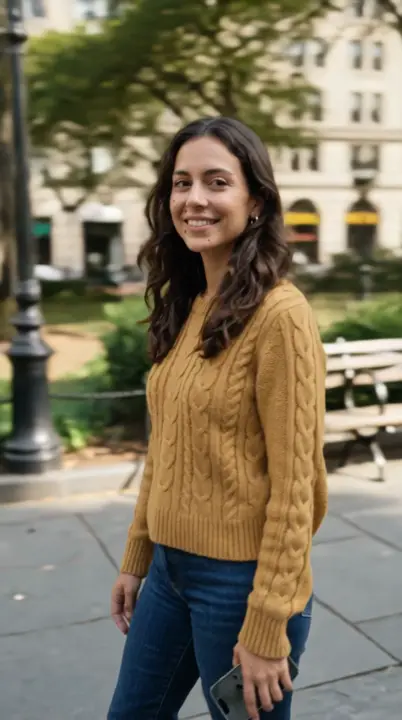
Bullet Time Effect
Frozen time, 180° orbit
- Output
- 5s · Standard
Bullet Time Effect: Freeze Time and Orbit Around You, from One Photo
Updated
Short answer: bullet time is the frozen-moment shot made famous by The Matrix (1999). Time stops, and the camera keeps moving around the subject. VdoBloom makes it from one photo: upload a picture of yourself, and the AI freezes your hair and the dust in the air while the camera makes one smooth 180-degree orbit around you. The tab opens on Kling 3.0 at 5 seconds, 720p and vertical 9:16, which costs 30 credits. Seedance 2 Mini at 480p costs 8 credits, so the 10 free credits every new account gets cover your first clip.
The classic way to film bullet time is a ring of dozens of still cameras fired at once, or a 360 camera on a spinning string. Both need gear and practice. With an AI bullet time generator you need one clear photo and a few minutes of waiting. The clip lands in My Creations, ready for Reels, Shorts and TikTok.
Free-tier clips carry a VdoBloom watermark; any paid plan or credit pack removes it. If a render fails, the credits go back to your balance automatically.
Examples
Bullet Time Orbit
Make thisHow it works
- 1
Upload one clear photo
A sharp, well-lit full-body or half-body photo of one person, with some space around them. The photo becomes the first frame of the clip.
- 2
Keep the Bullet Time Orbit template
It is already written: time freezes, hair and dust hang in the air, and the camera makes one 180-degree orbit at the same distance and height.
- 3
Change the prompt if you like
Add what should hang in the air (rain drops, confetti, a coffee splash) or where the orbit should end. Keep one camera move per clip.
- 4
Pick a model and length
Kling 3.0 at 5 seconds is 30 credits. Seedance 2 Mini at 480p is 8 credits. Lengths run from 3 to 15 seconds on Kling 3.0 and 4 to 15 seconds on Seedance 2.
- 5
Generate and share
The clip renders in a few minutes. Check the face at the end of the orbit, then download or post it.
Why use this tool
No camera rig
No ring of cameras, no 360 camera and no green screen. One photo is enough.
Your face stays yours
The prompt ends with a rule to keep the face, hair and outfit from your photo, and the camera does one thing only, so less drifts.
Real frozen time
The prompt says nothing in the scene moves except the camera. Hair strands and dust stay put while the view turns.
Five models to choose from
Kling 3.0 plus the Seedance 2 family (Mini, Fast, Seedance 2 and Seedance 2.5) are in the picker on this tab.
Vertical by default
The tab starts at 9:16 for Reels, Shorts and TikTok. Seedance models also offer 1:1 and 16:9; on Kling 3.0 the clip follows the shape of your photo.
Price before you press
The exact credit cost is on the Create button before you generate, and that is what is charged.
Quick facts
The bullet time tool at a glance.
- What it makes: a short clip where time freezes and the camera orbits 180 degrees around the person in your photo.
- Input: one photo. Full-body or half-body works best.
- Template: Bullet Time Orbit. The prompt is editable.
- Default: Kling 3.0, 5 seconds, 720p (std), 9:16, sound off: 30 credits.
- Lowest price on this tab: Seedance 2 Mini, 5 seconds at 480p: 8 credits.
- Free credits: 10 at signup, plus 2 to 5 a day from the daily check-in.
- Watermark: on free-tier clips; removed with any paid plan or credit pack.
- Failed renders refund their credits automatically.
What is the bullet time effect?
Bullet time is a visual effect where time seems to stop or slow down while the camera keeps moving around the subject. It is also called frozen moment, time slice or the Matrix effect. The Matrix made the name famous in 1999 with its bullet-dodging scene, filmed with a long arc of still cameras fired in sequence.
An AI bullet time effect fakes the same result from a single still photo. The video model invents the views from the sides and back of the subject while keeping the moment frozen. That is why a clear photo with one subject and some space around them matters: the model has more to work with.
Which model should I use?
Credits for one 5-second clip on this tab. The photo is the first frame for every model.
- Seedance 2 Mini
- Resolution:480p / 720p
- Credits (5 s):8 / 17
- Good for:Your first free clip and quick drafts
- Seedance 2 Fast
- Resolution:480p / 720p
- Credits (5 s):24 / 50
- Good for:Smoother motion at a mid price
- Kling 3.0 (default)
- Resolution:720p (std)
- Credits (5 s):30
- Good for:Holding the face steady through the orbit
- Seedance 2
- Resolution:480p / 720p
- Credits (5 s):38 / 82
- Good for:Higher detail
- Seedance 2.5
- Resolution:480p / 720p
- Credits (5 s):56 / 126
- Good for:The newest Seedance model
| Model | Resolution | Credits (5 s) | Good for |
|---|---|---|---|
| Seedance 2 Mini | 480p / 720p | 8 / 17 | Your first free clip and quick drafts |
| Seedance 2 Fast | 480p / 720p | 24 / 50 | Smoother motion at a mid price |
| Kling 3.0 (default) | 720p (std) | 30 | Holding the face steady through the orbit |
| Seedance 2 | 480p / 720p | 38 / 82 | Higher detail |
| Seedance 2.5 | 480p / 720p | 56 / 126 | The newest Seedance model |
Bullet time with AI vs a camera rig vs a 360 camera
Three ways to get the shot:
- VdoBloom AI bullet time (our pick)
- What you need:One photo and a browser
- Best for:A frozen orbit of a moment you already photographed
- Multi-camera rig
- What you need:Many cameras fired at once, plus editing
- Best for:Film sets and events with a crew
- 360 camera on a string
- What you need:A 360 camera, a cord and a stabilising app
- Best for:Filming yourself live outdoors
| Method | What you need | Best for |
|---|---|---|
| VdoBloom AI bullet time (our pick) | One photo and a browser | A frozen orbit of a moment you already photographed |
| Multi-camera rig | Many cameras fired at once, plus editing | Film sets and events with a crew |
| 360 camera on a string | A 360 camera, a cord and a stabilising app | Filming yourself live outdoors |
Is the bullet time effect free?
You can make your first clip free. New accounts get 10 free credits, and a 5-second Seedance 2 Mini clip at 480p costs 8. The daily check-in adds 2 to 5 credits a day. Free-tier clips are watermarked; any paid plan or credit pack removes it. The Lite pack is 300 credits for $19.50 one-time (the credits never expire) or $15 a month, enough for 10 Kling 3.0 bullet time clips or 37 Seedance 2 Mini clips.
Tips for a clean orbit
What helps most:
- Use one person, sharp and well lit, with the face clearly visible.
- Leave space around the subject. Tight crops leave the model nothing to show as the camera turns.
- A plain or simple background keeps the frozen scene from warping.
- Ask for one camera move only: the 180-degree orbit. Extra zooms or cuts break the frozen look.
- If the face changes at the end of the orbit, re-run once or switch between Kling 3.0 and Seedance 2.
Prompt ideas
Add one line like these to the template:
- Rain drops hang in the air around me, street lights behind.
- A coffee splash frozen mid-air in front of me.
- Confetti stopped in the air at a party.
- Mid-jump on a basketball court, the ball frozen above my hand.
- Hair and a scarf frozen in the wind on a rooftop at sunset.
Frequently asked questions
What is the bullet time effect?
A shot where time appears to stop while the camera moves around the subject. The Matrix made it famous in 1999. VdoBloom makes it from one photo: time freezes and the camera orbits 180 degrees around you.
Can I make the bullet time effect for free?
Yes, your first clip. New accounts get 10 free credits and a 5-second Seedance 2 Mini clip at 480p costs 8. Free-tier clips carry a watermark; any paid plan or credit pack removes it.
Can I make bullet time from a photo?
Yes. That is how this tool works. Upload one photo, keep the Bullet Time Orbit template and generate. The photo is the first frame and the AI creates the orbit around you.
How do you make the bullet time effect with AI?
Upload a clear photo of one person, use a prompt that says time freezes and the camera makes one orbit at a constant distance, and pick an image-to-video model. On VdoBloom the prompt is already written for you.
How much does a bullet time clip cost?
Kling 3.0, the default, is 30 credits for 5 seconds at 720p. Seedance 2 Mini is 8 credits at 480p and 17 at 720p. The exact price shows on the Create button.
Is bullet time the same as slow motion?
No. Slow motion slows everything down, including the camera. Bullet time freezes or nearly freezes the subject while the camera keeps moving at normal speed around it.
Why does my face change during the orbit?
The model has to invent the side and back views from one photo. Use a sharp, front-facing photo with even light, keep one person in frame, and re-run once if a clip drifts.
How long does it take?
Usually a few minutes. The clip appears in My Creations when it is done, and you can leave the page while it renders.
Can I do a full 360-degree orbit?
The template asks for 180 degrees, which models hold more reliably. You can edit the prompt to ask for a full circle and pick a longer clip, but faces drift more on the far side.
Do I need a 360 camera like Insta360?
No. A 360 camera films bullet time live by swinging the camera on a cord. This tool creates the orbit from a photo you already have, so no camera gear is needed.