Doorbell Cam Video Generator: Put Your Pet on the Doorbell Camera
The doorbell cam generator turns one photo of your pet — or you — into footage that looks like it came from a front-door camera: extreme fisheye, washed-out daylight, blocky compression and a nose pressed right up against the lens.
The default "My Pet on the Doorbell Cam" moment has your pet trot up, sniff the lens and sit staring into the camera as if it rang the bell. A night-vision template adds infrared glow for a silly dance at the door.
Examples
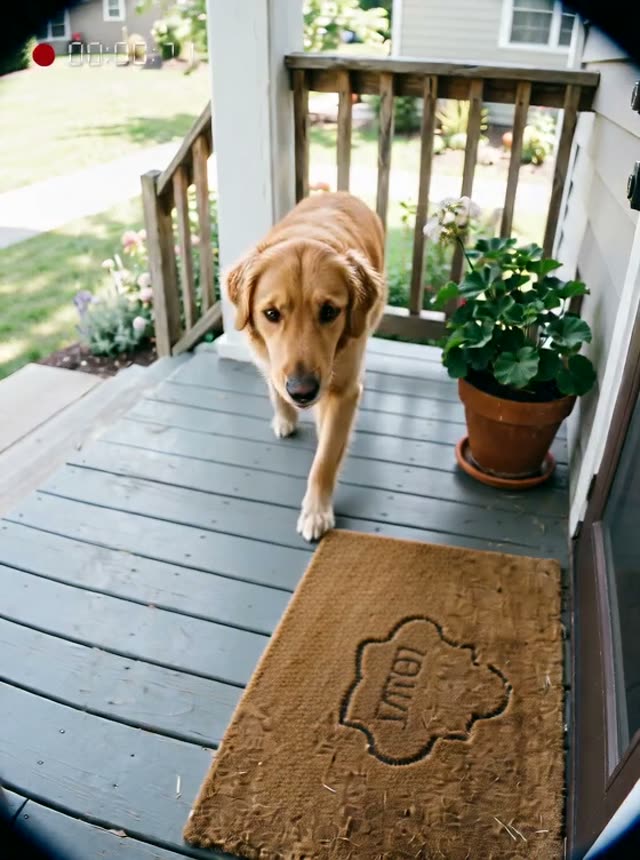
My Pet on the Doorbell Cam
How it works
- 1
Upload one clear photo
A well-lit photo of your pet, yourself or a place — the subject is carried into the footage as a reference, so the camera look can change completely while the face or fur stays recognisable.
- 2
Pick the moment
Each preset has ready-made moments; edit the prompt to change what happens, and put any spoken line in quotes so it is lip-synced.
- 3
Generate and share
The clip renders on the server in a few minutes and lands in your Creations library, ready for Reels and Shorts.
Why use this tool
Realism from real camera flaws
Fisheye distortion, compression blocks, sensor noise, rolling shutter and exposure pumping are written into every prompt — stabilisation and beauty filters are switched off — because that is what makes found footage believable.
Fun, never fake evidence
Overlays show only a REC dot and a running counter: no dates, place names or logos, so a clip can never pass as a record of a real event.
Your subject, a new camera
The photo is used as a reference rather than a locked first frame, so the scene is re-shot through the chosen camera while identity and markings are kept.
Frequently asked questions
Does it keep my pet’s breed and markings?
Yes. The photo is used as a reference and every prompt tells the model to keep the breed, fur colour and markings exactly as in your photo.
Can these clips be mistaken for real footage?
They are designed as entertainment. The presets never add dates, locations, brand names or news framing, and they depict harmless comic moments. Do not use them to deceive anyone or to impersonate a real person — use photos of yourself, your pets or people who agreed to it.
How much does one clip cost?
Each clip is priced by the video model and settings you pick — the exact credit cost is shown on the Create button before you generate, and that is the amount charged. The preset opens on the cheapest model and resolution that gave good results in our tests, and you can switch to a higher-quality model from the same picker. If a render fails, the credits go back to your balance automatically.