Dissolve Effect
Blow anything away as glittering dust
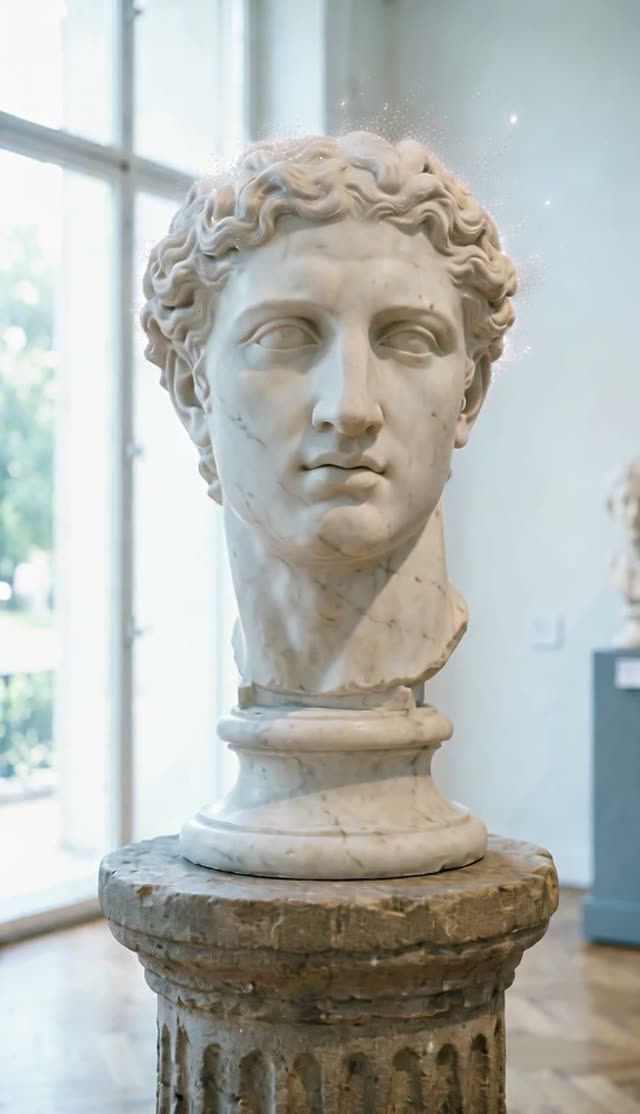
Dissolve to Dust
Drifts away as particles
A photo of an object or statue.
Full-screen on phones: Instagram Reels, YouTube Shorts, WhatsApp Status.
Advanced options
Motion or style reference. MP4 or MOV, 480p to 720p, up to 15s total.
MP3 or WAV, up to 15 MB and 30s total.
Example
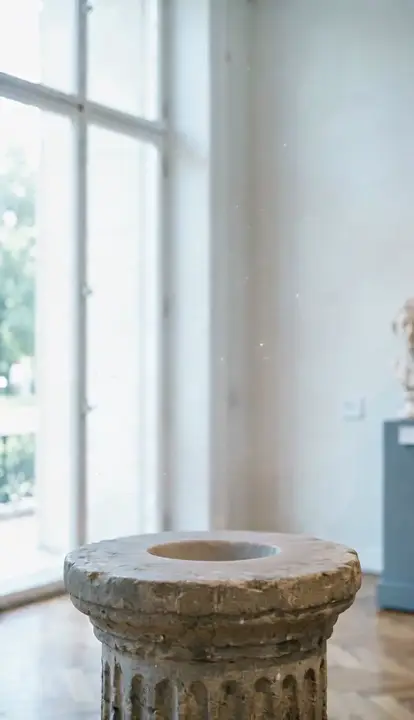
Dissolve Effect
Drifts away as particles
- Output
- 5s · 480p
AI Dissolve Effect: Dissolve Anything Into Dust and Particles
Updated
Short answer: the AI dissolve effect turns one photo into a short video where the main object breaks down from the top into fine, glittering particles in its own colours, which drift away on a gentle breeze until only the empty space is left. On VdoBloom you upload a photo and press Create. The tab opens on Seedance 2 Mini at 5 seconds, 480p and vertical 9:16, which costs 8 credits. New accounts get 10 free credits, so your first dissolve clip is free.
This tab is built for objects: statues, products, toys, flowers, cars and food. To make a person dissolve into dust from the fingertips, use the AI Disintegration Effect, which is written for people and opens on Seedance 2 Fast at 720p for 50 credits.
Your photo is the first frame, the camera and light stay locked, and only the dissolve moves. Free-tier clips carry a VdoBloom watermark; any paid plan or credit pack removes it. If a render fails, the credits go back to your balance automatically.
Examples
Dissolve to Dust
Make thisHow it works
- 1
Upload a photo of one object
A statue, a product, a toy, a vase of flowers or a car, on a simple background with even light.
- 2
Keep the Dissolve to Dust template
The prompt dissolves the object from the top down into fine particles that keep its colours and drift away on a breeze.
- 3
Change the look in the prompt
Ask for golden embers, sand, ash, flower petals or glowing blue particles, or for the dissolve to start at the base instead of the top.
- 4
Check model, length and size
Seedance 2 Mini, 5 seconds, 480p, 9:16 is the 8-credit default. 720p is 17 credits. The image-to-video models are in the same picker.
- 5
Generate and post
The clip renders on the server and lands in My Creations, sized for Reels, Shorts and TikTok.
Why use this tool
Particles in the object's own colours
The dust keeps the colours of what dissolves, so a red car breaks into red dust and a marble statue into pale grain.
Calm, top-down dissolve
The default is slow and graceful rather than an explosion, which suits reveals, endings and product shots.
Locked camera and light
Only the object changes. The background stays exactly as in the photo, so the empty space at the end matches the start.
Editable prompt
Material, colour, direction and speed of the particles are all set in one line of text.
Cheap to test
At 8 credits a clip you can try several photos and particle looks before a final take on a higher model.
A people version next door
The Disintegration Effect handles the person-turns-to-dust shot, starting at the fingertips, with the face kept as in your photo.
Quick facts
The AI dissolve effect at a glance.
- What it makes: a short clip where the object in your photo dissolves into dust or particles and drifts away.
- Other names: disintegration effect, dust effect, particle dissolve, turn to dust, vanish effect.
- Input: one photo. The photo is the first frame.
- Template: Dissolve to Dust. The prompt is editable.
- Default: Seedance 2 Mini, 5 seconds, 480p, 9:16: 8 credits. 720p: 17 credits.
- For people: the AI Disintegration Effect (Seedance 2 Fast, 5 seconds, 720p, 50 credits).
- Free credits: 10 at signup, plus 2 to 5 a day from the daily check-in.
- Watermark: on free-tier clips; removed with any paid plan or credit pack.
Dissolve effect or dissolve transition?
"Dissolve" means two different things in video. The dissolve effect on this page is a visual effect: one subject breaks apart into particles and disappears while the scene stays still. A dissolve transition, or cross-dissolve, is an edit: one clip fades into the next. That is done in a video editor, not with an AI effect.
If you want one picture to turn smoothly into another, use the AI Morph Video tool, which takes a start photo and an end photo and makes one clip between them.
- An object, statue or product to dissolve into dust
- AI Dissolve Effect (this page)
- A person to turn to dust from the fingertips
- AI Disintegration Effect
- An object to crack and collapse into sand
- AI Crumble Effect
- One photo to turn into another photo
- AI Morph Video
| You want | Use on VdoBloom |
|---|---|
| An object, statue or product to dissolve into dust | AI Dissolve Effect (this page) |
| A person to turn to dust from the fingertips | AI Disintegration Effect |
| An object to crack and collapse into sand | AI Crumble Effect |
| One photo to turn into another photo | AI Morph Video |
Read more: AI Disintegration Effect · AI Morph Video · How to make an AI transition video
What a dissolve clip costs
Credits for one clip. The exact price is on the Create button before you generate.
- Seedance 2 Mini (default)
- Length:5 s
- 480p:8
- 720p:17
- Seedance 2 Mini
- Length:8 s
- 480p:13
- 720p:27
- Seedance 2 Fast
- Length:5 s
- 480p:24
- 720p:50
- Seedance 2
- Length:5 s
- 480p:38
- 720p:82
| Model | Length | 480p | 720p |
|---|---|---|---|
| Seedance 2 Mini (default) | 5 s | 8 | 17 |
| Seedance 2 Mini | 8 s | 13 | 27 |
| Seedance 2 Fast | 5 s | 24 | 50 |
| Seedance 2 | 5 s | 38 | 82 |
Ways to make a dissolve effect
Three common routes:
- Ready-made effect page (our pick: VdoBloom)
- Examples:VdoBloom Dissolve and Disintegration effects, Pika Pikaffects Dissolve, Kling disintegration preset
- What you do:Upload a photo and press Create. On VdoBloom the prompt stays editable and you can switch models.
- General image-to-video model with your own prompt
- Examples:Seedance 2, Kling, Runway
- What you do:Describe the material, the direction and the final empty frame yourself.
- Editing software
- Examples:After Effects or another editor with particle plugins
- What you do:Mask the subject and build the particles by hand from real footage.
| Route | Examples | What you do |
|---|---|---|
| Ready-made effect page (our pick: VdoBloom) | VdoBloom Dissolve and Disintegration effects, Pika Pikaffects Dissolve, Kling disintegration preset | Upload a photo and press Create. On VdoBloom the prompt stays editable and you can switch models. |
| General image-to-video model with your own prompt | Seedance 2, Kling, Runway | Describe the material, the direction and the final empty frame yourself. |
| Editing software | After Effects or another editor with particle plugins | Mask the subject and build the particles by hand from real footage. |
Prompt ideas
Edit the template with one of these to change the look:
- Golden embers: "dissolves into glowing golden embers that rise and fade".
- Sand: "breaks into fine sand that pours down and blows away to the right".
- Petals: "dissolves into soft pink petals carried away by the wind".
- Ash: "turns to grey ash from the base up and scatters".
- Reverse: "particles fly in from the air and form the object" for a reveal.
Tips for a clean dissolve
- One object only, centred, with plain space around it.
- A background you are happy to end on: it is all that is left in the last frame.
- Even light; strong backlight makes the edges harder to break up.
- Name one material and one direction. Mixing several makes the particles messy.
- If part of the object stays behind, re-run once or try Seedance 2 Fast.
Frequently asked questions
What is the AI dissolve effect?
A short video effect where the subject of a photo breaks apart into dust or particles and drifts away, leaving the empty scene. It is also called the disintegration or dust effect. On VdoBloom it works from one photo.
Is the AI dissolve effect free?
Your first clip is. New accounts get 10 free credits and the default 5-second clip costs 8. Free-tier clips carry a watermark; any paid plan or credit pack removes it.
How do I make something dissolve into dust?
Upload a photo of the object, keep the Dissolve to Dust template and press Create. The clip is ready in My Creations in a few minutes.
Can I make a person dissolve?
Use the AI Disintegration Effect for that. It is written for people: they break into dust from the fingertips while the face stays as in your photo. It opens on Seedance 2 Fast at 720p for 50 credits. Use only photos of yourself or of adults who agreed.
Can I choose dust, sand, embers or petals?
Yes. Edit the prompt and name the material and colour, for example "dissolves into glowing golden embers". Keep to one material per clip.
Is this a cross-dissolve transition?
No. A cross-dissolve fades one clip into the next and is done in a video editor. This effect makes one subject disappear into particles. To turn one photo into another, use the AI Morph Video tool.
Will the background stay the same?
Yes. The prompt locks the camera and the light and tells the model nothing else in the scene moves, so only the object dissolves.
Can I add the effect to a video I already shot?
Not on this tab. It starts from one photo, which becomes the first frame. Take a still from your video if you want the dissolve to match your footage.
How long is a dissolve clip?
Five seconds by default. Seedance 2 Mini can go from 4 to 15 seconds; an 8-second clip is 13 credits at 480p and gives a slower dissolve.
Can I use the clip commercially?
Yes, once the watermark is removed with a paid plan or credit pack. You keep the content you generate under VdoBloom's terms and need the rights to the photo you upload.