Levitate Effect
Make anything float in mid-air

Levitate
Lifts off and hovers
A photo of an object, toy or pet.
Full-screen on phones: Instagram Reels, YouTube Shorts, WhatsApp Status.
Advanced options
Motion or style reference. MP4 or MOV, 480p to 720p, up to 15s total.
MP3 or WAV, up to 15 MB and 30s total.
Example
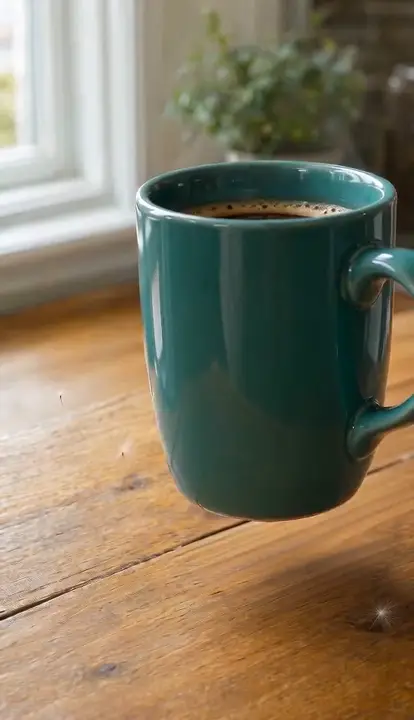
Levitate Effect
Lifts off and hovers
- Output
- 5s · 480p
AI Levitate Effect: Make a Person, Pet or Object Float in Mid-Air From One Photo
Updated
Short answer: the AI levitate effect turns one photo into a short video where the main subject gently lifts off the ground and hovers, swaying softly, while loose clothing, hair, fur and small nearby things drift upward with it. On VdoBloom you upload a photo and press Create. The tab opens on Seedance 2 Mini at 5 seconds, 480p and vertical 9:16, which costs 8 credits. New accounts get 10 free credits, so your first levitation clip is free.
It works on whatever the photo is about: a person sitting or standing, a pet, a toy, a shoe or a product. Your photo is the first frame, the camera and light stay locked, and only the lift happens. There are no wires, no glow and no green screen to set up. The result is calm and magical rather than flashy.
Free-tier clips carry a VdoBloom watermark; any paid plan or credit pack removes it. If a render fails, the credits go back to your balance automatically.
Examples
Levitate
Make thisHow it works
- 1
Upload one photo
One clear subject with some space above it: a full-body photo of a person, a pet, a toy or a product, in even light.
- 2
Keep the Levitate template
The prompt lifts the main subject off the surface and lets it hover a short distance in the air with a soft sway.
- 3
Change the lift in the prompt
Ask for a higher rise, a slow spin while floating, a cross-legged meditation pose or a gentle landing at the end.
- 4
Check model, length and size
Seedance 2 Mini, 5 seconds, 480p, 9:16 is the 8-credit default. 720p is 17 credits. Every image-to-video model is in the same picker.
- 5
Generate and post
The clip renders on the server and lands in My Creations, sized for Reels, Shorts and TikTok.
Why use this tool
Lift-off and hover in one clip
The subject rises slowly from where it sits or stands and hangs in the air, which is the moment the levitation trend is built on.
Things float with it
Loose fabric, hair, fur and small nearby items drift upward, so the scene reads as weightless rather than as a cut-out moving up.
No wires, no glow
The prompt asks for a clean, magic-trick look without visible rigs, light trails or sparkles.
Locked camera and light
Only the subject moves. The room or background stays exactly as in your photo.
Editable prompt
Height, speed, pose and the ending are all set in one line of text.
Cheap to test
At 8 credits a clip you can try several photos before a final take at 720p or on a larger model.
Quick facts
The AI levitate effect at a glance.
- What it makes: a short clip where the subject of your photo lifts off and floats in mid-air.
- Other names: levitation effect, floating effect, anti-gravity effect, levitate me, weightless levitation.
- Input: one photo. The photo is the first frame.
- Works on: people, pets, toys, products and other objects with one clear subject.
- Template: Levitate. The prompt is editable.
- Default: Seedance 2 Mini, 5 seconds, 480p, 9:16: 8 credits. 720p: 17 credits.
- Free credits: 10 at signup, plus 2 to 5 a day from the daily check-in.
- Watermark: on free-tier clips; removed with any paid plan or credit pack.
Ways to make a levitation video
There are three common routes. Each suits a different amount of effort.
- Ready-made effect page (our pick: VdoBloom)
- Examples:VdoBloom Levitate Effect, Pika Levitate, MagicShot Levitate, Magic Hour Weightless Levitation
- What you do:Upload a photo and press Create. On VdoBloom the prompt stays editable and you can switch models.
- General image-to-video model with your own prompt
- Examples:Seedance 2, Kling, Runway
- What you do:Describe the lift, the height and what floats with the subject yourself.
- Classic photo or video trick
- Examples:A stool or jump shot, then masking in an editor
- What you do:Shoot the scene twice and remove the support by hand.
| Route | Examples | What you do |
|---|---|---|
| Ready-made effect page (our pick: VdoBloom) | VdoBloom Levitate Effect, Pika Levitate, MagicShot Levitate, Magic Hour Weightless Levitation | Upload a photo and press Create. On VdoBloom the prompt stays editable and you can switch models. |
| General image-to-video model with your own prompt | Seedance 2, Kling, Runway | Describe the lift, the height and what floats with the subject yourself. |
| Classic photo or video trick | A stool or jump shot, then masking in an editor | Shoot the scene twice and remove the support by hand. |
Read more: AI Video Effects · Image to Video AI · Best Pika alternatives
What a levitate clip costs
Credits for one clip. The exact price is on the Create button before you generate.
- Seedance 2 Mini (default)
- Length:5 s
- 480p:8
- 720p:17
- Seedance 2 Mini
- Length:8 s
- 480p:13
- 720p:27
- Seedance 2 Fast
- Length:5 s
- 480p:24
- 720p:50
- Seedance 2
- Length:5 s
- 480p:38
- 720p:82
| Model | Length | 480p | 720p |
|---|---|---|---|
| Seedance 2 Mini (default) | 5 s | 8 | 17 |
| Seedance 2 Mini | 8 s | 13 | 27 |
| Seedance 2 Fast | 5 s | 24 | 50 |
| Seedance 2 | 5 s | 38 | 82 |
Read more: Seedance 2 Mini · Pricing and credit packs
Levitating a person, a pet or a product
The same template handles all three. These details make each one look right.
- A person
- Best photo:Full body, sitting or standing, feet and space above the head in frame
- Prompt idea:"rises slowly into a cross-legged meditation pose and hovers"
- A pet
- Best photo:The whole animal on a floor or sofa, side-on
- Prompt idea:"floats up looking surprised, paws dangling, fur drifting"
- A product
- Best photo:Centred on a plain surface, with a clean background
- Prompt idea:"lifts off the table and turns slowly while hovering" for an ad hero shot
| Subject | Best photo | Prompt idea |
|---|---|---|
| A person | Full body, sitting or standing, feet and space above the head in frame | "rises slowly into a cross-legged meditation pose and hovers" |
| A pet | The whole animal on a floor or sofa, side-on | "floats up looking surprised, paws dangling, fur drifting" |
| A product | Centred on a plain surface, with a clean background | "lifts off the table and turns slowly while hovering" for an ad hero shot |
Tips for a clean levitation
- Leave space above the subject. A tight crop gives it nowhere to rise.
- One clear subject. In a busy scene the model may lift the wrong thing.
- Even light; a hard shadow on the floor makes the lift easier to read but should match the room.
- Name one action. "Rises and hovers" works better than rising, spinning and flying away in one clip.
- For a slower, more dramatic rise, pick 8 seconds (13 credits at 480p).
- If the subject stays on the ground, re-run once or try Seedance 2 Fast.
Frequently asked questions
What is the AI levitate effect?
A photo-to-video effect where the main subject of a photo gently lifts off the ground and floats in mid-air, as in a magic trick. It is also called the levitation, floating or anti-gravity effect. On VdoBloom it works from one photo.
Is the AI levitate effect free?
Your first clip is. New accounts get 10 free credits and the default 5-second clip costs 8. Free-tier clips carry a watermark; any paid plan or credit pack removes it.
How do I make myself levitate in a video?
Upload a full-body photo of yourself with space above your head, keep the Levitate template and press Create. Add a pose to the prompt, such as "rises into a cross-legged meditation pose", if you want one. The clip is ready in My Creations in a few minutes.
Can I make a pet or an object float?
Yes. The prompt lifts the main subject of the photo, so pets, toys, shoes and products all work. Loose fur and small nearby items drift upward with them.
Do I need wires, a stool or a green screen?
No. You need one ordinary photo. The AI makes the subject rise from where it is, and the prompt asks for no visible wires or glow.
Can I use it for a floating product ad?
Yes. Upload a clean product photo and ask in the prompt for the product to lift off and turn slowly while hovering. The camera and background stay locked, so the product stays the focus.
Can I add the effect to a video I already shot?
Not on this tab. It starts from one photo, which becomes the first frame. Take a still from your video if you want the lift to match your footage.
How long is a levitate clip?
Five seconds by default. Seedance 2 Mini can go from 4 to 15 seconds; an 8-second clip is 13 credits at 480p and gives a slower rise.
Whose photos can I use?
Your own, or photos of adults who have agreed to be animated. Generations are moderated, and most social platforms ask you to label AI-generated video when you post it.
Can I use the clip commercially?
Yes. VdoBloom's terms let you use what you generate for personal and commercial work, and you need the rights to the photo you upload. For a clean file without the watermark, use a paid plan or credit pack.