Livestream Look Video
Webcam stream with floating hearts and chat
A photo of yourself. No platform logos or real usernames.
Full-screen on phones: Instagram Reels, YouTube Shorts, WhatsApp Status.
Advanced options
Motion or style reference. MP4 or MOV, 480p to 720p, up to 15s total.
MP3 or WAV, up to 15 MB and 30s total.
Example
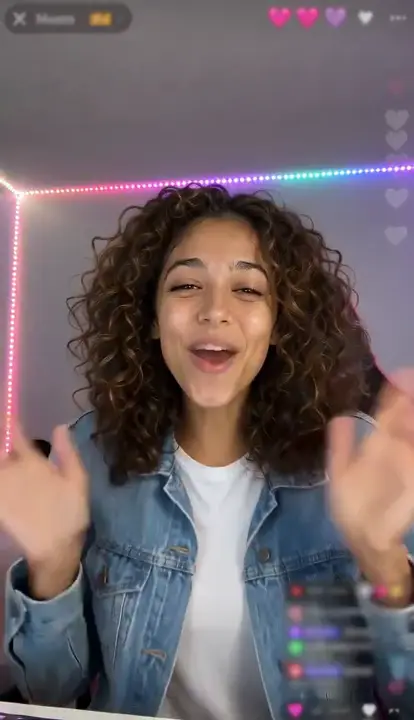
Livestream Look Video
Gasp, laugh, wave at chat
- Output
- 5s · 480p
AI Livestream Video Generator: A Webcam Stream Moment From One Photo
Updated
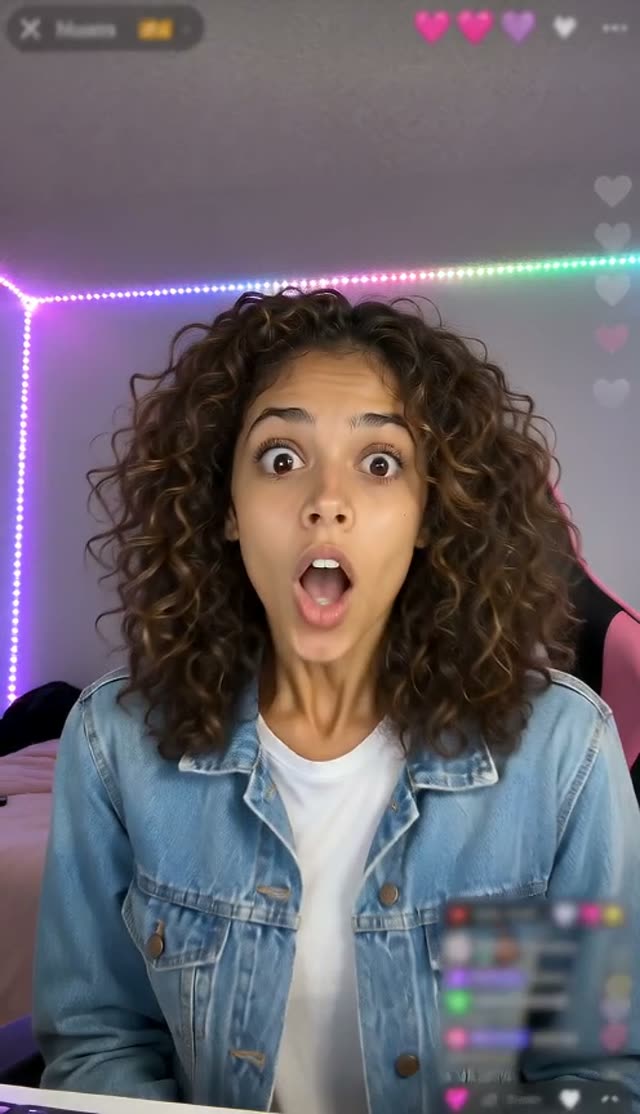
Short answer: the VdoBloom AI livestream video generator turns one photo of you into a short video that looks like a clip from a live webcam stream. You sit in a bedroom lit by an RGB light strip, the webcam sits a little below eye level, hearts float up the side and a blurred chat panel runs next to you. Your quoted line is spoken on camera. The tab opens on Seedance 2 Mini at 5 seconds, 480p and 9:16, which costs 8 credits, so the 10 free credits new accounts get cover the first clip. A clip takes a few minutes.
It makes a finished, livestream-style video file for TikTok, Reels or Shorts. It does not broadcast live, and it does not run a real-time AI host in OBS or on Twitch. If you want short clips cut from a stream you already recorded, use the AI Clip Maker instead (links below).
The overlay is generic on purpose: hearts, stars and a soft chat panel with no readable usernames, no platform logos and no date. Free-tier clips carry a VdoBloom watermark and can be downloaded; any credit pack or plan removes it.
How it works
- 1
Upload a photo of yourself
A clear chest-up or half-body photo with your face sharp and well lit. The photo is used as a reference, so the model re-shoots you through a webcam in a new room while your face, hair and outfit stay the same.
- 2
Pick a stream moment
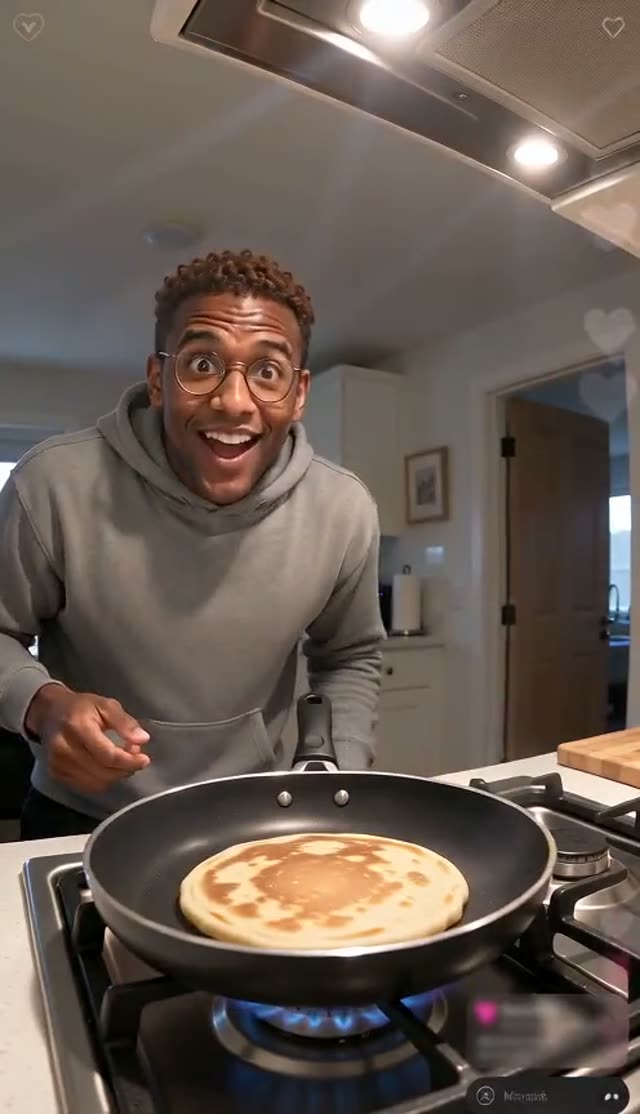
Big Surprise Reaction: you lean in, gasp, laugh and wave at chat. Cooking Stream: a phone above the stove catches you flipping a pancake and cheering. Both prompts are editable.
- 3
Write your line in quotes
Put what you say in quotes, for example "Chat, you are not ready for this." Keep it short, under about ten words for a 5-second clip.
- 4
Check model and length
Seedance 2 Mini, 5 seconds, 480p, 9:16 is the 8-credit default. 720p is 17 credits. Seedance 2 Fast, Seedance 2 and Seedance 2.5 are in the same picker. The cost shows on the Create button.
- 5
Generate and post
The clip renders in the background and lands in My Creations. Failed renders refund their credits automatically.
Why use this tool
Looks like a real webcam
Mild fisheye, soft webcam focus, noisy low light and a little compression smear on fast moves. Stabilisation and beauty filters are off, because those flaws are what make a stream look real.
Stream overlay included
Hearts and stars float up the right edge and a small blurred chat panel sits beside you, so you do not need to add an overlay in an editor.
Your line, on camera
Write a line in quotes and it is spoken in the clip, timed to your reaction.
Same face, new room
Reference mode keeps your face, hair and outfit from the photo while the scene changes to a gaming room or a kitchen.
No platform branding
No logos, no readable usernames and no date, so the clip reads as a fun format and not as a real broadcast.
Four Seedance models
Start on Seedance 2 Mini for 8 credits, then move to Seedance 2 Fast, Seedance 2 or Seedance 2.5 for more detail.
Quick facts
The livestream look at a glance.
- Input: one photo of yourself. Output: a livestream-style video, 5 seconds and 9:16 by default.
- Default: Seedance 2 Mini, 480p, 8 credits. 720p is 17 credits; clips run 4 to 15 seconds on this model.
- Templates: Big Surprise Reaction and Cooking Stream. Both can be edited.
- Overlay: floating hearts and stars plus a blurred chat panel. No logos, usernames or date.
- Free start: 10 credits at signup and a daily check-in. Free-tier downloads are watermarked.
- Not included: live broadcasting, a real-time AI host, or chat that reads real comments.
Which kind of AI livestream video do you need?
People mean three different things by "AI livestream video generator". Here is which VdoBloom tool fits each one.
- A clip that looks like a live stream (our pick for this search)
- VdoBloom tool:AI Livestream Video Generator (this page)
- What you get:A 4 to 15 second webcam-stream video from one photo, with hearts, chat and your line
- Short clips from a stream you already recorded
- VdoBloom tool:AI Clip Maker (Clip Studio)
- What you get:Vertical clips with captions cut from a video of up to 90 minutes
- A talking AI presenter for a recorded video
- VdoBloom tool:AI Talking Avatar or AI Presenter Video
- What you get:A photo or avatar that speaks your script, as a video file
- A real-time AI host that streams live
- VdoBloom tool:Not offered
- What you get:VdoBloom makes video files; it does not stream live to Twitch, YouTube or TikTok
| What you want | VdoBloom tool | What you get |
|---|---|---|
| A clip that looks like a live stream (our pick for this search) | AI Livestream Video Generator (this page) | A 4 to 15 second webcam-stream video from one photo, with hearts, chat and your line |
| Short clips from a stream you already recorded | AI Clip Maker (Clip Studio) | Vertical clips with captions cut from a video of up to 90 minutes |
| A talking AI presenter for a recorded video | AI Talking Avatar or AI Presenter Video | A photo or avatar that speaks your script, as a video file |
| A real-time AI host that streams live | Not offered | VdoBloom makes video files; it does not stream live to Twitch, YouTube or TikTok |
Read more: AI Clip Maker · AI Talking Avatar · AI Presenter Video
What does a livestream-style clip cost?
Prices come from the same credit table the model picker uses. You pay per clip; there is no subscription to keep.
- Seedance 2 Mini, 480p, 5 s (default)
- Credits per clip:8
- Good to know:Covered by the 10 free credits
- Seedance 2 Mini, 720p, 5 s
- Credits per clip:17
- Good to know:Sharper face and overlay
- Seedance 2 Mini, 480p, 10 s
- Credits per clip:16
- Good to know:Room for a longer line
- Seedance 2 Fast, 480p / 720p, 5 s
- Credits per clip:24 / 50
- Good to know:Stronger motion
- Seedance 2, 480p / 720p, 5 s
- Credits per clip:38 / 82
- Good to know:More detail
- Seedance 2.5, 480p / 720p, 5 s
- Credits per clip:56 / 126
- Good to know:Top Seedance model on this tab
- Lite pack, 300 credits
- Credits per clip:$19.50 one-time
- Good to know:37 default clips; or $15 a month
| Model and setting | Credits per clip | Good to know |
|---|---|---|
| Seedance 2 Mini, 480p, 5 s (default) | 8 | Covered by the 10 free credits |
| Seedance 2 Mini, 720p, 5 s | 17 | Sharper face and overlay |
| Seedance 2 Mini, 480p, 10 s | 16 | Room for a longer line |
| Seedance 2 Fast, 480p / 720p, 5 s | 24 / 50 | Stronger motion |
| Seedance 2, 480p / 720p, 5 s | 38 / 82 | More detail |
| Seedance 2.5, 480p / 720p, 5 s | 56 / 126 | Top Seedance model on this tab |
| Lite pack, 300 credits | $19.50 one-time | 37 default clips; or $15 a month |
Read more: Seedance 2 Mini model page · Pricing
Ideas for livestream-style clips
Edit the template prompt to change the moment. Keep one action and one short line.
- A gaming-room reaction to a big win, with "No way, chat, we did it!"
- A thank-you clip for followers after a milestone.
- A cooking stream fail or a perfect flip.
- A "going live soon" teaser to post before a real stream.
- A fake unboxing reaction to a small surprise gift.
Tips for a believable stream look
The photo and the line decide most of the result.
- Use a sharp, front-facing photo with even light. Very small or side-on faces drift more.
- Keep the spoken line short. Long lines get rushed in a 5-second clip; pick 8 or 10 seconds for more.
- Leave the low-light and fisheye wording in the prompt. A clean, sharp image looks less like a webcam.
- Use your own photo, or a photo of someone who agreed to it.
Limits worth knowing
The chat panel is blurred on purpose, so you cannot show real comments or usernames. The clip is one short moment, not a full stream. VdoBloom does not connect to Twitch, YouTube Live, TikTok Live or OBS. Do not present a clip as a real broadcast or use it to pretend to be someone else.
Read more: AI stream assets: emotes and badges (guide)
Frequently asked questions
What is an AI livestream video generator?
On VdoBloom it is a tool that turns one photo into a short video that looks like a moment from a live webcam stream: a webcam angle, an RGB-lit room, floating hearts, a blurred chat panel and your line spoken on camera.
Is the AI livestream video generator free?
Your first clip is. New accounts get 10 free credits and the default clip (Seedance 2 Mini, 5 seconds, 480p) costs 8. Free-tier clips carry a watermark; any credit pack or plan removes it.
Can it stream live to Twitch, YouTube or TikTok?
No. It makes a finished video file that you post like any other clip. It does not run a real-time AI host or connect to OBS.
Can it turn my recorded livestream into short clips?
Not this tab. Use the AI Clip Maker (Clip Studio): upload a recording of up to 90 minutes and it cuts vertical clips with captions.
Will my face stay the same?
The photo is used as a reference and the prompt keeps your face, hair and outfit. A sharp, front-facing photo works best. If a clip drifts, run it again or move to Seedance 2 Fast.
Can I make it say my own words?
Yes. Put the line in quotes in the prompt. Keep it under about ten words for a 5-second clip, or pick a longer length.
Does it show real platform logos or usernames?
No. The overlay is generic: hearts, stars and a blurred chat panel with no readable names, no platform logos and no date.
How long is the clip?
Five seconds by default. Seedance 2 Mini runs from 4 to 15 seconds; a 10-second clip at 480p costs 16 credits.
Which aspect ratio should I use?
9:16 is the default, made for TikTok, Reels and Shorts. Other ratios are in the settings if you want a wide clip.
Can I use it for a product or shop stream?
Edit the prompt to describe you holding up a product and reacting. The clip shows no real shop or platform branding, so add your own text in an editor.