Yoga
Turn a photo into a yoga flow clip
A full-body photo works best.
Wide screen: YouTube videos, TVs, laptops and website headers.
Advanced options
Motion or style reference. MP4 or MOV, 480p to 720p, up to 15s total.
MP3 or WAV, up to 15 MB and 30s total.
Example
Yoga
Graceful pose flow
- Output
- 5s · 480p
AI Yoga Video Generator: Calm Practice Clips from One Photo
Updated
Short answer: upload one photo, pick Graceful, Power Yoga or Meditation, and VdoBloom animates that person through a slow yoga movement in a 5-second clip on Seedance 2 Mini for 8 credits at 480p. New accounts get 10 free credits plus 2 to 5 more a day from the daily check-in, and free-tier clips carry a VdoBloom watermark.
An AI yoga video generator on VdoBloom turns one photo of a person into a short clip of them moving through a practice: a pose settling, a slow transition, a held breath. You upload a photo, pick Graceful, Power Yoga or Meditation, and the AI animates it with lighting to match. Is it free? New accounts get 10 credits, and the default model, Seedance 2 Mini, costs 8 credits for 5 seconds at 480p, so the first clip is free. ByteDance V1 Pro Fast (7 credits) costs less. It is for yoga teachers, studios, retreat organizers, wellness brands and creators who need fresh footage between real shoots.
What it is and is not: these are short atmosphere and promo clips of a real person from your photo, not a full class with a talking instructor or voiceover. Use them for class announcements, website loops, social posts and B-roll under your own voice. They are not a reliable demonstration of a specific asana, so do not publish them as instruction. If you want a spoken intro, the Talking Avatar tab makes a lip-synced presenter clip from a photo, and the AI Music tab makes a background track.
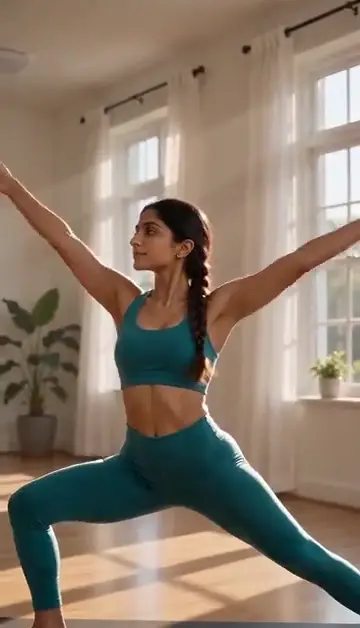
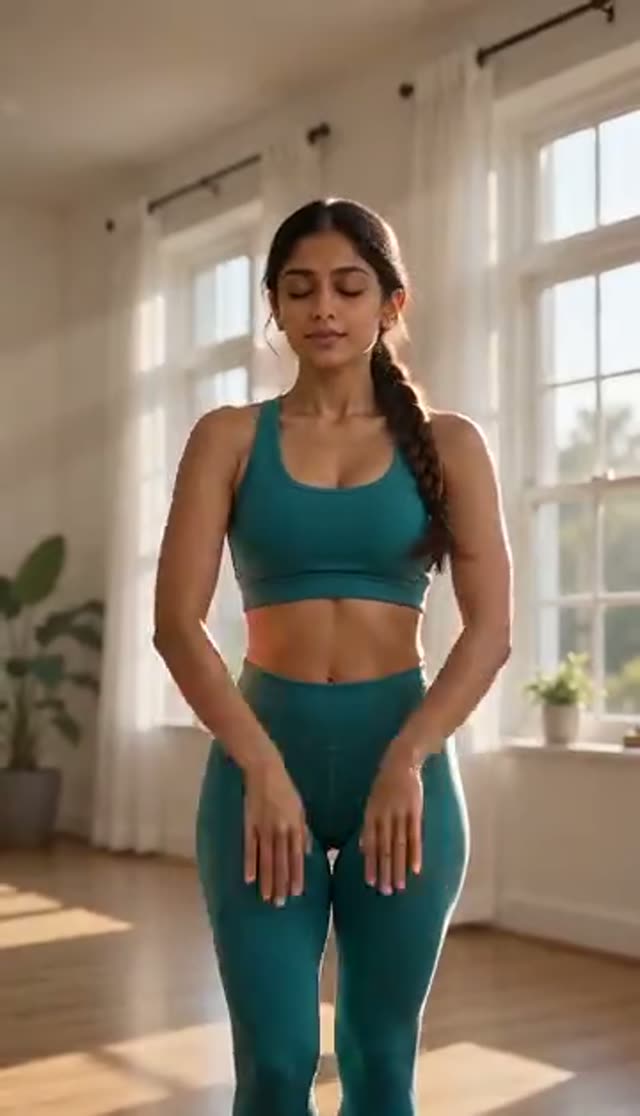
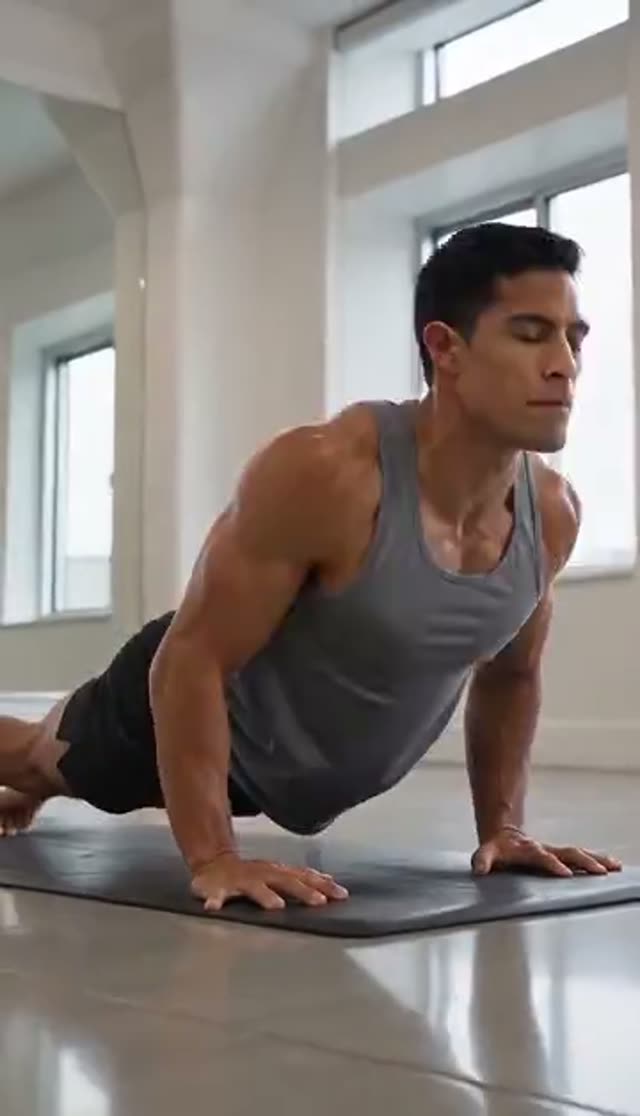
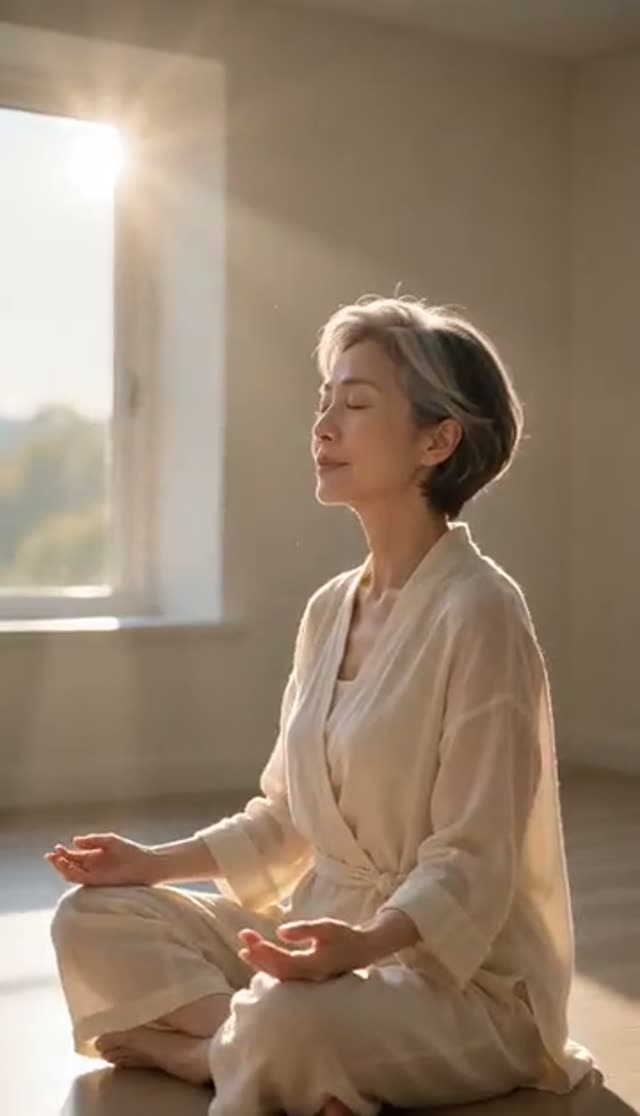
The three templates differ in more than intensity. Graceful asks for flowing pose transitions in natural light; Power Yoga is dynamic strength and flexibility work under studio lighting; Meditation barely moves, with a seated pose and a serene expression. Yoga is a direct effect, so the template wording goes straight to the video model and the full image-to-video roster is open. Credits are charged only once the provider accepts the job and refunded automatically if a render fails.
How it works
- 1
Upload one photo
A full-body photo gives the AI the most to work with for Graceful and Power Yoga; a seated or half-body photo is fine for Meditation. Use even light and a simple background.
- 2
Pick a practice style
Graceful for flowing transitions, Power Yoga for dynamic strength work, Meditation for stillness. Each template plays a preview.
- 3
Describe the setting (optional)
Edit the prompt to set the scene: "sunrise on a wooden deck by the sea", "bright studio with plants", "candle-lit room". Asking for slow, continuous motion gives smoother results.
- 4
Choose model, length and ratio
Seedance 2 Mini loads at 8 credits for 5 seconds at 480p. Use 9:16 for Reels and Shorts, 1:1 for feed posts, 16:9 for a website hero.
- 5
Generate and watch at full size
Most clips are ready in a few minutes. Watch for smoothness and joint positions; a small wobble shows on a big screen.
- 6
Download and build your promo
On a paid plan, download the MP4 without a watermark and add your own music, text and voice. Free clips download with a watermark.
Why use this tool
Three practice styles
Graceful, Power Yoga and Meditation are separate prompts with their own movement and light.
Your teacher, your studio look
The clip animates the person in your photo, so it matches your brand instead of stock footage.
Slow motion suits AI
Calm, continuous movement is what video models handle best, which makes yoga a good fit for short clips.
Full model roster
From ByteDance V1 Pro Fast at 7 credits to Runway Gen-4.5 at 48 for a 5-second 720p clip.
Optional generated audio
Most models return a silent MP4. Vidu Q3 and Q3 Turbo have an audio toggle if you want ambient sound in the same render.
Refunds on failure
Credits are charged after the provider accepts the job and returned automatically if it fails.
Quick facts: the AI yoga video
The numbers to know before you spend credits. Updated 31 October 2026.
- Input
- One photo of one person; full-body for poses, seated for Meditation
- Templates
- Graceful, Power Yoga, Meditation
- Length
- 5 s by default, 4 to 15 s on Seedance 2 Mini
- Default model and price
- Seedance 2 Mini, 8 credits for 5 s at 480p (17 at 720p, 16 for 10 s)
- Cheapest option
- ByteDance V1 Pro Fast, 7 credits for 5 s at 720p
- Free credits
- 10 on signup plus a daily check-in of 2 to 5 credits
- Watermark
- On free-tier clips; any paid pack or plan downloads clean
- Failed renders
- Credits refunded automatically
| Question | Answer |
|---|---|
| Input | One photo of one person; full-body for poses, seated for Meditation |
| Templates | Graceful, Power Yoga, Meditation |
| Length | 5 s by default, 4 to 15 s on Seedance 2 Mini |
| Default model and price | Seedance 2 Mini, 8 credits for 5 s at 480p (17 at 720p, 16 for 10 s) |
| Cheapest option | ByteDance V1 Pro Fast, 7 credits for 5 s at 720p |
| Free credits | 10 on signup plus a daily check-in of 2 to 5 credits |
| Watermark | On free-tier clips; any paid pack or plan downloads clean |
| Failed renders | Credits refunded automatically |
Is the AI yoga video generator free?
Your first clip is free: 10 credits on sign-up, no card, and the default clip costs 8. Free output is watermarked, including the download; any paid plan removes the watermark. The Lite pack is 300 credits for $19.50 one-time (credits never expire) or $15 a month (credits reset each cycle).
- ByteDance V1 Pro Fast, 5 s, 720p
- Credits per clip:7
- Clips from 300 credits:42
- Seedance 2 Mini, 5 s, 480p (default)
- Credits per clip:8
- Clips from 300 credits:37
- Runway Gen-3, 5 s, 720p
- Credits per clip:10
- Clips from 300 credits:30
- Runway Gen-3, 10 s, 720p
- Credits per clip:20
- Clips from 300 credits:15
- Kling V3 Turbo, 5 s, 720p
- Credits per clip:40
- Clips from 300 credits:7
- Runway Gen-4.5, 5 s, 720p
- Credits per clip:48
- Clips from 300 credits:6
| Yoga clip | Credits per clip | Clips from 300 credits |
|---|---|---|
| ByteDance V1 Pro Fast, 5 s, 720p | 7 | 42 |
| Seedance 2 Mini, 5 s, 480p (default) | 8 | 37 |
| Runway Gen-3, 5 s, 720p | 10 | 30 |
| Runway Gen-3, 10 s, 720p | 20 | 15 |
| Kling V3 Turbo, 5 s, 720p | 40 | 7 |
| Runway Gen-4.5, 5 s, 720p | 48 | 6 |
Read more: See all credit packs
Which model should I use for yoga clips?
Slow, flowing motion works on most models, so drafting models go further here than on fast effects. Step up for faces and hands in close shots. Credits for a 5-second clip:
- ByteDance V1 Pro Fast
- 720p:7
- 1080p:15
- Good for:Lowest-cost drafts
- Runway Gen-3
- 720p:10
- 1080p:20
- Good for:Reliable results
- Vidu Q3 Turbo
- 720p:20
- 1080p:30
- Good for:Optional generated audio
- Runway Gen-4 Turbo
- 720p:20
- 1080p:20
- Good for:Sharper 1080p
- Kling 2.6
- 720p:25
- 1080p:25
- Good for:Natural body motion
- Kling V3 Turbo
- 720p:40
- 1080p:50
- Good for:Detail in faces and hands
- Runway Gen-4.5
- 720p:48
- 1080p:48
- Good for:Website hero and ads
| Model | 720p | 1080p | Good for |
|---|---|---|---|
| ByteDance V1 Pro Fast | 7 | 15 | Lowest-cost drafts |
| Runway Gen-3 | 10 | 20 | Reliable results |
| Vidu Q3 Turbo | 20 | 30 | Optional generated audio |
| Runway Gen-4 Turbo | 20 | 20 | Sharper 1080p |
| Kling 2.6 | 25 | 25 | Natural body motion |
| Kling V3 Turbo | 40 | 50 | Detail in faces and hands |
| Runway Gen-4.5 | 48 | 48 | Website hero and ads |
Read more: Vidu Q3 Turbo model page · Runway Gen-4.5 model page
Building a full yoga class promo
Most yoga video generators that rank for this search make avatar-led class videos with a script and voiceover. On VdoBloom you can build the same kind of promo from parts:
- Practice footage of your teacher
- Yoga (this tab)
- A spoken intro or class announcement
- Talking Avatar
- Background music
- AI Music Generator
- Scenery shots without a person
- Text to Video
| Part | VdoBloom tool |
|---|---|
| Practice footage of your teacher | Yoga (this tab) |
| A spoken intro or class announcement | Talking Avatar |
| Background music | AI Music Generator |
| Scenery shots without a person | Text to Video |
Read more: Talking Avatar · AI Music Generator · Text to Video
Graceful, Power Yoga or Meditation: which template to use
Because yoga is a direct effect, the template text is what the video model receives, so the three tiles produce clearly different clips from one photo.
- Graceful
- Movement:Flowing pose transitions
- Lighting:Natural light
- Good for:Vinyasa-style class promos, website loops
- Power Yoga
- Movement:Dynamic strength and flexibility
- Lighting:Studio light
- Good for:Power and fitness classes, gym partners
- Meditation
- Movement:Almost still, seated pose
- Lighting:Soft light
- Good for:Meditation, breathwork and restorative sessions
| Template | Movement | Lighting | Good for |
|---|---|---|---|
| Graceful | Flowing pose transitions | Natural light | Vinyasa-style class promos, website loops |
| Power Yoga | Dynamic strength and flexibility | Studio light | Power and fitness classes, gym partners |
| Meditation | Almost still, seated pose | Soft light | Meditation, breathwork and restorative sessions |
Use cases
Where yoga clips are useful:
- Weekly class and workshop announcements
- Website hero loops and booking-page headers
- Retreat and wellness-brand social posts
- B-roll under a recorded voiceover or podcast clip
- Meditation and breathwork content backgrounds
Tips and limits
Get smoother clips and avoid surprises:
- Ask for slow, continuous movement; fast transitions are where limbs go wrong
- Match the photo to the template: full-body for Power Yoga, seated for Meditation
- AI may place joints imprecisely in complex poses; never use these clips as pose instruction
- Clips are short (5 or 10 seconds on most models); join several for a longer reel
- Only upload photos of adults who agreed to be animated, such as your own teachers with permission
Read more: How to make an AI yoga video
Frequently asked questions
Can AI make a yoga video from a photo?
Yes. Upload a photo, pick a template and generate a short practice clip. Slow flowing moves look most convincing; complex poses can place joints imprecisely, so use the clips for promos and atmosphere, not instruction.
Is the AI yoga video generator free to try?
The first clip is free on the 10 signup credits, and the daily check-in adds 2 to 5 credits a day. Free clips carry a VdoBloom watermark.
How do I make an AI yoga video?
Open the Yoga tab, upload a photo, choose Graceful, Power Yoga or Meditation, pick a model and aspect ratio, and generate. The AI animates the person in your photo through a short practice clip, usually within a few minutes.
Is the AI yoga video generator free?
Your first clip is. New accounts get 10 free credits and the default Seedance 2 Mini clip costs 8. ByteDance V1 Pro Fast (7) costs less. Free clips download with a watermark.
How much does an AI yoga video cost?
From 7 credits for a 5-second 720p clip up to 48 on Runway Gen-4.5, with 8 on the default model at 480p. The Lite pack is 300 credits for $19.50 one-time or $15 a month.
Can AI make a full yoga class video?
Not on this tab, which makes short practice clips of up to about 10 seconds. For a full class, film the instruction yourself and use these clips as promo footage. A Talking Avatar clip can add a spoken intro.
Are the poses accurate?
Slow, flowing movement usually looks convincing, but AI can place joints imprecisely in complex poses. Use the clips as atmosphere and promotion, never as something students should copy.
What photo should I upload?
A sharp, evenly lit photo of one person. Full-body works best for Graceful and Power Yoga; a seated photo suits Meditation. A plain or calm background helps.
Can I add music or a voiceover?
Most models return a silent MP4, so you can add your own track. Vidu Q3 and Q3 Turbo can generate audio in the same render. For a custom track use the AI Music Generator; for a spoken intro use Talking Avatar.
Which aspect ratio is best?
9:16 for Reels, TikTok and Shorts, 1:1 for feed posts, 16:9 for a website hero or YouTube. Set it before generating.
Can a yoga studio post these clips on Instagram?
Yes, as a short promo clip. Use photos you own, get permission from the teacher shown, render 9:16 for Reels, and follow the AI-disclosure rules of the platform where you post.
What if the movement looks jerky?
Ask for slower, continuous motion in the prompt, use a clearer photo, or try Seedance 2 Mini or Kling. Failed renders are refunded automatically.