Mini Me: A Tiny You Waves From Your Palm
You hold out an open palm and a tiny, identical copy of you appears on it and waves at the camera.
A half-body photo with your hands free gives the model room for the palm.
Examples
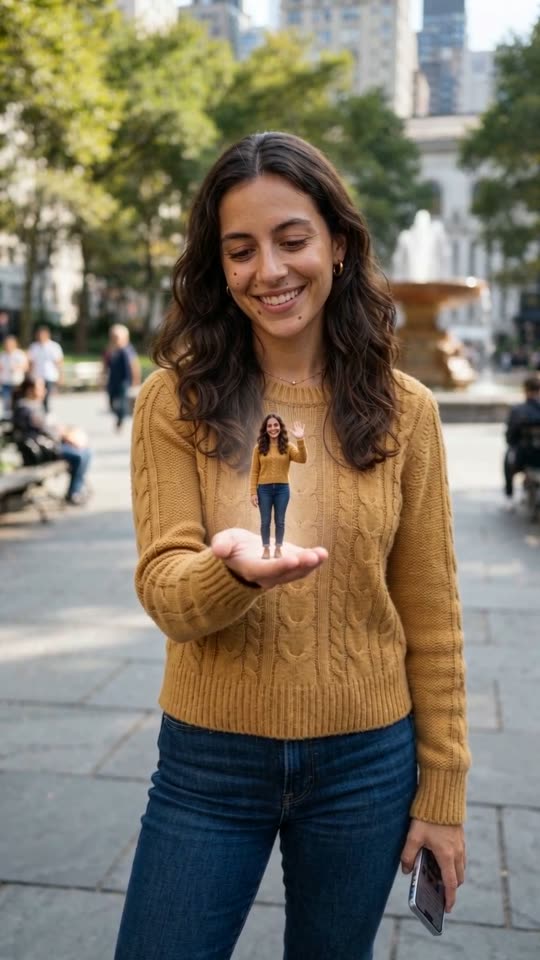
Palm Wave
How it works
- 1
Upload a clear photo
One well-lit photo of yourself, half or full body, with your face sharp and nothing covering it. Future Baby takes one photo of each partner.
- 2
Generate
The effect is already written: one camera move and one action, tuned so your face stays yours. Edit the prompt if you want a variation.
- 3
Share
A vertical clip lands in your Creations, ready for Reels, Shorts and TikTok.
Why use this tool
Your face stays yours
Every prompt ends with a rule to keep the face, hair and outfit from your photo, and the camera does one thing only, so nothing drifts.
The model that worked
Each effect opens on the model that held identity best in our tests: Kling 3.0 for the orbit and the full-body transformation, Seedance 2 Fast for the rest.
One photo, no editing
No green screen, no masking, no keyframes: the photo is the first frame and the effect happens on it.
Frequently asked questions
What if my face changes?
Use a sharp, front-facing photo with even light, and re-run once if a clip drifts. Very small or side-on faces drift more.
How much does one clip cost?
Each clip is priced by the video model and settings you pick — the exact credit cost is shown on the Create button before you generate, and that is the amount charged. The preset opens on the cheapest model and resolution that gave good results in our tests, and you can switch to a higher-quality model from the same picker. If a render fails, the credits go back to your balance automatically.