Frozen Crowd Video
The whole crowd frozen, only you move
A photo of yourself, ideally full or half body.
Full-screen on phones: Instagram Reels, YouTube Shorts, WhatsApp Status.
Advanced options
Motion or style reference. MP4 or MOV, 480p to 720p, up to 15s total.
MP3 or WAV, up to 15 MB and 30s total.
Example
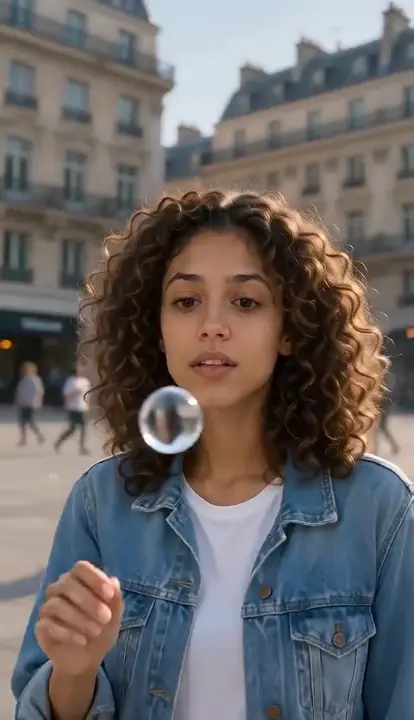
Frozen Crowd Video
Pigeons and confetti hang in the air
- Output
- 6s · 480p
Frozen Crowd Video Generator: Everyone Stops, Only You Move
Updated
Short answer: upload one photo of yourself and VdoBloom makes a video where time has stopped for everyone else. A crowd stands frozen mid-step, pigeons and confetti hang in the air, a coffee pour is stuck between cup and jug, and you alone walk through it. The tab opens on Seedance 2 Mini at 6 seconds, 480p and vertical 9:16, which costs 10 credits, so the 10 free credits every new account gets cover your first clip.
Pick one of two scenes: a sunny city square or a packed house party. A smooth tracking shot follows you at shoulder height while you weave between the statue-still people. There is no green screen, no crowd of extras and no editing. The clip lands in My Creations in a few minutes, ready for Reels, Shorts and TikTok.
Free-tier clips carry a VdoBloom watermark; any paid plan or credit pack removes it. If a render fails, the credits go back to your balance automatically.
How it works
- 1
Upload a photo of yourself
A clear full-body or half-body photo with your face sharp and nothing covering it. The photo is used as a reference, so you appear in a new scene.
- 2
Pick the scene
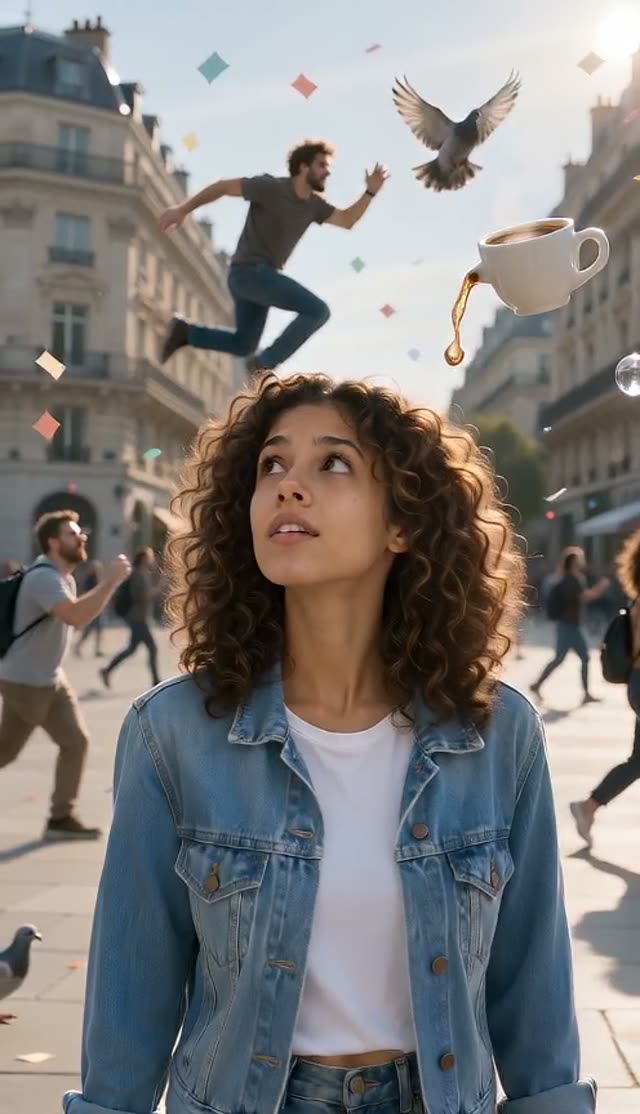
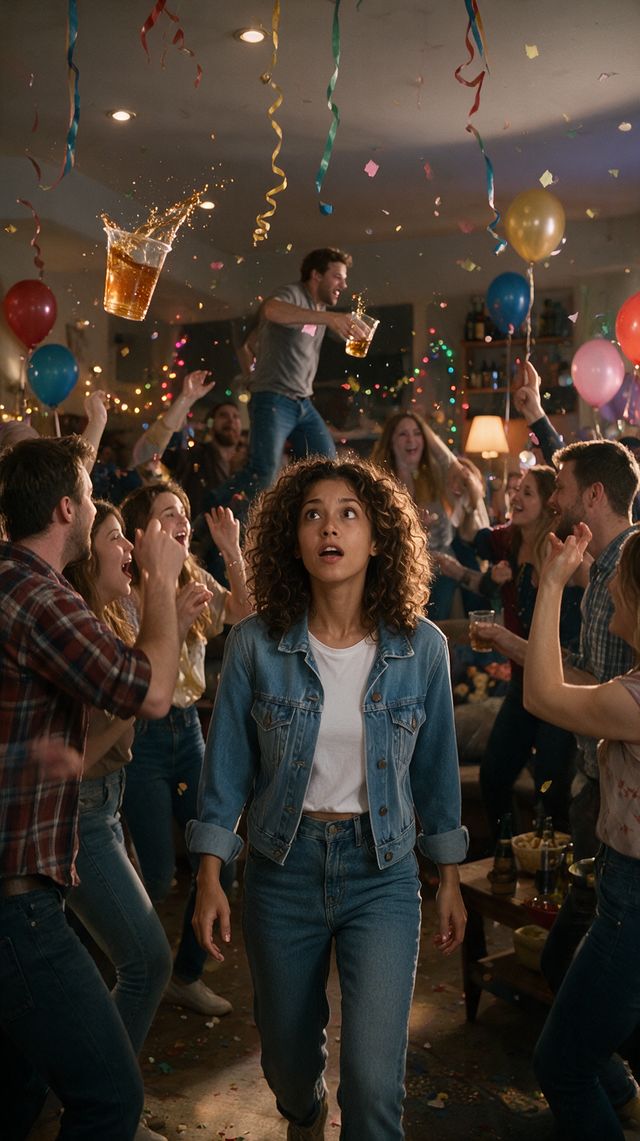
Frozen City Square (pigeons, confetti and a hanging coffee pour) or Frozen Party (dancers frozen mid-move, a drink splash in the air).
- 3
Change the prompt if you like
Move the crowd to a beach, a stadium, a train station or an office. Keep the line that nobody else blinks, breathes or shifts.
- 4
Pick a model and length
Seedance 2 Mini at 6 seconds and 480p is the default (10 credits). If the frozen people drift, try a higher model.
- 5
Generate and share
The clip renders in a few minutes. Check that the background people stay still, then download or post it.
Why use this tool
Only you move
Every prompt says the crowd is frozen and that nobody else blinks, breathes or shifts. Nobody moves in the shot except you.
Your face stays yours
Your photo is the reference, and the prompt ends with a rule to keep your face, hair and outfit as they are.
Frozen details that sell it
Hanging water drops, a suspended coffee pour, pigeons mid-flight and confetti in the air make the stop look real.
A moving camera
A shoulder-height tracking shot follows you through the crowd, so the freeze reads clearly.
Four Seedance models
Seedance 2 Mini, Seedance 2 Fast, Seedance 2 and Seedance 2.5 are in the picker. The price shows on the Create button.
Vertical by default
9:16 for Reels, Shorts and TikTok. Switch to 1:1 or 16:9 for other posts.
Quick facts
The frozen crowd tool at a glance.
- What it makes: a clip where a whole crowd is frozen in time and only you move through it.
- Input: one photo of yourself. Full-body or half-body works best.
- Scenes: Frozen City Square and Frozen Party. The prompt is editable.
- Default: Seedance 2 Mini, 6 seconds, 480p, 9:16: 10 credits.
- Length: 4 to 15 seconds (up to 30 on Seedance 2.5).
- Free credits: 10 at signup, plus daily check-in credits.
- Watermark: on free-tier clips; removed with any paid plan or credit pack.
- Failed renders refund their credits automatically.
What is the frozen crowd effect?
The frozen crowd effect is a time-stop video: everyone around you stops mid-motion, and you keep walking as if time stopped for everyone but you. Film and TV have used it for years with actors holding still, and it became a short-video trend because it is simple to read in one second.
It is not the same as the reverse trend, where you stand still and sharp while the crowd rushes past you in a blur. That one needs a long-exposure look and a busy street. This tool makes the frozen-crowd version, where the crowd is still and you move. For a freeze of a busy photo with no person moving, use the Time Freeze Effect instead.
Which model should I use?
Frozen people are hard for video models: background figures can drift, blink or slide a little. If they do, re-run or try a higher model. Credits for one clip on this tab:
- Seedance 2 Mini (default)
- Resolution:480p / 720p
- 6 seconds (default):10 / 20
- 10 seconds:16 / 33
- Good for:Your first free clip and quick drafts
- Seedance 2 Fast
- Resolution:480p / 720p
- 6 seconds (default):29 / 60
- 10 seconds:48 / 100
- Good for:A mid-price step up
- Seedance 2
- Resolution:480p / 720p
- 6 seconds (default):45 / 98
- 10 seconds:76 / 163
- Good for:More detail, at a higher price
- Seedance 2.5
- Resolution:480p / 720p
- 6 seconds (default):68 / 152
- 10 seconds:112 / 252
- Good for:The newest Seedance model
| Model | Resolution | 6 seconds (default) | 10 seconds | Good for |
|---|---|---|---|---|
| Seedance 2 Mini (default) | 480p / 720p | 10 / 20 | 16 / 33 | Your first free clip and quick drafts |
| Seedance 2 Fast | 480p / 720p | 29 / 60 | 48 / 100 | A mid-price step up |
| Seedance 2 | 480p / 720p | 45 / 98 | 76 / 163 | More detail, at a higher price |
| Seedance 2.5 | 480p / 720p | 68 / 152 | 112 / 252 | The newest Seedance model |
Read more: Pricing and credit packs · Seedance 2 Mini · Seedance 2 Fast
Frozen crowd, time freeze or bullet time?
Three time-stop effects, each with its own tool on VdoBloom:
- Frozen Crowd (this tool)
- What moves:Only you, walking through a frozen crowd
- What you upload:A photo of yourself
- Time Freeze and Rewind
- What moves:Only the camera, then the scene plays backwards
- What you upload:A photo of a busy moment
- Bullet Time
- What moves:Only the camera, orbiting around you
- What you upload:A photo of yourself
| Effect | What moves | What you upload |
|---|---|---|
| Frozen Crowd (this tool) | Only you, walking through a frozen crowd | A photo of yourself |
| Time Freeze and Rewind | Only the camera, then the scene plays backwards | A photo of a busy moment |
| Bullet Time | Only the camera, orbiting around you | A photo of yourself |
Read more: Time Freeze Effect · Bullet Time Effect
Tips for a good frozen crowd video
Small choices make the freeze look real.
- Use a photo where you are standing, with your full body or at least your upper body in view.
- Plain clothes with clear colours stand out against a busy crowd.
- Name a few frozen details in the prompt: a hat in the air, a dog mid-jump, a spilled drink.
- Ask for one simple action, like touching a hanging water drop or taking a snack from a frozen tray.
- If background people move, re-run once or step up to Seedance 2 Fast or Seedance 2.
Frequently asked questions
How do I make a frozen crowd video with AI?
Upload one photo of yourself, pick the Frozen City Square or Frozen Party scene, and generate. The AI places you in a crowd where everyone is frozen mid-motion and films you walking through it in a tracking shot.
Is the frozen crowd video generator free?
You can try it free. New accounts get 10 free credits, and the default 6-second Seedance 2 Mini clip at 480p costs 10. Free-tier clips are watermarked. After that, the Lite pack is 300 credits for $19.50 one-time (credits never expire) or $15 a month.
Do the frozen people stay still?
The prompt insists that nobody else blinks, breathes or shifts. Background figures can still drift a little, mostly on the lowest-cost model. Re-run, or pick Seedance 2 Fast or Seedance 2 if they do.
Can I freeze myself while the crowd keeps moving?
That is the reverse effect, and this tool does not make it. Here the crowd is frozen and you move. You can try the reverse by writing your own prompt in the Image to Video tool.
Can I change the place?
Yes. Edit the prompt to set the crowd in a station, a beach, a stadium, a school hallway or an office. Keep the lines that say time has stopped and only you move.
Can two people move through the frozen crowd?
The tool takes one photo, so it is built for one moving person. For two people, use a photo with both of you in it and say so in the prompt; results vary more.
How long is the video?
The default is 6 seconds. You can pick 4 to 15 seconds, or up to 30 on Seedance 2.5; a longer clip gives you more time to walk through the crowd.
Will it look like me?
Your photo is used as a reference and the prompt asks to keep your face, hair and outfit. A sharp, front-facing photo with even light gives the closest match.
How long does it take?
Usually a few minutes. The clip appears in My Creations when it is done, and you can leave the page while it renders.