Podcast Clip Video
Two-person podcast moment, studio mics
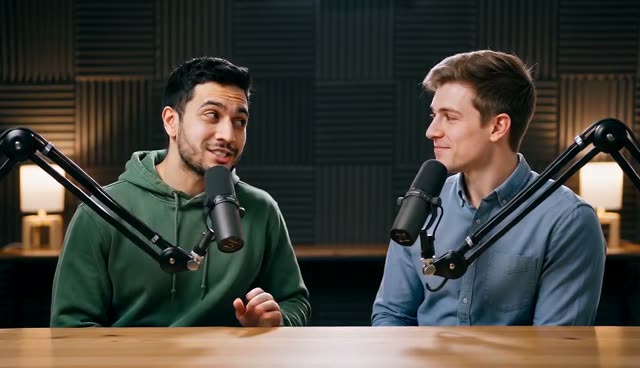
Studio Moment
Boom mics, cosy studio, big laugh
One photo adds an AI co-host. Lines are lip-synced.
Wide screen: YouTube videos, TVs, laptops and website headers.
Advanced options
Motion or style reference. MP4 or MOV, 480p to 720p, up to 15s total.
MP3 or WAV, up to 15 MB and 30s total.
Example
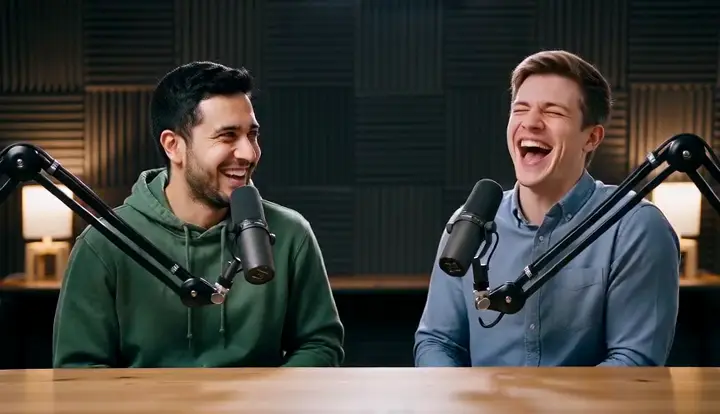
Podcast Clip Video
Boom mics, cosy studio, big laugh
- Output
- 8s · 480p
Podcast Clip Generator: A Two-Host Studio Moment
Updated
Upload your photo (an AI co-host joins) or two photos for both hosts, and get a studio two-shot with broadcast mics on boom arms.
Your quoted line is lip-synced, followed by the co-host’s laugh.
Examples
Studio Moment
Make thisHow it works
- 1
Upload your photo
Chest-up and well lit for the talking formats; a place photo for the bigfoot vlog; a product for the POV ad.
- 2
Write your line in quotes
Spoken lines go in double quotes and are lip-synced. Keep each under ten words for clean delivery.
- 3
Generate
Native audio — voice, ambience and room tone — is generated with the video.
Why use this tool
Lip-synced dialogue
Seedance generates speech and matching mouth movement from the quoted line, no separate voice-over step.
Formats that already work
Selfie vlogs, vox-pop interviews, car confessionals, podcast moments and parody news are proven short-form formats.
Generic people only
Crowds, co-hosts and townspeople are generic — no real historical figures, celebrities or real news brands.
Frequently asked questions
Can I use a real person’s face or a real news channel?
Only your own photo or a photo of someone who agreed to it. The presets never add real channel logos, real historical figures or real events, and parody news must stay obviously silly and fictional.
How much does one clip cost?
Each clip is priced by the video model and settings you pick — the exact credit cost is shown on the Create button before you generate, and that is the amount charged. The preset opens on the cheapest model and resolution that gave good results in our tests, and you can switch to a higher-quality model from the same picker. If a render fails, the credits go back to your balance automatically.