Bigfoot Vlog Video
A friendly bigfoot vlogs from your place
A photo of a forest, backyard, campsite or mountain. Clearly fiction.
Full-screen on phones: Instagram Reels, YouTube Shorts, WhatsApp Status.
Advanced options
Motion or style reference. MP4 or MOV, 480p to 720p, up to 15s total.
MP3 or WAV, up to 15 MB and 30s total.
Example
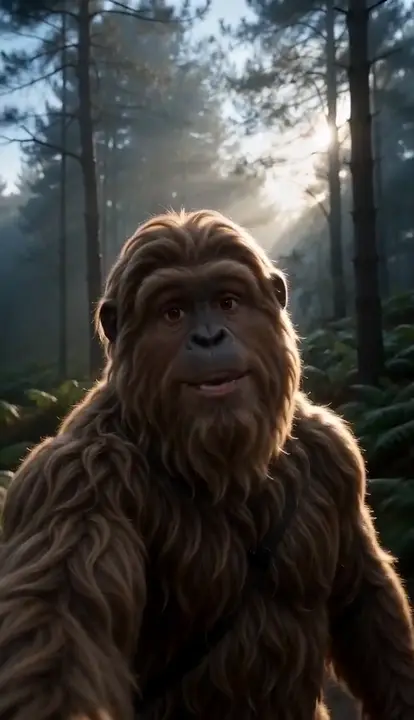
Bigfoot Vlog Video
Shaggy, cheerful, unbelieved
- Output
- 8s · 480p
AI Bigfoot Vlog Generator: Make a Bigfoot or Yeti Selfie Vlog
Updated
Short answer: VdoBloom's AI Bigfoot Vlog tool turns one photo of a place (a forest, backyard, campsite or mountain) into a vertical selfie vlog in which a friendly Bigfoot holds the phone, walks through your place and says your line out loud, with ambient sound. You type the line in quotes and the voice and mouth movement are made with the video. The tab opens on Seedance 2 Mini, 8 seconds at 480p, for 13 credits; a 5-second clip is 8 credits. New accounts get 10 free credits, so a first 5-second clip is free to try. A clip takes a few minutes, and free-tier downloads carry a VdoBloom watermark.
AI Bigfoot vlogs are short, funny clips in which Bigfoot (or a Yeti) films himself like a social media creator: selfie angle, handheld bounce, a deadpan line to the camera. The trend took off on TikTok in mid-2025, soon after Google released its Veo 3 video model with sound in May 2025, and spread to YouTube Shorts and Reels with Yeti, Loch Ness and other cryptid "creators".
Most guides make them by writing a long prompt in a chatbot, generating 8-second clips in a video model, and joining them in an editor. Here the Bigfoot look, the selfie camera and the sound are already written into two templates (Bigfoot Selfie Vlog and Yeti on the Summit), so you only add your place photo and your line. For a whole episode, make several clips and join them in the Timeline Editor.
How it works
- 1
Upload a place photo
A forest trail, your backyard, a campsite, a lake or a mountain. The landscape and colours of your photo carry into the vlog. No person is needed in the photo.
- 2
Pick Bigfoot or Yeti
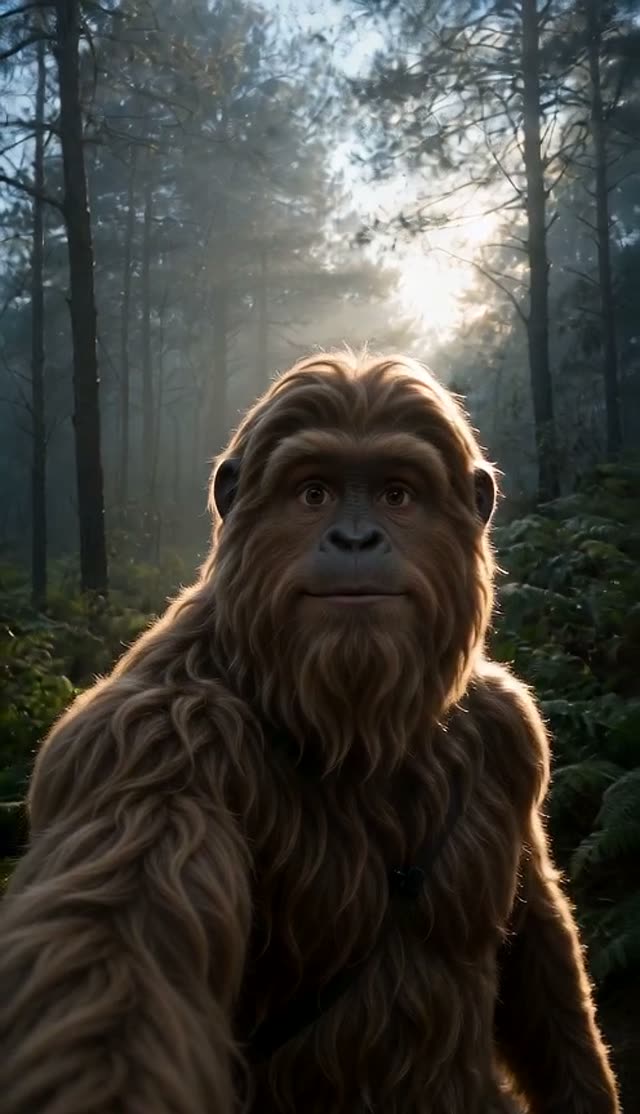
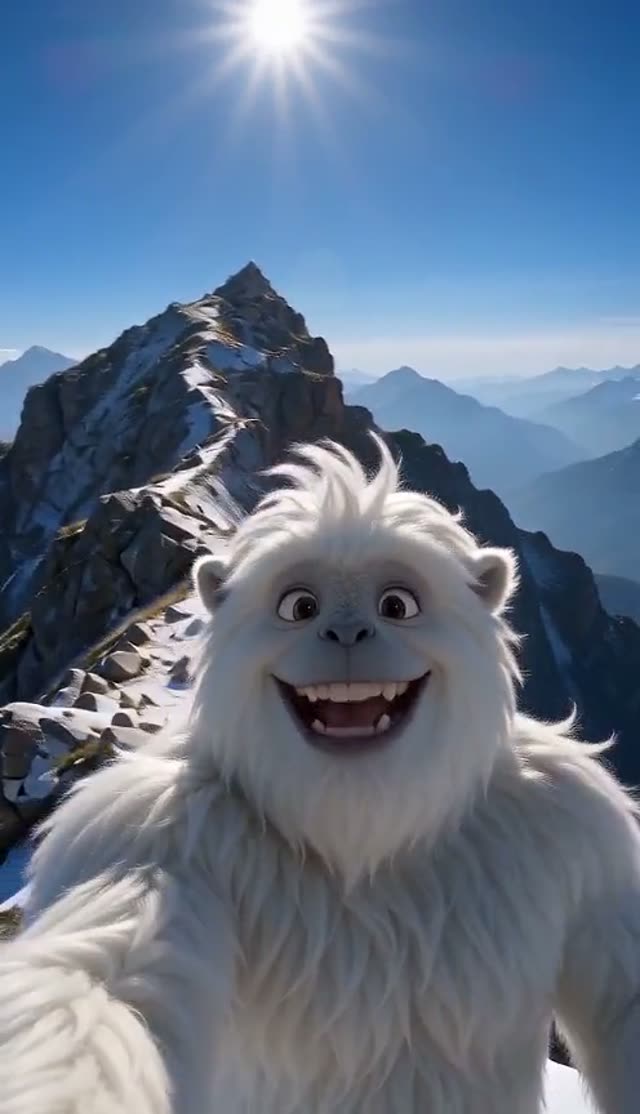
Bigfoot Selfie Vlog: a tall, shaggy brown Bigfoot walks through your place. Yeti on the Summit: a white Yeti shouts over the wind with your place dusted in snow.
- 3
Write the line in quotes
Change the words inside the quotes, for example "Day three. Still nobody believes me." Keep it under about ten words for an 8-second clip so it is not rushed.
- 4
Check length and price
Seedance 2 Mini, 8 seconds, 480p, 9:16 is the default (13 credits). Pick 5 seconds (8 credits) or 720p, or Seedance 2 Fast, Seedance 2 or Seedance 2.5 for more detail. The price is on the button before you generate.
- 5
Generate and post
The clip renders in a few minutes and is saved in My Creations. Download the MP4 and post it to TikTok, Shorts or Reels. If a render fails, the credits go back to your balance.
Why use this tool
Bigfoot already written for you
The templates describe the creature, the selfie camera, the handheld bounce and the daylight, so you do not need a 200-word prompt.
Your line, spoken
Seedance makes the voice and the mouth movement from the line in quotes, with no separate voice-over step.
Your real place
Your photo is used as a reference, so the vlog happens in your backyard, your trail or your campsite, not a stock forest.
Sound in the same clip
Outdoor ambient sound (or wind on the summit) and the deep cheerful voice come with the video, so it is ready to post.
Vertical by default
9:16 at arm's-length framing, the format the trend lives in on TikTok, Shorts and Reels.
Clearly fictional
The templates ask for a friendly, comic creature and a fun, clearly fictional tone, so the clip reads as a joke, not as a fake sighting.
AI Bigfoot vlog: quick facts
The tool at a glance.
- Input
- One photo of a place (forest, backyard, campsite, mountain) and the line Bigfoot says
- Templates
- Bigfoot Selfie Vlog, Yeti on the Summit; the whole prompt is editable
- Output
- Vertical 9:16 MP4 with voice, lip-sync and ambient sound
- Default
- Seedance 2 Mini, 8 seconds, 480p: 13 credits
- Length
- 4 to 15 seconds on Seedance 2 Mini (4 s is 7 credits, 15 s is 24 at 480p)
- Free start
- 10 free credits for new accounts cover one 5-second clip (8 credits)
- Watermark
- On free-tier downloads; removed with any paid plan or credit pack
| Item | Detail |
|---|---|
| Input | One photo of a place (forest, backyard, campsite, mountain) and the line Bigfoot says |
| Templates | Bigfoot Selfie Vlog, Yeti on the Summit; the whole prompt is editable |
| Output | Vertical 9:16 MP4 with voice, lip-sync and ambient sound |
| Default | Seedance 2 Mini, 8 seconds, 480p: 13 credits |
| Length | 4 to 15 seconds on Seedance 2 Mini (4 s is 7 credits, 15 s is 24 at 480p) |
| Free start | 10 free credits for new accounts cover one 5-second clip (8 credits) |
| Watermark | On free-tier downloads; removed with any paid plan or credit pack |
How much does an AI Bigfoot vlog cost?
You pay per clip in credits. The tab offers four Seedance models (2 Mini, 2 Fast, 2 and 2.5), which make voice and sound with the picture.
- Seedance 2 Mini (default)
- 5 seconds:8 credits at 480p / 17 at 720p
- 8 seconds (default):13 at 480p / 27 at 720p
- Good to know:Lowest cost; good for testing lines
- Seedance 2 Fast
- 5 seconds:24 / 50
- 8 seconds (default):38 / 80
- Good to know:Sharper fur and faces
- Seedance 2
- 5 seconds:38 / 82
- 8 seconds (default):61 / 131
- Good to know:More detail than Fast
- Seedance 2.5
- 5 seconds:56 / 126
- 8 seconds (default):90 / 202
- Good to know:Newest model; most detail
| Model | 5 seconds | 8 seconds (default) | Good to know |
|---|---|---|---|
| Seedance 2 Mini (default) | 8 credits at 480p / 17 at 720p | 13 at 480p / 27 at 720p | Lowest cost; good for testing lines |
| Seedance 2 Fast | 24 / 50 | 38 / 80 | Sharper fur and faces |
| Seedance 2 | 38 / 82 | 61 / 131 | More detail than Fast |
| Seedance 2.5 | 56 / 126 | 90 / 202 | Newest model; most detail |
Read more: Seedance 2 Mini · Pricing and credit packs
Two ways to make an AI Bigfoot vlog
Both give the same kind of clip. They differ in how much prompt writing you do.
- VdoBloom Bigfoot Vlog (our pick)
- What you do:Upload a place photo, change the line, generate. Bigfoot, camera and sound are built in
- Best for:Fast single clips and series set in your own place
- General video model plus a chatbot and an editor
- What you do:Write a long prompt per clip, generate 8-second clips, join them in an editor
- Best for:Full control over every shot when you are happy to write prompts
| Way | What you do | Best for |
|---|---|---|
| VdoBloom Bigfoot Vlog (our pick) | Upload a place photo, change the line, generate. Bigfoot, camera and sound are built in | Fast single clips and series set in your own place |
| General video model plus a chatbot and an editor | Write a long prompt per clip, generate 8-second clips, join them in an editor | Full control over every shot when you are happy to write prompts |
Read more: Text to Video (no photo) · Timeline Editor
A prompt recipe for a Bigfoot vlog that works
The templates already follow this order. If you rewrite the prompt, keep the same parts:
- Camera: "vertical selfie vlog, phone held at arm's length, front camera, handheld bounce".
- Character: the same short description every time, for example "tall shaggy brown Bigfoot with a friendly face". Reuse it word for word in every clip of a series.
- Place: "walks through the place in the photo" so your landscape is kept.
- Line: one short line in double quotes, under about ten words for 8 seconds.
- Sound and light: "ambient forest sounds, natural daylight" or "wind roaring in the microphone, bright snow glare".
- Tone: "fun and clearly fictional".
How to make a Bigfoot vlog series
The viral accounts post episodes, not single clips. This is the simple way to build one.
- Plan 4 to 6 short beats: hello, the problem, a funny moment, a sign-off.
- Use photos of the same area (or the same photo) and the same Bigfoot description, so he looks the same in each clip.
- Make each beat as its own 8-second clip, with one line each.
- Join the clips in the Timeline Editor, add captions with the AI Caption Generator, and export one vertical video.
- Test each line at 5 seconds and 480p first (8 credits), then re-make the best ones at 720p.
Read more: AI Caption Generator
Frequently asked questions
What is an AI Bigfoot vlog?
A short AI video in which Bigfoot films himself like a vlogger: selfie angle, handheld camera, a funny line to the lens. The trend started on TikTok in mid-2025 after video models that make sound, such as Google Veo 3, came out, and Yeti and other cryptid vlogs followed.
How do I make an AI Bigfoot vlog?
On VdoBloom: open the Bigfoot Vlog tool, upload a photo of a forest, backyard or mountain, pick Bigfoot Selfie Vlog or Yeti on the Summit, change the line in quotes and generate. In a few minutes you get a vertical clip with Bigfoot walking through your place and saying your line. Make several clips and join them in the Timeline Editor for a full episode.
What is the best AI Bigfoot vlog generator?
Our pick is VdoBloom's Bigfoot Vlog, because the Bigfoot look, the selfie camera and the sound are already written into the templates and your own place photo sets the scene, from 8 credits a clip with 10 free credits to start. If you want to write every shot yourself, a general text-to-video model with sound works too, with more prompt writing.
Is the AI Bigfoot vlog generator free?
It is free to try. New accounts get 10 free credits, and a 5-second clip on Seedance 2 Mini at 480p costs 8. The default 8-second clip costs 13. Free-tier downloads carry a VdoBloom watermark; a paid plan or credit pack removes it. The Lite pack is 300 credits for $19.50 one-time, enough for about 23 default clips.
Which AI do people use for Bigfoot vlogs?
Many of the first viral ones were made with Google Veo 3, a video model that makes sound. VdoBloom's Bigfoot Vlog runs on the ByteDance Seedance 2 and 2.5 models, which also make voice, lip-sync and ambient sound in the same clip.
Can Bigfoot say my own words?
Yes. Type the words inside double quotes in the prompt and they are spoken in Bigfoot's voice with matching mouth movement. Keep each line under about ten words for an 8-second clip.
Can I make a Yeti vlog too?
Yes. The Yeti on the Summit template shows a white Yeti vlogging from your place, with fresh snow and wind in the microphone. You can also edit the prompt to describe another friendly creature.
Do I need a photo?
Yes, one photo of a place. It sets the landscape and colours of the vlog. If you have no photo, describe the whole scene in the Text to Video tool instead.
How long can a Bigfoot vlog clip be?
The default is 8 seconds. Seedance 2 Mini goes from 4 to 15 seconds. For a longer video, make several clips and join them in the Timeline Editor.
Can I put myself in the vlog with Bigfoot?
This tool uses a place photo, and Bigfoot is the star of the clip. For a selfie vlog of you, use the Phone Vlog Video Generator or the Time Travel Vlog Generator, then cut the clips together.
Can I post AI Bigfoot vlogs on TikTok and YouTube?
Yes, they are made for vertical feeds. Follow each platform's rules for AI content, which usually means turning on the AI-generated label, and keep it clearly fictional rather than presenting it as a real sighting.
Why does my Bigfoot look different in each clip?
Each clip is made fresh. Use the same description of Bigfoot word for word in every clip, keep the same place photo, and stay on the same model. Regenerate a clip that drifts; failed renders are refunded.