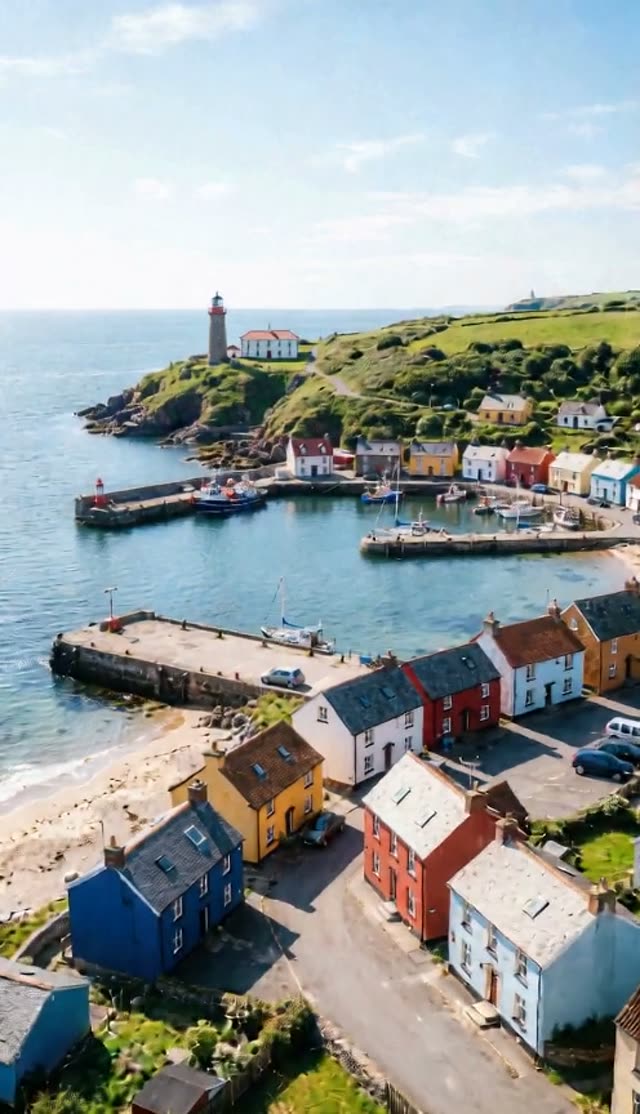
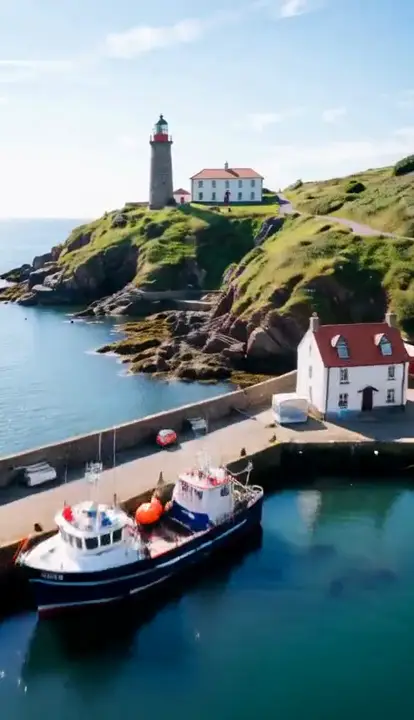
Draw a red route on a photo, get an FPV drone shot along it
Effect
FPV Along My Line
Fast one-take drone flight
Place photo
Upload a photo or drop it hereJPG, PNG, WebP or HEIC · 10 MB
A wide photo of a place, then draw the drone route (erased later).
Model
Duration
6s
Min 4sMax 15s
Resolution
Aspect ratio
Full-screen on phones: Instagram Reels, YouTube Shorts, WhatsApp Status.
Advanced options
Motion or style reference. MP4 or MOV, 480p to 720p, up to 15s total.
MP3 or WAV, up to 15 MB and 30s total.
Example
Draw a Flight Path
Fast one-take drone flight
Output
6s · 480p
AI FPV Drone Video: Draw a Flight Path on Your Photo and Fly It
Updated
Short answer: upload one wide photo of a place, draw a red line where the drone should fly, and VdoBloom turns it into a first-person (FPV) drone shot that follows your line in one continuous take. The line is only a guide and never shows in the video. The tab opens on Seedance 2 Fast at 6 seconds and 480p, which costs 29 credits, and the video takes the shape of your photo: 16:9 for a wide photo, 9:16 for a tall one. Seedance 2 Mini costs 8 credits for 5 seconds at 480p, so the 10 free credits every new account gets cover a first clip.
Most AI drone video generators make a generic fly-over from a prompt, and you cannot say where the camera goes. Here you choose the route: over the roof, down the street, around the tower, out to the sea. No drone, no pilot skills, no flight permit and no editing. The clip lands in My Creations in a few minutes, ready for Reels, Shorts, TikTok or a property listing.
Free-tier clips carry a VdoBloom watermark; any paid plan or credit pack removes it. If a render fails, the credits go back to your balance automatically.
How to Make an FPV Drone Video from a Photo (Draw the Flight Path) | VdoBloom Tutorial
Turn one photo of a place into a first-person drone fly-through with VdoBloom's Draw a Flight Path. Tick the rights box, upload a wide photo, click Draw your flight path and draw one line from where the drone starts to…
An aerial, rooftop or high-angle photo works best: a town, coastline, park, venue, resort or property with clear paths between things.
2
Draw the route
Draw one thick red line from where the flight starts to where it ends. An arrowhead is added at the end so the direction is clear.
3
Name the stops if you like
Type what the camera passes ("over the pool, through the arch, up to the lighthouse") to help it read the route.
4
Pick a model and length
Seedance 2 Fast at 6 seconds and 480p is the default (29 credits). Short lines suit 5 to 8 seconds; long winding routes need 10 to 15 (Seedance 2.5 goes up to 30).
5
Generate
Your drawing is read into written flight directions, then the video is made from the clean photo. The red line never reaches the video model.
Why use this tool
You choose the flight path
The route comes from your drawing, not a guess. Dives, turns, fly-throughs and climbs follow the line you drew.
The line is erased
The video model gets the clean photo plus written directions, never the marked copy, so the red line cannot be painted into the clip.
One continuous take
The prompt asks for one fast, smooth first-person flight with no cuts, the look of a real FPV drone.
No drone in the frame
The shot is seen from the flying camera itself. The prompt tells the model never to show a drone, aircraft or propellers.
The real place, not a new one
The prompt asks for the same buildings, colours and light as your photo, with nothing added.
Four Seedance models
Seedance 2 Mini, Seedance 2 Fast, Seedance 2 and Seedance 2.5 are in the picker. The price shows on the Create button before you generate.
Quick facts
The AI FPV drone video tool at a glance.
What it makes: a first-person drone shot that flies along a route you draw on a photo.
Input: one photo of a place, plus your drawn line. Naming the stops is optional.
Template: FPV Along My Line. The prompt is editable.
Default: Seedance 2 Fast, 6 seconds, 480p: 29 credits. The shape follows your photo (16:9 wide, 9:16 tall).
Lowest price: Seedance 2 Mini at 480p: 7 credits for 4 seconds, 8 for 5.
Length: 4 to 15 seconds (up to 30 on Seedance 2.5). Shapes: 9:16, 16:9, 1:1, 3:4, 4:3 and 21:9.
Reading your route is free; only the video is charged.
Free credits: 10 at signup, plus daily check-in credits. Free-tier clips are watermarked.
What is an FPV drone video?
FPV means first-person view. An FPV drone is flown through goggles that show what its camera sees, so pilots can dive off cliffs, skim water and fly through doors and gaps. The footage feels fast and close, which is why it is popular for travel, real estate, events and brand videos.
Real FPV footage takes a drone, practice, good weather and often a permit. An AI FPV drone video fakes the same look from a still photo: the video model invents the views the camera would see as it moves through the place. Because the model only has one photo, it works best when the photo shows the whole route.
How much does an AI FPV drone video cost?
Credits per clip on this tab. The exact price for your settings shows on the Create button.
Draw-your-path FPV vs a prompt-only drone generator vs a real drone
Three ways to get a drone shot of a place:
VdoBloom Draw a Flight Path (our pick)
Where the camera goes:Along the line you draw
What you need:One photo and a browser
Prompt-only AI drone video generator
Where the camera goes:Wherever the model decides from your words
What you need:A photo or a text prompt
Real FPV drone
Where the camera goes:Wherever the pilot flies
What you need:A drone, goggles, practice and often a permit
Method
Where the camera goes
What you need
VdoBloom Draw a Flight Path (our pick)
Along the line you draw
One photo and a browser
Prompt-only AI drone video generator
Wherever the model decides from your words
A photo or a text prompt
Real FPV drone
Wherever the pilot flies
A drone, goggles, practice and often a permit
Tips for a clean flight
The photo and the line decide most of the result.
Use a wide, sharp photo taken from above or from a high point. A flat street-level photo gives the camera little room.
Keep the whole route inside the photo. The model cannot see what is off the edge.
Draw one thick, smooth line. Many small zig-zags are hard to follow.
Follow real gaps: streets, rivers, paths and open doors read better than flying through walls.
Match length to the line: 5 to 8 seconds for a short hop, 10 to 15 seconds for a long route.
If the flight goes the wrong way, name the stops in the text box and run it again.
Where people use AI drone shots
A fast fly-through works anywhere a place needs to look exciting.
Real estate: a flight from the street to the front door, or over a garden and pool.
Hotels, resorts and venues: a sweep across the grounds for a booking page or ad.
Travel Reels and Shorts: a dive down a coastline or through an old town.
Events and weddings: a fly-in to the venue as an opener.
Local businesses: a route from the main road to the shop front.
Frequently asked questions
Can AI make an FPV drone video from a photo?
Yes. Upload one photo of a place, draw the route, and the AI makes a first-person flight through that place along your line. It invents what the camera would see, so a wide photo that shows the whole route works best.
Is there a free AI drone video generator?
You can try it free. New accounts get 10 free credits, and a 5-second Seedance 2 Mini clip at 480p costs 8. Free-tier clips are watermarked. After that, the Lite pack is 300 credits for $19.50 one-time (credits never expire) or $15 a month.
Can I choose where the drone flies?
Yes, that is what this tool is for. Draw a red line on your photo and the camera follows it. You can also type the stops along the way to make the route clearer.
Why does my red line still show?
It should not: the video model gets the clean photo and written directions, not your drawing. If a clip looks wrong, draw a thicker, smoother line inside the photo and run it again, or try another Seedance model.
Will a drone appear in my video?
No. The shot is seen from the flying camera, and the prompt tells the model never to show a drone, aircraft or propellers. If one slips in, re-run the clip.
How long can the drone video be?
From 4 to 15 seconds, or up to 30 on Seedance 2.5. The default is 6 seconds. Longer routes need longer clips so the flight can reach the end of the line.
Which model is best for FPV drone shots?
The tab opens on Seedance 2 Fast, a good balance of price and smooth motion. Seedance 2 Mini is the lowest-cost draft. Seedance 2 and Seedance 2.5 give more detail at a higher price.
Can I use it for real estate videos?
Yes. A high photo of a house or plot with a line from the gate to the door makes a short fly-in. Keep it faithful to the property, and use the Real Estate Video Maker for a full listing video from several photos.
Do I need a drone license or permit?
No drone flies, so no license or permit is needed to make the video. If you post it as an ad, say it is AI-made where your platform or local rules ask for it.
How long does it take?
Usually a few minutes. The clip appears in My Creations when it is done, and you can leave the page while it renders.