AI Cigar Smoking Video Generator: CEO-Style Clips From One Photo
The VdoBloom AI Cigar Smoking Video Generator turns one photo into a short, film-style clip of that person in an executive scene: a sharp dark suit, a relaxed confident pose, a cigar in hand and thin smoke drifting through the light. You pick the setting, a luxury office, a dim private lounge or a rooftop at sunset, and the AI re-dresses and re-lights the person while keeping the face recognisable.
Is it free? Your first clip is. New accounts get 10 free credits, and the tab opens on Runway Gen-3 at 720p for 5 seconds, which costs exactly 10. Cheaper engines sit in the same picker: ByteDance V1 Pro Fast at 7 credits and P-Video at 8 for a 5-second 720p clip. Free-tier clips are watermarked; a paid plan gives the clean file. The Lite pack is 300 credits for $19.50 one-time (never expires) or $15 a month.
It is a character effect for adults: profile loops, channel intros, "boss mode" Reels and cinematic portrait content. It is not an endorsement of smoking, and the tab itself notes it is for adults only and should be used responsibly.
Examples
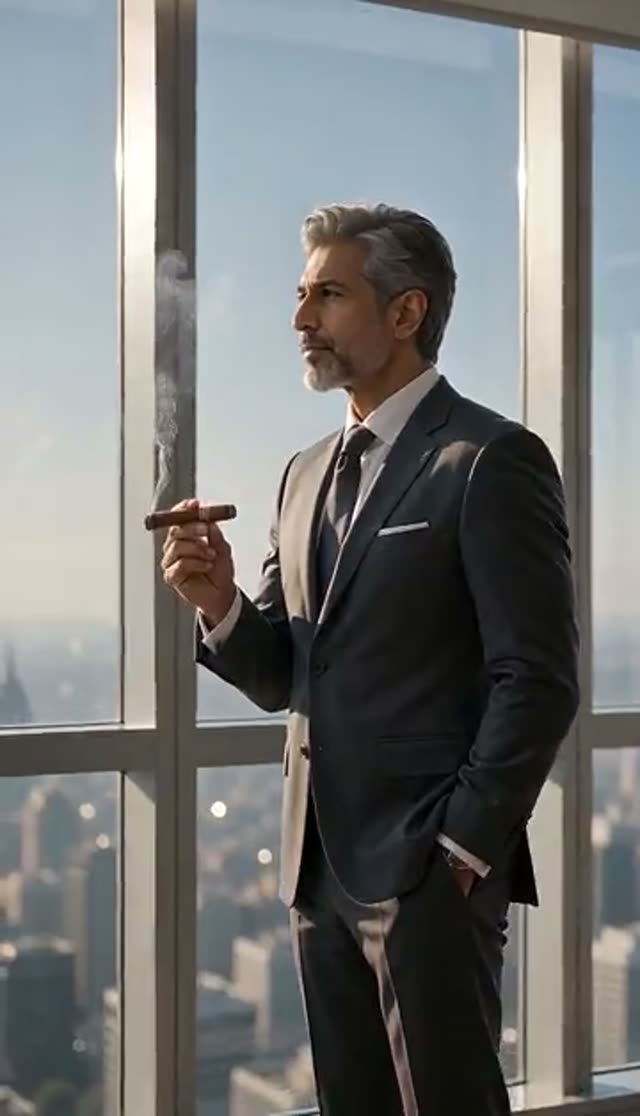
CEO Office
Make this with my photo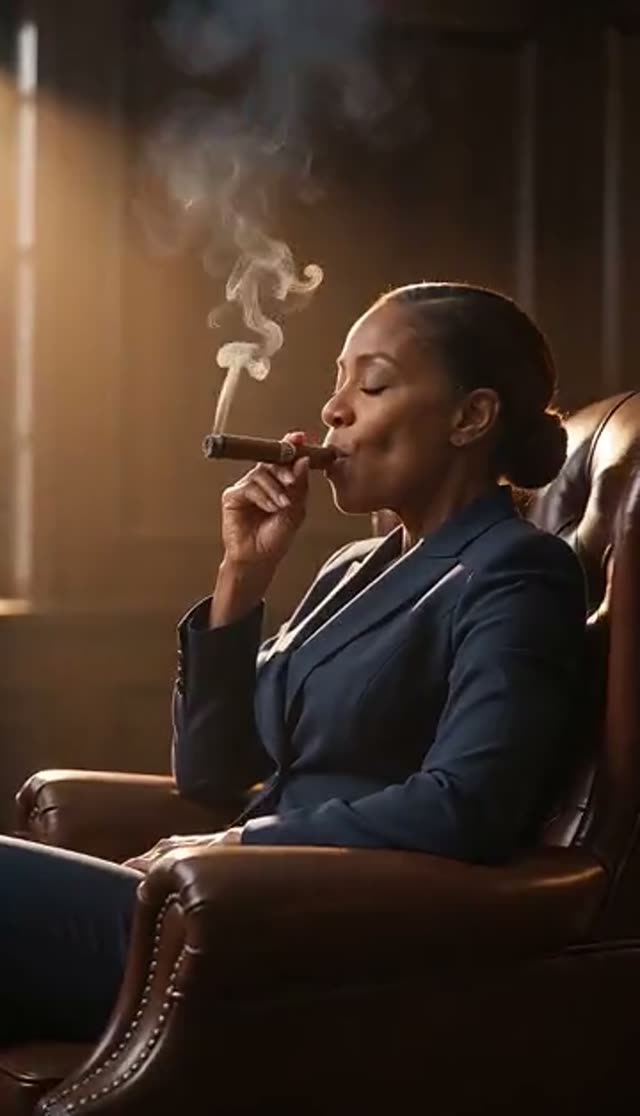
Private Lounge
Make this with my photo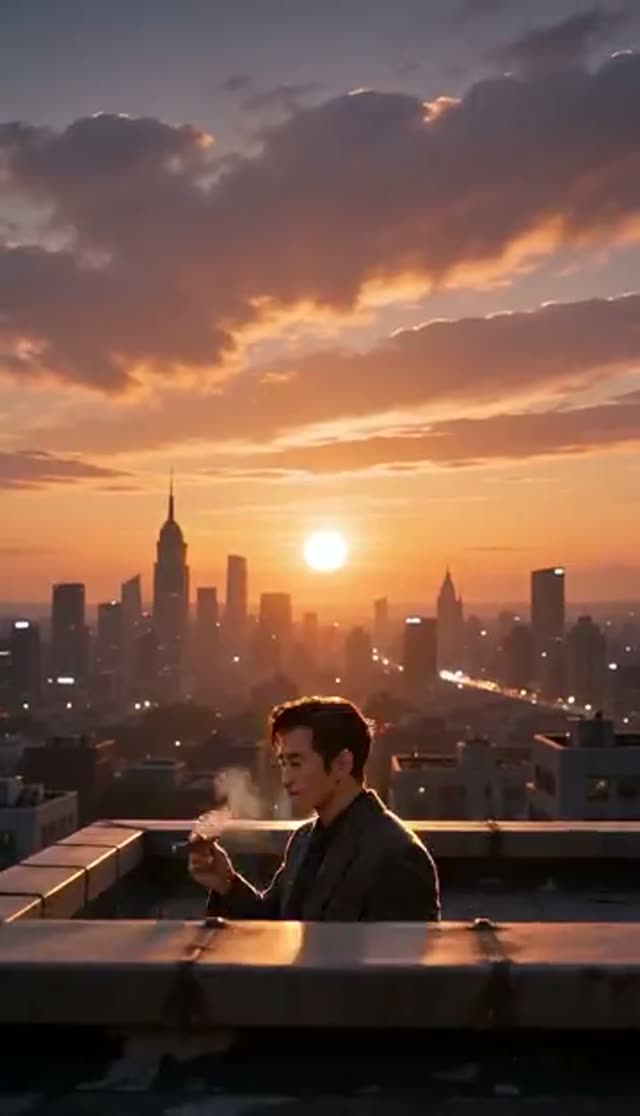
Rooftop Sunset
Make this with my photo
How it works
- 1
Upload a clear photo
A front-facing portrait or half-body shot of one adult, face unobstructed. Tick the box confirming the person is 18 or over and that you hold the rights and their consent.
- 2
Pick a scene
CEO Office uses dramatic window light in a luxury office. Private Lounge is dim and warm, with amber lamps, leather and wood. Rooftop Sunset puts a city skyline behind the subject at golden hour, with wind moving the coat.
- 3
Adjust the prompt
The template text is editable. Change the suit colour, time of day, camera height, how light or heavy the smoke is, or add a watch or a lens description.
- 4
Choose model, length and frame
Runway Gen-3 at 720p for 5 seconds is the default at 10 credits. Choose 9:16 for a phone profile or Reel, 16:9 for a YouTube intro, or 1:1 for a square feed.
- 5
Generate and download
Most 5-second clips are ready in a few minutes and land in your library. Credits are charged only when the provider accepts the job, and a failed render refunds them automatically.
Why use this tool
Three rooms, three moods
The office reads as authority, the lounge as private and unhurried, the rooftop as ambition with a skyline behind it. Each template names its own light source, which changes the clip more than any extra wording.
Restyled, not replaced
All three templates are written to hold the face while changing wardrobe, setting and light, so the result looks like the person you uploaded in a suit rather than a stranger in a suit.
Cinematic look by default
The default prompt asks for shallow depth of field and photorealistic quality, so the output reads like a frame from a crime drama rather than a phone clip.
Full model roster on a direct tab
Your photo goes straight to the video model with no extra stage, so the whole image-to-video list is available: Runway, Seedance and ByteDance, Kling, Veo 3, WAN, PixVerse, Vidu, Hailuo and more, each priced before you generate.
Charged on acceptance, refunded on failure
Smoke is fine detail and some takes smear it. A failed job returns its credits automatically, so trying a second model is low-risk.
Private by default
Clips stay in your own library and nothing is posted publicly on your behalf.
Which model should I use for a cigar smoking video?
Thin, drifting smoke punishes weak frame interpolation faster than almost any other detail, so models differ visibly on this effect. Check framing on a cheap engine, then re-render the keeper on a stronger one. Prices are for one clip from the live credit table.
| Model | Clip | Credits | Good for |
|---|---|---|---|
| ByteDance V1 Pro Fast | 5 s, 720p | 7 | Low-cost framing test |
| Seedance 1.5 Pro | 4 s, 720p | 6 | Short loops (runs 4, 8 or 12 s only) |
| P-Video | 5 s, 720p | 8 | Low-cost drafts |
| ByteDance V1 Lite | 5 s, 720p | 9 | Budget alternative |
| Runway Gen-3 (default) | 5 s, 720p | 10 | Steady camera; 20 at 1080p or for 10 s |
| Runway Gen-4 Turbo | 5 s | 20 | Cleaner motion |
| PixVerse v4.5 | 5 s, 720p | 22 | More facial detail |
| Kling V2.5 Turbo | 5 s | 40 | Atmosphere and depth |
| Runway Gen-4.5 | 5 s | 48 | Final profile or intro version |
Read more: Runway Gen-3 model page · P-Video model page · Best AI video model for realism
How much does an AI cigar smoking video cost?
You pay per clip in credits, with no subscription required. One-time packs never expire; subscription credits reset each billing cycle. These clips usually fill a specific slot, so plan for one render per aspect ratio.
| What you want | Credits | Covered by |
|---|---|---|
| 1 default clip (Gen-3, 720p, 5 s) | 10 | The 10 free signup credits |
| 1 clip on ByteDance V1 Pro Fast | 7 | Free credits, with 3 left over |
| 9:16 profile loop + 16:9 intro on Gen-3 | 20 | Lite pack (300 credits) |
| All 3 scenes on Gen-3 | 30 | Lite pack |
| Final take on Runway Gen-4.5 | 48 | Lite pack |
| Default clips from one Lite pack | 30 clips | $19.50 one-time or $15/month |
Tips for a sharper executive look
The model has to change the clothes and the room while keeping the face, so it needs a clean read of features and shoulders.
- Use a well-lit, front-facing portrait or half-body shot.
- Skip sunglasses, low hats, heavy filters and busy backgrounds.
- Photos already lit from one side blend well into the office and lounge scenes.
- Keep it to 5 seconds for the most stable face and hands.
- Name one concrete detail in the prompt (a navy suit, a gold watch, rain on the window) rather than several vague ones.
- If the cigar or hand deforms, shorten the clip, simplify the prompt or switch model family.
Limits and where to post it
The effect works from one photo of one person. Most models return a silent clip, so add music in your editor. Small details such as the cigar shape and hand pose can still glitch on some takes.
Because the clip depicts smoking, several platforms restrict tobacco imagery in paid ads even where organic posts are allowed, so check the rules before putting ad budget behind it. Uploads must be of adults who have consented, and every request is checked against VdoBloom's content policy and can be rejected.
Popular ways to use it
The format suits short, stylish character content rather than long videos.
- Looping profile videos and podcast cover clips
- The opening card of a YouTube or business channel intro
- "CEO mode" or "boss energy" Reels and TikToks
- Cinematic portrait content for actors, models and creators
- Mood shots for crime-drama or noir-style edits
Frequently asked questions
Is the AI cigar smoking video generator free?
Your first clip is. New VdoBloom accounts get 10 free credits with no card, and the default render (Runway Gen-3, 720p, 5 seconds) costs exactly 10. ByteDance V1 Pro Fast costs 7 for the same clip. Free-tier clips are watermarked.
How do I make an AI cigar smoking video from a photo?
Upload one clear photo of an adult, confirm the consent box, pick CEO Office, Private Lounge or Rooftop Sunset, adjust the prompt if you like, choose a model and aspect ratio, and generate. The clip appears in your library within a few minutes.
What does the finished video show?
The person from your photo in an executive-style scene: premium dark suit, relaxed pose, cigar in hand and subtle smoke in the light, with shallow depth of field. The template decides the room and the light.
Is this effect for everyone?
No. It is intended for adults, and the tab says so. The imagery is fashion-styled rather than explicit, but it depicts smoking, so think about where you post it. Uploads must be of adults who have agreed to the use of their photo.
Can I change the outfit, background or lighting?
Yes. The prompt under each template is fully editable. Name a different location, suit colour, accessory, time of day, camera angle or smoke density.
Will it still look like me?
The templates are written to keep the face while changing wardrobe and setting. A sharp, front-facing photo gives the closest likeness. If the face drifts, try a clearer image, a 5-second clip or a different model.
Which model makes the most realistic smoke?
Models differ most on fine smoke. ByteDance V1 Pro Fast at 7 credits is a cheap framing check, Runway Gen-3 at 10 is the steady default, and Kling V2.5 Turbo at 40 or Runway Gen-4.5 at 48 add more atmosphere for a final version.
Does the clip have a watermark?
On the free plan, yes, on the player and the free download. Paid plans get the clean file. For a looping profile video that plays every visit, the clean version is usually worth it.
Can I run a cigar smoking clip as an ad?
Check the platform first. Many ad platforms restrict tobacco imagery in paid placements even when organic posts are fine. Organic use as a profile loop or channel intro is the more common fit.
How long does generation take?
Usually a few minutes for a 5-second clip. Longer clips and heavier models take more time. You can close the tab; the result lands in your library.