Earth Zoom Out
One pull-back from you to the city to Earth from orbit
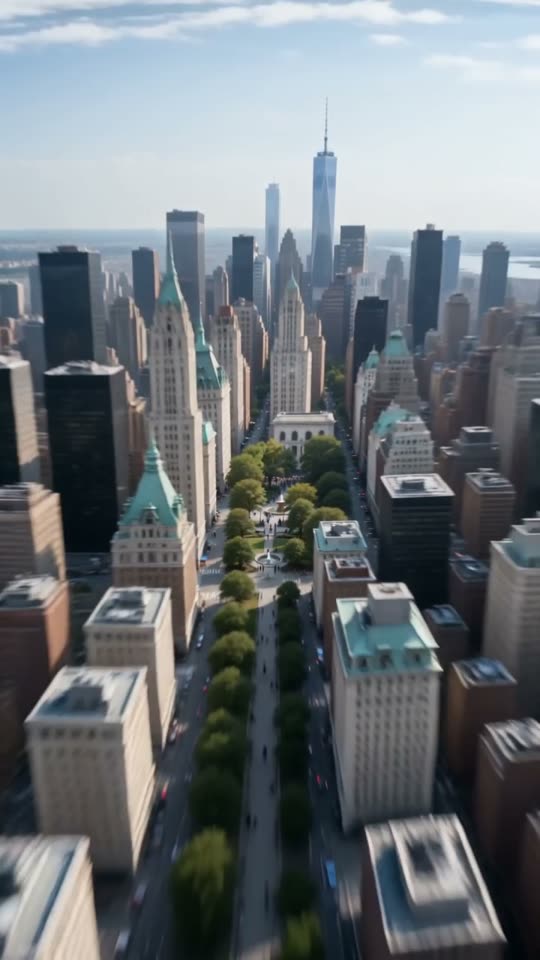
To Orbit
Person, then city, then planet
An outdoor photo of yourself works best.
Full-screen on phones: Instagram Reels, YouTube Shorts, WhatsApp Status.
Advanced options
Motion or style reference. MP4 or MOV, 480p to 720p, up to 15s total.
MP3 or WAV, up to 15 MB and 30s total.
Example
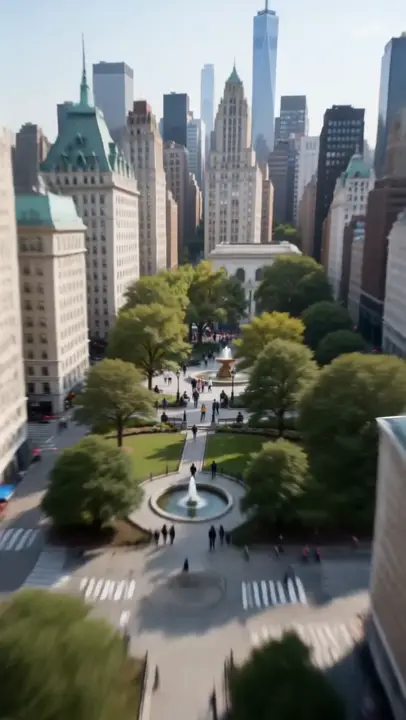
Earth Zoom Out
Person, then city, then planet
- Output
- 8s · 720p
AI Earth Zoom Out Effect: From You to Planet Earth in One Shot
Updated
Short answer: the VdoBloom AI earth zoom out turns one outdoor photo of you into a video where the camera pulls back in one continuous take, from you to the street, to the whole city, to the coastline and clouds, until Earth hangs in black space. The tab opens on Seedance 2 Fast at 8 seconds and 720p (80 credits). Seedance 2 Mini at 480p costs 13 credits for 8 seconds or 8 credits for 5 seconds, so the 10 free credits every new account gets cover a first 5-second clip. A clip takes a few minutes.
Your photo is the first frame, so the video always starts on you, and the person stays still where they stand while the camera rises. The aerial and space views are made by the AI. They look like satellite imagery but are not real map data of your street, so the city you fly over will not match the real place.
Clips are vertical 9:16 for Reels, Shorts and TikTok by default. Free-tier clips carry a VdoBloom watermark; any paid plan or credit pack removes it. If a render fails, the credits go back to your balance automatically.
Examples
To Orbit
Make thisHow it works
- 1
Upload an outdoor photo
A clear photo of yourself outside, standing, with sky or street around you. Outdoor photos give the camera something to rise above.
- 2
Keep the To Orbit template
It is already written: one pull-back with no cuts, from you, to the place around you, to the city, to the coastline, to Earth from orbit.
- 3
Choose the length
The tab starts at 8 seconds so the camera has time to reach space. 5 seconds is cheaper but the move is rushed; 10 seconds is smoother.
- 4
Pick a model
Seedance 2 Fast (default), Seedance 2 Mini, Seedance 2 or Seedance 2.5. The price for your choice shows next to the Create button.
- 5
Generate and post
The clip lands in My Creations in a few minutes. Add music or a caption and post it.
Why use this tool
One continuous take
The prompt asks for a single smooth pull-back with no cuts, which is what makes the trend work.
Starts on your real photo
Your photo is the first frame, so the first second is you, exactly as photographed.
Your face stays yours
The prompt ends with a rule to keep the face, hair and outfit from your photo while the camera moves.
No editing skills needed
No keyframes, map software or green screen. One photo and one click.
Four Seedance models
Seedance 2 Mini, Seedance 2 Fast, Seedance 2 and Seedance 2.5 are in the picker on this tab.
Price before you press
The exact credit cost shows next to the Create button, and that is what is charged.
Quick facts
The earth zoom out tool at a glance.
- What it makes: one continuous camera pull-back from the person in your photo to planet Earth seen from space.
- Input: one photo. Outdoor, full or half body works best.
- Template: To Orbit (person, then city, then coastline, then planet). The prompt is editable.
- Default: Seedance 2 Fast, 8 seconds, 720p, 9:16: 80 credits.
- Lowest price: Seedance 2 Mini at 480p: 7 credits for 4 seconds, 8 for 5 seconds, 13 for 8 seconds.
- Lengths: 4 to 15 seconds on Seedance 2 Mini, Fast and Seedance 2; up to 30 seconds on Seedance 2.5.
- Free credits: 10 at signup, plus 2 to 5 a day from the daily check-in.
- Watermark: on free-tier clips; removed with any paid plan or credit pack.
What is the earth zoom out effect?
The earth zoom out is a viral video trend where the camera starts close on a person and pulls straight back and up, past the rooftops, the city and the coastline, until the whole planet fills the frame against black space. It is also called the Google Earth zoom out, the zoom out to space or the planet zoom.
Before AI video, the effect was made by hand: film the person, then cut to map software and match the move with keyframes. An AI earth zoom out does it from one still photo. The video model treats the photo as the first frame and invents every view as the camera rises, so the whole move is one shot.
Which model and length should I use?
Credits for one clip on this tab. Your photo is the first frame for every model.
- Seedance 2 Mini
- Resolution:480p / 720p
- 5 s:8 / 17
- 8 s (tab default):13 / 27
- 10 s:16 / 33
- Seedance 2 Fast (default)
- Resolution:480p / 720p
- 5 s:24 / 50
- 8 s (tab default):38 / 80
- 10 s:48 / 100
- Seedance 2
- Resolution:480p / 720p
- 5 s:38 / 82
- 8 s (tab default):61 / 131
- 10 s:76 / 163
- Seedance 2.5
- Resolution:480p / 720p
- 5 s:56 / 126
- 8 s (tab default):90 / 202
- 10 s:112 / 252
| Model | Resolution | 5 s | 8 s (tab default) | 10 s |
|---|---|---|---|---|
| Seedance 2 Mini | 480p / 720p | 8 / 17 | 13 / 27 | 16 / 33 |
| Seedance 2 Fast (default) | 480p / 720p | 24 / 50 | 38 / 80 | 48 / 100 |
| Seedance 2 | 480p / 720p | 38 / 82 | 61 / 131 | 76 / 163 |
| Seedance 2.5 | 480p / 720p | 56 / 126 | 90 / 202 | 112 / 252 |
Read more: Seedance 2 Mini · Seedance 2 · Seedance 2.5
AI earth zoom out vs map software vs an editor template
Three ways to get the shot:
- VdoBloom AI earth zoom out (our pick)
- What you need:One photo and a browser
- What you get:One continuous take from you to space; the views are AI-made
- 3D map software with keyframes
- What you need:A place, keyframes and an editor to join it to your footage
- What you get:Real map imagery of a real place, but your photo is not part of the move
- Video editor template
- What you need:A clip of you and an editing app
- What you get:A cut or blend from your clip to a stock space shot
| Method | What you need | What you get |
|---|---|---|
| VdoBloom AI earth zoom out (our pick) | One photo and a browser | One continuous take from you to space; the views are AI-made |
| 3D map software with keyframes | A place, keyframes and an editor to join it to your footage | Real map imagery of a real place, but your photo is not part of the move |
| Video editor template | A clip of you and an editing app | A cut or blend from your clip to a stock space shot |
Is the AI earth zoom out free?
You can make your first clip free. New accounts get 10 free credits, and a 5-second Seedance 2 Mini clip at 480p costs 8. An 8-second Mini clip costs 13, so the signup credits plus two daily check-ins (2 and 3 credits) cover it. Free-tier clips are watermarked; any paid plan or credit pack removes it. The Lite pack is 300 credits for $19.50 one-time (the credits never expire) or $15 a month, enough for 23 eight-second clips on Seedance 2 Mini at 480p or 3 on Seedance 2 Fast at 720p.
Read more: Credit packs and plans
Tips for a smooth zoom out
- Use an outdoor photo with open sky or a street around you. Indoor photos give the camera a ceiling to fight.
- Stand still in the photo, full or half body, face sharp and lit.
- Pick 8 seconds or more. At 5 seconds the camera has to rush to space.
- Keep one camera move: straight up and back. Extra turns or zooms add cuts and warping.
- Add a place to the prompt if you like ("over a beach town", "over snowy mountains"); the AI invents the views to match.
- If the face changes in the first second, re-run once or switch between Seedance 2 Fast and Seedance 2.
Frequently asked questions
What is the AI earth zoom out effect?
A video where the camera starts close on a person and pulls back in one shot, past the city and the coastline, until Earth is seen from space. VdoBloom makes it from one photo.
Can I make an earth zoom out video for free?
Yes, your first clip. New accounts get 10 free credits and a 5-second Seedance 2 Mini clip at 480p costs 8. Free-tier clips carry a watermark; any paid plan or credit pack removes it.
How do I make the earth zoom out with AI?
Upload a clear outdoor photo of yourself, keep the To Orbit template, pick 8 seconds or more and generate. The photo is the first frame and the camera pulls back from you to planet Earth.
How much does one clip cost?
The default, Seedance 2 Fast at 8 seconds and 720p, is 80 credits. Seedance 2 Mini is 13 credits for 8 seconds at 480p and 8 credits for 5 seconds. The exact price shows next to the Create button.
How long should the video be?
8 seconds or more. The tab starts at 8 seconds so the pull-back has time to reach space without a cut. Seedance 2 Mini, Fast and Seedance 2 go up to 15 seconds and Seedance 2.5 up to 30.
Can I make an earth zoom in instead?
Your photo is the first frame, so the clip always starts on you and pulls away. For a zoom in from space down to you, make the zoom out and play it in reverse in any video editor.
Is it real satellite imagery of my city?
No. The aerial and space views are made by the AI video model. They look like satellite views but do not show your real street or city.
What photo works best?
An outdoor, well-lit photo of one person standing, full or half body, with sky or street around them and the face sharp and unblocked.
Why does my face change during the zoom?
The model has to keep you sharp while the camera moves away fast. Use a front-facing photo with even light, re-run once if a clip drifts, or try Seedance 2.
Can I use it for TikTok, Reels and Shorts?
Yes. Clips are vertical 9:16 by default. Download from My Creations and post; switch to 16:9 in the settings for YouTube.