AI Nap Video Generator: Turn a Photo Into a Peaceful Sleeping Scene
The VdoBloom AI nap video generator animates one photo into a sleeping scene: eyes closed, slow breathing, a chest that rises and falls, and the small shifts a body makes as it settles. You do not need a photo of someone asleep. Upload an ordinary portrait, pick a scene, and the model closes the eyes, relaxes the posture and builds the nap around the person. It is used for the 'nap me' trend, calm and ASMR-style posts, wellness and sleep pages, and ambient loops.
Is it free? New accounts get 10 free credits with no card. The tab opens on Runway Gen-3 at 5 seconds and 720p, which costs exactly 10 credits, so one nap clip is free. ByteDance V1 Pro Fast (7 credits) and Seedance 1.5 Pro (8 credits) are cheaper for the same 5-second 720p clip, and Seedance 1.5 Pro also runs up to 14 seconds for 21 credits. Free-tier results play and download with a VdoBloom watermark; any paid plan unlocks the clean MP4.
Three presets change the whole setting, not just the light. Peaceful Nap is a cosy indoor scene with soft warm light. Cozy Bed puts the person under blankets with soft pillows and a warm lamp glow. Outdoor Nap moves the scene outside, resting under a tree or on grass with a breeze in the hair and sunlight through leaves. The prompt underneath is fully editable, so a rainy-window afternoon, a hammock by the sea or a nap on a train are one sentence away.
Examples
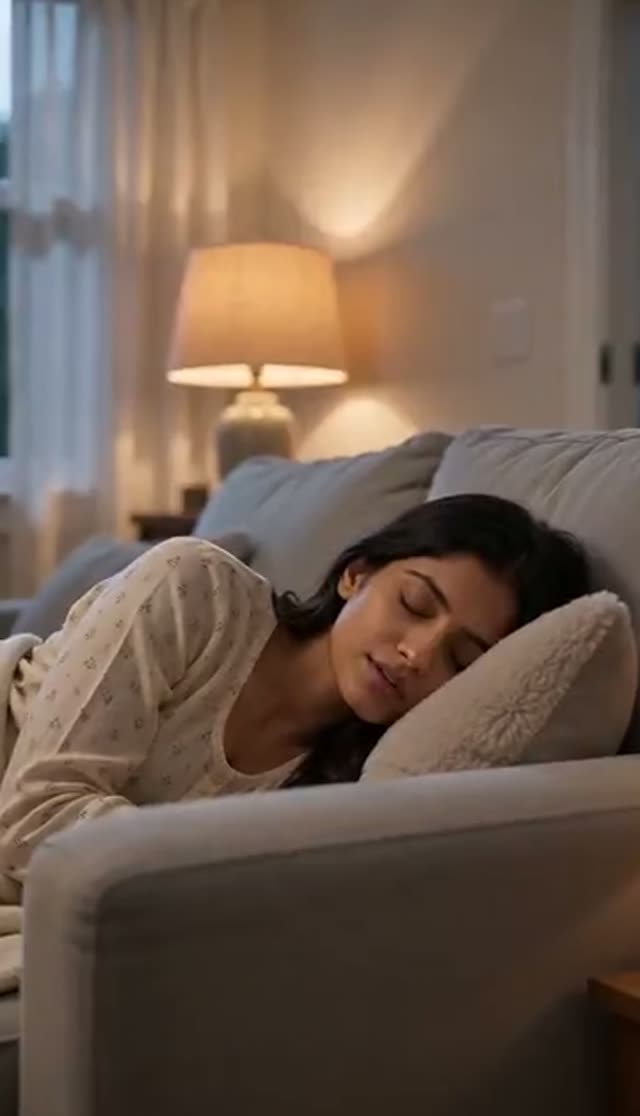
Peaceful Nap
Make this with my photo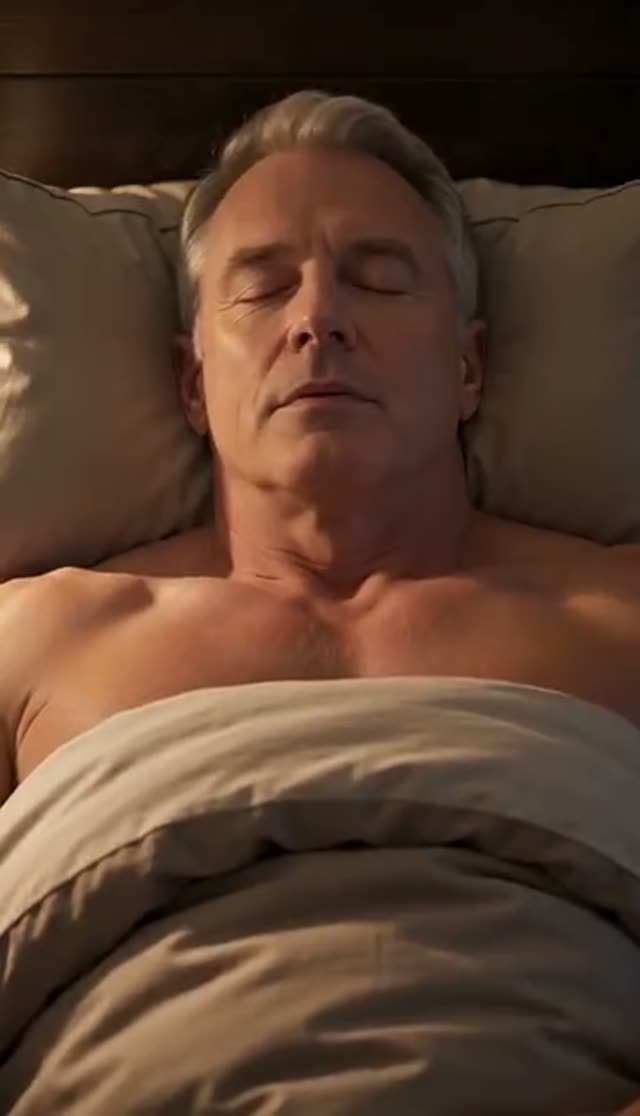
Cozy Bed
Make this with my photo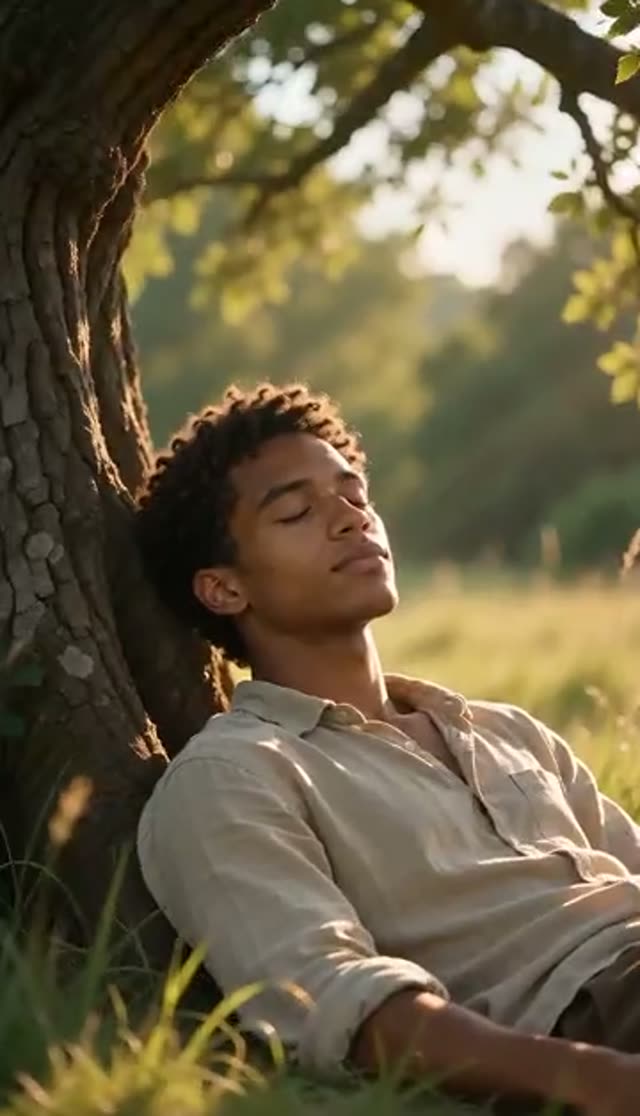
Outdoor Nap
Make this with my photo
How it works
- 1
Upload one photo
A clear picture with the face visible. Including the shoulders and chest gives the breathing motion somewhere to happen; a head-only crop tends to produce a still face with nothing moving beneath it.
- 2
Confirm consent
Tick the box confirming the photo is of you or of an adult who agreed to be animated. Never upload photos of children.
- 3
Choose a scene
Peaceful Nap, Cozy Bed or Outdoor Nap, or describe your own place, light and mood in the prompt.
- 4
Pick length and model together
The tab defaults to Runway Gen-3, 5 seconds, 720p, 16:9. For a longer take, Seedance 1.5 Pro runs up to 14 seconds and Vidu Q3 Turbo up to 16. Set 9:16 for a vertical feed or keep 16:9 for a background loop.
- 5
Generate
Rendering usually takes a few minutes and runs in the background. The clip lands in your Creations library.
- 6
Review and loop it
Check that the breathing looks slow and involuntary rather than mechanical. On a paid plan the file downloads without the watermark, and the slow motion loops cleanly in any editor.
Why use this tool
No sleeping photo required
The model re-imagines the pose from an ordinary awake portrait, closing the eyes and relaxing the posture. You never need to photograph someone who is actually asleep.
Three scenes, not three filters
Peaceful Nap, Cozy Bed and Outdoor Nap change the environment: an indoor nook, a bed with blankets under lamp light, or open air with dappled sun.
Believable breathing
The presets ask for natural breathing, a gentle rise and fall of the chest, subtle twitches and smooth position changes, so the clip reads as sleep rather than a still with a slow zoom.
Long takes at a fair cost per second
Seedance 1.5 Pro is priced per second (1.5 credits per second at 720p), so 14 seconds is 21 credits. Vidu Q3 Turbo reaches 16 seconds for 55.
Loops cleanly
Slow, repetitive motion is the easiest kind to loop without a visible seam, so one short render can fill minutes of ambient background.
First clip inside the free credits
Runway Gen-3 at 5 seconds and 720p costs exactly the 10 credits a new account starts with, and failed generations refund automatically.
Which model to use for a nap video
Nap clips are about slow, subtle motion and, often, length. Choose the model and the duration together, because not every family renders long clips. Prices are per clip, from VdoBloom's credit table.
| Model | Clip | Credits | Use it for |
|---|---|---|---|
| Runway Gen-3 (tab default) | 5 s, 720p | 10 | First clip on the free credits |
| Runway Gen-3 | 10 s, 720p | 20 | Longer default-model take |
| ByteDance V1 Pro Fast | 5 s, 720p | 7 | Cheapest scene test |
| Seedance 1.5 Pro | 5 s, 720p | 8 | Restrained, subtle motion |
| Seedance 1.5 Pro | 10 s, 720p | 15 | Calm loop material |
| Seedance 1.5 Pro | 14 s, 720p | 21 | Longest low-cost single take |
| Vidu Q3 Turbo | 16 s, 720p | 55 | Longest single take on the tab |
Read more: Seedance 1.5 Pro · Vidu Q3 Turbo · Runway Gen-3
What a nap video costs
Credits come from the 10 free signup credits, one-time packs that never expire, or a subscription that resets each cycle. The Lite pack is 300 credits for $19.50 one-time, or $15 a month.
| Plan | Credits | Runway Gen-3 5 s 720p (10) | Seedance 1.5 Pro 5 s 720p (8) | Seedance 1.5 Pro 14 s 720p (21) |
|---|---|---|---|---|
| Free signup | 10 | 1 | 1 | 0 |
| Lite, one-time $19.50 | 300 | 30 | 37 | 14 |
| Lite, $15 per month | 300 per month | 30 | 37 | 14 |
Where nap videos get used
- The 'nap me' trend on TikTok, Reels and Shorts: a friend's portrait (with permission) dozing off.
- Sleep, wellness and meditation pages: calm visuals behind a voice-over or music.
- ASMR and lo-fi channels: a looping sleeping scene as the background.
- Bedtime story videos: a gentle visual for the final line.
- Light pranks and memes: 'caught napping at work', kept good-natured.
- Brand content for bedding, sleepwear or cosy products, with the Cozy Bed scene as a starting point.
Tips for a natural nap clip
- Include shoulders and chest so the breathing has something to move.
- A relaxed expression in the source photo helps the result settle.
- If breathing looks exaggerated, add 'slow, subtle breathing, minimal movement' to the prompt; that fixes it more reliably than switching models.
- Spend prompt words on the setting: the subject is still, so the scene carries the shot.
- For long ambient footage, loop a short render instead of paying for the maximum length.
- Two people in one photo can both nap; mention them together in the prompt so the motion is shared.
Limits to know
The tab takes one photo. It is built around people; pets are not a preset, though you can try describing one in the prompt and results will vary. Durations depend on the model you pick, from short 5-second clips up to 16 seconds on Vidu Q3 Turbo. Low-resolution photos are the most common cause of odd results. Only use photos of yourself or of adults who agreed to be animated, never of children, and label the clip as AI-generated where a platform asks.
Frequently asked questions
Is the AI nap video generator free?
Your first clip can be. New accounts get 10 free credits with no card, and the default, Runway Gen-3 at 5 seconds and 720p, costs exactly 10. ByteDance V1 Pro Fast (7) and Seedance 1.5 Pro (8) are cheaper. Free-tier results are watermarked and downloads carry the watermark until you are on a paid plan.
How does an AI nap video work?
You upload one photo and the model generates motion on top of it: closed eyes, slow breathing, a rising and falling chest and small natural shifts. A preset or your prompt sets the scene, and the clip renders in a few minutes.
Do I need a photo of someone actually sleeping?
No. Any clear photo works, because the model closes the eyes, relaxes the posture and places the person in the scene. A calm expression helps, but an ordinary awake portrait is a good input.
How do I do the nap me trend?
Upload a clear portrait (yours, or a friend's with their permission), pick Peaceful Nap or Cozy Bed, set 9:16, and generate. Post the clip with the platform's AI-content label.
How long can a nap clip be?
It depends on the model: Runway Gen-3 does 5 or 10 seconds, Seedance 1.5 Pro up to 14 seconds (21 credits at 720p), and Vidu Q3 Turbo up to 16 seconds (55 credits). For minutes of footage, loop a short render.
Can I set my own nap scene?
Yes. Beyond the three presets, the prompt takes full scene descriptions: a rainy-window afternoon, a hammock at golden hour, a sunlit train carriage, a couch under a reading lamp.
Which model handles slow, subtle motion best?
Seedance 1.5 Pro (8 credits for 5 seconds at 720p) keeps small movements restrained and has the best cost per second for long takes. ByteDance V1 Pro Fast (7) is the cheapest test. Vidu Q3 Turbo is worth it when you need a 16-second single take.
Can two people nap in the same clip?
Yes, if both are in the one photo you upload and both agreed to be animated. Mention them together in the prompt, for example 'both sleeping peacefully side by side'.
Will the video have a watermark?
On the free tier, yes: downloads carry a VdoBloom watermark. A paid plan unlocks the clean file, which matters for ambient loops that stay on screen for minutes.
What if the result looks unnatural or fails?
Failed generations refund their credits automatically. If breathing is too strong or a limb is off, regenerate with a different preset or ask for slower, subtler motion in the prompt, and use a sharper source photo.