AI Rain Effect Video: Add Realistic Rain to Any Photo
The VdoBloom AI rain effect turns one still photo into a short video with rain falling through the scene. Upload a portrait, a street shot, a car at night or a window seat, pick Gentle, Dramatic or Storm, and the model renders a moving clip where the rain belongs to the picture: drops catching the light, wet ground picking up reflections, and the cooler, softer contrast a real downpour gives a camera.
Is it free? New accounts get 10 free credits with no card. The tab opens on Runway Gen-3 at 5 seconds, 720p, which costs exactly 10 credits, so the first rain clip costs nothing. Seedance 1.5 Pro is 8 credits for the same 5-second 720p clip and ByteDance V1 Pro Fast is 7. Free-tier results play and download with a VdoBloom watermark; any paid plan unlocks the clean MP4. It is made for music video editors, short-film makers, photographers and anyone who wants a moody hook for Reels or TikTok.
This is different from dropping a rain overlay onto footage. An overlay is a flat sheet of particles at a fixed angle that knows nothing about your light source. Here the video model regenerates the frame as motion, so rain sits in front of and behind the subject, puddles collect where the ground dips, and highlights bloom on wet surfaces instead of floating on top of them. Each preset is an editable prompt, so neon signs on wet asphalt, a warm golden-hour shower or headlights through sideways rain are one sentence away.
Examples
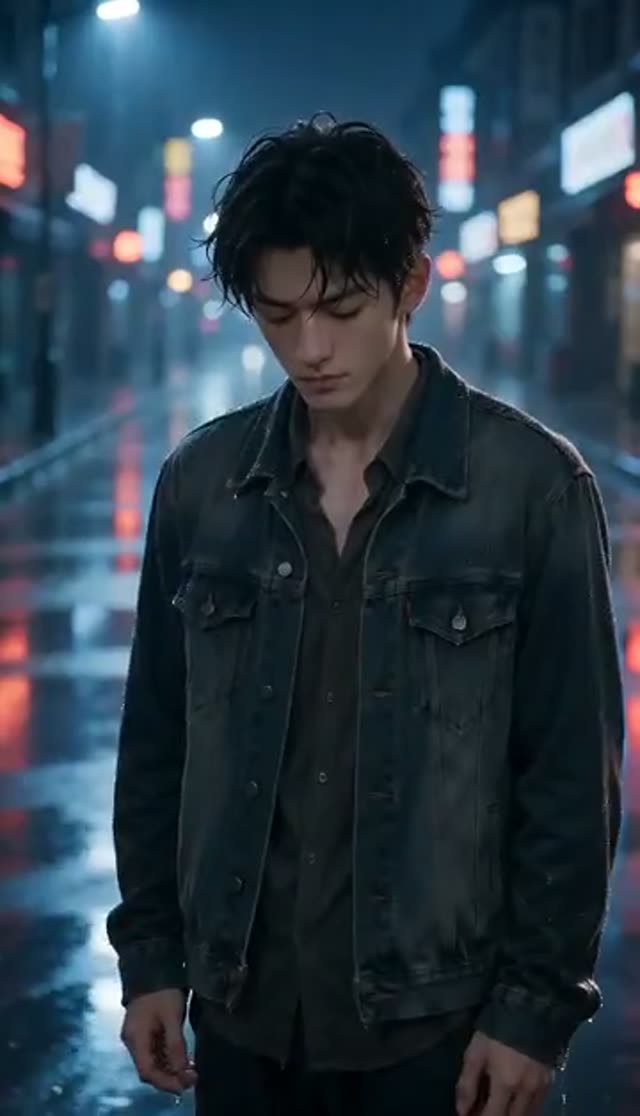
Dramatic
Make this with my photo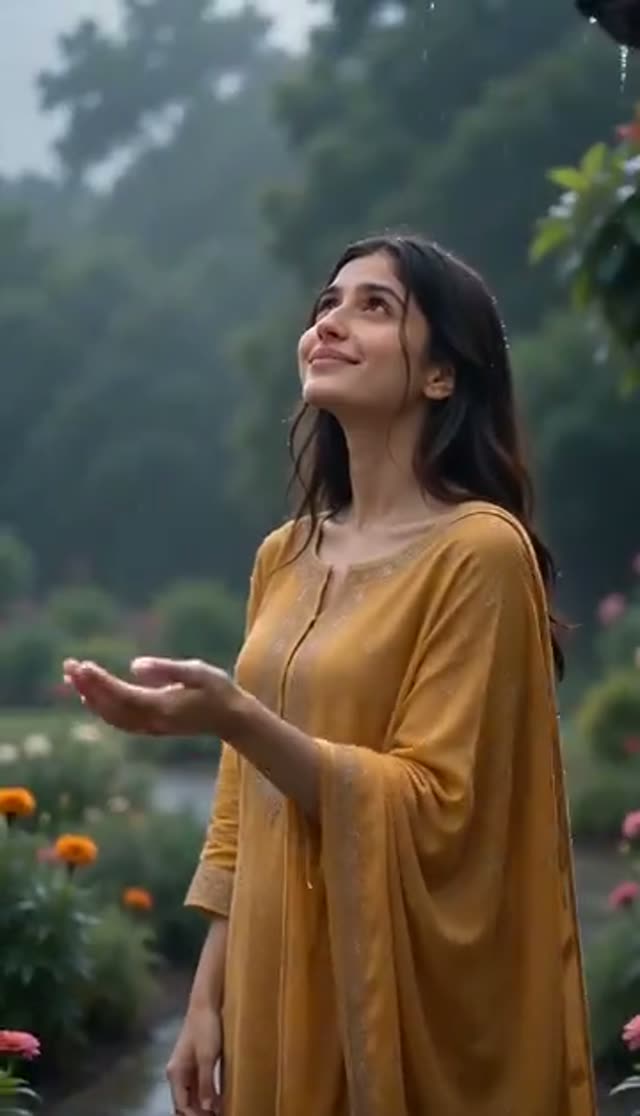
Gentle
Make this with my photo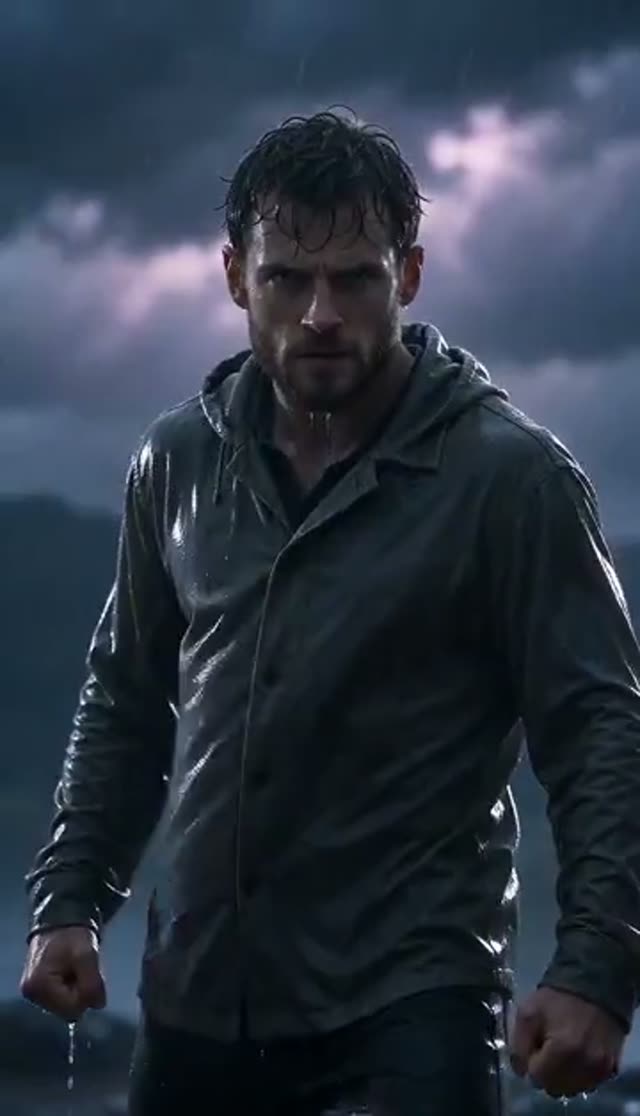
Storm
Make this with my photo
How it works
- 1
Upload one photo
This tab takes a single image. A clearly separated main subject matters more than megapixels, because the model needs to work out what the rain is landing on. Skip busy collages and heavily filtered shots.
- 2
Confirm consent
Tick the box confirming the photo is yours or shows adults who agreed to be animated. Generation stays locked until it is checked.
- 3
Pick a rain intensity
Gentle, Dramatic or Storm. If you are undecided, start with Dramatic: it is the most forgiving and still reads at phone size, where light drizzle can vanish into compression.
- 4
Write the light into the prompt
Name the lamp colour, the time of day and the surface underfoot. 'Sodium streetlight, wet cobbles, breath visible' gives a very different clip from 'grey afternoon, flat sky, rain on a car roof'.
- 5
Choose a model, length and frame
The tab defaults to Runway Gen-3, 5 seconds, 720p, 16:9. Pick 9:16 for Reels and TikTok or square for a loop. A few image-to-video families (Kling 2.6, Hailuo 2.3, the WAN image-to-video variants, ByteDance V1 Lite) follow the shape of your upload, so crop first on those.
- 6
Generate, check, download
Rendering runs on the server, so you can close the tab. Study the opening frame first: if the subject's edges hold there, the rest usually holds too. On a paid plan the MP4 downloads watermark-free and cuts straight into your edit.
Why use this tool
Rain with depth, not an overlay
Drops render in front of and behind your subject, reflections land on the surfaces that would actually be wet, and the grade cools the way real rain footage does.
Three intensities, all editable
Gentle (soft drizzle, soft light), Dramatic (heavier fall, moody cinematic light) and Storm (intense rainfall, dark light) cover drizzle to downpour. Each is a prompt you can rewrite, not a locked filter.
Any weather you can describe
The prompt is open text, so mist, sea spray, monsoon on a windscreen, sleet under streetlights or wet snow all work on the same tab.
First clip inside the free credits
The default, Runway Gen-3 at 5 seconds and 720p, costs exactly the 10 credits a new account starts with. Cheaper Seedance 1.5 Pro (8) and ByteDance V1 Pro Fast (7) leave change.
Every image-to-video model in one picker
Test composition on a cheap model, then re-run the shot you like on Kling 2.6 or Runway Gen-4.5. One credit balance covers them all, and failed generations refund automatically.
Watermark-free on any paid plan
Paid downloads are plain MP4 with no logo or end card, so a rain shot cuts into an existing edit as B-roll.
Which model to use for rain
Start cheap, because the first question is whether your framing works at all. Once the shot is right, the families differ in how they handle fine detail: wet roads, glass, water on skin and fast particle motion across a longer take. Prices below are per clip, from VdoBloom's credit table.
| Model | Clip | Credits | Use it for |
|---|---|---|---|
| Runway Gen-3 (tab default) | 5 s, 720p | 10 | First clip on the free credits |
| Runway Gen-3 | 5 s, 1080p | 20 | Sharper B-roll |
| Runway Gen-3 | 10 s, 720p | 20 | Longer cutaways |
| Seedance 1.5 Pro | 5 s, 720p | 8 | Cheap tests; up to 14 s at 1.5 credits per second |
| ByteDance V1 Pro Fast | 5 s, 720p | 7 | Cheapest framing check |
| PixVerse v4.5 | 5 s, 720p | 22 | Stylised, punchy looks |
| Kling 2.6 image-to-video | 5 s | 22 | Final pass with detailed highlights |
| Runway Gen-4.5 | 5 s | 48 | Highest-fidelity Runway take |
Read more: Runway Gen-3 · Seedance 1.5 Pro · Kling 2.6 image-to-video
What a rain clip costs
Credits come from the 10 free signup credits, one-time packs that never expire, or a subscription that resets each cycle. The Lite pack is 300 credits for $19.50 one-time, or $15 a month.
| Plan | Credits | Runway Gen-3 5 s 720p (10) | Seedance 1.5 Pro 5 s 720p (8) | Kling 2.6 5 s (22) |
|---|---|---|---|---|
| Free signup | 10 | 1 | 1 | 0 |
| Lite, one-time $19.50 | 300 | 30 | 37 | 13 |
| Lite, $15 per month | 300 per month | 30 | 37 | 13 |
Gentle, Dramatic or Storm: which intensity?
Gentle suits a calm, wistful beat: a portrait by a window, a quiet street. Dramatic is the cinematic middle, with a heavier fall and moody light, and is the safest first pick. Storm pushes it to a downpour under dark light for tension or spectacle.
A useful rule: intensity should scale with distance. The further the subject sits from the camera, the heavier the rain needs to be before it registers. A tight portrait reads well on Gentle; a wide street shot often needs Dramatic or Storm before the weather is visible at all.
Where rain clips get used
- Music videos and lyric edits: rain does the emotional work under a slow verse.
- Short films and trailers: an opener or a mood cutaway without a rain machine.
- Reels, TikTok and Shorts hooks: the weather sets the mood in the first second, before anyone reads a caption.
- Fashion and portrait reels: wet-look lighting on an outfit or a portrait shot on a dry day.
- Cars and city scenes: headlights and neon on wet asphalt from a dry night photo.
- Matching B-roll sets: Gentle, Dramatic and Storm from one photo give three shots that already grade together.
Tips for believable rain
- Night and blue-hour photos are the easiest wins: rain only reads when it has a light source to fall through.
- Name the surface ('wet asphalt', 'soaked grass', 'rain on glass') so reflections land in the right place.
- If drops look painted on, add a light behind the subject: a streetlight, a window, headlights.
- If the subject disappears behind particles, drop the intensity a step or crop tighter.
- Keep two people in the same photo and name them together in the prompt ('the couple under the umbrella') so neither becomes background.
- Change one thing at a time between renders so you know what fixed it.
Limits to know
The tab takes one photo, so anyone you want in the rain has to be in that picture. There is no intensity slider or rain-direction control beyond the three presets and the prompt. Some models ignore the aspect-ratio setting and follow your upload's shape. A generation that fails outright refunds its credits and shows as failed in Creations; start a fresh render rather than waiting for it to recover. Upload only photos you have the right to use.
Frequently asked questions
Is the AI rain effect generator free?
The first clip is. New accounts get 10 free credits with no card, and the tab's default, Runway Gen-3 at 5 seconds and 720p, costs exactly 10. Seedance 1.5 Pro (8) and ByteDance V1 Pro Fast (7) are cheaper. Free-tier results are watermarked and downloads carry the watermark; any paid plan unlocks the clean file.
How do I add rain to a photo with AI?
Upload the photo, confirm consent, pick Gentle, Dramatic or Storm, adjust the prompt if you want a specific light or surface, choose a model and aspect ratio, and generate. The model renders a short video with rain falling through the scene, not a static rain filter.
Can I add rain to an existing video instead of a photo?
This tab starts from a still photo. If you have footage, pull a sharp frame from it and use that, or use the image-to-video tab with a rain prompt. Video-to-video rain on your own clip is not offered on this tab.
Do rain effect videos have a watermark?
On the free tier, yes: the result plays and downloads with a VdoBloom watermark. On any paid plan the MP4 downloads clean, with no logo or end card, which matters because rain shots are usually B-roll cut between other footage.
Which rain intensity should I pick?
Gentle for a calm, wistful mood; Dramatic for moody cinematic light; Storm for heavy rainfall under dark skies. Scale intensity with distance: tight portraits read well on Gentle, wide shots usually need Dramatic or Storm before the rain is visible.
Which video model is best for rain?
Start on Runway Gen-3 (10 credits, the default) or Seedance 1.5 Pro (8) to check framing. For the final pass, Kling 2.6 image-to-video (22 for 5 seconds) and Runway Gen-4.5 (48) hold fine particle motion and moving highlights better across a longer take.
What photo works best for a rain video?
Sharp focus, a clearly separated subject and lighting with some direction to it. Night and blue-hour photos work best because the drops need light to catch. Heavily filtered or motion-blurred photos fight the effect.
How long does a rain video take to generate?
A few minutes for most models at short durations; longer clips, higher resolutions and heavier models take more. Jobs run on the server, so you can queue Gentle, Dramatic and Storm from the same photo and compare them side by side.
Can I generate snow, mist or other weather here?
Yes. The presets are rain, but the prompt is free text, so mist through trees, sea spray, monsoon on a windscreen, sleet under streetlights or wet snow all work. Describe the light first, then the particles, then the surface they land on.
Are my photos and clips private?
Uploads and finished videos go into your own Creations library and nothing is published automatically. Every item can be deleted. Only upload photos you have the right to use.