Street Interview Video
Vox-pop interview with a mic in frame
A chest-up photo. Each template comes with its own spoken answer.
Full-screen on phones: Instagram Reels, YouTube Shorts, WhatsApp Status.
Advanced options
Motion or style reference. MP4 or MOV, 480p to 720p, up to 15s total.
MP3 or WAV, up to 15 MB and 30s total.
Example
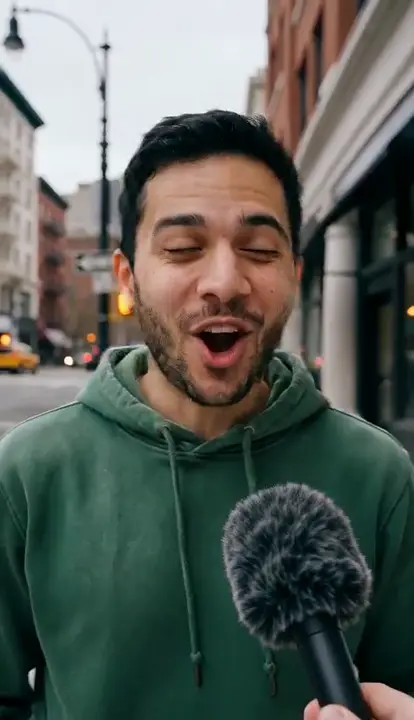
Street Interview Video
Laughs, then answers
- Output
- 8s · 480p
AI Street Interview Video Generator: Your Own Vox-Pop Clip From One Photo
Updated
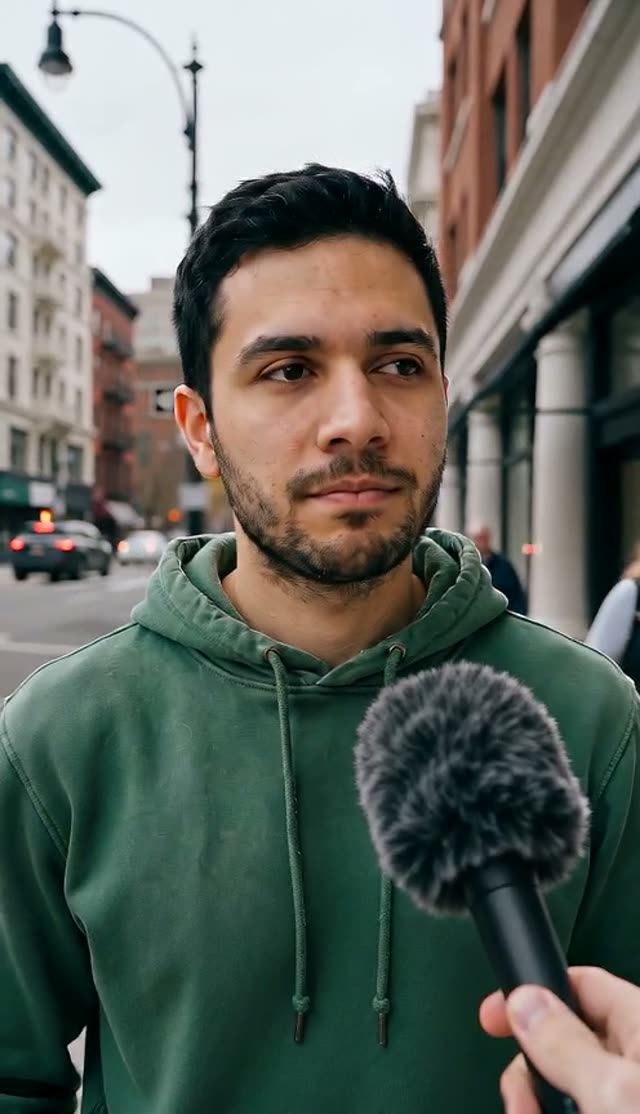
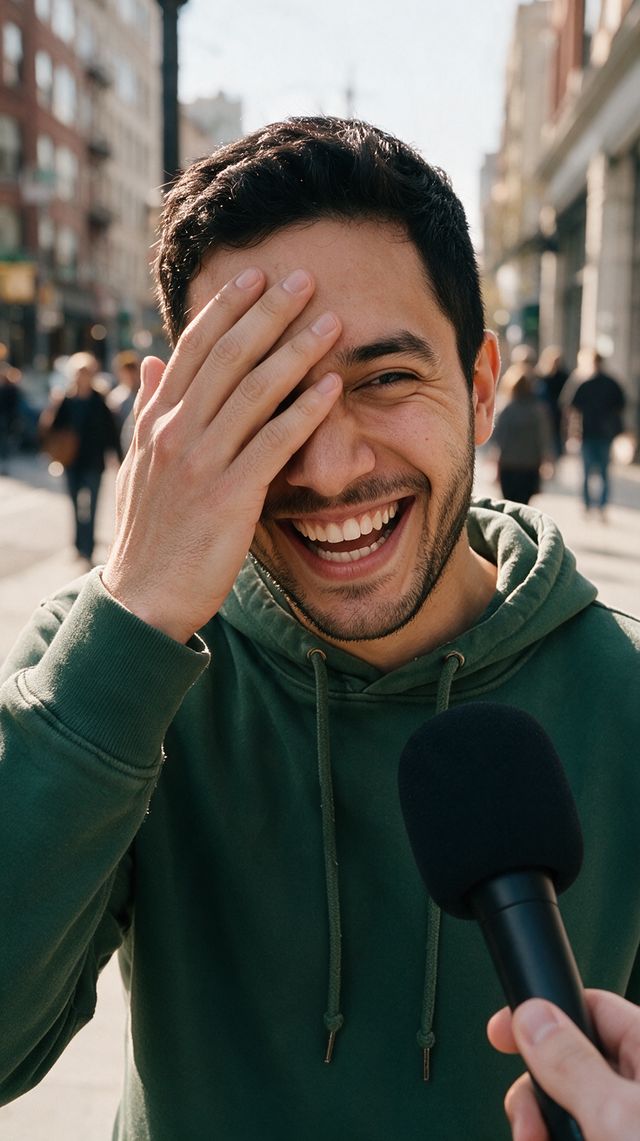
Short answer: the VdoBloom street interview video generator turns one chest-up photo of you into an 8-second vertical vox-pop clip. An off-screen interviewer holds a plain foam microphone into the frame, you stand on a busy city sidewalk with passers-by blurred behind, and you answer the question out loud. Your voice, the lip sync and the street sound are made in the same clip. It opens on Seedance 2 Mini at 480p, which costs 13 credits.
Is it free to try? New accounts get 10 free credits, and the daily check-in adds 2 to 5 more a day, so after two check-ins (2 + 3 credits) you have enough for your first 13-credit clip. Free-tier clips carry a VdoBloom watermark; any paid plan or credit pack removes it. A clip is usually ready in a few minutes.
Most street interview generators make a random AI person from a text prompt. Here the person being interviewed is you, or anyone who agreed to have their photo used: the photo is a reference, so the face, hair and outfit carry over into the street scene. People use it for hot takes, confidently wrong quiz answers, brand opinions and fun replies for TikTok, Reels and Shorts.
How it works
- 1
Upload one chest-up photo
A sharp, well-lit photo of your face and shoulders. It is used as a reference, so you are the person holding the answer, not a random AI actor.
- 2
Pick a template
Hot Take (thinks, laughs, then answers) or Street Quiz (a confident answer, then the realisation it is wrong).
- 3
Write your answer in quotes
Replace the quoted answer with your own line. Under about 15 words fits an 8-second clip best.
- 4
Pick model and quality
Seedance 2 Mini at 480p is the 13-credit default. Seedance 2 Fast, Seedance 2 and Seedance 2.5 are in the same picker for higher-quality clips. The price shows on the Create button.
- 5
Generate and post
The vertical 9:16 clip lands in My Creations, ready for TikTok, Reels and Shorts. Add the question as an on-screen caption in your editor.
Why use this tool
You are the interviewee
Your photo carries your face, hair and outfit into the scene. No filming, no microphone and no city street needed.
Speech and lip sync in one step
Seedance makes the voice and matching mouth movement from the quoted line, with street ambience. There is no separate voice-over step.
The real vox-pop look
Handheld phone camera at eye level, chest-up framing, a mic pushed into frame and blurred passers-by behind.
No logos or captions baked in
The mic has no brand logo and no text is burned into the video, so you can add your own question card.
Vertical by default
The tab opens on 9:16 and 8 seconds, the shape and length of a street interview reply.
Refund on failure
If a render fails, the credits go back to your balance automatically.
Quick facts
The tool at a glance.
- What it makes: an 8-second vertical clip of you answering a street interview question.
- Input: one chest-up photo plus your answer in quotes.
- Templates: Hot Take and Street Quiz. The prompt and the answer are editable.
- Audio: your quoted answer is spoken and lip-synced, with street ambience.
- Default: Seedance 2 Mini, 480p, 9:16, 13 credits.
- Free credits: 10 at signup plus 2 to 5 a day from the daily check-in.
- Watermark: on free-tier clips; removed with any paid plan or credit pack.
What an AI street interview video costs
Credits for one 8-second clip. All four models read your photo as a reference and make the voice in the same clip.
- Seedance 2 Mini (default)
- 480p:13
- 720p:27
- Good for:Drafts and everyday posts
- Seedance 2 Fast
- 480p:38
- 720p:80
- Good for:A step up from Mini at a middle price
- Seedance 2
- 480p:61
- 720p:131
- Good for:Best quality for hero clips and ads
- Seedance 2.5
- 480p:90
- 720p:202
- Good for:The newest Seedance model
| Model | 480p | 720p | Good for |
|---|---|---|---|
| Seedance 2 Mini (default) | 13 | 27 | Drafts and everyday posts |
| Seedance 2 Fast | 38 | 80 | A step up from Mini at a middle price |
| Seedance 2 | 61 | 131 | Best quality for hero clips and ads |
| Seedance 2.5 | 90 | 202 | The newest Seedance model |
Read more: Seedance 2 Mini model page · Plans and credit packs
From your photo or from a text prompt?
There are two kinds of AI street interview tool. Text-to-video tools write a whole scene from a prompt and invent the people in it, which suits faceless channels that want many strangers. A photo-based tool puts a real, chosen face in front of the mic.
This page (our pick when the interviewee should be you, your brand host or a friend who agreed) is photo-based: one photo, one answer, one clip. For a fully invented person, start from Image to Video or Text to Video with your own prompt.
Read more: Image to Video AI
Answer ideas that work
Street interview clips live on the answer. Short, surprising lines land best:
- Hot takes: "Honestly? I would take the pizza over the money."
- Confidently wrong quiz answers: "Easy. It is the moon, obviously."
- Brand or product opinions: "I switched last month and I am not going back."
- Relatable confessions: "I have never once read the terms and conditions."
- Keep it to one or two short sentences; long answers get rushed in 8 seconds.
Tips for a believable street interview
A few choices make the clip read as a real vox-pop.
- Use a chest-up photo facing the camera, with your face clearly lit.
- Put the question on screen as a caption in your editor or app; the templates do not burn in text.
- Match the reaction to the line: laugh before a hot take, pause before a quiz answer.
- Post several answers to the same question as a series, each from a different photo of yourself or a friend who agreed.
- Add captions with AI Captions so the answer reads with the sound off.
Read more: AI Captions
Limits to know
Being clear about what the tool does today:
- One person per clip. The interviewer stays off-screen; only the mic is in frame.
- The templates have the answer only. You can add the interviewer's question to the prompt, but the result varies, so a caption is the reliable way to show it.
- One photo is required. There is no text-only mode on this tab.
- Do not use a real person's photo without their consent, and do not present the clip as a real interview with a real member of the public.
Frequently asked questions
What is an AI street interview video generator?
It makes the viral vox-pop format, a person on a busy street answering a question into a handheld mic, without filming. On VdoBloom you upload one photo of yourself and write the answer, and you get an 8-second vertical clip with your answer spoken and lip-synced.
How do I make an AI street interview video?
Open the Street Interview Video Generator, upload a chest-up photo, pick Hot Take or Street Quiz, replace the quoted answer with your own line and press Create. The clip lands in My Creations in a few minutes.
Is the street interview generator free?
It is free to try. New accounts get 10 free credits and the daily check-in adds 2 to 5 a day; the default clip costs 13 credits. Free-tier clips carry a watermark that any paid plan or credit pack removes.
Can I be the person in the street interview?
Yes. That is what this tool is for: your photo is used as a reference, so your face, hair and outfit appear in the street scene and you speak the answer.
Do I need to record my voice?
No. Seedance generates the voice and the mouth movement from the line you write in quotes, in the same render.
How long is a street interview clip?
Eight seconds by default, enough for one short answer and a reaction. Keep the line to one or two short sentences.
Which model should I use?
Seedance 2 Mini at 480p (13 credits) for drafts and everyday posts. Seedance 2 Fast (38 credits at 480p) is a step up, and Seedance 2 (61 credits at 480p) is the best-quality choice for hero clips and ads.
Can I use it for ads?
Yes, for a product opinion in the street-interview style. You remain responsible for the claims in the line and for each platform's rules on AI-generated people. Use only your own photo or one you have permission to use.
Can I use someone else's photo?
Only with their consent. Do not make a street interview of a real person who did not agree, and do not present the clip as a real interview.