AI Hair Flip Video Generator: Cinematic Hair Motion from One Photo
The VdoBloom AI Hair Flip Video Generator turns one photo into a hair flip clip: the sweep, the fall and the shine travelling along the strands. It works from your photo directly, so you do not film yourself and it is not a face-swap template pasted onto someone else's footage. The hair colour, length and cut in the clip come from your picture. Pick Dramatic, Elegant or Dynamic and the clip arrives in a few minutes.
Is it free? New accounts get 10 free credits. The tab opens on Runway Gen-3, 10 credits for a 5-second 720p clip, so the first flip is covered; ByteDance V1 Pro Fast (7 credits) and Seedance 1.5 Pro (8) are cheaper. Free-tier results carry a watermark; any purchase removes it. The Lite pack is 300 credits for $19.50 one-time or $15 a month.
Hair flips are hard to shoot: they need a fan or an off-camera helper, several takes and light good enough for the shine to register. Salons and haircare brands use this tab to animate client results and campaign stills they already own, and creators use it for trend posts, transitions and glow-up reels.
Examples
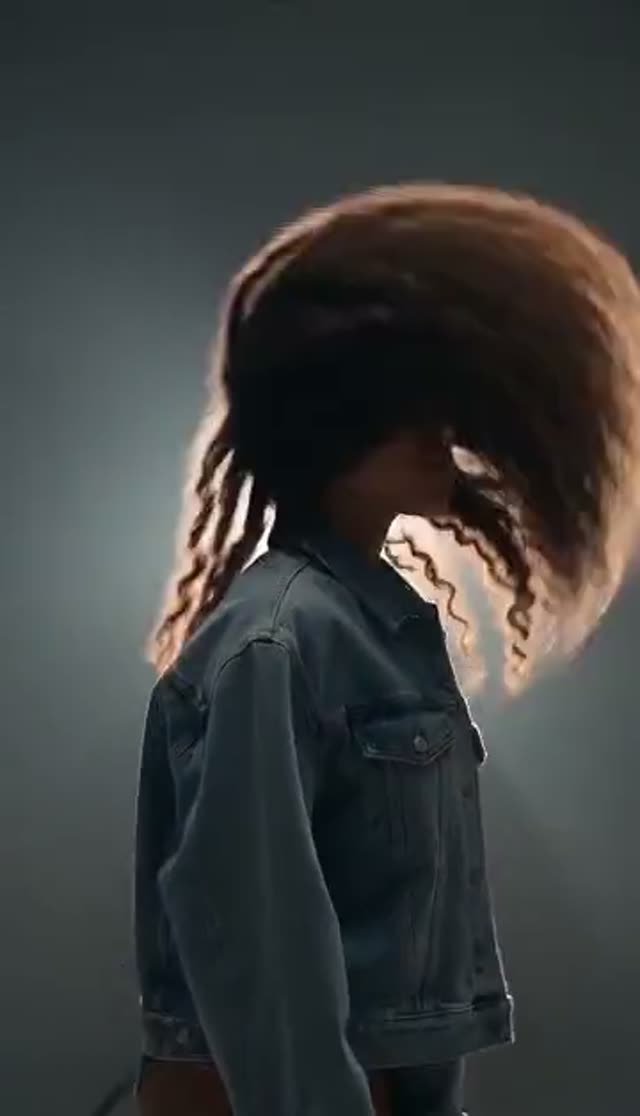
Dramatic
Make this with my photo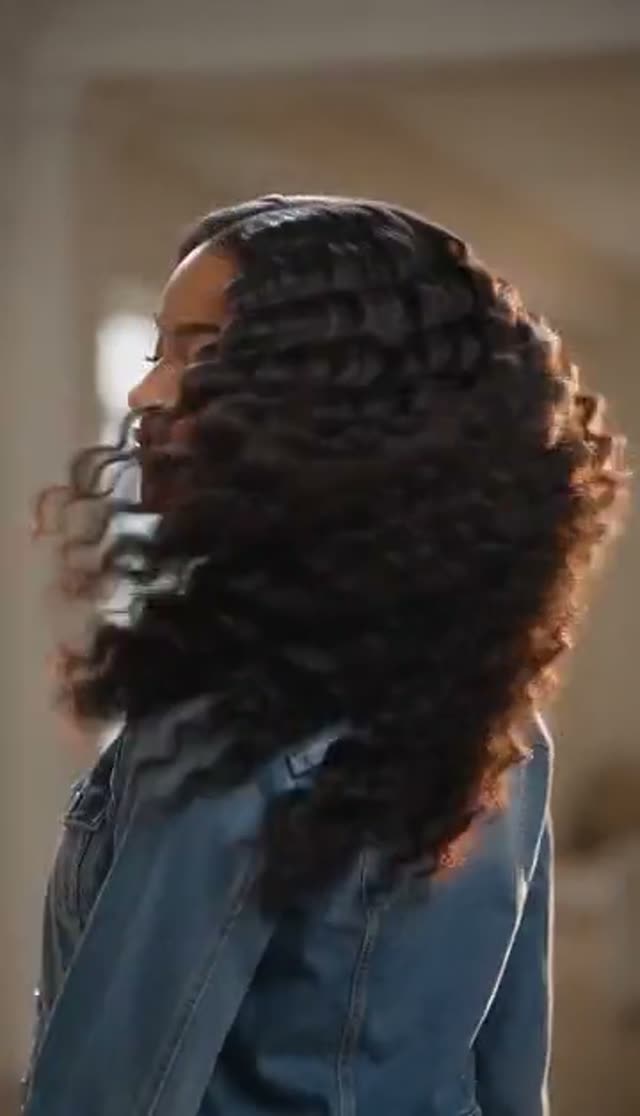
Elegant
Make this with my photo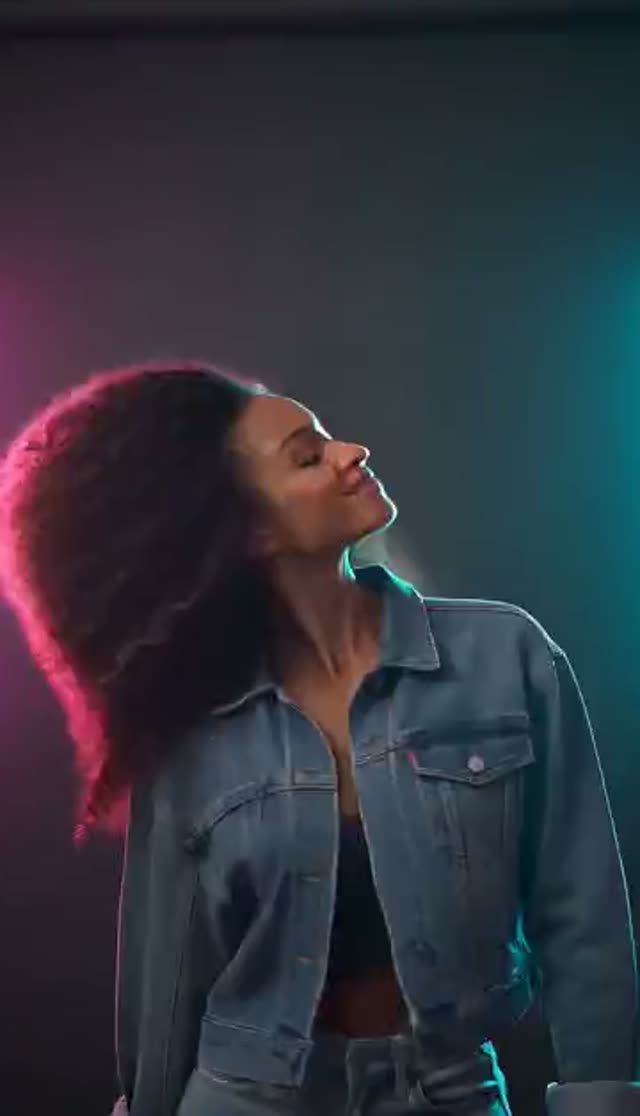
Dynamic
Make this with my photo
How it works
- 1
Upload a photo with the hair fully in frame
Head-and-shoulders or three-quarter framing, hair in focus and not cut off at the edges. The model will not invent hair the original photo cropped out.
- 2
Choose a flip style
Dramatic (flowing motion, cinematic light), Elegant (slow-motion, silky movement, soft light) or Dynamic (energetic, vibrant light).
- 3
Direct the shot
Add wind direction, a backlit window, a studio backdrop or a rooftop at golden hour. Backlight makes strands separate from the background.
- 4
Pick a model, length and aspect ratio
Runway Gen-3 is the default at 10 credits. 9:16 for Reels and TikTok. A slightly longer clip lets the flip finish and settle.
- 5
Generate and download
The clip lands in My Creations. Free-tier downloads are watermarked; after any purchase the clean MP4 downloads.
Why use this tool
From your photo, not a template
No filming and no face swap onto stock footage. The motion is generated from your still, so it is your hair that moves.
Three flip styles
Dramatic, Elegant and Dynamic change speed and lighting. Elegant slow motion is the most forgiving and the best at showing shine.
Your colour, length and cut
The output keeps the hair from your photo, which is what makes it usable for salons showing real client work.
Full image-to-video roster
Runway, Seedance, Kling, PixVerse, Vidu, WAN, Hailuo, Veo, Grok Imagine and more. Hair rewards higher-detail models, so the choice matters here.
Vertical from the start
Render at 9:16 so the horizontal sweep fills a phone screen instead of being cropped by a later reframe.
Automatic refunds
If a generation fails, the credits go back to your balance.
Which model is best for a hair flip?
Prices for 5 seconds at 720p, from the same credit table the picker uses. Fine strand detail is where stronger models show.
| Model | Credits | When to pick it |
|---|---|---|
| ByteDance V1 Pro Fast | 7 | Cheapest test of a photo |
| Seedance 1.5 Pro | 8 | Steady, low-cost flips |
| Runway Gen-3 (default) | 10 | Cinematic lighting and reliable faces |
| Seedance 2 Mini | 17 | Newer Seedance motion |
| PixVerse v4.5 | 22 | Smoother strand motion |
| Kling V3 Turbo | 36 | Campaign-grade detail |
| Runway Gen-4.5 | 48 | Top of the Runway range |
Read more: Runway Gen-3 · Kling V3 Turbo · Best AI model for image to video
Dramatic, Elegant or Dynamic?
All three change the lighting as well as the speed. The prompt stays editable.
| Style | What you get | Best for |
|---|---|---|
| Dramatic | Bold, flowing hair motion, cinematic lighting | Scroll-stopping openers |
| Elegant | Slow-motion flip, silky movement, soft cinematic light | Haircare, salons, showing shine and texture |
| Dynamic | Fast, energetic flip, vibrant lighting | Trend posts and transitions |
What does a hair flip video cost?
Credits are taken only when the job is accepted; failed renders are refunded.
- One-time pack credits never expire; subscription credits reset each billing cycle.
- Free-tier downloads are watermarked. Any purchase unlocks clean downloads for client work and ads.
| What you make | Credits | Notes |
|---|---|---|
| 1 flip, Runway Gen-3, 720p, 5 s | 10 | Default; covered by the free credits |
| All 3 styles on ByteDance V1 Pro Fast | 21 | Compare every style |
| All 3 styles on Seedance 1.5 Pro | 24 | Steadier comparison |
| Lite pack, 300 credits | $19.50 one-time | 30 Runway Gen-3 flips; or $15 a month |
What people make with AI hair flip videos
Shine, volume and swing only exist in movement, which is why hair flips are a staple of beauty feeds.
- Salon and stylist posts: animate a client's finished cut or colour (with their agreement) to show movement and shine.
- Haircare and product ads: turn an existing campaign still into a motion asset without a reshoot.
- Glow-up and transformation reels: end a before-and-after on a confident flip.
- Transitions: a Dynamic flip is a natural cut point between two clips in a longer edit.
- Fashion and lookbook content: pair a flip with outfit, twirl or catwalk clips for a full look.
- Profile and dating videos: a short Elegant flip from your best photo.
How the hair flip effect works
Hair flip is a direct effect tab: your photo and the preset prompt go straight to the image-to-video model you choose, with no keyframe stage. Your photo is the first frame, so the hair colour, length, cut and the face stay as you shot them, and the model generates the motion from there.
Unlike template-based hair flip effects that swap your face onto someone else's footage, nothing here is pre-recorded. That means the flip follows your actual hair, and the prompt can change the light, the background and the wind direction.
Tips for a flip that looks real
Hair physics is something current video models handle well. The photo decides the rest.
- Leave headroom and keep all the hair in frame.
- Backlight or side light makes shine visible when strands move.
- A plain background behind the hair gives the model a clean edge.
- Skip hats, heavy filters and low-resolution photos; strand ends smear first.
- Start with Elegant if a result looks messy; slower motion has fewer frames to get wrong.
What the hair flip generator cannot do
Limits to plan around.
- It does not change the hairstyle or colour; it animates the hair you have. For new curls use the curly hair tab, for a still try-on use the hairstyle try-on tool.
- It is not a transition template: it does not cut between two outfits or looks.
- Very short hair has little to flip; the model will move it, but the gesture reads weaker.
Read more: How to make an AI hair flip video (guide) · AI Hairstyle Try-On
Frequently asked questions
Is the AI hair flip generator free?
Your first clip is. New accounts get 10 free credits, which covers one Runway Gen-3 flip (10 credits) or one ByteDance V1 Pro Fast flip (7). Free results carry a watermark.
How do I make a hair flip video from a photo?
Upload a photo with the hair fully in frame to the hair flip tab, choose Dramatic, Elegant or Dynamic, pick a model and generate. The clip appears in My Creations in a few minutes.
Do I need to film myself or use a face swap?
No. The flip is generated from your still photo. It is not a template that swaps your face onto someone else's video.
How realistic is AI hair movement?
Better than most people expect: current models handle hair weight, swing and settle well while keeping colour, length and texture. Elegant slow motion looks the most cinematic.
Which style should I choose?
Elegant for showing hair quality and shine, Dramatic for bold movement with a cinematic grade, Dynamic for fast trend posts.
Can salons use the clips commercially?
Yes, with a paid plan for clean files. Get each client's agreement before animating their photo, use photos of adults only, and follow platform rules on labelling AI content.
Will the video have a watermark?
On the free tier, yes; you can download the watermarked copy. Any purchase, a one-time pack or a subscription, removes it.
What if the hair looks strange?
Re-upload a sharper photo with more headroom, try Elegant, and add "backlit, hair separated from the background" to the prompt. Failed jobs are refunded automatically.
Can I control the wind direction and background?
Yes, through the prompt. Add phrases such as "wind from the left", "backlit by a window", "plain grey studio backdrop" or "rooftop at golden hour". The preset sets the speed and light; your words set the scene.
How long does a hair flip video take?
Usually a few minutes, depending on the model, resolution and length. The job runs in the background, so you can queue all three styles of the same photo and compare them in My Creations.
Can I post it on TikTok or Instagram Reels?
Yes. Render at 9:16 and download the MP4. Most platforms ask you to label AI-generated video.