AI Mirror Selfie Video Generator: A Fit-Check Clip from Any Photo
An AI mirror selfie video turns a photo of a person into a short fit-check clip: phone in hand, a reflection in the mirror, a small shift of weight and natural movement. On VdoBloom you upload one photo, choose Trendy, Glam or Casual, and the AI builds the mirror scene and animates it. Your photo does not need to be a mirror shot; a regular portrait or full-body picture works, because the mirror, reflection and phone pose are generated. Is it free? New accounts get 10 credits and the default model, Runway Gen-3, costs 10 credits for 5 seconds at 720p, so your first clip is free. Seedance 1.5 Pro (8 credits) and ByteDance V1 Pro Fast (7) cost less. It is for fashion and lifestyle creators, outfit-of-the-day posts, clothing brands and stylists.
This is an animation of your own photo, not a face swap onto someone else's template video. The person, outfit and styling come from the image you upload. The three templates set the look: Trendy is a fashion-led fit check with natural movement; Glam is a styled version with softer light and a more posed feel; Casual is the everyday hallway-mirror clip in bright light. Every template prompt can be edited, so you can name the room, the light and the outfit piece you want in focus.
Mirror Selfie is a direct effect, so the full image-to-video model roster is available, from low-cost drafting models to premium ones. Credits are charged only when the provider accepts the job and refunded automatically if a render fails.
Examples
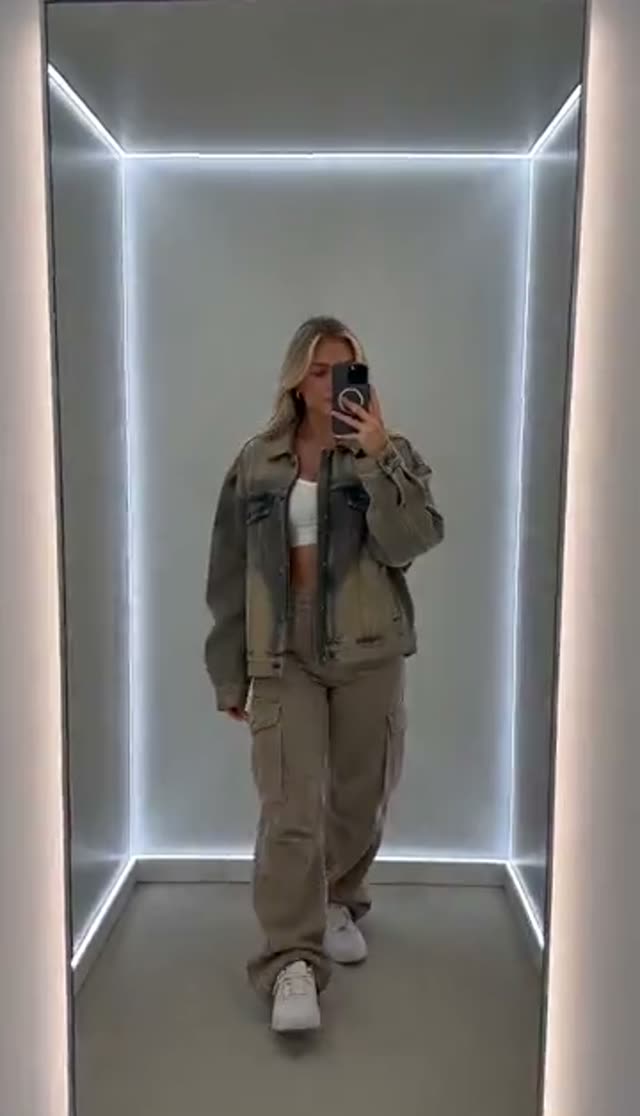
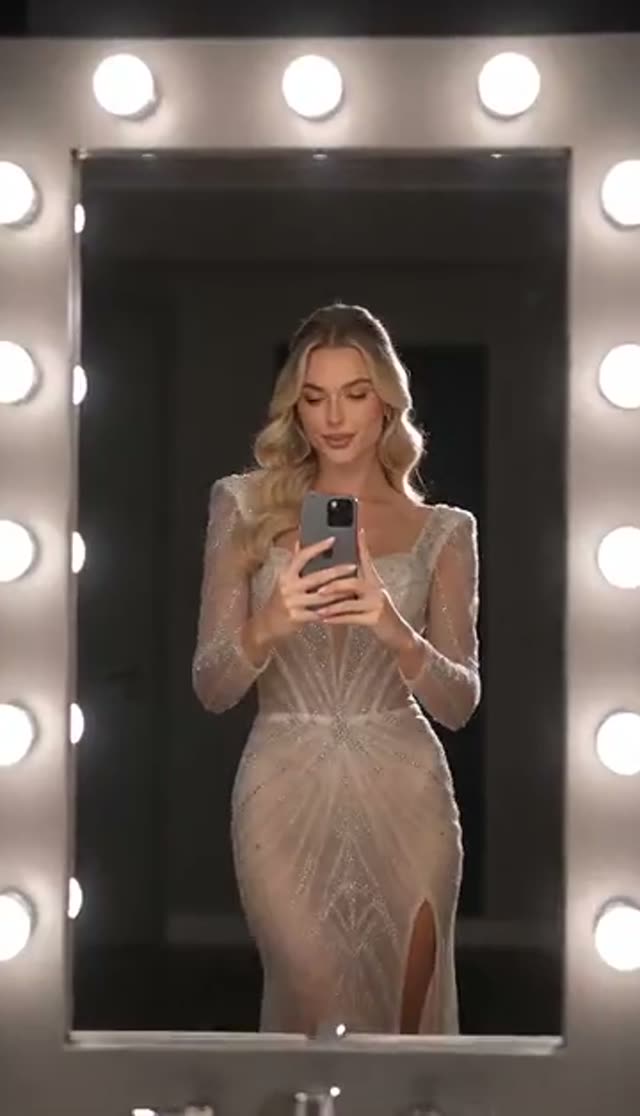
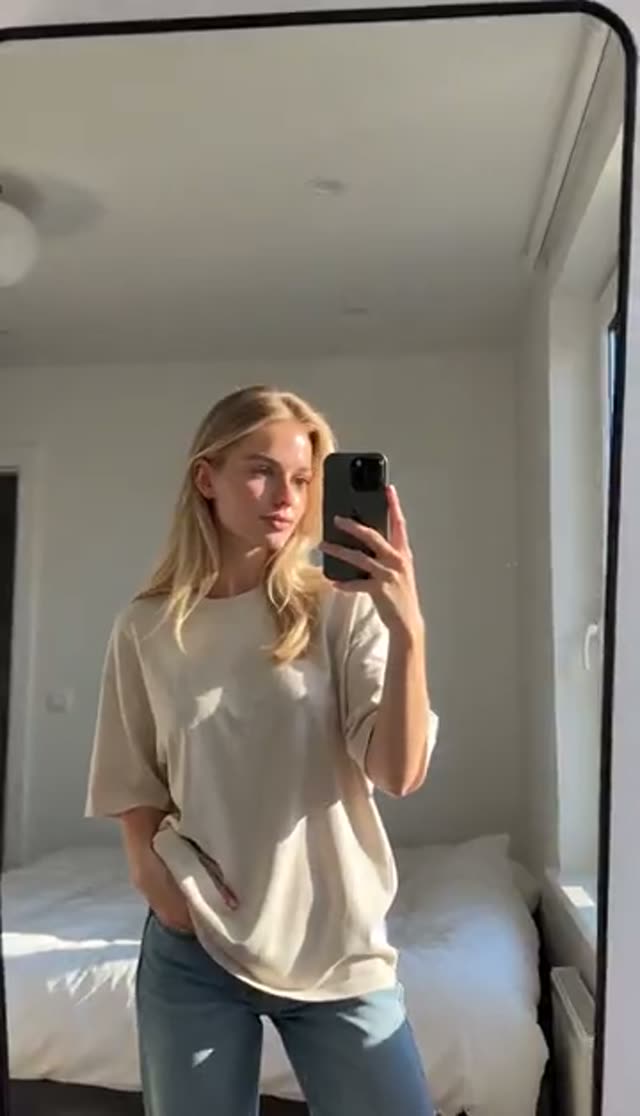
How it works
- 1
Upload one clear photo
A portrait, three-quarter or full-body photo works. It does not need a mirror or a phone in it. Make sure the face and outfit are sharp, because the AI has to render them twice: once directly and once in the reflection.
- 2
Choose Trendy, Glam or Casual
Trendy for a fashion fit check, Glam for a styled look under softer light, Casual for an everyday mirror clip. Each template plays a preview.
- 3
Describe the room (optional)
Add the setting and the light, for example "bedroom mirror, warm lamp behind, showing the denim jacket". Naming a light source keeps the reflection consistent with the room.
- 4
Pick model, length and ratio
Runway Gen-3 loads by default at 10 credits for 5 seconds at 720p. Choose 9:16 for Stories, Reels, TikTok and Shorts before you generate.
- 5
Generate and check the reflection
Most clips are ready in a few minutes. Check the mirror and the hand holding the phone first; those are where weak renders show.
- 6
Download on a paid plan
Free clips play in your library with a watermark and cannot be downloaded. A paid plan removes the watermark and unlocks the MP4.
Why use this tool
No mirror photo required
The mirror, reflection and phone pose are generated from any clear photo of the person.
Your photo, not a template face swap
The person and outfit in the clip come from your image, so it shows your real look.
Three looks
Trendy, Glam and Casual are separate prompt recipes with different light and energy.
You control the room
Edit the prompt to set the room, light source and how much the subject moves.
Full model roster
From ByteDance V1 Pro Fast at 7 credits to Runway Gen-4.5 at 48 for a 5-second 720p clip.
Refunds on failure
Credits are charged after the provider accepts the job and returned automatically if it fails.
Is the AI mirror selfie generator free?
Your first clip is free: 10 credits on sign-up, no card, and the default clip costs 10. Free output is watermarked and cannot be downloaded; any paid plan removes both. The Lite pack is 300 credits for $19.50 one-time (credits never expire) or $15 a month (credits reset each cycle).
| Mirror selfie clip | Credits per clip | Clips from 300 credits |
|---|---|---|
| ByteDance V1 Pro Fast, 5 s, 720p | 7 | 42 |
| Seedance 1.5 Pro, 5 s, 720p | 8 | 37 |
| Runway Gen-3, 5 s, 720p (default) | 10 | 30 |
| Runway Gen-3, 10 s, 720p | 20 | 15 |
| Kling V3 Turbo, 5 s, 720p | 36 | 8 |
| Runway Gen-4.5, 5 s, 720p | 48 | 6 |
Read more: See all credit packs
Which model is best for mirror selfie videos?
Reflections are a demanding scene. Draft on a cheap model to pick the template, then re-run on a stronger model if the reflection or hand needs more detail. Credits for a 5-second clip:
| Model | 720p | 1080p | Good for |
|---|---|---|---|
| ByteDance V1 Pro Fast | 7 | 15 | Lowest-cost drafts |
| Seedance 1.5 Pro | 8 | 15 | Value starting point |
| ByteDance V1 Lite | 9 | 20 | Quick tests |
| Runway Gen-3 (default) | 10 | 20 | Reliable default |
| Vidu Q2 Turbo | 18 | 22 | Low-cost 1080p |
| Runway Gen-4 Turbo | 20 | 20 | Sharper 1080p |
| Kling 2.6 | 22 | 22 | Natural handheld movement |
| Kling V3 Turbo | 36 | 45 | More detail in face and hands |
| Runway Gen-4.5 | 48 | 48 | Hero clips |
Read more: Seedance 1.5 Pro model page · Kling 2.6 model page · Runway Gen-3 model page
Trendy, Glam or Casual: which look to pick
The three templates are separate prompts with different light and energy. One upload can run all three so you can compare before paying for a longer or higher-resolution render.
| Template | Feel | Lighting | Good for |
|---|---|---|---|
| Trendy | Fashion-led fit check, natural movement | Cinematic | OOTD posts, brand Reels |
| Glam | Styled, posed reflection | Soft light | Evening looks, beauty and styling content |
| Casual | Everyday mirror clip | Bright light | Stories, relaxed outfit posts |
Use cases
Mirror selfie clips are a native format on short-video apps. Common uses:
- Outfit-of-the-day and fit-check posts from photos you already have
- Clothing brand and boutique Reels showing a look the way customers film it
- Stylist and personal-shopper content showing looks in motion
- Gym-mirror and activewear clips (name the setting in the prompt)
- Stories and short teasers for a new drop
Tips for a believable mirror selfie
The reflection is only as good as the source photo:
- Use a photo where the person fills a good share of the frame so detail survives the reflection
- Name the light source in the prompt ("overhead strip light", "window light from the left")
- Ask for small movements; big gestures make the phone hand harder to render
- Pick 9:16 for a phone-native look
- Avoid heavy filters and strong backlight in the source photo
Limits
Before you spend credits:
- Reflections and phone hands are the hardest parts; some renders need a second try or a stronger model
- It animates your outfit; it does not change clothes (use AI Fashion Try-On first for that)
- One person per photo works best
- Some platforms, including many dating apps, restrict AI-generated images and video; check their rules before posting
- Only upload photos of yourself or of adults who gave consent
Read more: How to make an AI mirror selfie video · AI Fashion Try-On
Frequently asked questions
How do I make an AI mirror selfie video?
Open the Mirror Selfie tab, upload one clear photo, choose Trendy, Glam or Casual, pick a model and 9:16 ratio, and generate. The AI builds the mirror scene and animates it, usually within a few minutes.
Does my photo need to be a mirror selfie?
No. Any clear portrait or full-body photo works. The mirror, the reflection and the phone pose are generated by the AI.
Is the mirror selfie video generator free?
Your first clip is. New accounts get 10 free credits and the default Runway Gen-3 clip costs 10. Seedance 1.5 Pro (8) and ByteDance V1 Pro Fast (7) cost less. Free clips are watermarked and cannot be downloaded.
How much does a mirror selfie video cost?
From 7 credits for a 5-second 720p clip up to 48 on Runway Gen-4.5, with 10 on the default model. The Lite pack of 300 credits is $19.50 one-time or $15 a month.
Is this a face swap?
No. It animates the person in your photo into a mirror-selfie scene. Your face, hair and outfit come from your upload rather than being pasted onto someone else's video.
Can I change the room or background?
Yes. Edit the prompt to describe the room, the mirror and the lighting, such as a bedroom with warm lamps, a gym mirror or a hotel corridor.
What photo gives the best result?
A sharp, evenly lit photo where the face and outfit are clearly visible and the person fills a good part of the frame. Full-body and three-quarter shots work best.
The reflection or phone hand looks wrong. What should I do?
Name a light source in the prompt, ask for less movement, and use a photo where the person is larger in frame. If it persists, try Kling or Runway Gen-4.5. Failed renders are refunded automatically.
How long does it take to generate?
Usually a few minutes for a 5-second clip. Reflections make it a heavier scene, so 10-second clips and premium models take longer. Rendering continues on the server if you close the tab, and the clip appears in your library.
Can I post it on TikTok, Reels or Shorts?
Yes, once you download it on a paid plan. Generate at 9:16 and use the platform's AI-content label where one is offered.