AI Twirl Video Generator: A Dress Spin from a Single Photo
An AI twirl video turns one photo of a person into a short clip of them spinning, with the skirt or dress flaring out and settling again. On VdoBloom you upload a full-body photo, pick Graceful, Playful or Dramatic, and the AI animates the spin with flowing fabric and cinematic light while keeping the face, hair and outfit from your photo. Is it free? New accounts get 10 credits and the default model, Runway Gen-3, costs 10 credits for 5 seconds at 720p, so the first twirl is free. Seedance 1.5 Pro (8 credits) and ByteDance V1 Pro Fast (7) cost less. It is for dress, saree, lehenga and occasion-wear sellers, prom and wedding outfit posts, dance students and fashion creators.
A twirl shows what a still photo cannot: how a garment moves. A pleated skirt opens into a circle, chiffon floats, heavy satin swings late and settles slowly. The three templates handle the spin differently: Graceful is an even, elegant rotation suited to gowns and formalwear; Playful is a quicker, brighter spin with a joyful expression for casual posts; Dramatic slows everything into a cinematic turn that lingers on the fabric.
Twirl is a direct effect, so the full image-to-video roster is available on this tab, from 7-credit drafting models to Runway Gen-4.5 at 48. Credits are taken only once the provider accepts the job and are refunded automatically if a render fails.
Examples
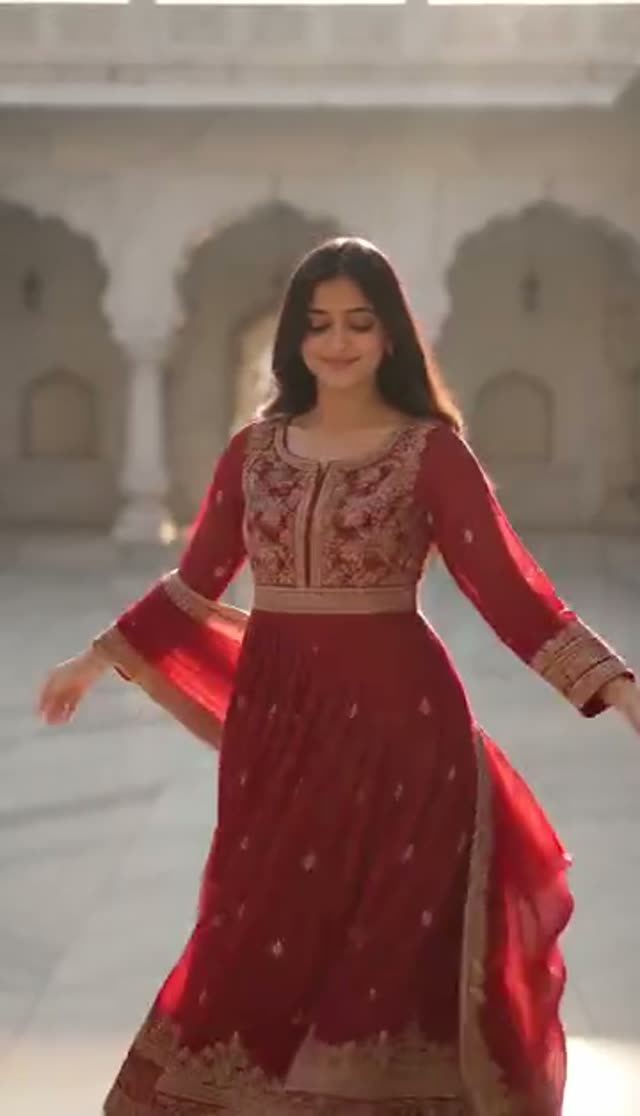
Graceful
Make this with my photo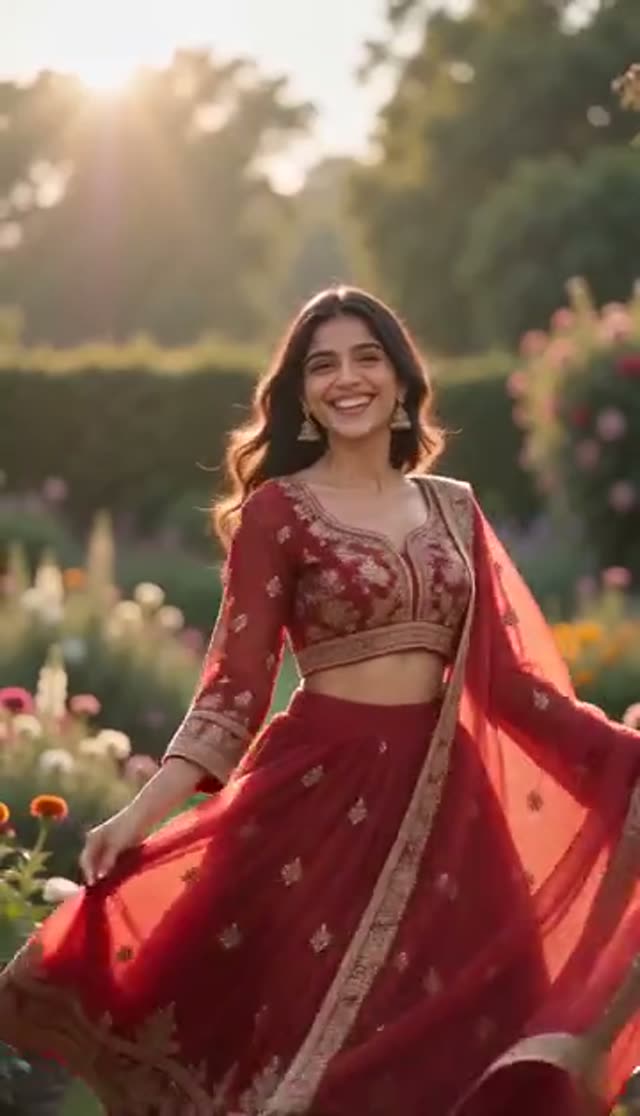
Playful
Make this with my photo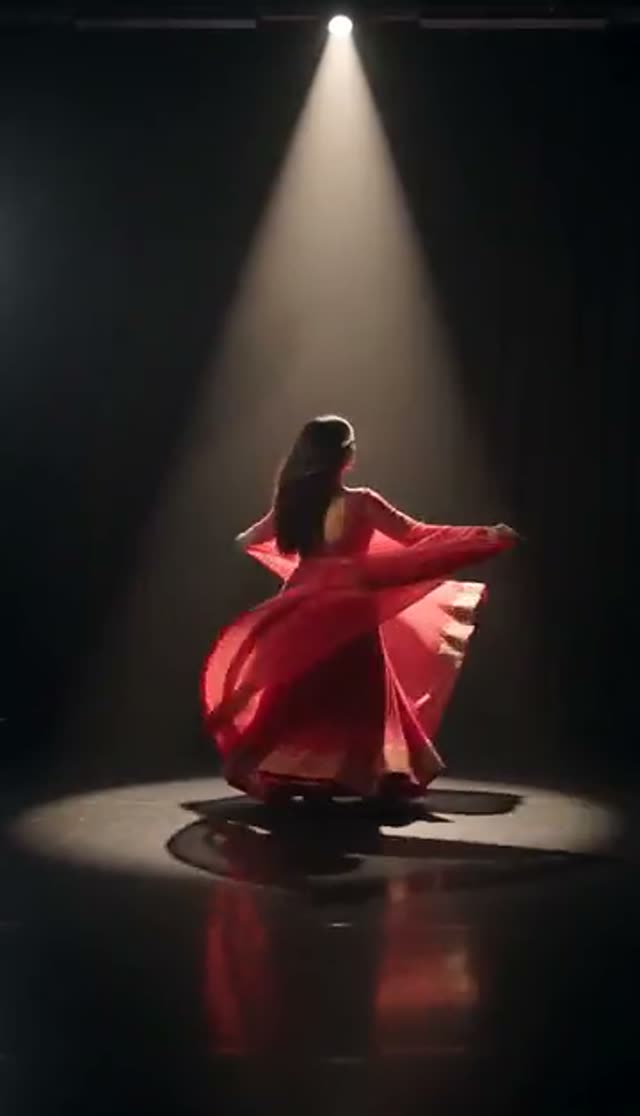
Dramatic
Make this with my photo
How it works
- 1
Upload a full-body photo
The whole outfit, shoulders to hem, should be in frame. Dresses, skirts, sarees and long coats give the spin the most to work with. If the hem is cropped, there is nothing to flare.
- 2
Pick a twirl style
Graceful for an elegant rotation, Playful for a fast joyful spin, Dramatic for a slow cinematic turn. Each template plays a preview.
- 3
Name the fabric and setting (optional)
Edit the prompt: "slow twirl in a light chiffon dress on a garden path, golden hour" behaves differently from the default. Naming the fabric helps the AI weight the motion.
- 4
Choose model, length and ratio
Runway Gen-3 loads at 10 credits for 5 seconds at 720p. Switch to 9:16 for Reels, TikTok and Shorts before generating.
- 5
Generate and check hem and hands
Most clips are ready in a few minutes. A spin puts the hem and hands through the most change, so check those first.
- 6
Download on a paid plan
Free clips are watermarked and stay in your library. A paid plan removes the watermark and unlocks the MP4.
Why use this tool
Fabric that moves like fabric
The spin is animated with drape and weight, so a stiff A-line skirt flares differently from light chiffon.
Three spin styles
Graceful, Playful and Dramatic are separate prompt recipes with different pace, light and energy.
Your outfit stays yours
The AI animates the person in your photo, so colour, print and cut come from your image.
Full model roster
Draft on ByteDance V1 Pro Fast at 7 credits or Seedance 1.5 Pro at 8, finish on Kling or Runway Gen-4.5.
Vertical-ready
Pick 9:16, 1:1, 3:4 or 16:9 before generating so the spin is not cropped later.
Refunds on failure
Credits are charged after the provider accepts the job and returned automatically if it fails.
Is the AI twirl video generator free?
Your first twirl is free: 10 credits on sign-up, no card, and the default clip costs 10. Free output is watermarked and cannot be downloaded; any paid plan removes both. The Lite pack is 300 credits for $19.50 one-time (credits never expire) or $15 a month (credits reset each cycle).
| Twirl clip | Credits per clip | Clips from 300 credits |
|---|---|---|
| ByteDance V1 Pro Fast, 5 s, 720p | 7 | 42 |
| Seedance 1.5 Pro, 5 s, 720p | 8 | 37 |
| Runway Gen-3, 5 s, 720p (default) | 10 | 30 |
| Runway Gen-3, 5 s, 1080p | 20 | 15 |
| Kling V3 Turbo, 5 s, 720p | 36 | 8 |
| Runway Gen-4.5, 5 s, 720p | 48 | 6 |
Read more: See all credit packs
Which model is best for a twirl?
A full rotation is one of the harder motions for video models. Test the style on a cheap model, then re-run the winner on a stronger one. Credits for a 5-second clip:
| Model | 720p | 1080p | Good for |
|---|---|---|---|
| ByteDance V1 Pro Fast | 7 | 15 | Lowest-cost drafts |
| Seedance 1.5 Pro | 8 | 15 | Value pick for smooth rotation |
| ByteDance V1 Lite | 9 | 20 | Quick tests |
| Runway Gen-3 (default) | 10 | 20 | Reliable default |
| PixVerse v3.5 | 18 | 24 | Alternative style |
| Runway Gen-4 Turbo | 20 | 20 | Sharper 1080p |
| Kling 2.6 | 22 | 22 | Natural body motion |
| Kling V3 Turbo | 36 | 45 | Detailed fabric |
| Runway Gen-4.5 | 48 | 48 | Hero clips and ads |
Read more: Seedance 1.5 Pro model page · ByteDance V1 Pro Fast model page · Kling V3 Turbo model page
Graceful, Playful or Dramatic: the twirl styles compared
The templates are separate prompts rather than speed settings, so each gives a different clip from the same photo. Running all three costs the same as running one three times.
| Style | Spin | Lighting | Best for |
|---|---|---|---|
| Graceful | Even, elegant rotation with flowing dress | Soft cinematic light | Gowns, sarees, formalwear |
| Playful | Quicker spin, joyful expression | Bright light | Casual dresses, lifestyle posts |
| Dramatic | Slow spin that lingers on the fabric | Cinematic light | Hero clips, bridal and occasion wear |
Twirl, catwalk turn or fashion walk?
All three animate the outfit in your photo. Twirl is a full spin in place, which is the clearest way on VdoBloom to show how a skirt or dress flares. Catwalk Turn is a runway strut with a single pivot, which shows the sides and back of tailoring and coats. Fashion Walk is a straight walk in four styles, the closest to a classic product video. Many sellers make a walk for the listing and a twirl for social.
Read more: AI Catwalk Turn Video · AI Fashion Walk Video
Use cases
Where a twirl clip works best:
- Product videos for dresses, skirts, sarees, lehengas and gowns
- Prom, quinceañera, wedding-guest and bridal outfit posts
- Dressmaker and tailor portfolios showing how a piece moves
- Dance-class and studio promos
- Seasonal and festive outfit Reels
Tips for a better spin
A few changes that help:
- Keep the full hem in frame; the flare is the point of the clip
- Hold arms slightly away from the body so the AI can separate sleeves from torso
- Name the fabric (chiffon, tulle, satin, cotton) for more realistic movement
- Ask for a slower spin if hands or the hem distort
- Use a sharp photo without motion blur
Limits
What to expect:
- The AI infers the back of the outfit if the photo only shows the front
- One person per photo; for two people dancing, use Couple Dance
- It does not change the outfit; use AI Fashion Try-On first for a new garment
- Clips are short (5 or 10 seconds on most models)
- Only upload photos of adults who agreed to be animated
Read more: AI Couple Dance Video · How to make an AI twirl video
Frequently asked questions
How do I make an AI twirl video from a photo?
Open the Twirl tab, upload a full-body photo, pick Graceful, Playful or Dramatic, choose a model and ratio, and generate. The AI animates the spin from your photo, usually within a few minutes.
Is the AI twirl video generator free?
Your first clip is. New accounts get 10 free credits and the default Runway Gen-3 twirl costs 10. Seedance 1.5 Pro (8) and ByteDance V1 Pro Fast (7) cost less. Free clips are watermarked and cannot be downloaded.
How much does a twirl video cost?
From 7 credits for a 5-second 720p clip up to 48 on Runway Gen-4.5, with 10 on the default model. The Lite pack is 300 credits for $19.50 one-time or $15 a month.
What kind of photo makes the best twirl?
A sharp, evenly lit full-body photo with the whole outfit including the hem in frame, taken straight on or at a slight angle, with arms slightly away from the body.
Does it work with sarees, lehengas and gowns?
Yes. Long, full garments give the spin the most to show. Name the fabric in the prompt for more natural movement.
Which twirl style should I choose?
Graceful for gowns and formalwear, Playful for casual and fun posts, Dramatic for a slow, cinematic spin that lingers on the fabric.
Can two people twirl together?
This tab animates one person. For two people dancing, use the Couple Dance tab, which accepts two photos.
The hem or hands look distorted. What should I change?
Make sure the full garment is in frame, name the fabric, and ask for a slower spin. Moving to Kling or Runway Gen-4.5 often helps. Failed renders are refunded automatically.
How long does a twirl video take?
Usually a few minutes. A spin is a whole-body motion, so it can take a little longer than simpler effects, and 10-second clips and premium models take longer still. You can close the tab; the clip lands in your library.
Can I post twirl videos on TikTok and Reels?
Yes, after downloading on a paid plan. Generate at 9:16 and use the platform's AI-content label where one is offered.