Venom Transformation AI: Turn Your Photo into a Symbiote Video
A Venom transformation AI video shows the person in your photo being taken over by a glossy black symbiote: the suit spreads across the skin with veins beneath it, the eyes turn white, fangs extend and a long tongue lashes as the change completes. On VdoBloom you upload one photo, pick a template and the AI renders the clip while keeping your facial structure under the suit, so it reads as you turning into the creature. The tab opens on Runway Gen-3 at 10 credits for five seconds at 720p, and the 10 free credits every new account gets cover one clip (free renders carry a watermark).
Three templates set the intensity: Symbiote Rage is the full snarl with fangs and tongue in a dark city, Living Suit is a moody close-up where veins pulse like breathing, and Rooftop Venom is a low-angle hero shot over a night skyline. The prompt stays editable for rain, fog, lightning or a slower reveal.
It is made for Halloween posts, cosplay and fan edits, TikTok and Reels transformation trends, and creature concept tests without a compositing suite.
Examples
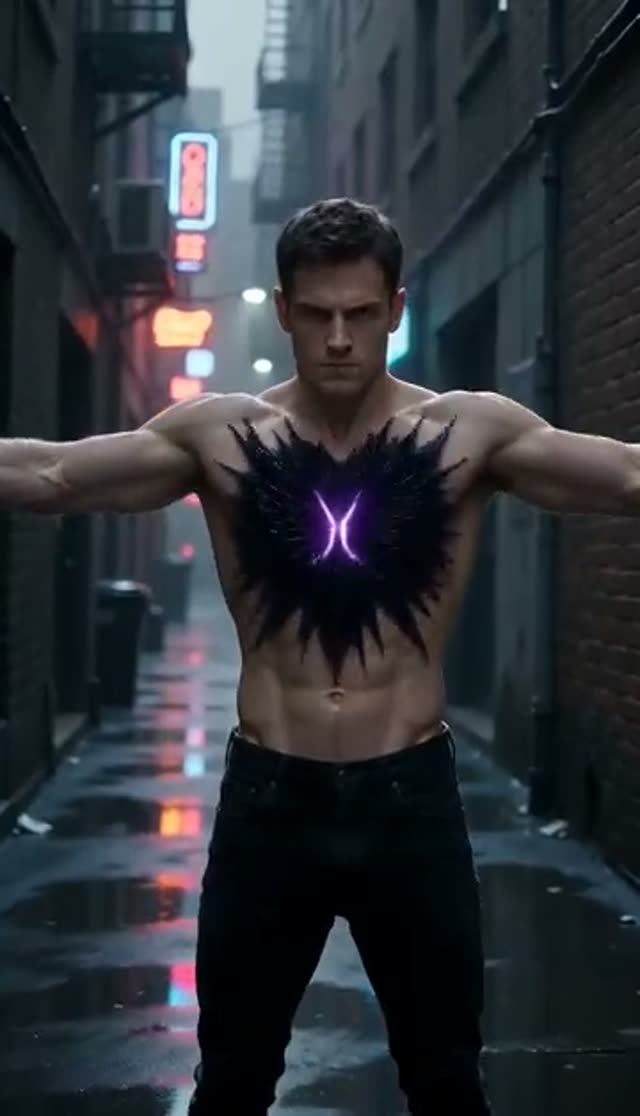
Symbiote Rage
Make this with my photo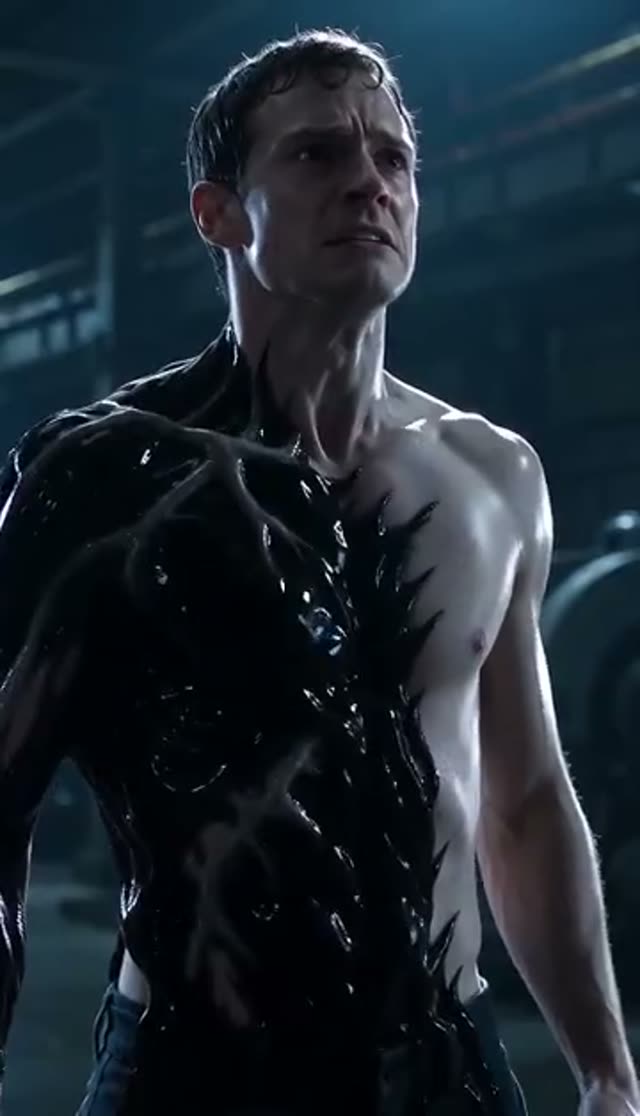
Living Suit
Make this with my photo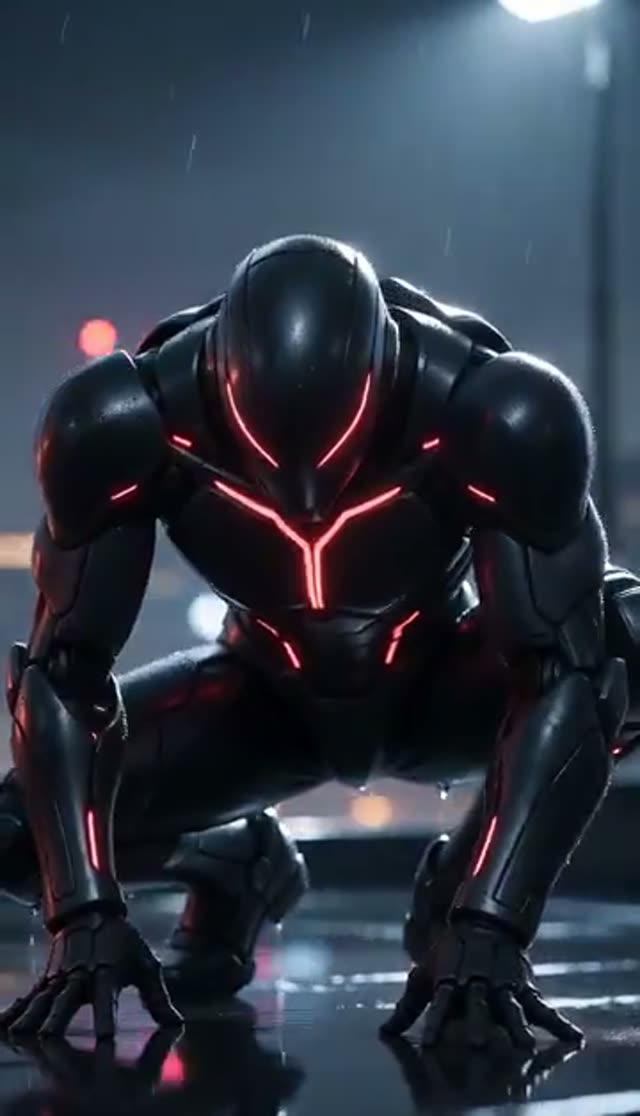
Rooftop Venom
Make this with my photo
How it works
- 1
Upload a clear photo
Front-facing and sharp with even light, up to 10 MB. Half-body framing gives the suit shoulders and chest to spread across, which sells the effect.
- 2
Pick a symbiote template
Symbiote Rage for full intensity, Living Suit for a calm, menacing close-up, or Rooftop Venom for a night skyline hero shot.
- 3
Stage your scene
Edit the prompt to add rain on the suit, a foggy alley, lightning, a slow orbit or a gradual reveal. The likeness instruction stays in place.
- 4
Choose a model, length and shape
Runway Gen-3 is the default (5 or 10 seconds). Use 10 seconds for Rooftop Venom so the camera has room to move. Pick 9:16 for TikTok or 16:9 for an edit.
- 5
Generate and download
Renders take a few minutes and save to My Creations. Queue a few variations and compare. Failed jobs refund automatically.
Why use this tool
Likeness kept under the suit
The templates tell the model to preserve your facial structure beneath the symbiote, so the clip looks like your transformation, not a generic monster.
Three intensity levels
From a full snarl with a lashing tongue to a still, breathing menace with fangs barely visible.
Motion follows your expression
An intense look in the photo produces a more committed transformation than a neutral one.
Weather and camera on request
Rain, fog, lightning, low angles and orbits respond to plain words in the prompt.
Model choice on the tab
Runway, Seedance, PixVerse, Kling, Vidu, Wan, P-Video and LTX-2 Fast are all selectable; engines differ most in how they render wet, glossy black surfaces.
Refunds on failed jobs
Errored renders return their credits automatically; prompts are screened before they run.
Which model should I use for a Venom-style transformation?
Runway Gen-3 is the default and handles dark, cinematic lighting well. Credits are per clip.
| Model | Lengths | Credits per clip | Good to know |
|---|---|---|---|
| Runway Gen-3 (tab default) | 5 s or 10 s | 10 / 20 at 720p, 20 / 30 at 1080p | Reliable in low light; good camera moves |
| Seedance 1.5 Pro | 4 to 14 s | 1.5 credits per second at 720p (8 for 5 s) | Holds facial detail under the suit |
| ByteDance V1 Pro Fast | 5 s or 10 s | 7 / 15 at 720p | Fast drafts; aspect ratio follows your photo |
| PixVerse v4.5 | 5 s or 8 s | 22 / 35 at 720p | More stylised, comic-like motion |
Read more: Runway Gen-3 model page · Best AI video model for realism
Is the Venom transformation AI free?
Your first clip is. New accounts get 10 free credits, and the default Runway Gen-3 clip (five seconds, 720p) costs 10. Seedance 1.5 Pro costs 8 for the same clip. Free renders play and download with a VdoBloom watermark; any credit pack or plan removes it.
The Lite pack is 300 credits for $19.50 one-time (credits never expire) or $15 a month. No card is needed to sign up.
| What 300 Lite credits buy | Clips |
|---|---|
| Runway Gen-3, 5 s 720p (10 each) | 30 |
| Runway Gen-3, 10 s 720p for Rooftop Venom (20 each) | 15 |
| Seedance 1.5 Pro, 5 s 720p (8 each) | 37 |
| ByteDance V1 Pro Fast, 5 s 720p (7 each) | 42 |
Read more: See all credit packs and plans
The three symbiote templates
Match the template to the expression already in your photo.
| Template | What happens | Pick it when |
|---|---|---|
| Symbiote Rage | Black symbiote skin, white eyes, fangs extend, tongue lashes, suit ripples; dark urban backdrop | Your photo already has an intense look |
| Living Suit | Veins pulse gently like breathing, muscles flex under the suit, fangs barely visible; moody close-up | You want something quieter and creepier |
| Rooftop Venom | Fully transformed on a night rooftop, city lights below, wind in the tendrils; low-angle shot | You want a poster-style hero shot |
Symbiote prompt ideas
Add one line to the template text:
- Heavy rain, water beading on the glossy suit, lightning flash at the moment the eyes turn white.
- Slow reveal: the black suit creeps up from the neck over 4 seconds, camera holds still.
- Neon-lit alley, green and purple reflections on the suit, slow orbit around the character.
- Fog rolling across a rooftop, tendrils drifting in the wind, wide low-angle shot.
- Half transformed: one side of the face human, the other covered by the symbiote.
What people make with it
Creature effects that once needed a VFX artist:
- Halloween profile clips and party invitations.
- Cosplay and fan edits for TikTok, Reels and Shorts.
- Transformation trend videos and reaction posts.
- Concept tests for short films, horror projects and comics.
- Gaming-channel intros and stream alerts.
Tips for a convincing symbiote
The input photo is the biggest lever on quality.
- Pick a photo where the face is doing something: a glare, a snarl or a confident stare.
- Use even light. A very dark photo merges with the black suit and loses detail.
- Half-body framing beats a tight face crop so the suit can spread.
- Add "preserve facial structure, wet glossy texture, visible veins" if the result looks flat.
- Compare two models; glossy black surfaces vary most between engines.
Limits worth knowing
The tab makes video from one photo; it does not produce a still image or restyle existing footage, and it cannot merge two separate portraits. There is no companion-creature variant; the effect transforms the person in the photo. Clips are short and silent. Prompts are moderated, so extreme gore wording can be rejected. The look is a symbiote-style creature effect; VdoBloom is not connected to Marvel, Sony or any rights holder of the Venom character, and the output is for personal and fan content.
Frequently asked questions
Is the Venom transformation AI free?
Your first clip can be. New VdoBloom accounts get 10 free credits, and the default Runway Gen-3 clip at five seconds and 720p costs 10. Seedance 1.5 Pro costs 8. Free renders carry a VdoBloom watermark; any paid credit pack or plan removes it.
How do I make a Venom transformation video from a photo?
Open the Venom tab, upload a clear photo, choose Symbiote Rage, Living Suit or Rooftop Venom, pick a model and aspect ratio, and press generate. The clip is ready in My Creations after a few minutes.
What photo works best for the Venom effect?
A sharp, front-facing, evenly lit half-body photo with an expressive face. The animation follows the expression in your photo, and the suit needs shoulders and chest to spread across. Very dark photos are the common failure because the black suit merges with the shadows.
Will it still look like me?
The templates instruct the model to preserve your facial structure beneath the suit. A sharp, straight-on photo gives the closest likeness; if it slips, add "preserve facial structure" to the prompt or try another model.
How much does a Venom video cost?
At 720p: Runway Gen-3 (the default) is 10 credits for 5 seconds or 20 for 10, Seedance 1.5 Pro is 8 for 5 seconds, ByteDance V1 Pro Fast is 7 and PixVerse v4.5 is 22. The Lite pack is 300 credits for $19.50 one-time.
Can I control how scary the transformation looks?
Yes. Symbiote Rage is the most aggressive and Living Suit the calmest, and the prompt lets you push either way with a slower reveal or added rain, wind and lightning. Prompts are moderated, so very graphic wording may be rejected.
Can two people transform in one clip?
Yes, if both are in the photo you upload; the effect applies to the whole frame. Results are best when both faces are clear and evenly lit. The tab cannot merge two separate portraits.
Can I post the clip on TikTok or Instagram?
Yes. Free-tier clips carry a VdoBloom watermark; any paid credit pack or plan gives a clean MP4. Render 9:16 for TikTok and Reels.
Is this affiliated with Marvel or Sony?
No. VdoBloom is independent and has no affiliation, endorsement or licence from Marvel, Sony or any rights holder of the Venom character. The tool generates a symbiote-style creature effect for personal and fan content. Think carefully before any commercial or monetised use.
Whose photos can I upload?
Photos of adults only: yourself, or someone who has agreed to appear. This effect shows fangs and aggression, so do not use it on anyone without their consent. Uploads stay in your account and VdoBloom does not publish them.