AI Angel Wings Video Generator: Add Moving Wings to Any Photo
An AI angel wings video takes one photo and animates large feathered wings unfolding behind the person, with soft golden light, a gentle halo glow and slow, graceful motion. On VdoBloom you upload a picture, choose a wing template and the AI renders the wings into the same light and depth as the rest of the frame, with no masking, cut-outs or wing PNGs to line up. The tab opens on Runway Gen-3 at 10 credits for a five-second 720p clip, and new accounts get 10 free credits, enough for one clip (free renders carry a watermark).
Four templates come with the tab: Classic Angel (white wings and divine light), Heavenly (clouds and rays of light), Golden Hour (sunset light on the feathers with a gentle flap) and Wings Unfold (a locked camera while the wings open and loose feathers drift down). Each prompt is editable for wing colour, span, sky and motion.
People use it for striking profile videos, faith and inspirational posts, cosplay clips, birthday surprises and remembrance posts, where a still photo of someone missed is given gentle motion.
Examples
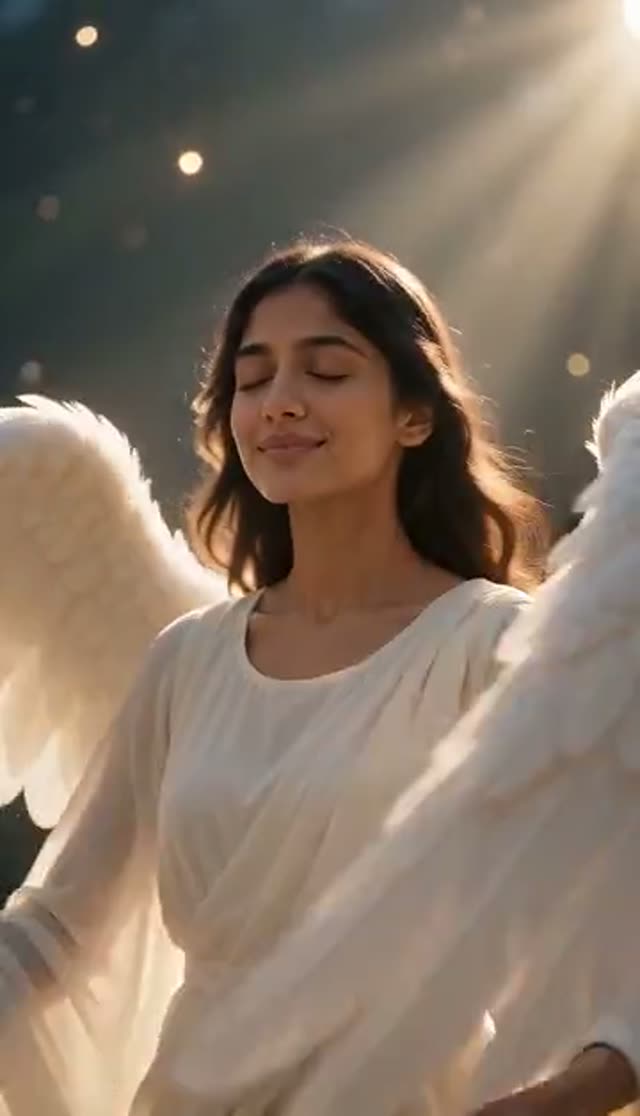
Classic Angel
Make this with my photo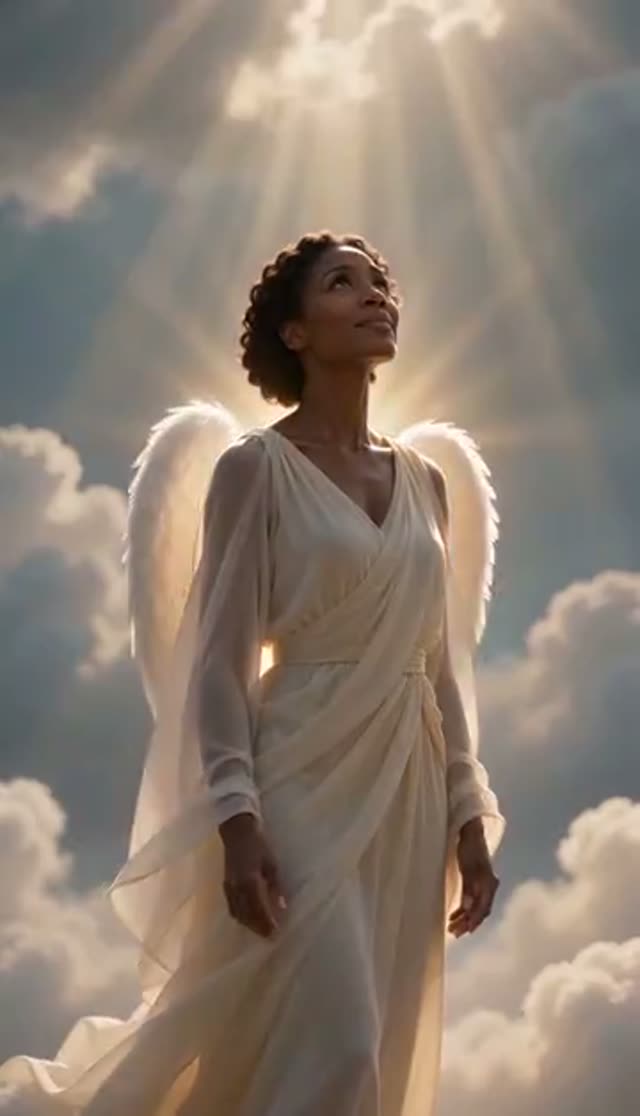
Heavenly
Make this with my photo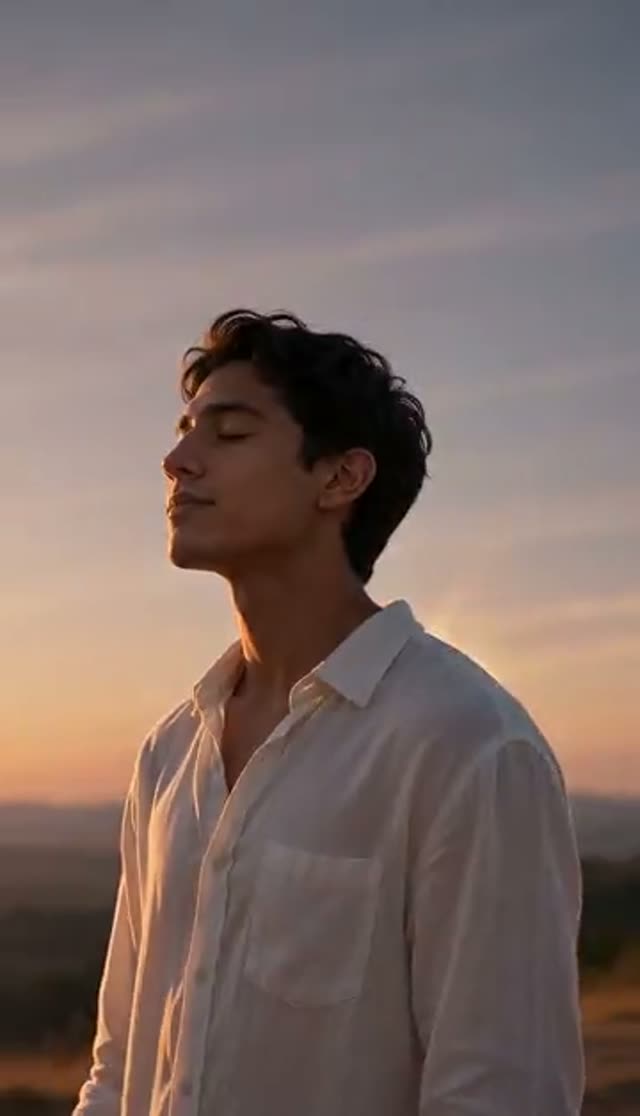
Golden Hour
Make this with my photo
How it works
- 1
Upload one photo
A clear, well-lit photo up to 10 MB, facing the camera. Half-body or full-body framing leaves space behind the shoulders for the wings to open.
- 2
Choose a wing template
Classic Angel, Heavenly, Golden Hour or Wings Unfold. The full prompt appears in the box so you can read it before you spend credits.
- 3
Adjust the wings and scene
Edit the prompt for wing colour and span, the sky, the time of day and how much movement you want. For a tribute, ask for minimal motion.
- 4
Pick a model, length and shape
Runway Gen-3 is the default (5 or 10 seconds). Choose 9:16 for Reels and Stories, 1:1 for a feed post, or 16:9 for a slideshow.
- 5
Generate and download
Renders usually take a few minutes and save to My Creations. Failed jobs refund their credits automatically.
Why use this tool
Wings rendered into the scene
The wings are generated with the person in one render, so they share the same light and depth instead of looking pasted on.
Four moods
Divine light, clouds and rays, golden-hour sunset, or a still, locked-camera unfold. Each changes the light, background and wing motion together.
Likeness held steady
The templates ask the model to keep the face, hair and outfit as in the photo, which matters when the photo is irreplaceable.
Restrained enough for tribute posts
Slow motion and soft light suit remembrance clips; Wings Unfold keeps the camera completely still.
Model choice on the tab
Runway, Seedance, PixVerse, Kling, Vidu, Wan, P-Video and LTX-2 Fast are all in the picker; engines differ in how finely they draw individual feathers.
Refunds on failed jobs
If a render errors out, the credits come back automatically.
Which model should I use for angel wings?
Runway Gen-3 is the default and handles soft light bloom well. Credits are per clip.
| Model | Lengths | Credits per clip | Good to know |
|---|---|---|---|
| Runway Gen-3 (tab default) | 5 s or 10 s | 10 / 20 at 720p, 20 / 30 at 1080p | Soft glow and slow motion |
| Seedance 1.5 Pro | 4 to 14 s | 1.5 credits per second at 720p (8 for 5 s) | Good for testing framing at low cost |
| ByteDance V1 Pro Fast | 5 s or 10 s | 7 / 15 at 720p | Fast drafts; aspect ratio follows your photo |
| PixVerse v4.5 | 5 s or 8 s | 22 / 35 at 720p | More stylised, fantasy-like look |
Read more: Runway Gen-3 model page · Best AI model for image to video
Is the AI angel wings video free?
One clip is. New accounts get 10 free credits, and the default Runway Gen-3 clip (five seconds, 720p) costs 10. Seedance 1.5 Pro costs 8 for the same clip. Free renders play and download with a VdoBloom watermark, so if the clip is going to family, plan on a credit pack or plan, which removes it.
The Lite pack is 300 credits for $19.50 one-time (credits never expire) or $15 a month. No card is needed to sign up.
| What 300 Lite credits buy | Clips (5 s, 720p) |
|---|---|
| Runway Gen-3 (tab default, 10 each) | 30 |
| Seedance 1.5 Pro (8 each) | 37 |
| ByteDance V1 Pro Fast (7 each) | 42 |
| PixVerse v4.5 (22 each) | 13 |
Read more: See all credit packs and plans
The four angel wing templates
Each template sets the light, background and wing motion together.
| Template | What happens | Good for |
|---|---|---|
| Classic Angel | Large white feather wings unfold with golden divine light and a halo glow, slow motion | Profile videos, faith posts |
| Heavenly | Wings spread wide among soft clouds with rays of light breaking through | Inspirational and tribute posts |
| Golden Hour | Wings catch warm sunset light with a gentle flap and soft lens flare | Romantic or celebratory clips |
| Wings Unfold | Locked camera; wings open behind the shoulders and loose feathers drift down | Memorial clips and keeping the original photo intact |
Wing prompt ideas
Add a line to the template to change the style:
- Black feathered wings, stormy sky, dramatic backlight, slow unfold (a dark-angel look).
- Iridescent wings with a faint rainbow sheen, soft studio backlight, still pose.
- Golden wings, warm candlelit room, gentle glow around the shoulders.
- Rooftop at dusk, city lights behind, wings spread slowly as the wind picks up.
- Minimal motion, face unchanged, wings open once and stay still.
What people make with angel wings videos
Two jobs come up most: a striking look, and remembrance.
- Profile and channel videos with a fantasy touch.
- Faith-based and inspirational social posts.
- Cosplay clips for angel or fantasy characters.
- Birthday, wedding and anniversary surprises.
- Memorial and tribute posts for someone who has passed, shared with the family's blessing.
Tips for natural-looking wings
Most problems come from framing.
- Leave space above and behind the shoulders; a tight head crop leaves the wings nowhere to go.
- Face the camera with even light; a photo lit from behind or above makes the glow more convincing.
- For old or low-resolution photos, run them through the image upscaler first.
- Ask for "minimal motion, face unchanged" for tributes.
- If wings come out small or clipped, use a photo with more headroom or describe "large wings unfolding fully behind the shoulders".
Limits worth knowing
The tab works from one photo per clip and cannot merge separate photos; for a couple, upload a photo with both people in it. The templates are written for people; for a pet, rewrite the prompt to describe the animal. There is no separate wing-style picker; colour and shape come from the prompt. Clips are short and silent, so add music in your editor.
Frequently asked questions
Is the AI angel wings video generator free?
Your first clip can be. New VdoBloom accounts get 10 free credits, and the default Runway Gen-3 clip at five seconds and 720p costs 10. Seedance 1.5 Pro costs 8. Free renders carry a VdoBloom watermark; any paid credit pack or plan removes it.
How do I add angel wings to a photo and make it move?
Open the Angel Wings tab, upload one clear photo, choose Classic Angel, Heavenly, Golden Hour or Wings Unfold, pick a model and aspect ratio, and press generate. The clip appears in My Creations after a few minutes.
What photo works best for the angel wings effect?
A clear, evenly lit photo of the person facing the camera, framed from the waist up or wider, with space behind the shoulders. A simple or soft background helps the wings and glow blend naturally.
What styles of wings can I make?
The templates make white feathered wings in four moods. By editing the prompt you can ask for black, golden or iridescent wings, a different span, a different sky, or more or less movement.
How much does an angel wings video cost?
At five seconds and 720p: Runway Gen-3 (the default) is 10 credits, Seedance 1.5 Pro is 8, ByteDance V1 Pro Fast is 7 and PixVerse v4.5 is 22. The Lite pack is 300 credits for $19.50 one-time, about 30 Runway Gen-3 clips.
Can I make an angel wings video for a memorial?
Yes. The templates use slow motion and soft light, and Wings Unfold keeps the camera still. Ask for minimal motion, keep the clip short, and make sure the family is comfortable before sharing. Older photos benefit from upscaling first.
Will the person still look like themselves?
The templates ask the model to keep the face, hair and outfit as in the photo. A sharp, front-facing photo gives the closest likeness; lower-resolution scans come out softer.
How long does it take to generate?
Most five-second clips finish in a few minutes. Renders run in the background, so you can leave the page and find the clip in My Creations.
Can two people have wings in the same video?
Yes, if both are in the photo you upload. Both get wings and the same lighting, though two pairs of wings need more space in the frame. The tab cannot merge separate photos.
Whose photos can I upload, and are they private?
Photos of yourself or adults who agreed to it; for someone who has died, check with their family first. Uploads are used only for your generation and stay in your account; VdoBloom does not publish them. Prompts are moderated before they run.