AI Blowing Kiss Video Generator: Send an Air Kiss from Any Photo
The VdoBloom AI Blowing Kiss Video Generator animates one portrait into a short air-kiss clip: the person raises a hand to their lips and blows a kiss to the camera. One photo is the whole input. There is no second person to add and no scene to build. Choose Playful, Sweet or Dramatic, and the clip is ready in a few minutes.
Is it free? New accounts get 10 free credits. The tab opens on Runway Gen-3, 10 credits for a 5-second 720p clip, so your first air kiss is covered, and cheaper models go further: ByteDance V1 Pro Fast is 7 credits and Seedance 1.5 Pro is 8 at 720p and 5 seconds, or 3 credits for 4 seconds at 480p. Free-tier results carry a watermark; any purchase removes it. The Lite pack is 300 credits for $19.50 one-time or $15 a month.
Air-kiss clips show up in anniversary and Valentine posts, long-distance messages, story replies, fan edits and as the closing beat of a longer video. Because blowing kiss is a direct effect tab, your photo goes straight to the video model you pick, and the whole image-to-video roster is available rather than a small effect-only list.
Examples

Playful
Make this with my photo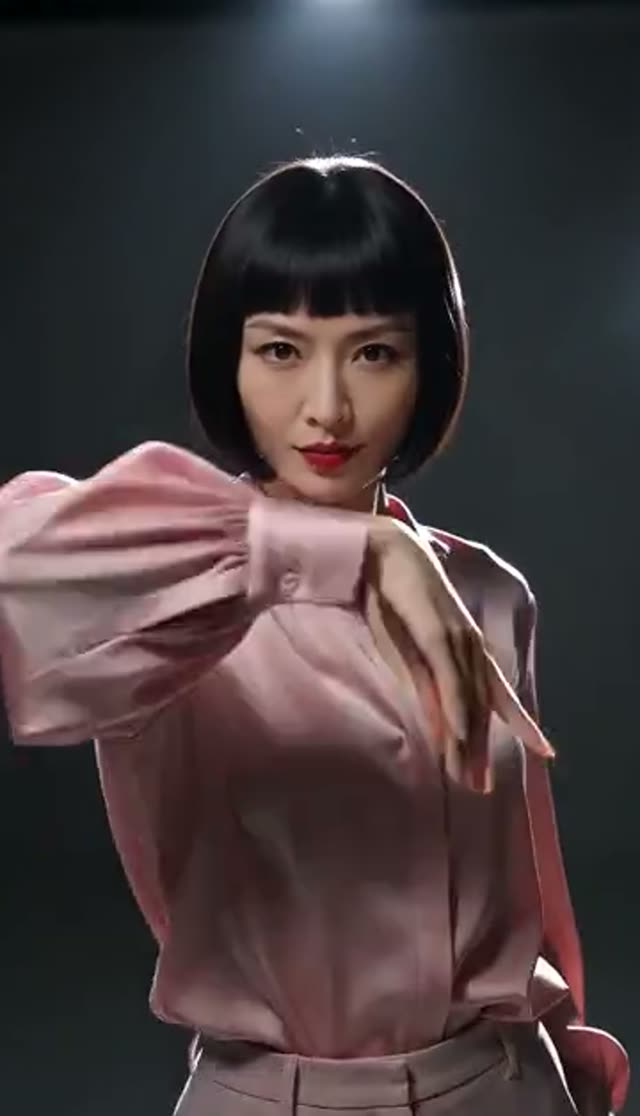
Dramatic
Make this with my photo
Sweet
Make this with my photo
How it works
- 1
Upload one portrait
Front-facing, mouth unobstructed. A hand already in frame near the chest or shoulder gives the model a real hand to move, which makes the gesture far more natural.
- 2
Choose a style
Playful (charming kiss, soft light), Sweet (tender kiss, warm light) or Dramatic (bold light, slow motion).
- 3
Add to the prompt if needed
The presets are one line, so it helps to add a background, which hand blows the kiss, or "keep the same face and hair".
- 4
Pick a model, length and aspect ratio
Runway Gen-3 is the default at 10 credits. Choose 9:16 for Reels, TikTok and WhatsApp status, 1:1 for feeds. The exact cost shows before you generate.
- 5
Generate and download
The clip lands in My Creations. Free-tier downloads are watermarked; after any purchase the clean MP4 downloads.
Why use this tool
One photo, one gesture
Upload, pick a style, generate. The shortest path from a still photo to a finished clip among the effect tabs.
Three styles that really differ
Playful and Sweet change the mood and lighting; Dramatic is the only one in slow motion, which is why it works as an intro or sign-off.
Cheap enough for several takes
At 7 to 10 credits on the value models, generating three takes and keeping the best is a realistic workflow.
Full image-to-video roster
Runway, Seedance, Kling, PixVerse, Vidu, WAN, Hailuo, Veo, Grok Imagine and more are selectable, because no keyframe stage restricts the picker.
Format set before rendering
Vertical, square or widescreen up front, so the hand and face stay inside the frame you publish.
Automatic refunds
If a generation fails, the credits go back to your balance.
Which model is best for a blowing kiss video?
Prices for 5 seconds at 720p unless noted, from the same credit table the picker uses. Hands are the hard part of this gesture, so stronger models pay off when fingers matter.
| Model | Credits | When to pick it |
|---|---|---|
| Seedance 1.5 Pro (480p, 4 s) | 3 | Cheapest quick test |
| ByteDance V1 Pro Fast | 7 | Cheapest 720p option |
| Seedance 1.5 Pro | 8 | Steady faces at low cost |
| P-Video | 8 | Alternative value model |
| Runway Gen-3 (default) | 10 | Carries face and hair with the hand most consistently |
| Seedance 2 Mini | 17 | Newer Seedance motion for less |
| PixVerse v4.5 | 22 | Better fingers and expression |
| Runway Gen-4.5 | 48 | Most compute for hands |
Read more: Runway Gen-3 · ByteDance V1 Pro Fast · PixVerse v4.5
Playful, Sweet or Dramatic?
Each preset loads a different instruction into the editable prompt.
| Style | What you get | Best for |
|---|---|---|
| Playful | Playful romantic air kiss, soft lighting | Story replies, fun posts |
| Sweet | Sweet, tender air kiss, warm lighting | Anniversary, Valentine and long-distance messages |
| Dramatic | Bold lighting, cinematic slow motion | Intros, sign-offs, fan edits |
What does a blowing kiss video cost?
Credits are taken only when the job is accepted; failed renders are refunded.
- One-time pack credits never expire; subscription credits reset each billing cycle.
- Free-tier downloads are watermarked. Any purchase unlocks clean downloads.
| What you make | Credits | Notes |
|---|---|---|
| 1 clip, Seedance 1.5 Pro, 480p, 4 s | 3 | Three tries fit in the free credits |
| 1 clip, Runway Gen-3, 720p, 5 s | 10 | Default; covered by the free credits |
| All 3 styles on ByteDance V1 Pro Fast | 21 | Compare every style in 720p |
| Lite pack, 300 credits | $19.50 one-time | 30 Runway Gen-3 clips or 42 V1 Pro Fast clips; or $15 a month |
What people make with AI blowing kiss videos
An air kiss is short, warm and readable at any size, so it fits many formats.
- Valentine's Day and anniversary posts: a Sweet air kiss from a favourite photo of your partner (with their agreement) or of yourself.
- Long-distance messages: send a kiss on WhatsApp, Instagram DMs or as a status at 9:16.
- Story replies and reel outros: the Dramatic slow-motion version as a sign-off.
- Fan edits and character art: illustrated or anime characters can blow a kiss if the face and a hand are visible.
- Greeting videos: birthdays, Mother's Day and thank-you clips that feel more personal than a sticker.
- Creator branding: a short air kiss as a recurring end card on a channel.
How the blowing kiss effect works
Blowing kiss is a direct effect tab. Your photo and the preset prompt go straight to the image-to-video model you pick, with no keyframe stage in between. That is why every image-to-video model is selectable here, while two-person tabs such as kissing and hugging run through a keyframe pipeline with a smaller list.
Your photo is the starting frame, so the person stays recognisable. The presets are short, one-line instructions, which gives the model freedom; adding your own line about the face, hair and which hand moves is the easiest way to get a more controlled gesture.
Tips for a natural air kiss
The gesture involves a hand, the lips and the eyes together.
- Pick a photo with at least one hand visible; inventing an arm from nothing is where cheap models fail.
- Keep the mouth unobstructed and well lit.
- Add "keep the exact same face and hair" to the prompt; the presets are one line and do not include an identity lock.
- If fingers look wrong, regenerate once, then move up to PixVerse v4.5 or Runway Gen-4.5.
- Five seconds suits the gesture; longer clips tend to invent extra motion after the kiss.
What the blowing kiss generator cannot do
Limits to plan around.
- It animates one person. For two people kissing, use the AI kissing or Kiss Me More tabs.
- Group photos are unpredictable: the model usually animates the most prominent face.
- The default model returns a silent clip; add music or a kiss sound in your editor.
Read more: How to make an AI blowing kiss video (guide) · AI Kissing Video Generator
Frequently asked questions
Is the AI blowing kiss generator free?
Your first clips are. New accounts get 10 free credits, which covers one Runway Gen-3 clip (10 credits), one ByteDance V1 Pro Fast clip (7) or three 4-second Seedance 1.5 Pro clips at 480p (3 each). Free results carry a watermark.
How do I make an air kiss video from a photo?
Upload a front-facing portrait to the blowing kiss tab, choose Playful, Sweet or Dramatic, pick a model and generate. The clip appears in My Creations within a few minutes.
Is a blowing kiss the same as an air kiss?
Yes. Both describe the same gesture: a hand to the lips and a kiss blown toward the camera. This tab makes that clip from one photo.
Will the face move, or just the hand?
That depends on the model. Runway Gen-3 and PixVerse v4.5 animate the face and hair with the hand most consistently. If a cheap model moves only the arm, add a line about the expression to the prompt.
The hand looks distorted. How do I fix it?
Regenerate first, since results vary run to run. Then recrop so the face and a hand are clearly in frame, and try PixVerse v4.5 (22 credits) or Runway Gen-4.5 (48). Failed jobs are refunded.
Will my clip have a watermark?
On the free tier, yes; you can download the watermarked copy. Any purchase, a one-time pack or a subscription, removes it.
Can I post it as a WhatsApp status or Reel?
Yes. Render at 9:16 and download the MP4. Many platforms ask you to label AI-generated video when you post.
Can I use a photo with two people?
The effect is built for one subject. For two people, the AI kissing or Kiss Me More tabs are the right tools.
Whose photos can I use?
Your own, or adults who agreed to be animated. Everyone in the upload must be 18 or over. Generations are moderated and may be rejected.