PixVerse v4.5: Text & Image to Video Online
Bottom line
PixVerse v4.5: enhanced quality on the same 5/8s format as v4, 720p from 22 credits, MODERATE filter. Start from a prompt or a still image in the Text to Video tool; VdoBloom shows the exact credit cost before each PixVerse v4.5 run, with no separate PixVerse account.
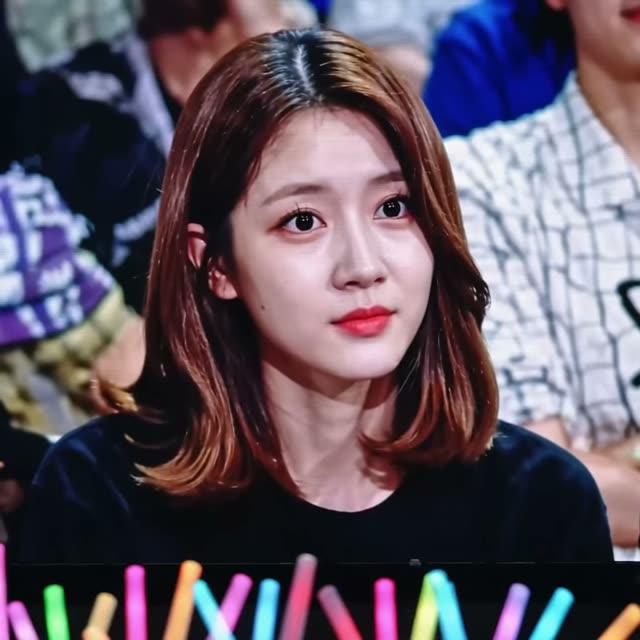
PixVerse v4.5 is the incremental step between AISphere's v4 and v5: identical footprint — text or image input, 5 or 8 second clips, 720p or 1080p, five aspect ratios (16:9, 9:16, 4:3, 3:4, 1:1), style/camera/motion controls — with enhanced generation quality layered on top. It's a cleaner result than v4 for creators who don't need to jump all the way to v5 or v5.5.
Pricing sits a step above v4: 22 credits for 5 seconds at 720p, 35 credits for 8 seconds at 720p, 30 credits for 5 seconds at 1080p, and 50 credits for 8 seconds at 1080p. The cost is shown before you generate and refunded automatically on failure.
It carries the family's 3.8 rating and MODERATE content filtering — standard, not the strictest tier. New accounts start with 10 free credits, and v4.5 is a reasonable place to continue a project originally generated on this exact tier, since switching PixVerse versions mid-series can introduce a visible style shift.
What it costs on VdoBloom
22 credits for 5 seconds at 720p, 35 credits for 8 seconds at 720p, 30 credits for 5 seconds at 1080p, and 50 credits for 8 seconds at 1080p. Every price is shown before you generate, and a failed render is refunded automatically. New accounts start with 10 free credits.
v4.5 vs v4 vs v5
v4.5 sits between v4 (cheaper, rougher) and v5 (VdoBloom's highest-quality PixVerse effects tier below v5.5) at a comparable price step each time — roughly 2-5 credits more than v4 per combination, and 3 credits less than v5. New work is usually better started on v5 or V6; v4.5 is most useful for matching an existing v4.5-generated series.
Common problems and how to avoid them
Like the rest of the PixVerse line, v4.5 favors a single clear effect or motion per prompt over several stacked transformations, which tend to lose coherence toward the end of the clip. If a render doesn't match expectations, regenerating with a simplified prompt is the cheapest fix — the credit cost is shown before every attempt, and only technical failures are refunded automatically, not creative mismatches.
What creators use PixVerse v4.5 for
- Continuing a content series already generated on v4.5 without a visible style break from switching models.
- Cleaner stylized clips than v4 delivers when the concept doesn't justify moving to v5 or higher.
- Rendering one 8-second concept across 16:9, 3:4, and 1:1 for placements that each need a native frame.
- A mid-price PixVerse option between v4's budget tier and v5's premium tier.
How to use PixVerse v4.5 on VdoBloom
- 1Open the Text to Video tool and select PixVerse v4.5 from the model picker.
- 2Write your prompt — or upload a starting image for image-to-video.
- 3Choose your duration (5–8s), quality (720p/1080p), aspect ratio, review the credit cost, and generate.
Frequently asked questions
What does PixVerse v4.5 improve over v4?
Enhanced generation quality on the identical 5/8-second, 720p/1080p format — cleaner detail and coherence, same input modes, aspect ratios, and overall speed-oriented character.
How much does PixVerse v4.5 cost?
22 credits (5s/720p), 35 credits (8s/720p), 30 credits (5s/1080p), and 50 credits (8s/1080p) — a step above v4's pricing for the same combinations.
Should I use v4.5 or skip to v5 or v6?
For new projects, PixVerse V6 or v5.5 offer more duration flexibility and, on V6, continuous per-second pricing. v4.5 mainly earns its place when extending footage already generated on it, since each PixVerse generation has a slightly different visual character and re-rendering on a newer tier can look inconsistent mid-series.
Is PixVerse v4.5 free?
New accounts get 10 free signup credits — less than half the cheapest 22-credit render. Full generations require purchased credits, with cost shown up front.
What aspect ratios and durations does PixVerse v4.5 support?
Five aspect ratios (16:9, 9:16, 4:3, 3:4, 1:1) and two durations (5 or 8 seconds), at 720p or 1080p — the same matrix as v4, just with better rendering quality.
How strict is PixVerse v4.5's content filter?
MODERATE, VdoBloom's standard tier — a middle ground between the STRICT filtering on Kling/Veo and a HOT-labeled model's permissiveness.
Does PixVerse v4.5 support image-to-video?
Yes — text-to-video and image-to-video in one model, sharing the same duration, resolution, and pricing options.
Is PixVerse open source?
No — it's AISphere's proprietary hosted model, not open-weights.