AI Bridal Carry Video Generator: Princess Carry Videos from Photos
The VdoBloom AI bridal carry video generator turns photos into a short clip of one partner sweeping the other up in the classic bridal carry, also called a princess carry. Upload a separate photo of each partner, or one photo, choose Romantic Carry or Sunset Carry and the AI animates the lift. The prompt stays editable, so you decide the location, outfits and who lifts whom.
Is it free? Your first clip can be. New accounts get 10 free credits and the tab opens on Runway Gen-3 at 5 seconds and 720p, which costs 10 credits. Free-tier results carry a VdoBloom watermark; any paid plan or credit pack removes it. The Lite pack is 300 credits for $19.50 one-time (never expires) or $15 a month, which covers 30 Gen-3 bridal carry clips.
Couples use it for wedding websites, save-the-dates, engagement announcements, reception slideshows and anniversary posts, because the real moment lasts seconds and is rarely filmed well. Use photos of adults who have agreed to appear; prompts are screened before a job runs.
Examples
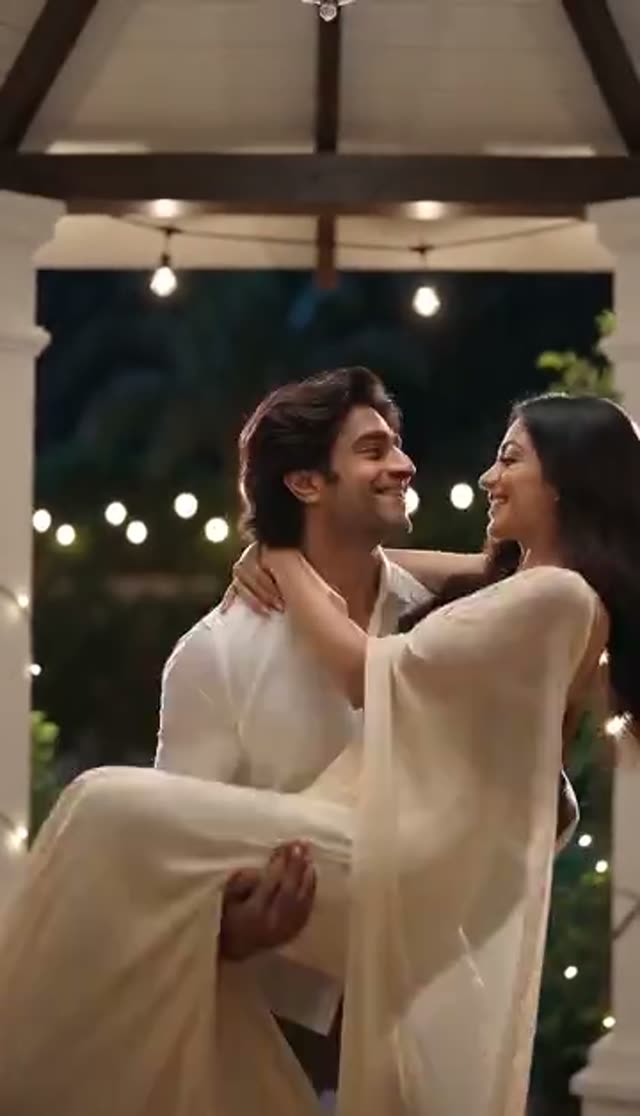
Romantic Carry
Make this with my photo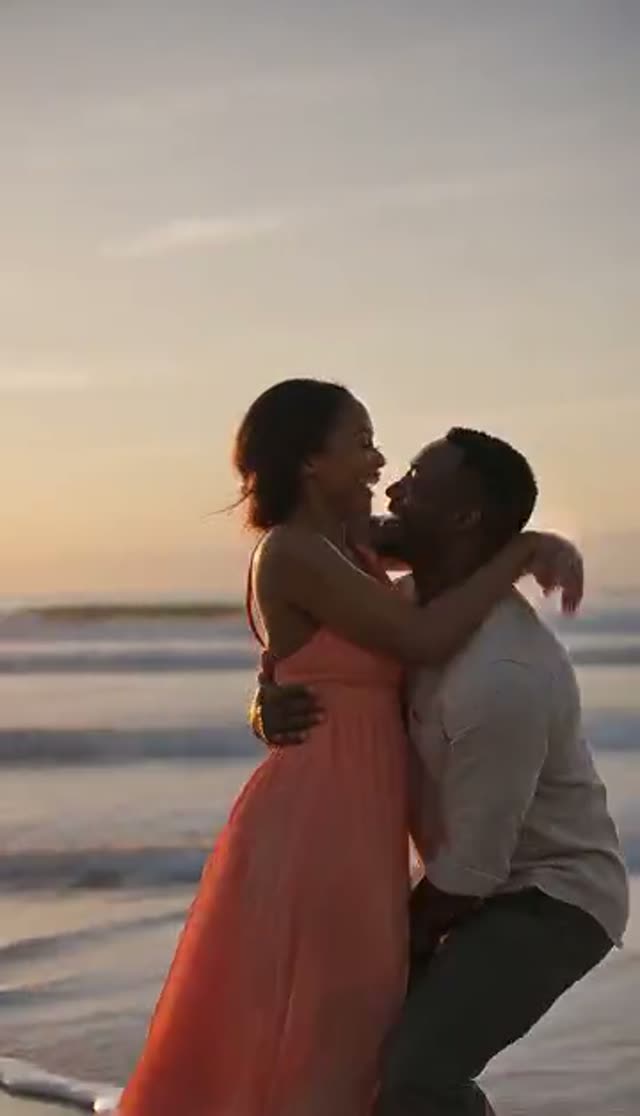
Sunset Carry
Make this with my photo
How it works
- 1
Choose one photo or two
Two photos: one portrait of each partner. One photo: by default the AI adds a partner who lifts the person in your picture; if your photo already shows you both, edit the prompt to describe the two of you.
- 2
Upload full-body or three-quarter photos
A carry is about how two bodies meet, so the model needs posture and height. Engagement and pre-wedding shoots are ideal input.
- 3
Pick Romantic or Sunset
Romantic Carry is tender and warmly lit; Sunset Carry moves it outdoors into golden-hour light.
- 4
Edit the scene
Name the place (a beach at dusk, a church aisle, a mandap, a hotel doorway), the outfits and the camera move. Both templates are written as a man lifting a woman, so rewrite that line for any other couple.
- 5
Set model, length and ratio
Runway Gen-3 at 5 seconds and 720p is the 10-credit default. Choose 9:16 for Instagram and WhatsApp status, 16:9 for a venue screen.
- 6
Generate and share
The clip lands in My Creations in a few minutes. Check both faces and the arms, then download.
Why use this tool
The pose nobody has on video
Generate a moving version of the bridal carry from photos you already have, without restaging it.
Golden hour on demand
Sunset Carry gives low, warm golden-hour light from a photo taken at any time of day.
Two separate photos, one scene
In two-photo mode both partners are first placed into one full-body frame with room above them for the lift, then animated.
Any couple, any setting
The prompt controls who lifts whom, outfits and location, so a lehenga, a suit or a sundress stays as described.
Models that read both photos
Two-photo mode offers Runway, Kling, PixVerse, Vidu and LTX-2 Fast, plus Seedance 2, Gemini Omni and Veo 3 Fast as direct two-reference models.
Part of a wedding set
The same photos feed the couple dance, wedding invite and save-the-date tools for matching content.
Which model should I use for a bridal carry video?
Credits per clip. Two-photo mode lists models that can use both photos; one-photo mode opens the full image-to-video list.
| Model | Clip | Credits | Photo mode |
|---|---|---|---|
| ByteDance V1 Pro Fast | 5 s at 720p | 7 | One photo only |
| Runway Gen-3 (default) | 5 s / 10 s at 720p | 10 / 20 | One or two photos |
| PixVerse v3.5 / Vidu Q2 Turbo | 5 s at 720p | 18 | One or two photos |
| LTX-2 Fast | 6 s at 1080p | 20 | One or two photos |
| Runway Gen-4 Turbo / PixVerse v4 / Vidu Q3 Turbo | 5 s at 720p | 20 | One or two photos |
| Seedance 2 Fast | 5 s at 480p / 720p | 24 / 50 | Reads both photos as references |
| PixVerse v5 | 5 s at 720p | 25 | One or two photos |
| Kling V2.5 Turbo | 5 s | 40 | One or two photos |
| Runway Gen-4.5 | 5 s | 48 | One or two photos |
| Seedance 2 | 5 s at 720p | 82 | Reads both photos as references |
What a bridal carry video costs
Worked examples with the Lite pack (300 credits):
| Clip | Credits each | Clips from 300 credits |
|---|---|---|
| Runway Gen-3, 5 s, 720p | 10 | 30 |
| Runway Gen-3, 5 s, 1080p | 20 | 15 |
| PixVerse v5, 5 s, 720p | 25 | 12 |
| Kling V2.5 Turbo, 5 s | 40 | 7 |
| Runway Gen-4.5, 5 s | 48 | 6 |
Is the AI bridal carry generator free?
One clip is. The 10 free signup credits cover a 5-second 720p Runway Gen-3 bridal carry. Free-tier results carry a VdoBloom watermark, so for a wedding website or a reception screen you will want a paid plan or credit pack, which removes it. One-time pack credits never expire, which suits wedding content made over several weeks.
One photo vs two photos
Two photos: for most models, WAN 2.7 first places both partners side by side in one full-body frame with the floor visible and space above them, then the video model animates the lift. Seedance 2, Gemini Omni and Veo 3 Fast take both photos directly as references. If the fusion step fails, nothing is charged.
One photo: the template prompt asks the AI to generate a partner who lifts the person in the photo. If your picture already shows both of you, rewrite the prompt to describe the two people in it.
The two bridal carry templates
Both load an editable prompt:
| Template | Setting and light | Good for |
|---|---|---|
| Romantic Carry | Tender, loving lift in warm light | Wedding websites, indoor venues, anniversaries |
| Sunset Carry | Outdoor lift at golden hour | Save-the-dates, beach and destination weddings |
Prompt ideas to try
Swap in a line like these:
- Carrying her over the threshold of a hotel suite, warm lamp light, slow push-in.
- Princess carry down a church aisle, petals falling, guests blurred.
- On a beach at sunset, he spins slowly while holding her, dress moving in the wind.
- Bride in a red lehenga carried through a garden lit with marigold strings.
- Two grooms in navy suits, one carrying the other, confetti, city hall steps.
Tips for a convincing carry
What helps most:
- Use full-body or three-quarter photos; head-and-shoulders crops leave the model guessing the pose.
- Name the outfits in the prompt so a gown or lehenga is not reinterpreted.
- State who lifts whom explicitly, especially in two-photo mode.
- For the closest likeness, use one photo of you together and describe both people.
- Re-run on a different model family if faces drift; likeness varies between them.
Limits and content rules
Clips are short (mostly 4 to 10 seconds), and arms under the knees and back are the hardest part for any model, so expect to regenerate occasionally. The built-in prompts assume a man lifting a woman; any other pairing needs a one-line prompt edit. There is no batch option, so each variation is a separate generation.
Use photos of adults who have agreed to be in the video. Uploads stay in your private library, prompts are screened and generations follow VdoBloom's content policies.
What couples make with it
Common uses:
- Save-the-date and engagement announcement clips.
- Wedding website hero videos and reception slideshows.
- Anniversary and Valentine's Day posts.
- Pre-wedding content in a style that matches the invite video.
- Couples who never got the moment on video at their own wedding.
Frequently asked questions
How do I make an AI bridal carry video?
Upload one portrait of each partner in two-photo mode, or one photo, choose Romantic Carry or Sunset Carry, edit the prompt if needed, pick a model and generate. A 5-second Runway Gen-3 clip at 720p costs 10 credits.
What is the difference between a bridal carry and a princess carry?
They are the same pose: one person carries the other across their arms, one arm under the back and one under the knees. This tab makes either.
Is the AI bridal carry generator free?
New accounts get 10 free credits, enough for one 5-second 720p Runway Gen-3 clip. Free-tier results are watermarked; any paid plan or credit pack removes it.
Can I use two separate photos?
Yes. Both partners are placed into one full-body frame, then animated. Seedance 2, Gemini Omni and Veo 3 Fast read both photos directly as references.
What kind of photo works best?
A clear full-body or above-the-thigh photo with faces visible. Engagement and pre-wedding photos are ideal because they are sharp and well lit.
The templates say a man lifting a woman. Can we change that?
Yes. The prompt is fully editable. Rewrite it to describe your couple: who lifts, who is carried and what each person is wearing.
Can I make a bridal carry video with just one photo of me?
Yes. In one-photo mode the AI generates a partner who lifts you. If your one photo shows both of you, edit the prompt to describe you both.
Which model gives the most realistic lift?
Draft on Runway Gen-3 (10 credits). For smoother body motion try Kling V2.5 Turbo (40) or Runway Gen-4.5 (48); Seedance 2 (82 at 720p) reads both photos directly.
Can I use the video on our wedding website?
Yes, once the watermark is removed with a paid plan or credit pack. Generate in 16:9 for a website hero or a venue screen, 9:16 for Stories.
Are our photos private?
Yes. Uploads and results stay in your library and are not published. Use photos of adults who have agreed to it; generations follow VdoBloom's content policies.