Kling V2.5 Turbo: Image to Video Online
Bottom line
Kling V2.5 Turbo turns one photo into a 5- or 10-second clip for 40 or 80 credits, no prompt required. Upload a starting frame, choose Kling V2.5 Turbo in the Image to Video tool, and animate it on VdoBloom — the credit price appears before every generation.
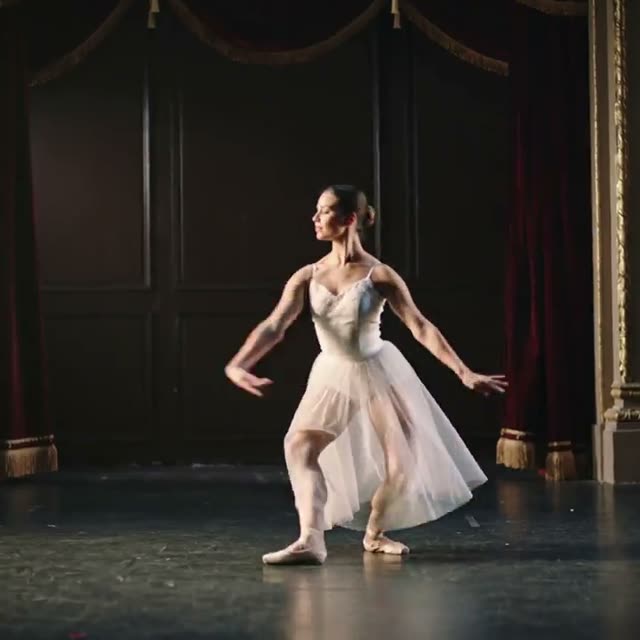
Kling V2.5 Turbo is Kuaishou's image-to-video model on VdoBloom: it only accepts a still photo and turns it into motion, with no text-to-video mode. You pick a 5-second or 10-second output, VdoBloom shows the exact credit cost before you generate, and the aspect ratio follows whatever shape your source image already is rather than a separate ratio picker.
There's no quality tier to choose either — V2.5 Turbo ships one output resolution per generation, and price scales only with the length you pick: 40 credits for 5 seconds, 80 credits for 10 seconds. The 10 free credits every new account starts with won't quite cover a 5-second clip on their own, so V2.5 Turbo is really a credit-pack model.
On VdoBloom it sits in the same Kling family as three newer entries — Kling V3 Turbo, Kling 3.0, and Kling 3.0 Omni — which add text-to-video, resolution tiers up to 4K, and native audio that V2.5 Turbo doesn't have. It remains the cheapest, simplest Kling option when the job is 'take this photo and make it move' with no prompt engineering.
What it costs on VdoBloom
Kling V2.5 Turbo is priced flat by duration: 40 credits for a 5-second clip, 80 credits for 10 seconds. There's no resolution or aspect-ratio selector that changes that number — the price you see before you click generate is the price you pay, and it's refunded automatically if the generation fails.
Because the 10 free signup credits don't cover even the cheaper 5-second option, this model is best budgeted for with a credit pack rather than tested purely on the free grant.
Kling V2.5 Turbo vs Kling 3.0 Omni Image-to-Video
Both are Kling image-to-video models on VdoBloom, but they target different jobs. V2.5 Turbo is 5 or 10 seconds, one fixed resolution, no audio, and a flat 40/80-credit price — the cheapest way to animate a photo. Kling 3.0 Omni Image-to-Video runs 3–15 seconds with 720p/1080p/4K tiers and native audio always on, priced per second and resolution (see the Kling 3.0 Omni page for the table).
Pick V2.5 Turbo for a fast, cheap loop from a single image. Pick Kling 3.0 Omni Image-to-Video when you need a specific duration, a higher resolution, or synced audio in the output.
What creators use Kling V2.5 Turbo for
- Turning a single product photo into a short looping motion shot without writing a prompt.
- Quick, low-cost image-animation tests before committing credits to a pricier Kling tier.
- Animating a portrait for a profile or intro clip where a 5–10 second loop is enough.
How to use Kling V2.5 Turbo on VdoBloom
- 1Open the Image to Video tool and select Kling V2.5 Turbo from the model picker.
- 2Upload your starting image and describe the motion you want in the prompt.
- 3Choose your duration (5–10s), review the credit cost, and generate.
Frequently asked questions
How much does Kling V2.5 Turbo cost on VdoBloom?
It's duration-based: a 5-second clip costs 40 credits and a 10-second clip costs 80 credits. There's no resolution or aspect-ratio choice that changes the price — the cost is shown before you generate either way.
Is Kling V2.5 Turbo free to use?
New VdoBloom accounts start with 10 free credits, which is enough to preview the tool but not to finish a 5-second Kling V2.5 Turbo clip (40 credits) on its own — you'll need a credit top-up for a full generation.
Does Kling V2.5 Turbo support text-to-video?
No. On VdoBloom it's image-to-video only — you upload a photo and it animates that image; there's no text-only generation mode for this variant.
How long can a Kling V2.5 Turbo video be?
Two options: 5 seconds or 10 seconds. There's no custom duration in between.
Can I guide Kling V2.5 Turbo's motion with a prompt?
Yes — an optional text prompt (up to 2,500 characters, VdoBloom's limit for every Kling model) can describe the motion or camera move you want layered on top of the source photo.
Is Kling V2.5 Turbo's content filter strict?
VdoBloom rates Kling's content filter STRICT across the whole family, including V2.5 Turbo: the provider rejects sexual, violent, and other policy-violating uploads or prompts before generation runs.
Is Kling AI open source?
No. Kling is a proprietary model from Kuaishou, available only through its API — VdoBloom runs it the same way.
What happens if my Kling V2.5 Turbo generation fails?
VdoBloom shows the credit cost up front, and if a generation fails for any reason the credits are refunded automatically — you don't need to file a support request.
How is Kling V2.5 Turbo different from Kling 3.0 Omni Image-to-Video?
V2.5 Turbo is fixed at one resolution with no audio and only 5s/10s durations. Kling 3.0 Omni Image-to-Video runs 3–15 seconds, offers 720p/1080p/4K tiers, and generates native audio on every clip — for more money per second but far more control.