Jellycat AI Video Generator: Turn a Pet, Person or Object into a Plush Toy
A Jellycat AI video turns whatever is in your photo into a soft, cuddly plush toy and animates it: stitched fabric texture, round button eyes, rounded proportions and pastel colours, moving with the gentle wobble of a real stuffed animal. It is the plushie filter trend in video form. On VdoBloom you upload one photo of a pet, a person or an object, choose a template, and the AI renders a short clip. The tab opens on Runway Gen-3 at 10 credits for five seconds at 720p, and new accounts get 10 free credits, enough for one clip (free renders carry a watermark).
Three templates set what the plush does: Classic Jellycat performs the transformation and settles into cosy motion, Jellycat Dance gives it a bouncy jig, and Jellycat Peek-a-boo plays hide-and-reveal. Each prompt is editable, so you can choose the fabric colour, the toy size or where it sits.
Pets are the favourite subject, followed by mugs, cars, plants and local landmarks. The clips suit TikTok and Reels, gifts for pet owners and playful brand posts for your own products.
Examples
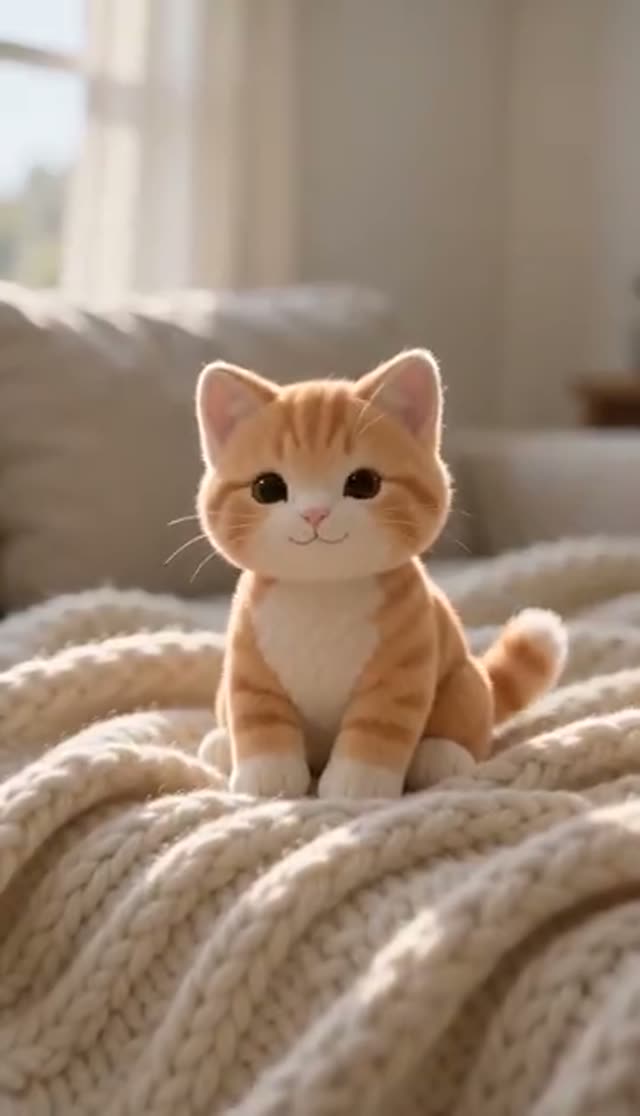
Classic Jellycat
Make this with my photo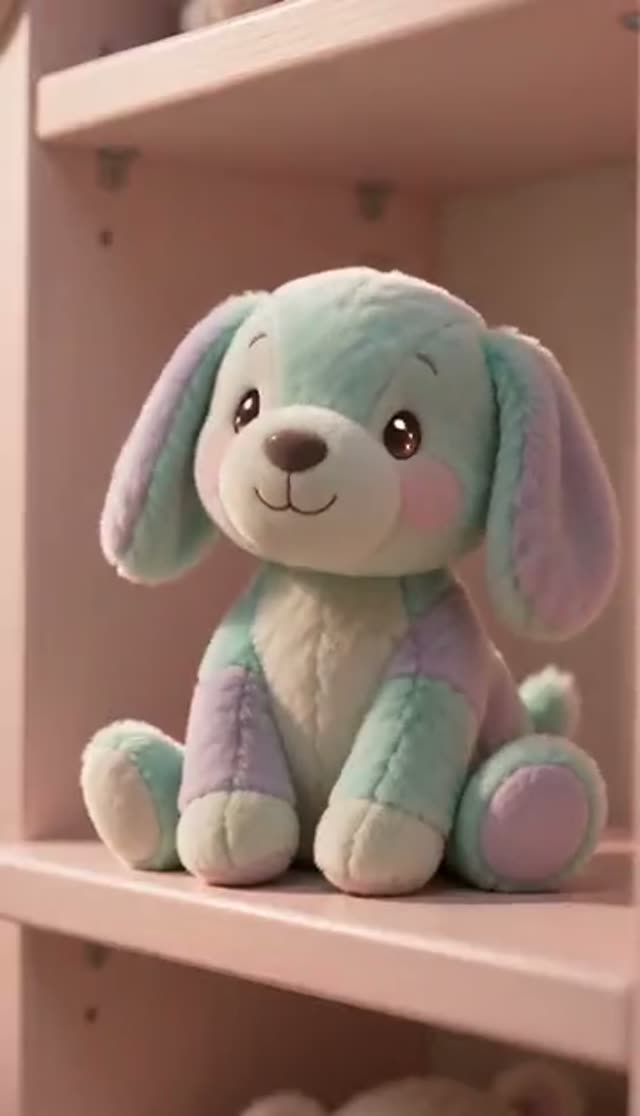
Jellycat Dance
Make this with my photo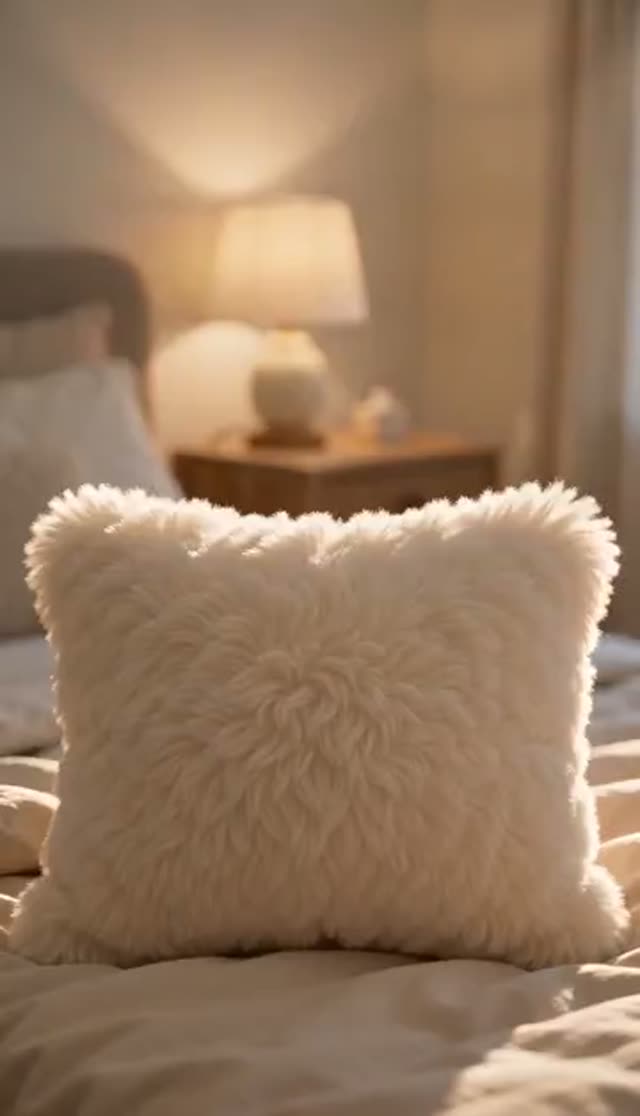
Jellycat Peek-a-boo
Make this with my photo
How it works
- 1
Upload a photo of any subject
A pet, person or object, up to 10 MB. Keep the whole subject in frame with a little space around it; the plush version needs room for rounder proportions.
- 2
Choose the plush action
Classic Jellycat for a calm transformation, Jellycat Dance for a bouncy jig, or Jellycat Peek-a-boo for a hide-and-reveal. The prompt appears in the box before you spend credits.
- 3
Name the fabric details
Edit the prompt to ask for a colour, a rounder body, visible seams or a blanket underneath, for example "matte pastel fabric, visible stitched seams".
- 4
Pick a model, length and shape
Runway Gen-3 is the default (5 or 10 seconds). Choose 9:16 for Reels and TikTok, 1:1 for a feed post, or 16:9 for a slideshow.
- 5
Generate and download
Renders take a few minutes and save to My Creations. Judge the outline first: if it reads as a toy from across the room, the texture holds up close. Failed jobs refund automatically.
Why use this tool
Any subject works
The transformation works from the outline of the subject, not a detected face, so pets, plants, cars and household objects convert as well as people.
Fabric cues built into the prompt
Stitched seams, button eyes and a soft matte surface are requested by default, which is what makes it read as a stuffed toy rather than a smooth 3D render.
Three behaviours
A cosy settle shows off texture, a dance shows the plush wobble, and peek-a-boo adds playful movement in and out of frame.
Colour, size and setting in plain words
Ask for a specific pastel, a smaller toy, a windowsill or a blanket, and the model follows.
Model choice on the tab
Runway, Seedance, PixVerse, Kling, Vidu, Wan, P-Video and LTX-2 Fast are in the picker; PixVerse leans more animated, which suits a toy look.
Refunds on failed jobs
If a render errors out, the credits come back automatically.
What is the Jellycat AI filter?
It is a fan-made trend, also called the plushie filter or stuffed-animal filter, that turns selfies, pets and everyday objects into soft-toy versions of themselves, inspired by the look of popular designer plush toys. Most apps make a still image. This tab makes a moving clip in one step: the image-to-video model rounds the subject into a plush shape, re-textures it as fabric and animates it together.
Which model should I use for a plush toy video?
Runway Gen-3 is the default and gives smooth camera movement. Credits are per clip.
| Model | Lengths | Credits per clip | Good to know |
|---|---|---|---|
| Runway Gen-3 (tab default) | 5 s or 10 s | 10 / 20 at 720p, 20 / 30 at 1080p | Smooth, calm motion; suits Classic |
| Seedance 1.5 Pro | 4 to 14 s | 1.5 credits per second at 720p (8 for 5 s) | Holds soft texture; good for trying several templates |
| ByteDance V1 Pro Fast | 5 s or 10 s | 7 / 15 at 720p | Fast drafts; aspect ratio follows your photo |
| PixVerse v4.5 | 5 s or 8 s | 22 / 35 at 720p | More animated motion; flatters the Dance template |
Read more: Runway Gen-3 model page · Seedance 1.5 Pro model page
Is the Jellycat AI video free?
One clip is. New accounts get 10 free credits, and the default Runway Gen-3 clip (five seconds, 720p) costs 10. Seedance 1.5 Pro costs 8 for the same clip. Free renders play and download with a VdoBloom watermark; any credit pack or plan removes it.
The Lite pack is 300 credits for $19.50 one-time (credits never expire) or $15 a month. No card is needed to sign up.
| What 300 Lite credits buy | Clips (5 s, 720p) |
|---|---|
| Runway Gen-3 (tab default, 10 each) | 30 |
| Seedance 1.5 Pro (8 each) | 37 |
| ByteDance V1 Pro Fast (7 each) | 42 |
| PixVerse v4.5 (22 each) | 13 |
Read more: See all credit packs and plans
The three plush templates
Pick by what you want the toy to do.
| Template | What happens | Best for |
|---|---|---|
| Classic Jellycat | The subject becomes a plush toy and settles with gentle, cosy movement | Showing the fabric texture; pets and objects |
| Jellycat Dance | The plush does a bouncy little dance | Fun posts and loops |
| Jellycat Peek-a-boo | The plush hides and reveals itself playfully | Photos with a simple, uncluttered background |
Plush prompt ideas
Add one of these to the template text:
- Sage-green fabric, extra round body, sitting on a knitted blanket by a window.
- Tiny plush version on a bookshelf, soft morning light, slow push-in.
- Cream corduroy texture, floppy ears, gentle sway as if placed on a table.
- Plush coffee mug with a smiling face, steam made of soft felt, cosy café background.
- Pastel pink plush car rolling slowly across a bed, button headlights.
What people turn into plush toys
Anything with a clear outline works:
- Pets: cats, dogs, rabbits and birds keep their markings in plush form.
- Yourself or a partner, as a gift or profile clip (adults who agreed to it).
- Everyday objects: mugs, trainers, plants, a first car.
- Local landmarks and buildings, a popular trend on TikTok and Instagram.
- Your own products, for playful social posts.
Tips for a convincing plush
The conversion rounds off the outline, so framing matters more than facial detail.
- Show the whole subject with space around it; a tight face crop produces a smoothed head, not a toy.
- Side-on or three-quarter shots of pets work better than face close-ups.
- If it looks too realistic, add "no realistic fur, matte fabric, visible stitched seams, button eyes".
- Thin structures (railings, bike spokes, bare branches) have little volume to inflate.
- Use a clean background for Peek-a-boo so the model does not have to rebuild clutter.
Limits worth knowing
The tab works from one photo per clip; to get a person and their pet together, upload a photo of both. There is no fluffiness slider; texture and colour are set through the prompt. Clips are short and silent. The look is a general soft-toy aesthetic; VdoBloom is not connected to the Jellycat brand and does not reproduce its products, labels or logos on purpose.
Frequently asked questions
Is the Jellycat AI video free?
Your first clip can be. New VdoBloom accounts get 10 free credits, and the default Runway Gen-3 clip at five seconds and 720p costs 10. Seedance 1.5 Pro costs 8. Free renders carry a VdoBloom watermark; a credit pack or plan removes it.
How do I turn a photo into a Jellycat-style plush video?
Open the Jellycat tab, upload a photo of a pet, person or object, choose Classic Jellycat, Jellycat Dance or Jellycat Peek-a-boo, pick a model and aspect ratio, and press generate. The clip is saved to My Creations after a few minutes.
Can I turn my pet into a plush toy video?
Yes, pets are the most popular subject. Upload a clear photo where the whole animal is visible; side-on or three-quarter shots work better than face close-ups because the plush shape is built from the full outline.
Does it work on objects?
Yes. Mugs, shoes, plants, cars and buildings convert well because the effect reshapes the outline rather than looking for a face. Objects with simple, solid shapes work best; very thin structures are the weak case.
How much does a plush video cost?
At five seconds and 720p: Runway Gen-3 (the default) is 10 credits, Seedance 1.5 Pro is 8, ByteDance V1 Pro Fast is 7 and PixVerse v4.5 is 22. The Lite pack is 300 credits for $19.50 one-time, about 30 Runway Gen-3 clips.
The plush came out too realistic. How do I fix it?
Add material words to the prompt, such as "exaggerated round plush proportions, matte fabric, visible stitched seams, button eyes, no realistic fur". If it still looks too real, switch to PixVerse, which leans more stylised.
Can I post it on TikTok or Instagram?
Yes. Free-tier clips carry a VdoBloom watermark; any paid credit pack or plan gives a clean MP4. Render 9:16 for TikTok and Reels or 1:1 for a feed post.
Can a person and their pet be in the same clip?
Yes, if both are in the photo you upload. The effect applies to the whole frame, so both become plush figures and their relative size is usually kept. The tab cannot merge two separate photos.
Is this affiliated with Jellycat?
No. VdoBloom is independent and has no affiliation, endorsement or licence from Jellycat. The tool creates video in a general soft plush-toy style for personal and fan-style content. Keep that in mind before any commercial use.
What can I upload, and is it private?
Your own pets and objects freely; photos of people must be of adults who agreed to it. Uploads are used only for your generation and stay in your account; VdoBloom does not publish them. Prompts are moderated before they run.