HappyHorse Reference-to-Video 1.0: Image to Video Online
Bottom line
Reference-driven HappyHorse video: keep a subject consistent across new 4-15s scenes, not just one frame. Upload a starting frame, choose HappyHorse Reference-to-Video 1.0 in the Image to Video tool, and animate it on VdoBloom — the credit price appears before every generation.
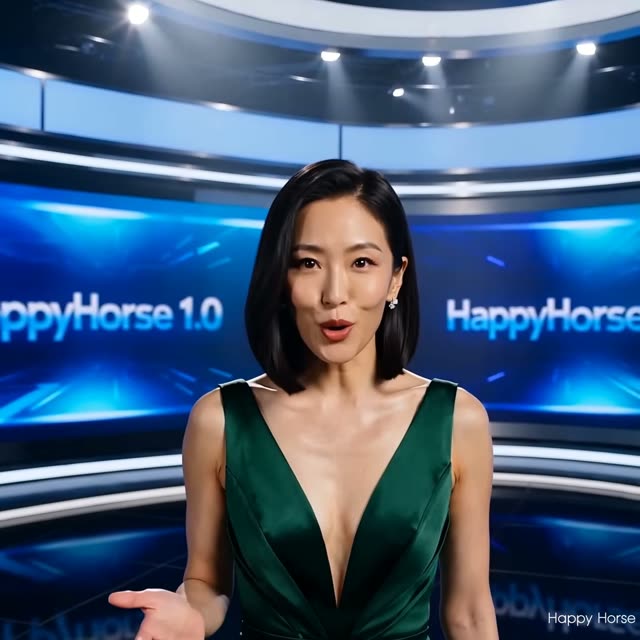
HappyHorse Reference-to-Video 1.0 solves a different problem than ordinary image animation. Instead of treating your upload as a first frame to set in motion, it treats reference images as a guide to who the subject is, then generates a new prompted scene around them. The practical payoff is consistency — the same character, mascot, or product appearing across multiple clips without drifting into someone or something else by the third shot.
Duration runs 4 to 15 seconds at any whole second, output is 720p or 1080p, and framing covers five aspect ratios: 16:9, 9:16, 1:1, 4:3, and 3:4. Pricing matches the rest of the HappyHorse 1.0 line at roughly 11.5 credits per second at 720p and 19.7 at 1080p, flat across durations.
The 1.1 revision extends this same reference-driven workflow to four additional ratios, including 21:9 ultrawide and 9:21 vertical, at the same price structure. Content filtering is VdoBloom's standard MODERATE tier, and because reference images establish a real subject, likeness rights apply the same way they would to any generated media featuring a recognizable person.
What it costs on VdoBloom
Priced per second like the rest of the HappyHorse 1.0 line: about 11.5 credits/second at 720p, 19.7 at 1080p, flat across the 4-15 second range. A 4-second 720p clip is 46 credits; a 15-second 1080p clip is 295 credits, the ceiling.
Reference-to-video vs image-to-video
Both cost the same per second and share the same duration range, so the choice is purely about what you're trying to produce. Use image-to-video when you want that exact photo to move. Use reference-to-video when you want a subject to appear consistently across several different, newly generated scenes rather than animating one fixed composition.
What creators use HappyHorse Reference-to-Video 1.0 for
- Keeping a brand mascot or recurring character consistent across an episodic series of clips.
- Placing one product into multiple generated settings — lifestyle, studio, outdoor — from a single reference set.
- Producing matched clips of the same subject across widescreen, vertical, and square deliverables.
- Building a small campaign around one recurring character without a new reference shoot per scene.
How to use HappyHorse Reference-to-Video 1.0 on VdoBloom
- 1Open the Image to Video tool and select HappyHorse Reference-to-Video 1.0 from the model picker.
- 2Upload your starting image and describe the motion you want in the prompt.
- 3Choose your duration (4–15s), quality (720p/1080p), aspect ratio, review the credit cost, and generate.
Frequently asked questions
How is reference-to-video different from image-to-video?
Image-to-video animates your upload as the literal opening frame — the composition you supplied is what starts moving. Reference-to-video instead uses your images as a guide to the subject's identity and generates an entirely new prompted scene around that subject, so the output isn't a moving version of your source photo.
What does HappyHorse Reference-to-Video 1.0 cost?
The same per-second rate as the rest of the HappyHorse 1.0 line: about 11.5 credits/second at 720p, 19.7 at 1080p. A 6-second 720p clip is 69 credits; a 12-second 1080p clip is 236 credits.
What aspect ratios can I render in?
Five: 16:9, 9:16, 1:1, 4:3, and 3:4. If a project needs 21:9 ultrawide or feed ratios like 4:5, the 1.1 revision of this same reference workflow adds them at the same price structure.
What is reference-to-video best at keeping consistent?
Recurring characters, products, and visual styles across multiple clips, since the same reference images can drive many separate generations without a subject morphing between runs — a common complaint with models that only animate a single fixed frame.
Is there a free way to test this?
New VdoBloom accounts start with 10 free credits, which won't cover a full HappyHorse clip on its own (the cheapest is 46 credits for 4 seconds at 720p) but is enough to look at settings and pricing before topping up.
What's the content policy on reference-to-video?
MODERATE, VdoBloom's standard filtering tier. Because this workflow generates new scenes around a recognizable subject, reference images of real people should be ones you have the right to use — the provider's filters block prohibited content categories, but likeness rights are a separate consideration the filter doesn't police for you.
How many reference images can I use?
The settings panel accepts a small set of reference images for this mode rather than a single photo — enough to give the model a clear, consistent look at the subject from more than one angle. The exact upload limit is enforced in the tool itself; if an upload is rejected, trim to your clearest 1-3 images of the subject and try again.
How does HappyHorse Reference-to-Video 1.0 compare with the 1.1 version on price?
1.1 is cheaper per second on VdoBloom (about 9 credits/second at 720p, 11.75 at 1080p, versus 1.0's roughly 11.5/19.7) and adds four extra aspect ratios (4:5, 5:4, 21:9, 9:21) on top of 1.0's five. Unless you're matching an existing 1.0-based workflow, 1.1 is the better default for this mode.