HappyHorse Text-to-Video 1.0: Text to Video Online
Bottom line
HappyHorse 1.0's original prompt-to-video model: 4-15s clips at 720p or 1080p in five aspect ratios. Type a prompt into the Text to Video tool and HappyHorse Text-to-Video 1.0 renders it on VdoBloom credits — the cost is shown before you commit, and no HappyHorse API key is needed.
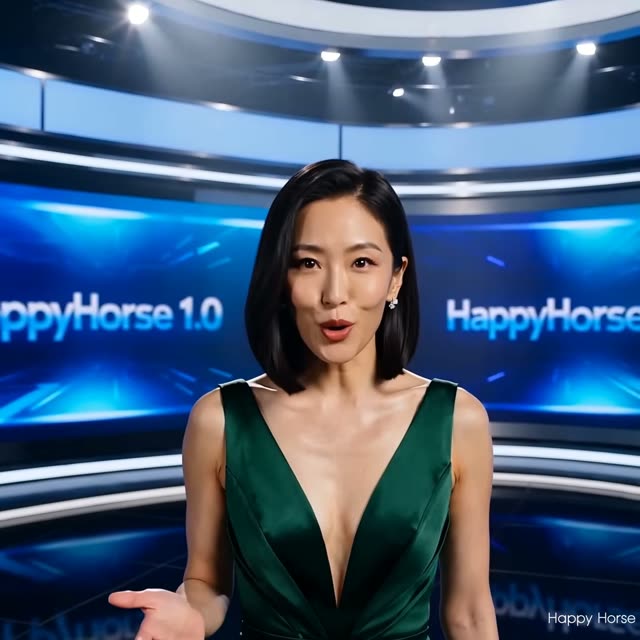
HappyHorse Text-to-Video 1.0 is the first release in VdoBloom's HappyHorse line, generating video straight from a text prompt. Clips run 4 to 15 seconds in one-second steps at 720p or 1080p, and framing covers five formats: 16:9, 9:16, 1:1, 4:3, and 3:4. It remains in the catalog alongside the newer 1.1 revision because the core generation behavior — duration range, resolution tiers — hasn't changed; what 1.1 adds is a wider set of aspect ratios.
Pricing runs about 11.5 credits per second at 720p and 19.7 credits per second at 1080p, the same rate regardless of clip length, so cost scales predictably with duration. VdoBloom shows the exact credit total for your chosen settings before you generate, which makes the standard draft-at-720p, finish-at-1080p workflow easy to plan against.
Content filtering sits at VdoBloom's MODERATE tier — standard rules, no unusual strictness in either direction. If a project needs 21:9 ultrawide, its 9:21 vertical mirror, or the 4:5/5:4 feed ratios, that's what the 1.1 revision adds; for the five standard formats, 1.0 is a known, predictable option.
What it costs on VdoBloom
HappyHorse 1.0 prices per second, flat across all durations: about 11.5 credits/second at 720p, 19.7 at 1080p. A 4-second 720p clip is 46 credits; a 10-second 720p clip is 115; a 15-second 1080p clip is 295. Because the rate doesn't change with length, doubling your duration roughly doubles the price — there's no volume discount for longer clips on this model.
HappyHorse 1.0 vs 1.1 Text-to-Video
Same durations (4-15s), same resolutions (720p/1080p), same price per second, same 4.8 catalog rating. The only functional difference is aspect ratio: 1.0 covers the five standard formats (16:9, 9:16, 1:1, 4:3, 3:4), while 1.1 adds four more — 4:5, 5:4, 21:9, and 9:21 — for feed-native and cinema-ultrawide framing. If your deliverable formats are all covered by 1.0's five ratios, there's no cost or quality reason to prefer 1.1 over it.
What creators use HappyHorse Text-to-Video 1.0 for
- Standard-format social video in 16:9, 9:16, or 1:1 where the five core ratios cover the deliverable.
- Longer prompt-driven scenes up to 15 seconds, such as a full camera push-in or a two-beat action.
- Teams with prompt libraries already tuned against 1.0 who want repeatable, predictable output.
- Draft-then-finish work: cheaper 720p passes before a 1080p final.
How to use HappyHorse Text-to-Video 1.0 on VdoBloom
- 1Open the Text to Video tool and select HappyHorse Text-to-Video 1.0 from the model picker.
- 2Write your prompt.
- 3Choose your duration (4–15s), quality (720p/1080p), aspect ratio, review the credit cost, and generate.
Frequently asked questions
What does HappyHorse Text-to-Video 1.0 cost?
About 11.5 credits per second at 720p and 19.7 credits per second at 1080p. Concretely: a 4-second 720p clip is 46 credits, a 10-second 720p clip is 115 credits, and a 15-second 1080p clip is 295 credits. The exact price shows before you generate.
Is HappyHorse free to use?
New VdoBloom accounts start with 10 free credits. That's not enough to cover even the cheapest HappyHorse 1.0 clip (a 4-second 720p run is 46 credits), so this model is better tried after a top-up, or after testing a cheaper model first with the starting balance.
Why use HappyHorse 1.0 when 1.1 exists?
The core spec is identical — 4 to 15 second clips at 720p or 1080p, priced the same. If your work ships in the five standard ratios 1.0 covers, it's a known quantity, and prompts already tuned against it keep behaving predictably rather than needing a re-check on the newer version.
Which aspect ratios does HappyHorse 1.0 support?
Five: 16:9, 9:16, 1:1, 4:3, and 3:4. For 21:9 ultrawide, its 9:21 vertical mirror, or the 4:5/5:4 feed ratios, the 1.1 revision adds those on top of the same duration and price structure.
Is HappyHorse censored?
VdoBloom rates HappyHorse Text-to-Video 1.0 MODERATE — standard filtering comparable to most mainstream video providers. Typical creative and commercial prompts generate normally; explicit or otherwise prohibited content is blocked.
How long can a HappyHorse 1.0 clip be?
Anywhere from 4 to 15 seconds, in one-second steps, so you can size a clip to fit an edit rather than rounding to the nearest preset.
HappyHorse vs Seedance — how do they compare on VdoBloom?
Seedance 2 Mini is considerably cheaper per second (about 1.6-3.3 credits/second vs HappyHorse's 11.5-19.7), while HappyHorse's five-ratio, 720p/1080p spec sits closer to Seedance 1.5 Pro's range. Seedance 2's flagship additionally reaches 4K and 21:9, which HappyHorse 1.0 doesn't offer. If price per second is the deciding factor, Seedance is the cheaper family; HappyHorse is a separate model with its own generation behavior worth testing directly if the Seedance look isn't what you want.
Is HappyHorse open source?
That isn't established, so we're not making a claim either way — treat it as a proprietary, API-only model available through VdoBloom until stated otherwise.
Related models
HappyHorse Text-to-Video 1.1
Text to Video · ★ 4.8
HappyHorse Image-to-Video 1.1
Image to Video · ★ 4.8
HappyHorse Reference-to-Video 1.1
Image to Video · ★ 4.8
HappyHorse Image-to-Video 1.0
Image to Video · ★ 4.8
HappyHorse Reference-to-Video 1.0
Image to Video · ★ 4.8
Gemini Omni Text-to-Video
Text to Video · ★ 4.7