Hailuo 2.3 Image-to-Video Pro: Image to Video Online
Bottom line
MiniMax's premium image animator: 6 or 10s at 768P/1080P from 25 credits, STRICT content filter. Upload a starting frame, choose Hailuo 2.3 Image-to-Video Pro in the Image to Video tool, and animate it on VdoBloom — the credit price appears before every generation.
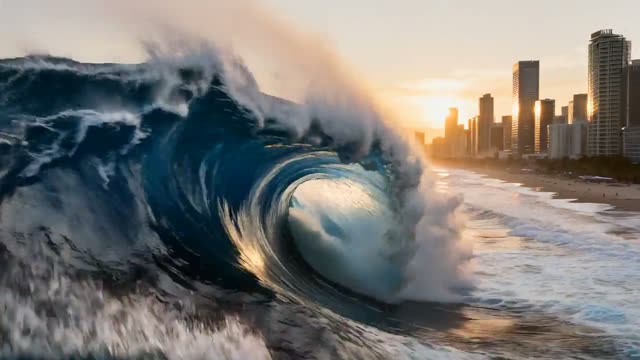
Hailuo 2.3 Image-to-Video Pro takes a still image plus an optional prompt and animates it — no text-only mode. The Pro tier is MiniMax's higher-end rendering of the 2.3 generation, positioned for finished deliverables rather than drafts. It shares its spec sheet with the Standard tier below it: 6 or 10 second clips at 768P or 1080P, with the 10-second option only available at 768P.
Pricing runs 25 credits for a 6-second 768P clip, 45 credits for a 10-second 768P clip, and 45 credits for a 6-second 1080P clip — roughly 1.7-3x what the Standard tier charges for the same combinations. The cost shows before you generate, and failed jobs are refunded automatically.
VdoBloom rates its content filter STRICT, the tightest tier in the catalog: both the uploaded image and the prompt are screened, and explicit or borderline material is refused before generation starts. For less strict filtering in the same family, Hailuo 02 (text-and-image, HOT badge) is the alternative. New accounts start with 10 free credits.
What it costs on VdoBloom
Hailuo 2.3 Pro prices by duration and resolution: 25 credits for a 6-second 768P clip, 45 credits for a 10-second 768P clip, and 45 credits for a 6-second 1080P clip. The 10-second option is capped at 768P — there is no 10-second 1080P combination. All prices are shown before you generate, and a failed render is refunded automatically. New accounts start with 10 free credits.
Pro vs Standard vs Hailuo 02
Within the Hailuo 2.3 line, Pro (25-45 credits) costs more than Standard (15-30 credits) for identical duration/resolution combinations — the difference is MiniMax's higher-end rendering treatment on Pro, not extra options. Both tiers are image-to-video only and run the STRICT content filter. Hailuo 02, the family's other model, adds text-to-video and the more permissive HOT filter, at 39-45 credits — a different tradeoff rather than a strictly better or worse option.
Common problems and how to avoid them
The most common complaint about strict-filter image models is generations refused for content that seems mundane — usually caused by an uploaded image or prompt phrase that reads as borderline to an automated filter even when the intent is clearly benign. Simplifying the prompt, cropping the source image to remove ambiguous elements, or switching to Hailuo 02's more permissive HOT filter are the practical fixes; VdoBloom cannot override the provider's own screening. For motion that doesn't match the prompt, a single clear action described in the prompt outperforms a paragraph of stacked instructions.
What creators use Hailuo 2.3 Image-to-Video Pro for
- Final-delivery animation of key art or approved product photography where render quality is the priority.
- Animating a frame that has already passed client or creative-director sign-off.
- Re-rendering a concept proven cheaply on the Standard tier, once it's ready to ship.
- 10-second 1080P-adjacent output for premium placements (note: 10s tops out at 768P, not 1080P).
How to use Hailuo 2.3 Image-to-Video Pro on VdoBloom
- 1Open the Image to Video tool and select Hailuo 2.3 Image-to-Video Pro from the model picker.
- 2Upload your starting image and describe the motion you want in the prompt.
- 3Choose your duration (6–10s), quality (768P/1080P), review the credit cost, and generate.
Frequently asked questions
What is the difference between Hailuo 2.3 Image-to-Video Pro and Standard?
Both animate a still image into a 6 or 10 second clip at 768P or 1080P using the same duration/resolution matrix. Pro is priced higher — 25-45 credits versus Standard's 15-30 credits for the same combinations — and is positioned as the finishing tier for deliverables rather than drafts.
How much does Hailuo 2.3 Pro cost?
25 credits for 6 seconds at 768P, 45 credits for 10 seconds at 768P, and 45 credits for 6 seconds at 1080P. There is no 10-second 1080P combination — 10-second clips are capped at 768P.
Is Hailuo 2.3 censored?
VdoBloom rates it STRICT — the tightest content-filter tier in the catalog. Both your uploaded image and your prompt are screened before generation, and explicit or sensitive material is refused. Hailuo 02, in the same family, carries the more permissive HOT badge if your concept keeps hitting refusals here.
Does Hailuo 2.3 Pro support text-to-video?
No. It's image-to-video only — a source image is required for every generation. The optional prompt directs motion and camera behavior, but there is no text-only mode; for that, use Hailuo 02.
Hailuo 2.3 vs Kling 3.0 — how does pricing compare?
Kling 3.0's standard tier runs about 5.6 credits per second without sound (28 credits for 5 seconds, roughly 34 for 6), while Hailuo 2.3 Pro's 6-second 768P clip is 25 credits flat. Kling 3.0 also offers up to 4K and native sound at a higher per-second rate; Hailuo 2.3 Pro tops out at 1080P with no audio.
Hailuo 2.3 vs Seedance — which is cheaper for image animation?
Seedance 2 Fast runs 50 credits for a 5-second 720p clip and Seedance 2 Mini runs 17 credits for the same — both flat per-clip rates. Hailuo 2.3 Pro's cheapest combination, 6 seconds at 768P, is 25 credits. For budget image animation, Seedance 2 Mini and Hailuo 2.3 Standard (15 credits) are the cheapest options in this comparison; Pro sits in the middle.
Is Hailuo 2.3 free?
New VdoBloom accounts get 10 free signup credits — not enough to cover even the cheapest 25-credit Pro render on its own, but enough to explore the interface before buying credits.
What resolutions does Hailuo 2.3 Pro output?
768P and 1080P. 768P is the budget option for testing how an image animates; 1080P is the delivery-quality tier. Note that 1080P is only offered at 6 seconds, not 10.
Is Hailuo 2.3 open source?
No — Hailuo/MiniMax is a proprietary hosted API model with no open-weights release.
Why does my Hailuo 2.3 Pro generation get rejected?
The STRICT content filter screens both the source image and the prompt, so an uploaded image with borderline content, or a prompt describing explicit or sensitive material, will be refused before it generates or bills you. If a legitimate creative concept is being blocked, Hailuo 02's HOT-rated filtering in the same family is more permissive.