PixVerse V6: Text & Image to Video Online
Bottom line
PixVerse V6: continuous 1-15s clips, 360p-1080p, priced per second from 5 credits/s (360p). Start from a prompt or a still image in the Text to Video tool; VdoBloom shows the exact credit cost before each PixVerse V6 run, with no separate PixVerse account.
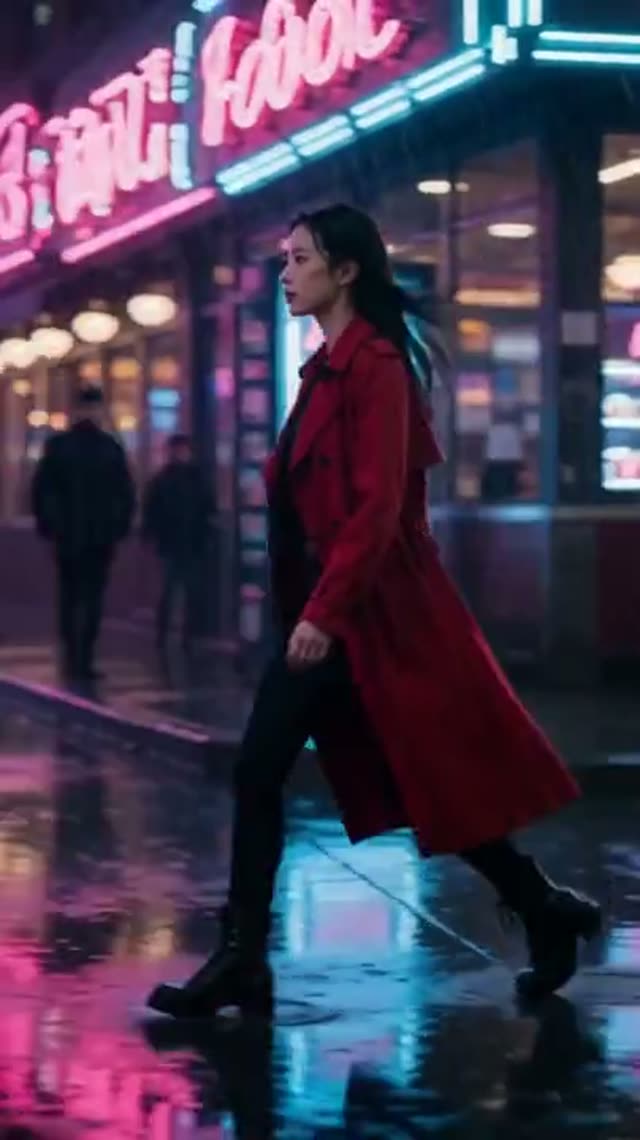
PixVerse V6 is AISphere's newest tier, replacing the family's fixed 5/8/10-second durations with a continuous range from 1 to 15 seconds and four resolution tiers — 360p, 540p, 720p, and 1080p — the widest resolution spread in the PixVerse lineup. It keeps text-and-image input and style controls but drops the camera-movement and motion-mode toggles that v4 and v4.5 offered.
Pricing is per second rather than a flat per-clip table: 5 credits/second at 360p, 7 at 540p, 9 at 720p, and 18 at 1080p. A 5-second 720p clip is 45 credits; a 5-second 1080p clip is 90. Short 1-second clips are the cheapest way to preview a look, at just the per-second rate rounded up to a 1-credit minimum.
VdoBloom rates its content filter MODERATE, the standard tier. One note on specs: V6 does not currently generate or bill for audio in VdoBloom's interface, regardless of what any marketing description implies — pricing is calculated without-audio in every case. New accounts start with 10 free credits.
What it costs on VdoBloom
PixVerse V6 bills per second of output at four resolution-based rates: 5 credits/s (360p), 7 credits/s (540p), 9 credits/s (720p), and 18 credits/s (1080p), for any duration from 1 to 15 seconds. A 5-second 720p clip is 45 credits; a 15-second 1080p clip is 270 credits. The exact total is shown before you generate, and a failed render is refunded automatically. New accounts start with 10 free credits.
V6 vs older PixVerse tiers
V6 trades the fixed 5/8/10-second, flat-rate structure of v4 through v5.5 for continuous durations and per-second pricing across four resolutions instead of two. That makes V6 more flexible for matching an exact shot length, and cheaper than the older tiers at low resolutions (360p at 5 credits/second undercuts v4's cheapest flat rate for short clips) — but v5.5 remains the only PixVerse tier that actually generates audio with the clip; V6 does not expose or bill audio in VdoBloom regardless of duration or resolution.
Common problems and how to avoid them
The per-second pricing model means an accidental long duration or a high resolution selection can cost far more than expected compared to the older PixVerse tiers' flat rates — checking the cost preview before generating matters more here than on fixed-price models. On the audio question specifically: if you're expecting a soundtrack because a description mentions native audio, VdoBloom's V6 integration does not currently generate or bill for it, so plan on adding sound separately rather than relying on the model.
What creators use PixVerse V6 for
- Short 1-3 second preview renders at 360p to test a prompt or style before scaling up resolution and length.
- Continuous-duration clips — 7 or 12 seconds, for instance — that don't fit the fixed 5/8/10s options on older PixVerse tiers.
- Budget 360p or 540p output for placements where full 1080p isn't needed.
- Multi-shot cinematic concepts across five aspect ratios at the resolution that fits the budget.
How to use PixVerse V6 on VdoBloom
- 1Open the Text to Video tool and select PixVerse V6 from the model picker.
- 2Write your prompt — or upload a starting image for image-to-video.
- 3Choose your duration (1–15s), quality (360p/540p/720p/1080p), aspect ratio, review the credit cost, and generate.
Frequently asked questions
How much does PixVerse V6 cost?
It's priced per second: 5 credits/s at 360p, 7 at 540p, 9 at 720p, 18 at 1080p. Worked examples: a 5-second 720p clip is 45 credits, a 5-second 1080p clip is 90 credits, and a 10-second 540p clip is 70 credits. The exact total for your duration and resolution is shown before you generate.
Is PixVerse V6 free?
New accounts start with 10 free credits, which covers a 1-2 second clip at 360p or 540p — enough for a very short preview, not a full clip at higher settings.
Does PixVerse V6 generate audio?
In VdoBloom's interface, no — pricing and generation are always calculated without audio, so don't expect a synced soundtrack from this model on the platform even if the underlying PixVerse V6 model supports audio elsewhere.
What's the longest PixVerse V6 clip I can make?
15 seconds. At the 720p rate (9 credits/second) that's 135 credits; at 1080p (18 credits/second) it's 270 credits.
PixVerse V6 vs C1 — which does VdoBloom offer?
VdoBloom hosts PixVerse V6, not PixVerse C1 — the two are separate AISphere products. If you're choosing between them elsewhere, V6's specs here (continuous 1-15s duration, 360p-1080p, per-second pricing, no audio) are what to compare against C1's own spec sheet.
PixVerse V6 vs Kling 3.0 — how does pricing compare?
Kling 3.0's std tier without sound is 5.6 credits/second, close to PixVerse V6's 720p rate of 9 credits/second but cheaper; Kling 3.0 also reaches 4K and offers native audio at a higher rate (26.8 credits/second). PixVerse V6 is cheaper at low resolutions (5 credits/second at 360p) but has no audio option in VdoBloom regardless of resolution.
PixVerse V6 vs Seedance — which is more cost-efficient for a 5-second clip?
Seedance 2 Mini is 17 credits flat for a 5-second 720p clip. PixVerse V6's 5-second 720p clip is 45 credits. For a plain budget 5-second render, Seedance 2 Mini is cheaper; V6's advantage is continuous duration control (any length from 1-15s) rather than fixed 5-second increments.
Is PixVerse open source?
No — AISphere's PixVerse line, including V6, is a proprietary hosted model with no open-weights release.
How strict is PixVerse V6's content filter?
MODERATE, VdoBloom's standard tier, applied to both prompts and uploaded images. It sits between the STRICT filtering on Kling/Veo and a HOT-labeled model's permissiveness.
What resolutions does PixVerse V6 support?
Four: 360p, 540p, 720p, and 1080p — the widest resolution range in the PixVerse family, letting you trade quality for cost more finely than the fixed 720p/1080p choice on older PixVerse tiers.