Hailuo 2.3 Image-to-Video Standard: Image to Video Online
Bottom line
The budget tier of Hailuo 2.3 image animation: 6 or 10s at 768P/1080P from 15 credits, STRICT filter. Upload a starting frame, choose Hailuo 2.3 Image-to-Video Standard in the Image to Video tool, and animate it on VdoBloom — the credit price appears before every generation.
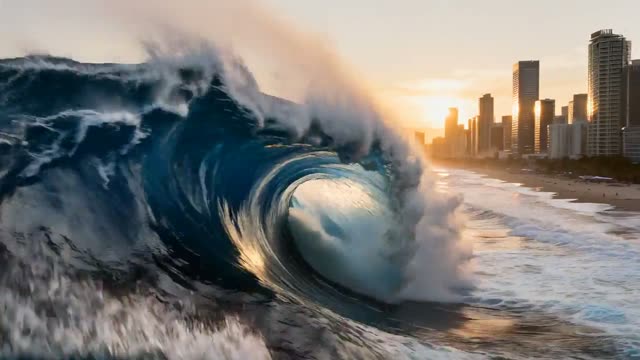
Hailuo 2.3 Image-to-Video Standard is the drafting tier of MiniMax's 2.3 line: same 6-or-10-second, 768P-or-1080P envelope as the Pro tier, but priced and rendered for volume rather than final delivery. Every generation starts from an uploaded still image, with an optional prompt describing the motion — there is no text-to-video mode on this model.
That makes it the cheapest way into the Hailuo 2.3 family: 15 credits for a 6-second 768P clip, 25 credits for 10 seconds at 768P, and 30 credits for 6 seconds at 1080P (10-second 1080P isn't offered). A common pattern is running several motion prompts against the same image here, then re-rendering only the winner on the Pro tier once it's confirmed.
VdoBloom rates the content filter STRICT, matching Pro: both the source image and the prompt are screened, and explicit material is refused before billing. New accounts start with 10 free credits, and every generation's exact cost is shown before you confirm, with automatic refunds on failure.
What it costs on VdoBloom
15 credits for a 6-second 768P clip, 25 credits for a 10-second 768P clip, and 30 credits for a 6-second 1080P clip — the cheapest tier of the Hailuo 2.3 line. As with every model on VdoBloom, the exact cost is shown before you generate, and a failed render is refunded automatically. New accounts start with 10 free credits.
Standard vs Pro: when volume beats polish
Standard and Pro share identical duration and resolution options; the practical difference is cost and MiniMax's rendering treatment. A sensible workflow is to run motion-prompt experiments on Standard, at roughly 40% of Pro's price per combination, and only re-render the winning setup on Pro once it's confirmed — rather than paying the Pro rate on every attempt while you're still finding the right prompt.
Common problems and how to avoid them
STRICT filtering means an uploaded image or prompt that reads as borderline can be refused even for ordinary creative work — simplifying the prompt or cropping ambiguous elements from the source image usually resolves it. For motion that doesn't track the prompt, describe one clear action rather than several stacked instructions; Standard's lower cost per attempt makes it cheap to iterate toward a working prompt before spending on Pro.
What creators use Hailuo 2.3 Image-to-Video Standard for
- Testing five or six motion prompts against one source image before committing to a premium render.
- High-volume social content — daily posts, ad variants — where per-clip cost matters more than maximum polish.
- Checking whether a tricky source image (busy illustration, unusual composition) animates cleanly at all.
- Budget delivery for internal drafts, storyboards, or client-approval passes.
How to use Hailuo 2.3 Image-to-Video Standard on VdoBloom
- 1Open the Image to Video tool and select Hailuo 2.3 Image-to-Video Standard from the model picker.
- 2Upload your starting image and describe the motion you want in the prompt.
- 3Choose your duration (6–10s), quality (768P/1080P), review the credit cost, and generate.
Frequently asked questions
Is Hailuo 2.3 Standard lower resolution than Pro?
No — both offer the same 6/10 second, 768P/1080P matrix. The difference is price (Standard: 15-30 credits vs Pro: 25-45 credits for the same combination) and MiniMax's rendering treatment, with Pro aimed at finished deliverables.
How much does Hailuo 2.3 Standard cost?
15 credits for 6 seconds at 768P, 25 credits for 10 seconds at 768P, and 30 credits for 6 seconds at 1080P. There is no 10-second 1080P option.
Is Hailuo 2.3 Standard free?
New accounts get 10 free signup credits, which covers most but not quite all of the cheapest 15-credit render. After that, credits are purchased, with cost shown before each generation.
Does Hailuo 2.3 Standard support text-to-video?
No — image-to-video only. A source image is required; the optional prompt only directs motion. For text-to-video in the Hailuo line, use Hailuo 02 instead.
How strict is content filtering on Hailuo 2.3 Standard?
STRICT — VdoBloom's tightest tier. Both the uploaded image and the prompt are screened before generation. If a legitimate concept is refused, Hailuo 02's HOT badge (more permissive) is the alternative within the same family.
When should I upgrade from Standard to Hailuo 2.3 Pro?
Once a clip moves from exploration to deliverable. Standard is well suited to iterating on image-plus-motion combinations cheaply; the same setup re-rendered on Pro costs roughly 1.7x more per combination but gets MiniMax's higher-end rendering treatment.
Hailuo 2.3 Standard vs Seedance 2 Mini — which is cheaper?
Seedance 2 Mini is 17 credits for a 5-second 720p clip, close to Hailuo 2.3 Standard's 15-credit 6-second 768P clip. Both are budget image-animation options; the choice comes down to which base look and resolution ceiling (Seedance 2 Mini tops at 720p, Hailuo 2.3 Standard at 1080p) fits the project.
Is Hailuo open source?
No, Hailuo/MiniMax is a proprietary API-only model — there's no self-hosted or open-weights version.
What input does Hailuo 2.3 Standard need?
A source image is required for every generation. An optional text prompt describes the motion, camera behavior, or action you want layered on top of that image.