AI Oscar Award Video Generator: Win the Statuette From One Photo
The VdoBloom AI Oscar Award Video Generator turns one photo into a short clip of that person winning an Oscar-style award: a walk onto a grand stage in formal wear, a golden statuette handed over at the podium, the lift, the applause. Upload a picture, pick one of three scenes and the AI builds the ceremony, the outfit, the stage lighting and the audience around the face you supplied. No filming and no editing skills are needed.
Is it free? Your first clip is. New accounts get 10 free credits, and the tab opens on Runway Gen-3 at 720p for 5 seconds, which costs exactly 10. Cheaper engines are in the same picker: ByteDance V1 Pro Fast at 7 credits and P-Video at 8 for a 5-second 720p clip. Free-tier clips carry a VdoBloom watermark; a paid plan gives the clean file. The Lite pack is 300 credits for $19.50 one-time (never expires) or $15 a month.
It suits birthday and retirement surprises, team shout-outs, graduation posts and anyone who wants a funny "and the award goes to…" clip for Reels, TikTok or a party screen. This is a novelty and parody effect. VdoBloom is not affiliated with, endorsed by or connected to the Academy of Motion Picture Arts and Sciences, which owns the Oscar name and statuette design, and the video does not depict or confer any real award.
Examples
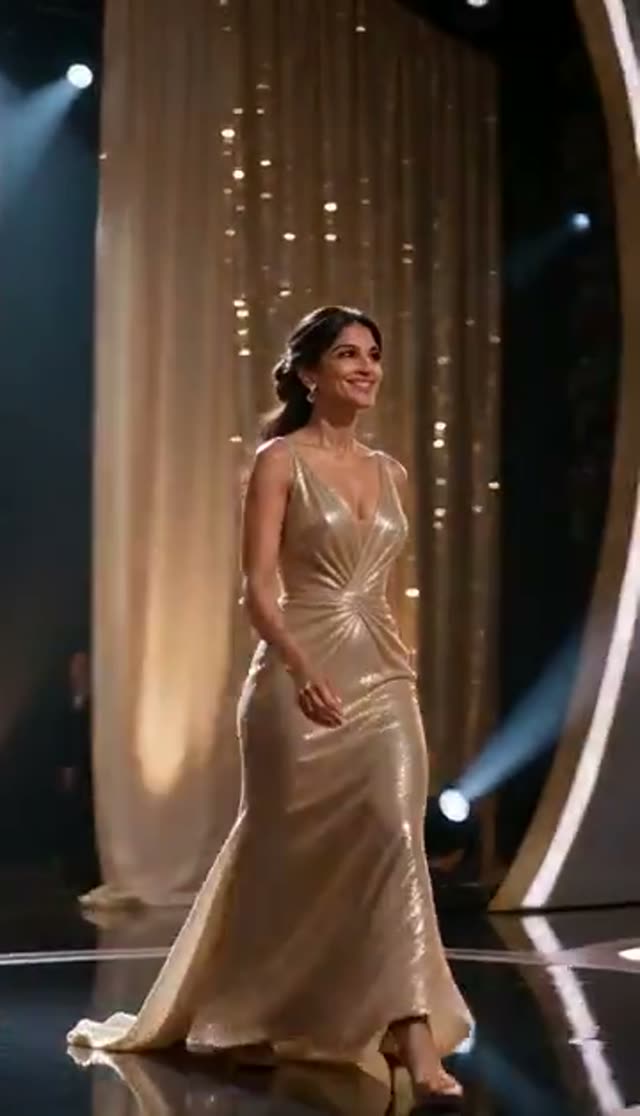
Classic Oscar
Make this with my photo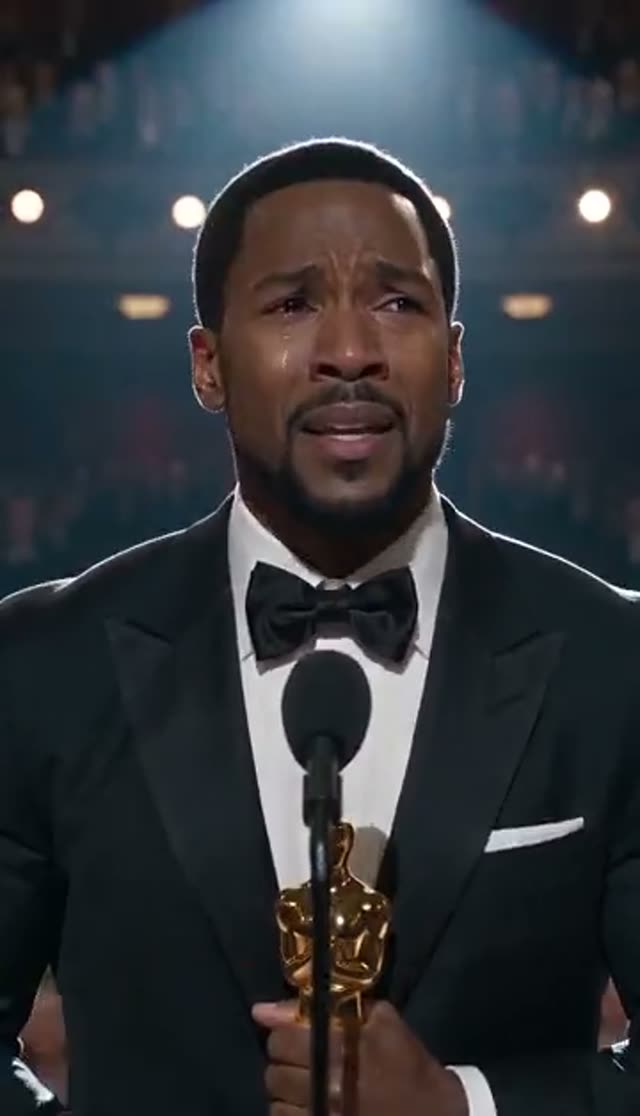
Emotional Speech
Make this with my photo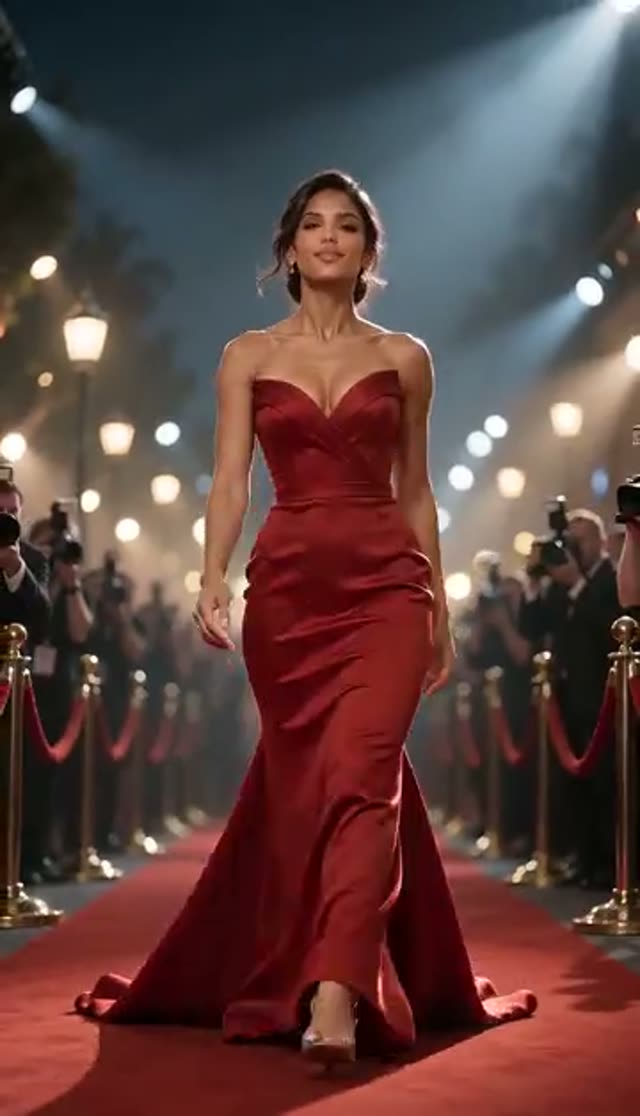
Red Carpet Arrival
Make this with my photo
How it works
- 1
Upload one clear photo
A sharp, front-facing picture of one adult with the whole face visible works best. Tick the box confirming the person is 18 or over and that you have the rights and their consent. Generation stays locked until you do.
- 2
Pick the moment
Classic Oscar is the full sequence: stage walk, podium, statuette lifted to applause. Emotional Speech is a close-up at the microphone with tears of joy. Red Carpet Arrival is the flashbulb entrance with paparazzi and golden light. Each is a separate scene and a separate render.
- 3
Personalise the prompt
The template text is editable on this tab. Name the category ("Best Dad", "Best Team Lead"), the outfit colour, the era or one reaction, such as a hand over the mouth before the applause. One specific beat works better than describing the whole ceremony.
- 4
Choose model, length and frame
Runway Gen-3 at 720p for 5 seconds is the default at 10 credits. Pick 9:16 for phones and Reels, 16:9 for a TV or projector at an event, or 1:1 for a square post. Set the ratio before rendering so nothing gets cropped out later.
- 5
Generate and download
Most 5-second clips are ready in a few minutes and land in your library, so you can close the tab. Credits are charged only when the provider accepts the job, and a failed render refunds them automatically.
Why use this tool
Three different scenes from one photo
The stage walk, the tearful speech and the red carpet arrival are written as separate prompts with their own staging, framing and light, so rendering two of them gives you a real choice of ending rather than two copies of the same take.
You write the award
Because the prompt is open, the statuette can be for anything: best manager, best grandma, best thesis defence. The joke lands harder when the category is personal, and it keeps the clip clearly in parody territory.
Full model roster on a direct tab
There is no keyframe stage on this effect, so your photo goes straight to the video model and the whole image-to-video list is available: Runway, Seedance and ByteDance, Kling, Veo 3, WAN, PixVerse, Vidu, Hailuo and more. Each model shows its credit price before you generate.
Framed for the screen it will play on
Aspect ratio is chosen before the render, so a 16:9 version is composed for a party projector and a 9:16 version for a phone, instead of one being trimmed into the other.
Charged on acceptance, refunded on failure
Awards scenes ask a lot of a model in five seconds: a walk, a hand-off and a crowd. Some takes miss. Failed jobs return their credits without a support ticket, so trying a second engine costs time, not credits.
Private by default
Finished clips stay in your own library. Nothing is posted to a public gallery on your behalf, so a surprise stays a surprise until you share it.
Which model should I use for an AI Oscar video?
Model choice changes how faithful the face is and how believable the crowd looks. Start cheap to check your framing, then re-render the take you like on a heavier engine if it is going on a big screen. Prices below are for one clip at 720p, taken from the live credit table.
| Model | Clip | Credits | Good for |
|---|---|---|---|
| ByteDance V1 Pro Fast | 5 s, 720p | 7 | Low-cost test of framing and likeness |
| Seedance 1.5 Pro | 4 s, 720p | 6 | Short speech close-up (runs 4, 8 or 12 s only) |
| P-Video | 5 s, 720p | 8 | Low-cost drafts |
| ByteDance V1 Lite | 5 s, 720p | 9 | Budget alternative with different motion |
| Runway Gen-3 (default) | 5 s, 720p | 10 | Steady camera; 20 credits at 1080p or for 10 s |
| Runway Gen-4 Turbo | 5 s | 20 | Cleaner stage motion |
| PixVerse v4.5 | 5 s, 720p | 22 | More facial detail |
| Kling V2.5 Turbo | 5 s | 40 | Depth in large rooms and crowds |
| Runway Gen-4.5 | 5 s | 48 | Final version for a party screen |
Read more: Runway Gen-3 model page · ByteDance V1 Pro Fast model page · Best AI model for image to video
How much does an AI Oscar award video cost?
You pay per clip in credits, with no subscription required. One-time credit packs never expire; subscription credits reset each billing cycle. Here is what common plans buy on this tab.
| What you want | Credits | Covered by |
|---|---|---|
| 1 default clip (Gen-3, 720p, 5 s) | 10 | The 10 free signup credits |
| 1 clip on ByteDance V1 Pro Fast | 7 | Free credits, with 3 left over |
| All 3 scenes on Gen-3 | 30 | Lite pack (300 credits) |
| Same clip in 9:16 and 16:9 on Gen-3 | 20 | Lite pack |
| 1 final take on Runway Gen-4.5 | 48 | Lite pack |
| Default clips from one Lite pack | 30 clips | $19.50 one-time or $15/month |
Tips for a more convincing award moment
The model has to keep a face recognisable while it changes the clothes, the room and the light, so the source photo does most of the work.
- Use a recent, sharp, front-facing photo with even light. Skip sunglasses, hats and heavy filters.
- Avoid faces cropped out of group shots: there is too little detail to hold across a stage walk.
- Keep it to 5 seconds. Short clips hold the likeness better than long ones.
- Name one beat in the prompt (the statuette going up, the first tear) instead of the whole ceremony.
- If the crowd looks thin, switch model family rather than rewriting the prompt.
- For a gift, decide which moment tells the joke before spending credits: the lift reads best on a phone, the speech close-up carries the face furthest.
What the Oscar effect cannot do
It works from one photo of one person, so it will not place two winners on stage together. It does not add a spoken speech or your own voice; most models return a silent MP4, so add music or a voiceover in your editing app. Text such as a name on a screen or a category card is unreliable inside AI video and is better added as a caption afterwards. And it is not a way to suggest someone really won an Academy Award: keep the clip clearly playful and label it as AI-generated when you post it.
Popular ways to use it
Award clips work wherever a card feels too small and a speech feels too much.
- Birthday, retirement and farewell surprises played on a screen at the party
- Team and employee-of-the-month shout-outs in a group chat or internal post
- Graduation and exam-result celebrations
- Funny Reels and TikToks with an "and the award goes to…" hook
- Wedding or anniversary slideshows with a "best partner" category
Frequently asked questions
Is the AI Oscar award video generator free?
Your first clip is. New VdoBloom accounts get 10 free credits with no card, and the default render (Runway Gen-3, 720p, 5 seconds) costs exactly 10. ByteDance V1 Pro Fast costs 7 for the same length. Free-tier clips are watermarked; a paid plan removes the mark.
How do I make an AI video of myself winning an Oscar?
Upload one clear front-facing photo, confirm the adult and consent box, choose Classic Oscar, Emotional Speech or Red Carpet Arrival, optionally edit the prompt to name your award, pick a model and aspect ratio, and press generate. The clip arrives in your library in a few minutes.
Is VdoBloom affiliated with the Academy Awards?
No. This is a novelty and parody effect. VdoBloom has no affiliation with, or endorsement from, the Academy of Motion Picture Arts and Sciences, which owns the Oscar trademarks. The video is a stylised scene and does not represent a real award.
What does the finished video show?
Classic Oscar walks the person onto a grand stage in formal wear, up to the podium, and has them lift a golden statuette as the audience applauds. Emotional Speech is a podium close-up with tears of joy under a spotlight. Red Carpet Arrival is the entrance with flashing cameras and golden light.
Will the person still look like the photo?
The templates are written to keep the subject recognisable while restyling them in formal wear. Likeness depends mostly on the photo: sharp, front-facing and evenly lit works best. If the face drifts, try a clearer image, a 5-second clip or a different model family.
Can I change the award category or the outfit?
Yes. The prompt under each template is editable, so you can name the category, a dress or tuxedo colour, the year or a reaction. Text written inside the video itself is unreliable, so add a category caption in your editor if it matters.
Does the video have a watermark?
On the free plan, yes: the mark appears on the player and on the free download. Paid plans get the same render without it, and because the mark is applied when the file is served, a clip made on the free plan can be downloaded clean after you upgrade.
How long does it take to generate?
Usually a few minutes for a 5-second clip. Longer clips, 1080p and heavier models take longer. The job runs on the server, so you can start two scenes back to back and collect both from your library.
Can I post an AI Oscar video on Instagram or TikTok?
Yes. Render at 9:16 so it fills the screen. Label it as AI-generated, because several platforms ask for a disclosure on realistic synthetic media, and a clip of someone accepting an award they did not win is exactly that. Keep the joke obvious.
Can I use someone else's photo?
Only of an adult who has agreed, and only if you hold the rights to the image. You confirm both before anything generates, and every request is checked against VdoBloom's content policy and can be rejected.