Comic to Video AI: Animate Comic and Manga Panels in Their Own Art Style
The VdoBloom comic to video AI animates a comic panel, manga page, webtoon frame or piece of character art without redrawing it. Upload the panel, pick a motion template or describe what should move, and an image-to-video model turns it into a short MP4 in which your line weight, palette, screentone and shading stay the same while characters move, the background separates into parallax layers and action shots gain speed lines in the same hand as the source.
Is it free? New accounts get 10 free credits with no card, and a 4-second 720p clip on Seedance 1.5 Pro costs 6 credits, so your first panel is free to animate. Renders downloaded on the free credits carry a VdoBloom mark over the artwork; any paid plan downloads the same file with nothing on top. It is built for comic artists, webtoon creators, indie manga publishers and fan artists who want motion versions of their pages for social posts, chapter-drop teasers, series trailers and pitch reels.
Style preservation is the hard part. Left alone, most video models drift toward photorealism, because that is what most of their training footage looks like; feed one a manga panel and you can get a live-action cosplay of your character by second three. Every preset prompt here pushes the other way: keep the exact line work, colours and shading, and animate within that style rather than converting it.
Examples
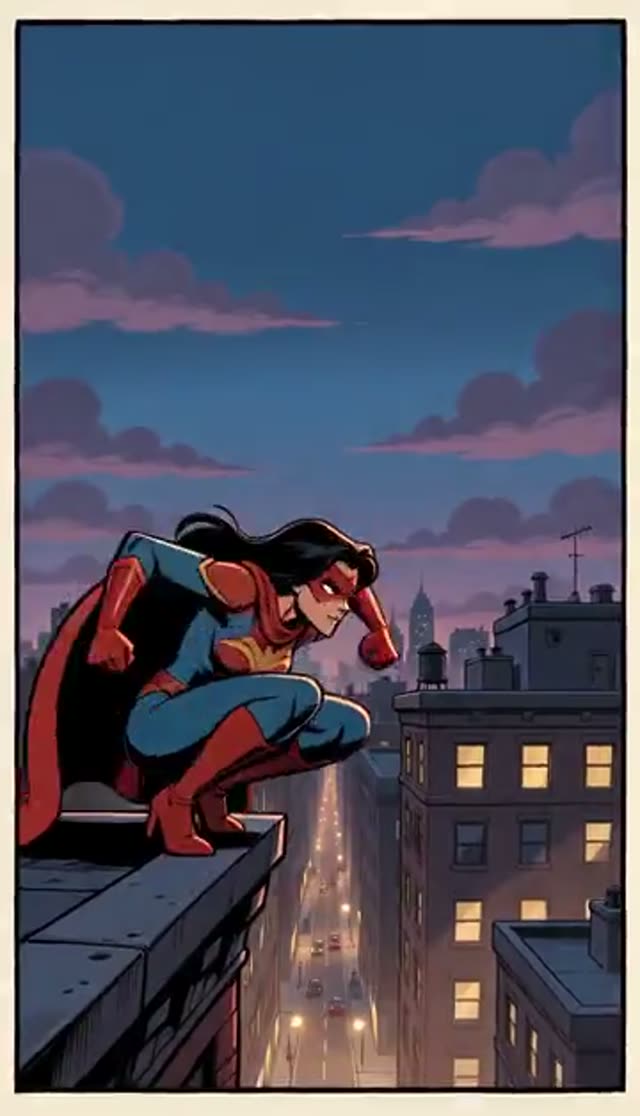
Panel Comes Alive
Make this with my photo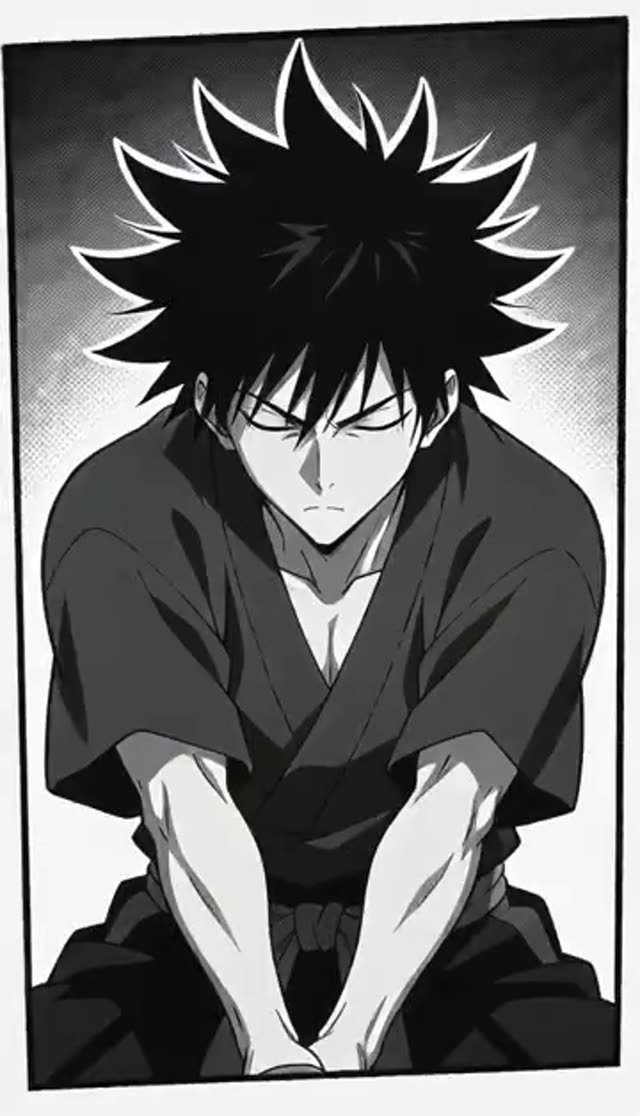
Anime Action
Make this with my photo
Story Pan
Make this with my photo
How it works
- 1
Crop to one panel
Dense multi-panel pages confuse the framing, because the model has to decide which drawing is the subject. Crop to the single panel or character you want moving, and animate neighbouring panels separately. To animate a whole page in reading order instead, use Storyboard Video.
- 2
Upload the artwork
Hand-drawn, digital, inked, screentoned, coloured webtoon frames and AI-generated pages all work. Higher resolution helps, because the model has to read your line weight before it can hold on to it.
- 3
Pick a motion template
Panel Comes Alive for subtle in-style motion with parallax, Anime Action for an impact burst with radial speed lines, Story Pan for a slow webtoon-style camera glide. All three are editable prompts, not fixed filters.
- 4
Say what should move
Name the character that animates, the direction the camera travels and whether the background is windy or still. Restricting the motion is also the best defence against style drift.
- 5
Set model, length and frame
Start on a cheap model while you dial in the motion. Most model families offer 9:16 for a webtoon strip or Reel and 16:9 for a trailer; some have no ratio control and follow the shape of the panel you upload.
- 6
Download and assemble
Download the MP4, or generate a clip per key panel and cut them together with your own pacing, captions and sound in any editor.
Why use this tool
Your art style, preserved
Line work, palette and shading technique are held through the animation instead of being converted to realism. The instruction sits in every preset prompt.
Three motion modes
Subtle in-panel life, an anime action burst or a slow webtoon camera glide, each a one-tap start you can rewrite to name exactly what moves.
Parallax depth from a flat page
Foreground and background separate into layers, so a static drawing gains depth without you cutting the artwork into layers yourself.
Drawn effects, not stock overlays
Speed lines, impact frames and energy accents are generated in your palette and line weight rather than pasted on from an effects library.
Many models behind one picker
Cheap Seedance and ByteDance models for testing, heavier families such as Kling for fine linework, all on the same tab, so switching model is a dropdown.
Private, and watermark-free on a paid plan
Uploads and clips live in your own Creations library, never published automatically. Paid-plan downloads are plain MP4 with nothing over your artwork.
Which model should you use to animate a comic?
Decide by what breaks in 2D art: line wobble, screentone shimmer and drift toward realism. Test the motion idea on a cheap model, then re-run the panels you publish on a higher-fidelity family. These are the credit costs of a few common choices on this tab:
| Model | Clip | Credits | Good for |
|---|---|---|---|
| Seedance 1.5 Pro | 4 s at 480p / 720p / 1080p | 3 / 6 / 12 | Cheap motion tests, Story Pan glides |
| Seedance 1.5 Pro | 8 s at 480p / 720p / 1080p | 6 / 12 / 24 | Longer pans across a webtoon frame |
| ByteDance V1 Pro Fast | 5 s at 720p / 1080p | 7 / 15 | Quick panel tests at 1080p |
| ByteDance V1 Pro Fast | 10 s at 720p / 1080p | 15 / 29 | Longer single-take panels |
| Kling 2.6 image-to-video | 5 s / 10 s at 720p | 22 / 44 | Fine linework and detailed action panels |
Read more: Seedance 1.5 Pro · Best AI model for image to video
What does a motion comic cost?
A motion comic is one clip per panel, so multiply. These examples assume 4 to 5-second clips and that each panel renders well on the first try; budget a re-run for the hardest panel.
| Project | Model | Total |
|---|---|---|
| 1 panel test, 4 s at 720p | Seedance 1.5 Pro | 6 credits (covered by the free signup credits) |
| 6-panel scene, 4 s each at 720p | Seedance 1.5 Pro | 36 credits |
| 6-panel scene, 5 s each at 1080p | ByteDance V1 Pro Fast | 90 credits |
| 6-panel scene, 5 s each at 720p | Kling 2.6 image-to-video | 132 credits |
Read more: Credit packs and plans
Is the comic to video AI free?
The first panel is. Ten free credits come with a new account and a 4-second 720p Seedance 1.5 Pro clip costs 6, so you can find out how a model treats your art style before spending anything. It is not unlimited: a six-panel scene at that size is 36 credits. The Lite pack is 300 credits for $19.50 one-time (or $15 a month), about fifty 4-second 720p panels on Seedance 1.5 Pro. One-time credits never expire; subscription credits reset each billing cycle.
Animate a whole comic page in reading order
Comic to Video animates one panel per clip, which gives you the most control. To turn a full page into one multi-shot video instead, upload the page to Storyboard Video, tell it how many panels it has, and Seedance animates the panels in reading order as one clip with a cut for every panel. Uploading your own page there is free; you pay for the video, for example 16 credits for 10 seconds on Seedance 2 Mini at 480p.
Read more: Storyboard Video
Use cases for animated comic panels
- Chapter-drop announcements and "my panel, but moving" posts on TikTok, Reels and Shorts
- Series trailers and teasers cut from a handful of key panels
- Pitch reels for publishers and studios showing the art in motion
- Portfolio pieces and animated covers for webtoon and manga pages
- Moving versions of pages made with the VdoBloom AI manga generator
Tips for keeping the art style intact
- Keep the preset's style-preservation wording and add your direction around it rather than replacing it.
- Restrict what moves: "only her cloak and hair move, camera pushes in slowly".
- Shorter clips drift less; a 4-second panel holds line quality better than an 8-second one.
- Use Story Pan for heavy screentone or cross-hatching, where fast motion can make texture shimmer.
- Crop speech bubbles out or add lettering in your editor; generated motion can warp small text.
- Upload the highest-resolution scan or export you have.
Limits: what it does not do
Each generation animates one image, so a multi-panel page is best cropped per panel or sent to Storyboard Video. It does not read your speech bubbles aloud or voice your dialogue. Clip length follows the model you pick, and very fine texture can shimmer in motion. Only animate artwork you own or have permission to use.
Frequently asked questions
Will the AI change my art style?
It is instructed not to. The default prompts tell the model to keep your exact line work, colours and shading and to animate within that style instead of converting it toward realism. If you see drift, restore the preset wording, shorten the clip and restrict what moves, then run it again.
Is the comic to video generator free?
The first panel is. New accounts get 10 free credits with no card, and a 4-second 720p Seedance 1.5 Pro clip costs 6 credits. A motion comic is one render per panel, so a six-panel scene at that size is 36 credits.
How do I animate a comic panel with AI?
Crop the panel, upload it, choose Panel Comes Alive, Anime Action or Story Pan, describe what should move, pick a model and length, and generate. The clip lands in your Creations library as an MP4.
Can I animate a whole comic page at once?
Yes, with Storyboard Video: upload the page, say how many panels it has, and Seedance animates them in reading order as one multi-shot clip. Comic to Video itself works best one panel at a time.
Do the animated panels have a watermark?
On a paid plan, no; the clip downloads as plain MP4. Clips downloaded on the free signup credits carry a VdoBloom mark over the drawing.
Which AI model handles 2D art best?
Test cheaply on Seedance 1.5 Pro (6 credits for 4 seconds at 720p) or ByteDance V1 Pro Fast (7 credits for 5 seconds at 720p). If lines wobble, shorten the clip, restrict the motion, then re-run on Kling 2.6 image-to-video (22 credits for 5 seconds at 720p).
What kind of artwork works best?
Clean, high-resolution panels with one clear subject: single-character art, action panels and webtoon frames. Very dense pages animate better cropped to one panel per generation.
Does it work with AI-generated manga?
Yes. Pages made with the VdoBloom AI manga generator animate the same way as hand-drawn pages, since the style instruction only needs to read the linework.
Can I post animated panels on TikTok, Reels and YouTube Shorts?
Yes. Generate at 9:16 on a model with an aspect-ratio setting, or crop the panel vertically before uploading on a model that follows the image shape.
Is my unpublished artwork private?
Yes. Uploads and finished clips stay in your own Creations library, visible only to you, with nothing published automatically and a delete option on every item.