AI Muscle Video Generator: Turn One Photo into a Muscle Transformation Clip
The VdoBloom AI Muscle Video Generator turns one photo of a clothed adult into a short video in which that same person appears noticeably more muscular. You pick one of four physiques (Defined, Athletic, Ripped or Bulky), choose a video model, and get back an MP4 sized for TikTok, Reels, Shorts or YouTube. Face, hairstyle, pose, background and lighting are held from your original photo.
Is it free? Your first clip can be. New accounts get 10 free credits, and the tab defaults to Runway Gen-3 at 720p for 5 seconds, which costs exactly 10 credits, so no card is needed for the first render. Free-plan clips are watermarked; a paid plan gives you the clean file. After that, clips cost from 10 to 48 credits for 5 seconds at 720p depending on the model. The Lite pack is 300 credits for $19.50 one-time (credits never expire) or $15 a month.
Be clear about one thing before you upload: this effect changes what the subject is wearing so the muscle definition shows, so the output can be bare-torsoed or in minimal gym wear. If the photo is of someone else, the consent you need covers that depiction, not just use of the picture. It suits fitness creators, coaches making motivation content, friends sharing a joke transformation with permission, and anyone curious how a stronger build would look on video.
Examples
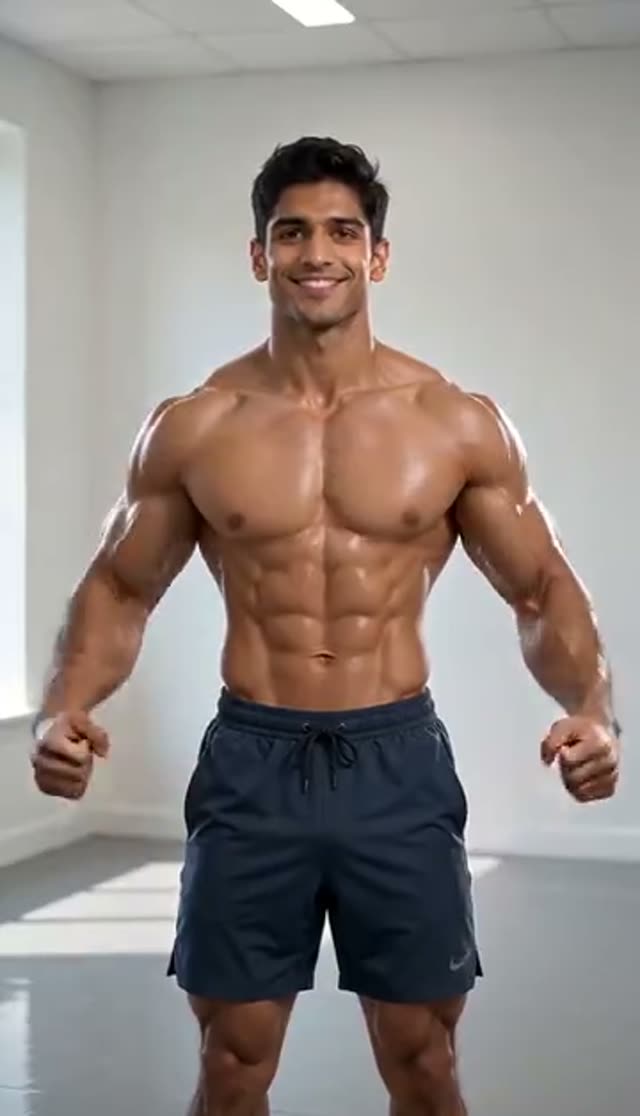
Defined
Make this with my photo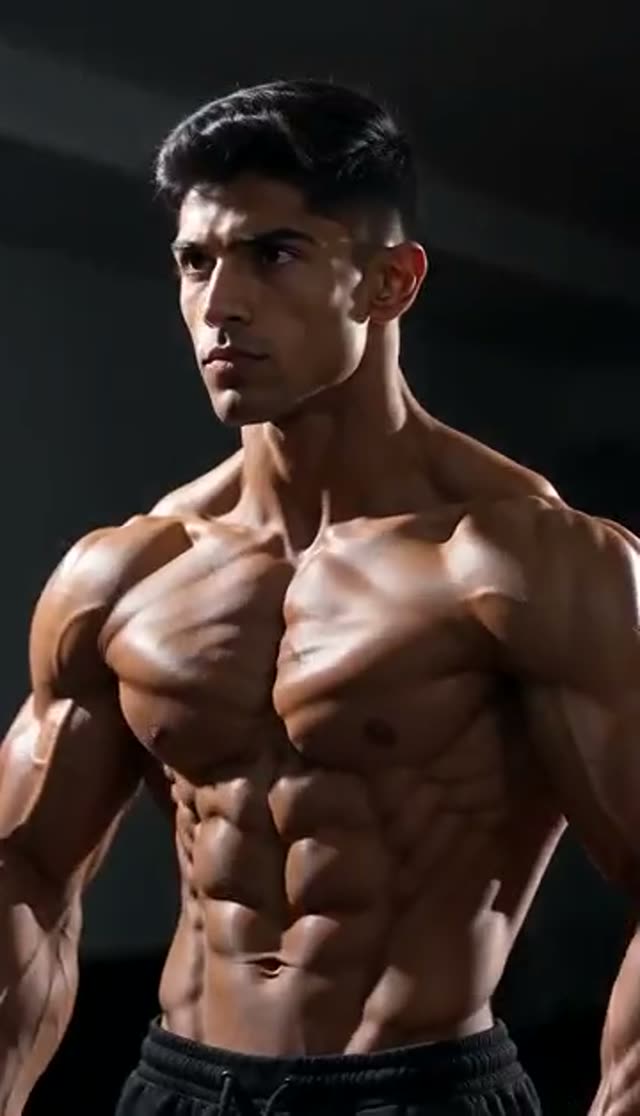
Ripped
Make this with my photo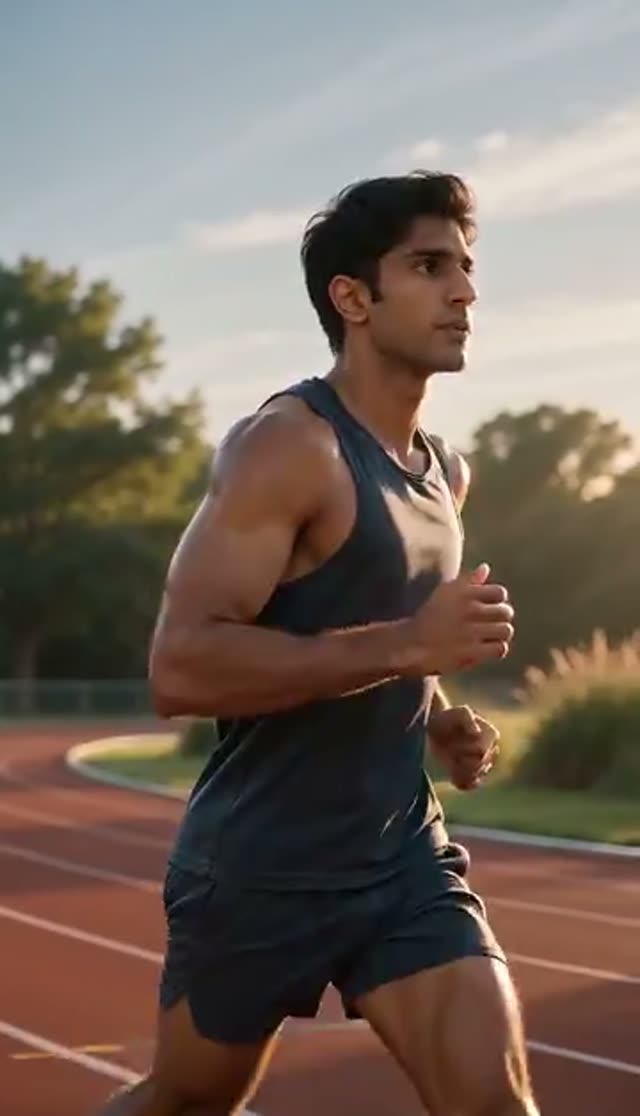
Athletic
Make this with my photo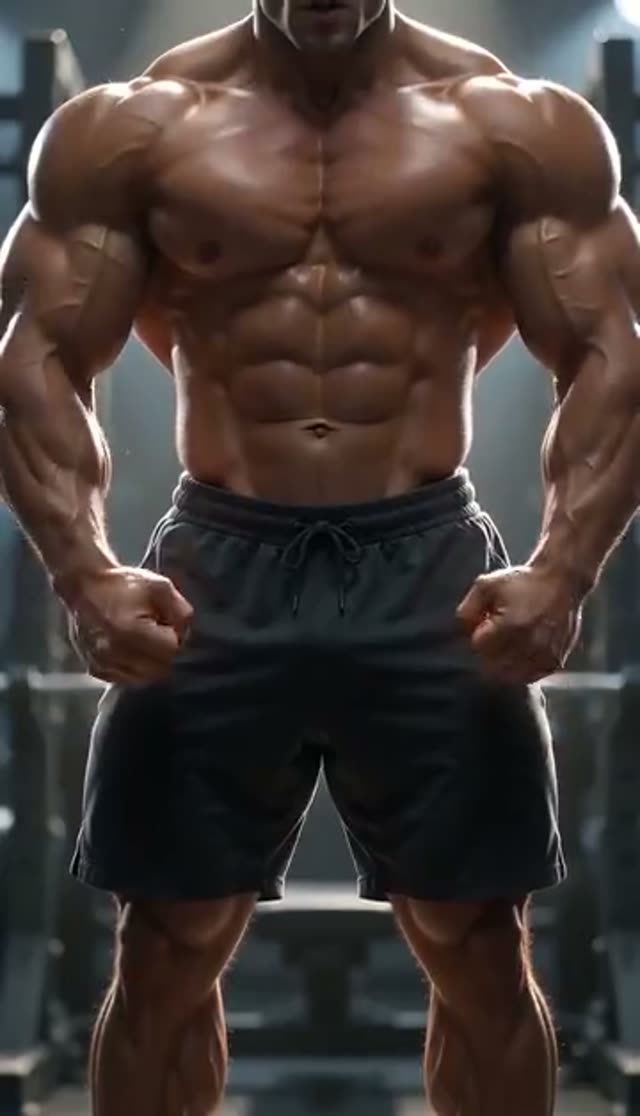
Bulky
Make this with my photo
How it works
- 1
Confirm the adult and consent checkbox
Nothing generates until you confirm every uploaded image shows an adult (18+) and that you hold the rights and the person's consent. On this tab, make sure that consent covers a bare-torso result, because that is what the output can be.
- 2
Upload one clothed photo
Use a sharp, evenly lit shot of one person in ordinary clothing, framed upper body or three-quarter body, taken roughly straight on. The transformation is built from a clothed input, so you do not need a shirtless photo.
- 3
Pick a physique
Defined, Athletic, Ripped or Bulky. Each tile plays a preview clip, so you can judge the look before spending a credit.
- 4
Choose model, length, resolution and frame
Runway Gen-3 at 720p for 5 seconds is the default at 10 credits. Pick 9:16 for Reels and Shorts, 1:1 for a feed post or 16:9 for YouTube. Kling V2.5 Turbo follows your photo's own frame, and Vidu 2.0 offers 16:9 and 1:1 only.
- 5
Generate
A WAN 2.7 image pass builds one transformed keyframe first, then your chosen model animates it. Most 5-second jobs return within a few minutes, and you can close the tab: the clip lands in your library.
- 6
Review and download
Watch it full size. If the definition reads too strong or too flat, switching model moves the result more than anything else. Most models return a silent MP4 so you can add your own track; Vidu Q3 and Q3 Turbo can generate audio in the same pass.
Why use this tool
Identity held at the keyframe stage
The keyframe instruction names what must survive (face, age, skin tone, hairstyle, body proportions, pose, background and lighting) and rules out face swaps, added people and extra limbs, so the clip reads as the same person in the same room.
Natural definition, not CGI bulk
The instruction asks for realistic muscle tone that matches the scene's light and perspective, with no distorted anatomy. Bulky is the heaviest preset and still stays within a believable build.
Sixteen video models in one picker
Runway Gen-3, Gen-4 Turbo and Gen-4.5, Kling V2.5 Turbo, PixVerse v3.5 to v6, and Vidu 2.0, Q1, Q2 Turbo, Q2 Pro, Q3 and Q3 Turbo, each with its credit cost shown before you generate.
PixVerse muscle template
PixVerse v3.5, v4, v4.5 and v5 run PixVerse's own muscle-surge effect template on the keyframe instead of a plain animation. v5.5 and v6 animate the frame without that template, which gives a different look worth comparing.
Charged on acceptance, refunded on failure
Credits leave your balance only after the provider accepts the job, and a generation that fails is refunded automatically. The keyframe step is not billed separately.
Watermark removed by upgrading
The free-plan watermark is applied when the video is served, not burned in during generation, so upgrading later gives you a clean copy of a clip you already made.
Which model should I use for an AI muscle video?
The muscle tab runs a two-stage pipeline, so it offers the 16 model variants its keyframe dispatcher supports. Costs below are for a 5-second clip at 720p unless noted. Start on the default, then re-render a take you like on a heavier model.
| Model | Credits (5 s, 720p) | Good for |
|---|---|---|
| Runway Gen-3 (default) | 10 | First drafts; fits the 10 free credits. 1080p 5 s or 720p 10 s = 20 |
| PixVerse v3.5 | 18 | PixVerse muscle-surge template at low cost |
| Vidu Q2 Turbo | 18 | Quick alternative motion style |
| Runway Gen-4 Turbo | 20 | Smoother motion than Gen-3 |
| PixVerse v4 / Vidu Q3 Turbo | 20 | Template look (v4); optional generated audio (Q3 Turbo) |
| PixVerse v4.5 | 22 | More detail with the muscle-surge template |
| PixVerse v5 | 25 | Last PixVerse version that runs the template |
| PixVerse v5.5 | 35 | Plain animation of the keyframe, premium quality |
| Kling V2.5 Turbo / Vidu Q2 Pro / Vidu Q3 | 40 | Alternative motion character; Kling keeps your photo's frame |
| PixVerse v6 | 45 | Newest PixVerse, plain animation |
| Runway Gen-4.5 | 48 | Most detail; for clips going out publicly |
| Vidu 2.0 | 15 (4 s only) | Short 4-second loops; 16:9 or 1:1 |
| Vidu Q1 | 25 (1080p only) | Full-HD output |
Read more: Runway Gen-3 model page · Runway Gen-4.5 model page · PixVerse v4.5 model page · Kling V2.5 Turbo model page
How much does an AI muscle video cost?
You pay in credits, per clip, with no subscription required. One-time pack credits never expire; subscription credits reset each billing cycle. A few worked examples:
| What you have | What it buys on this tab |
|---|---|
| 10 free signup credits | 1 default clip (Runway Gen-3, 720p, 5 s), watermarked |
| Lite pack: 300 credits, $19.50 one-time | 30 default clips, or 13 PixVerse v4.5 clips, or 6 Gen-4.5 clips |
| Lite monthly: 300 credits, $15/month | 300 credits each billing cycle (they reset, not roll over) |
| One 10-second Gen-3 clip | 20 credits (10 s is 720p only on Gen-3) |
Read more: See all credit packs
Tips for a realistic muscle transformation
The video model can only animate what the keyframe gives it, and the keyframe can only hold what your photo shows. Most bad results trace back to the source image.
- Use one person per photo. Group shots confuse which body to transform.
- Frame from the waist or mid-thigh up so there is a torso and arms to work with. A tight headshot leaves almost nothing to transform.
- Even, front-facing light works better than hard side light or dim indoor shots.
- Plain, ordinary clothing gives cleaner results than bulky jackets or heavy layering.
- Skip beauty filters and re-saved screenshots; their softness carries into the video.
- Draft on Runway Gen-3, then re-render only the take you like on PixVerse v4.5 or Gen-4.5.
What the muscle effect can and cannot do
It produces a short generated clip, typically 5 or 10 seconds, of a more muscular version of the person in your photo. It is a visual effect for entertainment and content, not a prediction of how training would change anyone's body.
- No free-text prompt on this tab: the four physique tiles and the model choice are the controls.
- No camera-movement control on effect tabs.
- One photo in, one subject out. There is no two-person mode here.
- Explicit content is not permitted, and photos of minors are prohibited. Every prompt is screened against VdoBloom's content policy before it reaches a model.
- Most models return silent video; only Vidu Q3 and Q3 Turbo can generate sound.
Popular uses for AI muscle videos
Fitness creators use the clip as a hook for transformation and motivation posts. Coaches and gyms use it in light-hearted promos (with clear AI labelling). Friends trade joke transformations with each other's consent, and plenty of people simply want to see themselves with a stronger build before starting a programme. If you want a training scene rather than a physique change, the AI Gym Video Generator places your photo in a generated gym.
Read more: How to make an AI muscle video (guide) · AI video for gyms and personal trainers
Frequently asked questions
Is the AI muscle video generator free?
Your first clip is. New accounts get 10 free credits and the default run (Runway Gen-3, 720p, 5 seconds) costs exactly 10, with no card required. Free-plan clips carry a watermark on the player and the download; a paid plan gives you the clean file.
How do I make an AI muscle video from a photo?
Tick the adult and consent box, upload one clear photo of a clothed person, pick Defined, Athletic, Ripped or Bulky, choose a model and aspect ratio, then press generate. A keyframe is built first and then animated, and the MP4 appears in your library within a few minutes.
Does the finished video show the person shirtless?
It can, so assume it will. The effect changes the subject's clothing so the muscle definition is visible, which usually means a bare or minimally covered torso. If you use someone else's photo, get their agreement to that specific depiction first.
How much does each AI muscle video cost?
A 5-second 720p clip costs 10 credits on Runway Gen-3, 18 on PixVerse v3.5 or Vidu Q2 Turbo, 22 on PixVerse v4.5, 40 on Kling V2.5 Turbo and 48 on Runway Gen-4.5. The Lite pack gives 300 credits for $19.50 one-time, which is 30 default clips.
Will the face still look like the person in the photo?
That is the main job of the keyframe instruction, which fixes face, age, skin tone, hairstyle and body proportions and rules out face swaps. When a face drifts, the source photo is usually small, blurry, filtered or shot from a steep angle; a sharper upload fixes it more often than a model change.
What is the difference between Defined, Athletic, Ripped and Bulky?
Defined adds natural muscle tone, Athletic gives a balanced, toned build, Ripped goes for low body fat and sharp definition, and Bulky adds the most mass. Each tile plays a preview so you can compare them before you spend credits.
Which model gives the most realistic muscle video?
Runway Gen-4.5 at 48 credits holds the most detail. PixVerse v4.5 at 22 runs PixVerse's muscle-surge template and is a good middle option. Draft on Runway Gen-3 at 10 credits, then re-render the take you like on a heavier model.
How long does it take to generate?
Usually a few minutes for a 5-second clip. It takes a little longer than plain image-to-video because the transformed keyframe is built first. You do not need to keep the page open; the finished clip is saved to your library.
Can I post AI muscle videos on TikTok, Instagram Reels or YouTube Shorts?
Yes. Generate at 9:16 for a vertical MP4 that fits all three. Most models return silent video, so add music in the app you post from. Major platforms ask you to label realistic AI-generated video of real people, so use their AI or synthetic-media label.
Can I use someone else's photo?
Only if they are an adult, you hold the rights to the image and they consent to this kind of depiction. You confirm all three before generating, and every prompt is screened against VdoBloom's content policy. Explicit content is not permitted and images of minors are prohibited.