WAN 2.6 Video-to-Video: AI Video Editor Online
Bottom line
WAN 2.6 Video-to-Video: a new 5 or 10 second clip of the subject from your video, in the scene your prompt describes, at 720p or 1080p. Upload a clip to the AI Video Editor, pick WAN 2.6 Video-to-Video and say what to change. The credit cost for your clip is shown before the edit runs, and a failed run is refunded.
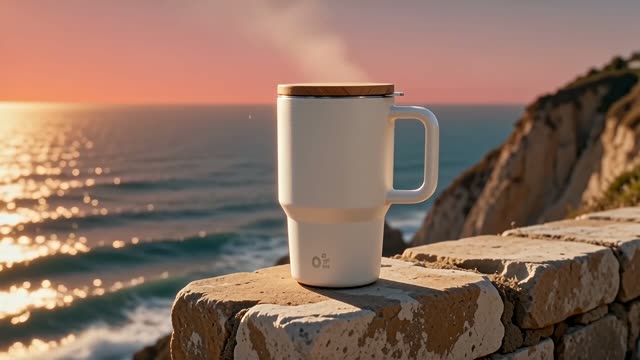
WAN 2.6 Video-to-Video is part of Alibaba's Wan 2.6 family. It does not edit your clip frame by frame. The provider's documentation describes it as making a new video that features the subject of your video, in a scene your prompt describes, with sound made for it.
That makes it useful when you have footage of a person, pet or product and want them somewhere else: on a stage, in a café, in a different season. For small changes inside the clip you already have, an instruction editor such as FLUX Video Edit [fast] or WAN 2.7 Video Edit fits better.
On VdoBloom the source video can be up to 10 MB. You pick a 5 or 10 second result, 720p or 1080p, and write a prompt of 2 to 5,000 characters. The price counts your clip and the result: 7.5 credits per second at 720p and 12.5 at 1080p. A 5-second clip into a 5-second result is 75 credits at 720p or 125 at 1080p; a 10-second clip into a 10-second result is 150 or 250.
What WAN 2.6 Video-to-Video costs on VdoBloom
You pay for the seconds of your clip plus the seconds of the result.
| Your clip + result | 720p | 1080p |
|---|---|---|
| 5 s + 5 s | 75 credits | 125 credits |
| 5 s + 10 s | 113 credits | 188 credits |
| 10 s + 10 s | 150 credits | 250 credits |
Which AI Video Editor model should I pick?
All eight run in the same AI Video Editor tool. FLUX Video Edit [fast], P-Video-Edit and PixVerse Modify return a clip the same length as yours and bill per second of it; the others also bill the result, or charge a set price. Prices below are for a 5-second source clip.
| Model | Best for | Source clip | 5 s clip costs |
|---|---|---|---|
| FLUX Video Edit [fast] | Precise edits that keep motion and sound | 0.7-15 s, 50 MB | 13 credits |
| P-Video-Edit | Cheap edits, Draft previews | 1-15 s, 50 MB | 11 (Draft) / 19 credits |
| PixVerse Modify | Restyles and swaps at a chosen quality | 1-15 s, 50 MB | 17 / 21 / 25 credits |
| WAN 2.7 Video Edit | Restyles and scene changes | 2-10 s, 100 MB | 64 credits (5 s out, 720p) |
| WAN 2.6 Video-to-Video | Your subject in a new scene | up to 10 MB | 75 credits (5 s out, 720p) |
| Gemini Omni Video-to-Video | Plain-language edits up to 4K | first 10 s used | 96 credits (720p/1080p) |
| HappyHorse Video Edit | Long sources, keep the original sound | 3-60 s, 100 MB | 116 credits (5 s out, 720p) |
| SkyReels V4 Video-to-Video | Motion reference, subject replacement | up to 100 MB | 250 credits (up to 5 s out) |
What creators use WAN 2.6 Video-to-Video for
- Putting the person from a phone clip into a new setting for a short ad.
- Making several scenes with the same pet or product from one clip.
- A 10-second 1080p clip with sound built around your subject.
How to use WAN 2.6 Video-to-Video on VdoBloom
- 1Open the AI Video Editor and select WAN 2.6 Video-to-Video.
- 2Upload the video you want to change and describe the change in the prompt.
- 3Choose your duration (5–10s), quality (720p/1080p), review the credit cost, and generate.
Frequently asked questions
How much does WAN 2.6 Video-to-Video cost?
7.5 credits per second of your clip plus the result at 720p, 12.5 at 1080p. 5 s + 5 s is 75 or 125 credits.
Does it edit my video or make a new one?
It makes a new clip that features the subject of your video in the scene you describe.
What size can my video be?
Up to 10 MB. Short, compressed clips upload best.
How long is the result?
5 or 10 seconds, at 720p or 1080p.
What happens if an edit fails?
The credits are refunded automatically to the balance they came from.
WAN 2.6 Video-to-Video guides, prices and comparisons
This page is the WAN 2.6 Video-to-Video hub. Each guide below goes deeper on one question and links back here.
AI Video Editor
All eight edit models in one tool.
Wan AI 2.6 Image-to-Video
The same family from a photo.
WAN 2.7 Video Edit
Instruction edits and restyles of 2-10 s clips.
SkyReels V4 Video-to-Video
Motion reference or subject replacement, 1080p.