Wan AI 2.6 Image-to-Video: Image to Video Online
Bottom line
Animates your exact uploaded image into a 5-15s clip at 720p or 1080p, from roughly 7 credits/second. Upload a starting frame, choose Wan AI 2.6 Image-to-Video in the Image to Video tool, and animate it on VdoBloom — the credit price appears before every generation.
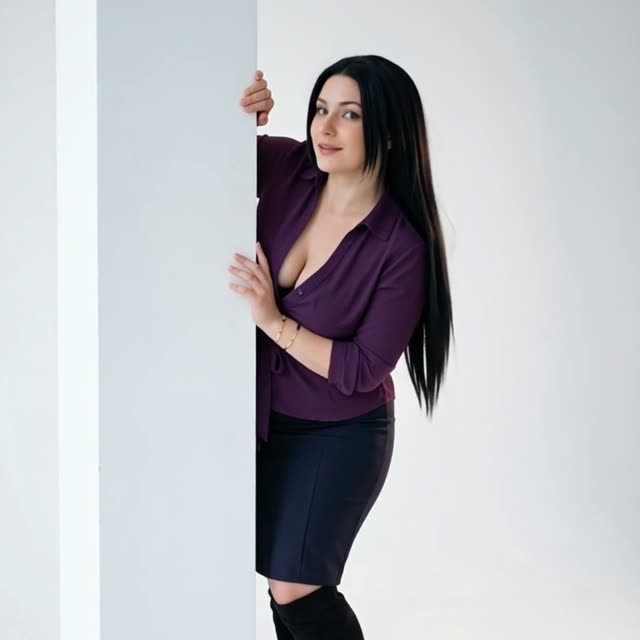
Wan 2.6 Image-to-Video starts from your uploaded frame -- a character design, a product render, a styled photograph -- and animates it, so the thing you spent time perfecting is what appears on screen rather than a model's interpretation of a text description. Clips run 5, 10 or 15 seconds at 720p or 1080p; the 15-second ceiling is notable for an image-to-video model, giving a gesture or product move time to complete instead of cutting off mid-motion.
Pricing is per second and rises slightly with duration: roughly 7-8 credits/second at 720p, 12-12.7 credits/second at 1080p. That's cheaper than the older Wan 2.5 Image-to-Video (13-23 credits/second) but pricier than the newer Wan 2.7 Image-to-Video (6.4-9.6 credits/second), which also adds first- and last-frame control this model doesn't have.
Like the rest of the Wan line, it carries a HOT content label on VdoBloom -- the platform's most permissive filtering tier -- which is one reason character and figure work tends to gravitate toward this family. Alibaba released Wan 2.6 as a commercial model rather than open weights, so VdoBloom's hosted access is the practical way to run it. The credit cost for your chosen duration and resolution appears before any render, so there are no surprises on longer clips.
What it costs on VdoBloom
Wan 2.6 Image-to-Video is priced per second at roughly 7-8 credits/second at 720p and 12-12.7 credits/second at 1080p, edging up slightly at longer durations. Worked examples: 5s/720p = 35 credits, 10s/720p = 75 credits, 15s/720p = 120 credits; 5s/1080p = 60 credits, 10s/1080p = 125 credits, 15s/1080p = 190 credits.
Wan 2.6 vs Wan 2.7 Image-to-Video
Wan 2.7 is both newer and cheaper per second -- roughly 6.4 credits/second at 720p and 9.5-9.6 at 1080p, against Wan 2.6's roughly 7-8 and 12-12.7 -- and it adds first- and last-frame control, letting you pin down exactly where a shot ends rather than only where it starts. The durations match (5/10/15s at 720p/1080p) on both. Unless you have a specific reason to stay on 2.6, Wan 2.7 Image-to-Video is generally the better default on VdoBloom for new image-to-video work.
What creators use Wan AI 2.6 Image-to-Video for
- Animate a character design into a 15-second clip without the design drifting off-model.
- Give a product render a full 10-second move at 1080p for an ecommerce page.
- Extend a styled photograph into motion for a lookbook or mood film.
- Test a shot at 720p before re-running the winning result at 1080p for delivery.
How to use Wan AI 2.6 Image-to-Video on VdoBloom
- 1Open the Image to Video tool and select Wan AI 2.6 Image-to-Video from the model picker.
- 2Upload your starting image and describe the motion you want in the prompt.
- 3Choose your duration (5–15s), quality (720p/1080p), review the credit cost, and generate.
Frequently asked questions
How much does Wan 2.6 Image-to-Video cost?
Roughly 7-8 credits/second at 720p, 12-12.7 credits/second at 1080p (the rate rises slightly with duration). A 5-second 720p clip is 35 credits, 10 seconds is 75, 15 seconds is 120; at 1080p those are 60, 125 and 190 credits.
How is Wan 2.6 Image-to-Video different from the text-to-video version?
This variant requires a starting image and animates it, preserving your subject and composition, while Wan 2.6 Text-to-Video invents the scene from words alone. Both share the same 5/10/15-second durations, 720p/1080p tiers, and identical per-second pricing.
How long can Wan 2.6 image-to-video clips be?
5, 10 or 15 seconds. The 15-second option gives room for a complete gesture, product move or slow reveal that shorter durations would truncate.
Is Wan 2.6 open source or can I run it for free locally?
No -- Alibaba released Wan 2.6 as a commercial model, not open weights, unlike the earlier Wan 2.1/2.2 generations. There's no local install path; VdoBloom's hosted access, billed in credits, is how you run it without Alibaba's own paid API.
How flexible is the content moderation on this model?
It carries the HOT label, VdoBloom's permissive tier, so uploaded images and motion prompts face lighter filtering than STRICT-tier alternatives. Platform-wide rules still apply to every generation.
What kind of image works best as input?
A clean, well-lit image with a clear subject gives the model the most to work with, and matching your upload's orientation to the intended output avoids awkward reframing. Write the prompt to describe the motion, not the scene itself -- the image already establishes the scene.
Is Wan 2.6 better than Wan 2.2?
For image-to-video specifically, yes on paper: Wan 2.6 reaches 1080p and 15 seconds versus Wan 2.2 A14B's fixed 720p and 5-second cap. But A14B is a flat 36 credits regardless of length, while Wan 2.6 bills per second, so a short 5-second Wan 2.6 clip (35 credits at 720p) is actually cheaper than A14B's flat rate -- it's worth comparing on your specific duration rather than assuming newer means better value.
Does this model support first- and last-frame control?
No -- that's a Wan 2.7 Image-to-Video feature. Wan 2.6 animates from a single starting image without an endpoint frame; if you need to control where a shot ends, Wan 2.7 Image-to-Video is the model for that.
Why did my Wan 2.6 clip not follow my prompt closely?
Image-to-video models weight the uploaded image heavily -- your prompt mainly steers motion, camera movement and pacing, not the subject or composition, since those already come from the image. If motion isn't landing, try describing it more literally (direction, speed, specific action) rather than mood words.
How do I minimize wasted credits if a generation doesn't look right?
Test at 720p and a shorter duration first, since it costs less per generation, then re-run the confirmed prompt and image at 1080p or a longer length for the final. If a job fails outright rather than just looking wrong, VdoBloom refunds the credits automatically.