Wan AI 2.5 Image-to-Video: Image to Video Online
Bottom line
Alibaba's Wan 2.5 animates a still into a 5-10s clip at 720p/1080p -- priced above the newer Wan tiers. Upload a starting frame, choose Wan AI 2.5 Image-to-Video in the Image to Video tool, and animate it on VdoBloom — the credit price appears before every generation.
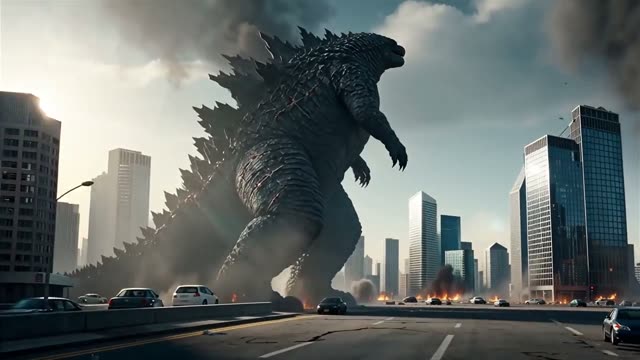
Wan 2.5 Image-to-Video takes a single image and animates it, with no text-only mode -- every generation starts from a picture you upload. Clips run 5 or 10 seconds at 720p or 1080p, a simpler set of choices than the newer Wan 2.6 and 2.7 generations, which add more duration steps and, in Wan 2.7's case, first- and last-frame control.
The number that actually distinguishes this model on VdoBloom is price: Wan 2.5 costs 13 credits/second at 720p and 23 credits/second at 1080p, noticeably more than Wan 2.6 Image-to-Video (roughly 7-8 credits/second at 720p) or Wan 2.7 Image-to-Video (6.4 credits/second at 720p). Unless a specific workflow reason points you to 2.5, the newer tiers on the same dashboard generally cost less for the same resolution and duration.
As with every model in the Wan family on VdoBloom, it carries a HOT content label -- the platform's most permissive filtering tier -- and Alibaba has not published Wan 2.5's weights as open source, unlike the earlier Wan 2.1/2.2 generations; it's accessed only through hosted platforms like VdoBloom. The credit cost for your chosen duration and resolution is shown before you generate, and failed renders are refunded automatically.
What it costs on VdoBloom
Wan 2.5 Image-to-Video bills per second: 13 credits/second at 720p, 23 credits/second at 1080p. Worked examples: 5s/720p = 65 credits, 10s/720p = 130 credits, 5s/1080p = 115 credits, 10s/1080p = 230 credits. That's the highest per-second rate of any Wan image-to-video tier on VdoBloom -- Wan 2.6 Image-to-Video runs roughly 7-8 credits/second at 720p and Wan 2.7 Image-to-Video runs roughly 6.4 credits/second at 720p for the same resolution tier.
Why pick Wan 2.5 over the newer Wan tiers
On pure price and duration options, Wan 2.6 and 2.7 generally beat Wan 2.5 -- more duration steps, lower per-second cost, and (on 2.7) first/last-frame control that 2.5 doesn't offer. The practical reason to reach for 2.5 specifically is workflow continuity: if you've tuned prompts or a pipeline around 2.5's particular output and need to stay consistent with earlier renders in the same project, it's still available on VdoBloom at its listed price. For new work with no such constraint, comparing a test render on 2.6 or 2.7 first is usually worth the few credits it costs.
What creators use Wan AI 2.5 Image-to-Video for
- Animate a single product or portrait image into a short clip when 2.5-specific output is what a workflow calls for.
- Compare against Wan 2.6/2.7 on the same source image to see the price-to-result trade-off for your use case.
- Generate a quick 5-second 720p test before deciding whether a longer or higher-resolution model is worth it.
How to use Wan AI 2.5 Image-to-Video on VdoBloom
- 1Open the Image to Video tool and select Wan AI 2.5 Image-to-Video from the model picker.
- 2Upload your starting image and describe the motion you want in the prompt.
- 3Choose your duration (5–10s), quality (720p/1080p), review the credit cost, and generate.
Frequently asked questions
How much does Wan 2.5 Image-to-Video cost on VdoBloom?
13 credits/second at 720p, 23 credits/second at 1080p. A 5-second 720p clip is 65 credits, a 10-second 720p clip is 130; at 1080p a 5-second clip is 115 credits and 10 seconds is 230.
Do 10 free signup credits cover a Wan 2.5 render?
No -- the cheapest option, a 5-second 720p clip, costs 65 credits. New accounts get 10 free credits, which covers cheaper models like P-Video, not Wan 2.5's minimum job.
Is Wan 2.5 open source?
No -- unlike the earlier Wan 2.1/2.2 generations, Alibaba has not released Wan 2.5's weights publicly. It's accessed through hosted APIs and platforms, including VdoBloom, rather than run locally.
How does Wan 2.5 compare to Wan 2.6 or 2.7 Image-to-Video?
Wan 2.5 costs more per second (13-23 credits) than Wan 2.6 (roughly 7-12.7) or Wan 2.7 (6.4-9.6), for a similar 720p/1080p, 5-10 second spec. Wan 2.7 also adds first- and last-frame control that 2.5 doesn't have. There's no quality claim either way -- the newer tiers are simply priced lower for comparable output settings.
What clip lengths does Wan 2.5 Image-to-Video support?
Two options: 5 or 10 seconds, at 720p or 1080p. That's a smaller duration ladder than Wan 2.6 (5/10/15s) or Wan 2.7 (5/10/15s).
How strict is Wan 2.5's content filter?
VdoBloom rates it HOT, the same permissive tier as the rest of the Wan family -- filtering is looser than on STRICT-rated models. Platform-wide rules still apply, and rejected prompts aren't billed.
Can I run Wan 2.5 locally instead of using VdoBloom?
No -- Wan 2.5's weights haven't been released publicly, so there's no local install path the way there is for Wan 2.1/2.2. VdoBloom's hosted version is the practical way to use it without waiting on an open release.
How do I get good results from a Wan 2.5 image-to-video prompt?
Since this model requires a starting image, keep your prompt focused on the motion you want -- camera moves, subject action, pacing -- rather than re-describing what's already in the picture. A clean, well-lit source image with a clear subject gives the model the most to work with.